Weflow changelog

67 updates shipped in 2026339 all time

Showing April 2023 and earlier · Back to latest

April 2023

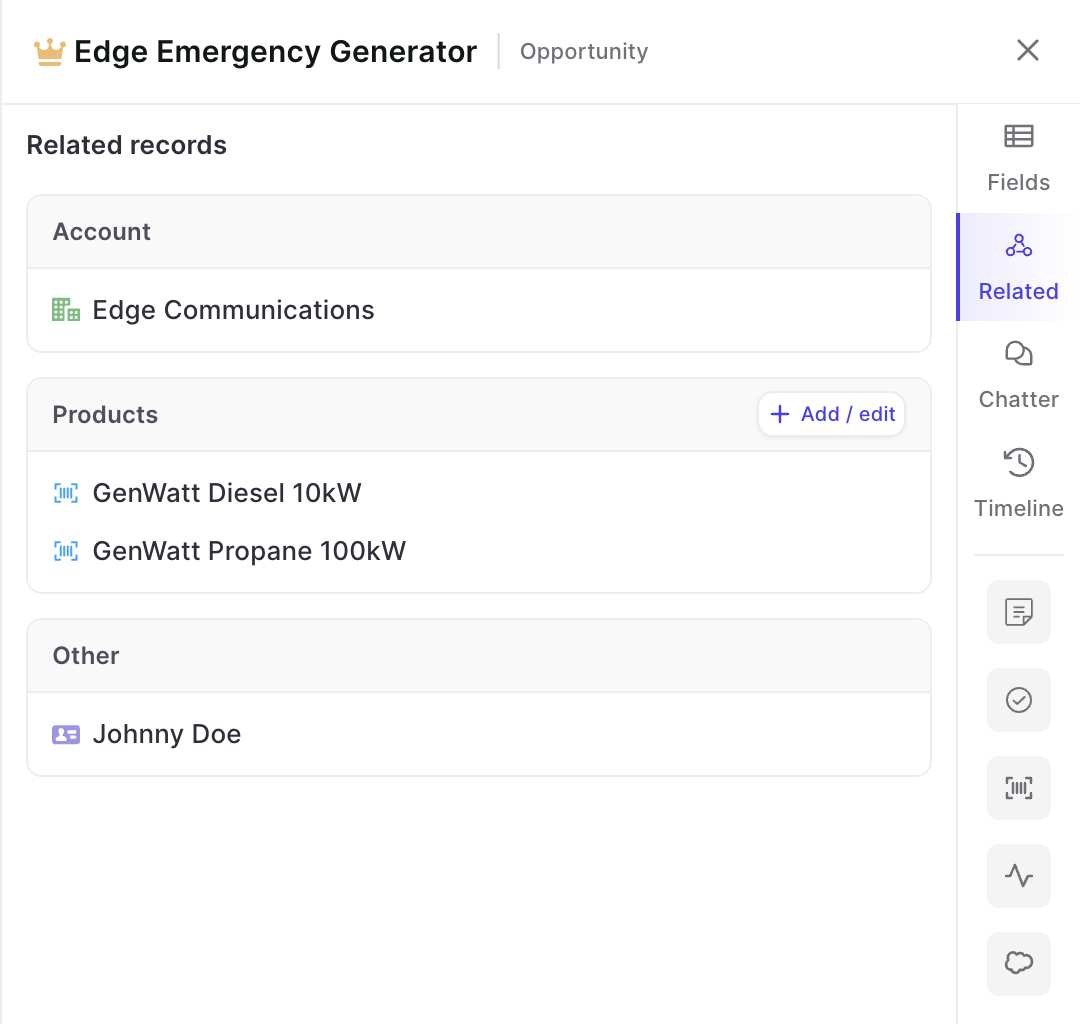
Related tab in panel

See all related records with just one click

Please note: Shortly, you will also be able to edit 'Contact Roles' from here.

  • With just one click in the panel, you can now find all related records
  • This includes custom objects as long as they have been set up in Weflow (reach out to hello@getweflow.com to get help on this)
  • Add new related records or make changes e.g. to products
Related tab in panel

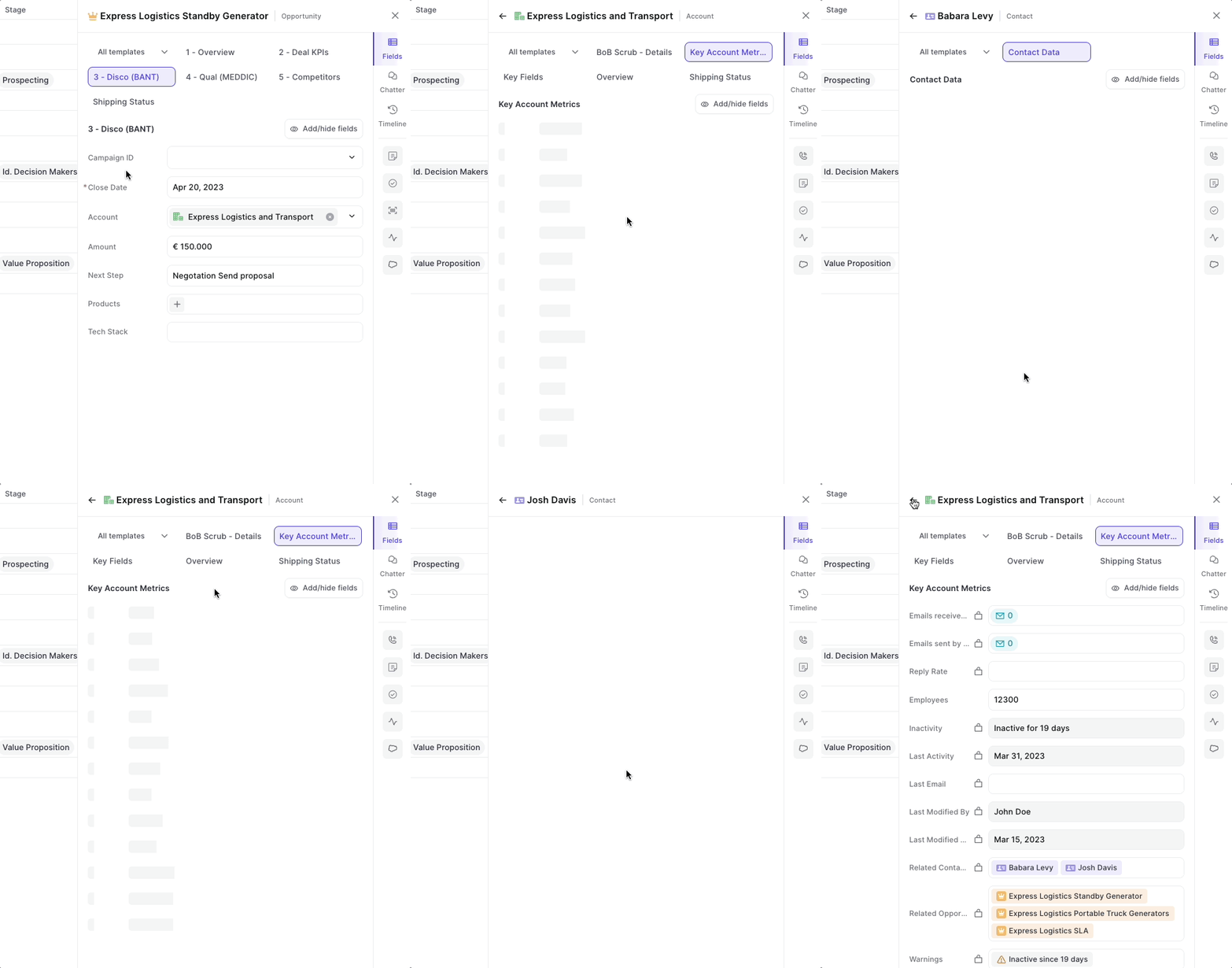
Go deep with the panel

Drill into an infinite amount of records with the Weflow panel

  • From now on, you can click on any related record in the panel to open up field details
  • Go back and forth between different types of records and object types
Go deep with the panel

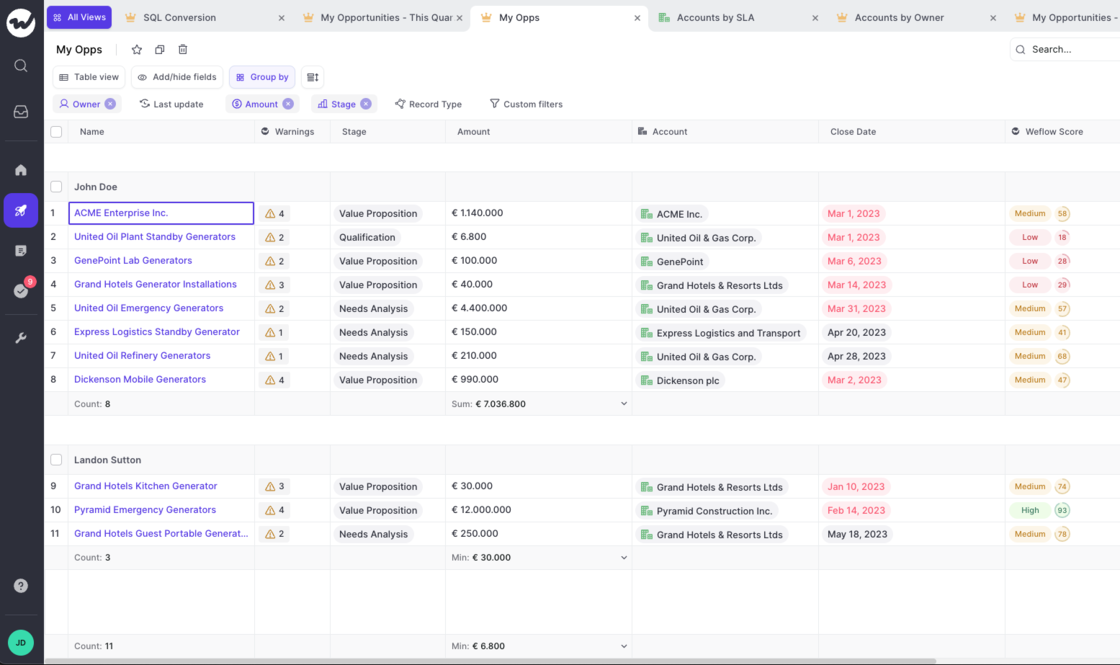
Group by Calculations

Let Weflow calculate number and currency fields for individual groups.

  • Customize the calculation for each group
  • Save your settings
  • Make use of average, min, max, sum operators
  • Quickly find out specific values for groups in your pipeline
Group by Calculations

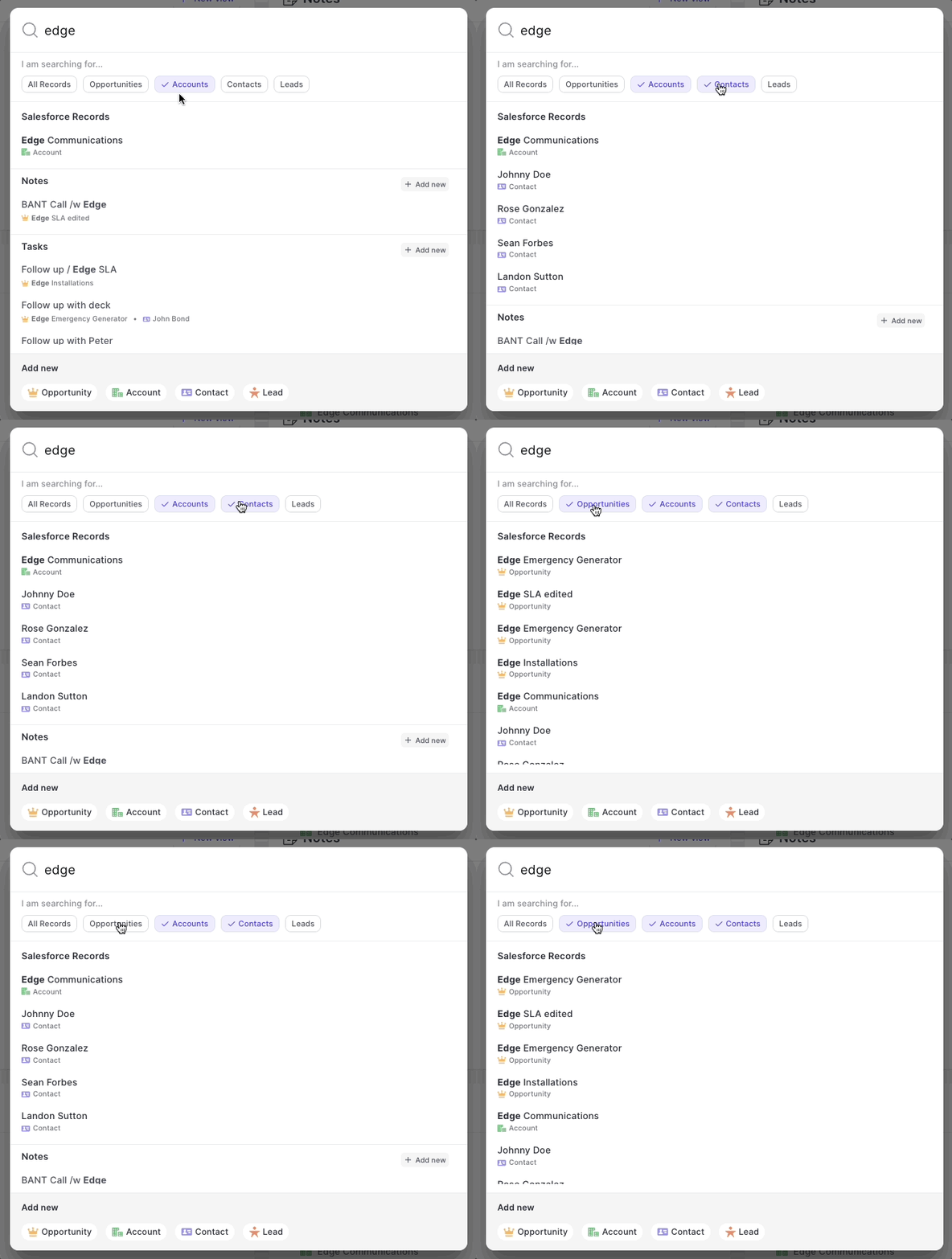
A new search experience

  • Now, you can filter for record types when searching in the web app or via the Chrome Extension
  • Adding new records, notes or tasks is simpler than ever and always visible
A new search experience

March 2023

The new 🏡 home screen

As of today, when signing into Weflow we will not re-direct you to your pipeline, but start every session in the new home screen.

It's purpose is simple. Give you a quick overview of the status quo:

You can also quickly create new actions and records from here. Got feedback? Let us know at hello@getweflow.com

  • Your recently used pipeline views
  • Your latest notes
  • Your overdue/upcoming tasks
  • Your latest Chatter messages
The new 🏡 home screen

Manually override email logging rules with the Chrome Extension

One of our most beloved features is the ability to let Weflow log all your emails in the background. No clicking, no worrying…it just works.

But sometimes, you want to tweak the details a bit more. Maybe there is that one email that should not get logged or that one email that absolutely needs to get into Salesforce even though typically it shouldn't. Exceptions are the norm. And Weflow let's you stay in control.

You can install our Chrome Extension here.

February 2023

Log Outlook/Microsoft emails with Salesforce via Weflow

Let Weflow log your emails via Outlook/Microsoft accounts and link them automatically to your Salesforce records.

  • Weflow now lets you connect your Outlook inbox to Salesforce
  • Whenever you send an email via Outlook, Weflow will automatically log for matching records in Salesforce
  • If successful, Weflow will link the email to the right record
Log Outlook/Microsoft emails with Salesforce via Weflow

Use Chatter in Weflow

Weflow has now a full integration with Chatter.

  • Write and read chatter messages via the panel / Chrome Extension from everywhere
  • Make use of the new "Inbox" to quickly see all new and old Chatter messages
Use Chatter in Weflow

Click-to-call from the panel

Start phone calls from anywhere on the web, via the click-to-call button in the Weflow panel.

  • Weflow will automatically scan all Salesforce fields for phone numbers and automatically surface them via the "Phone numbers" button in the panel
  • This button is available via the Chrome Extension also
Click-to-call from the panel

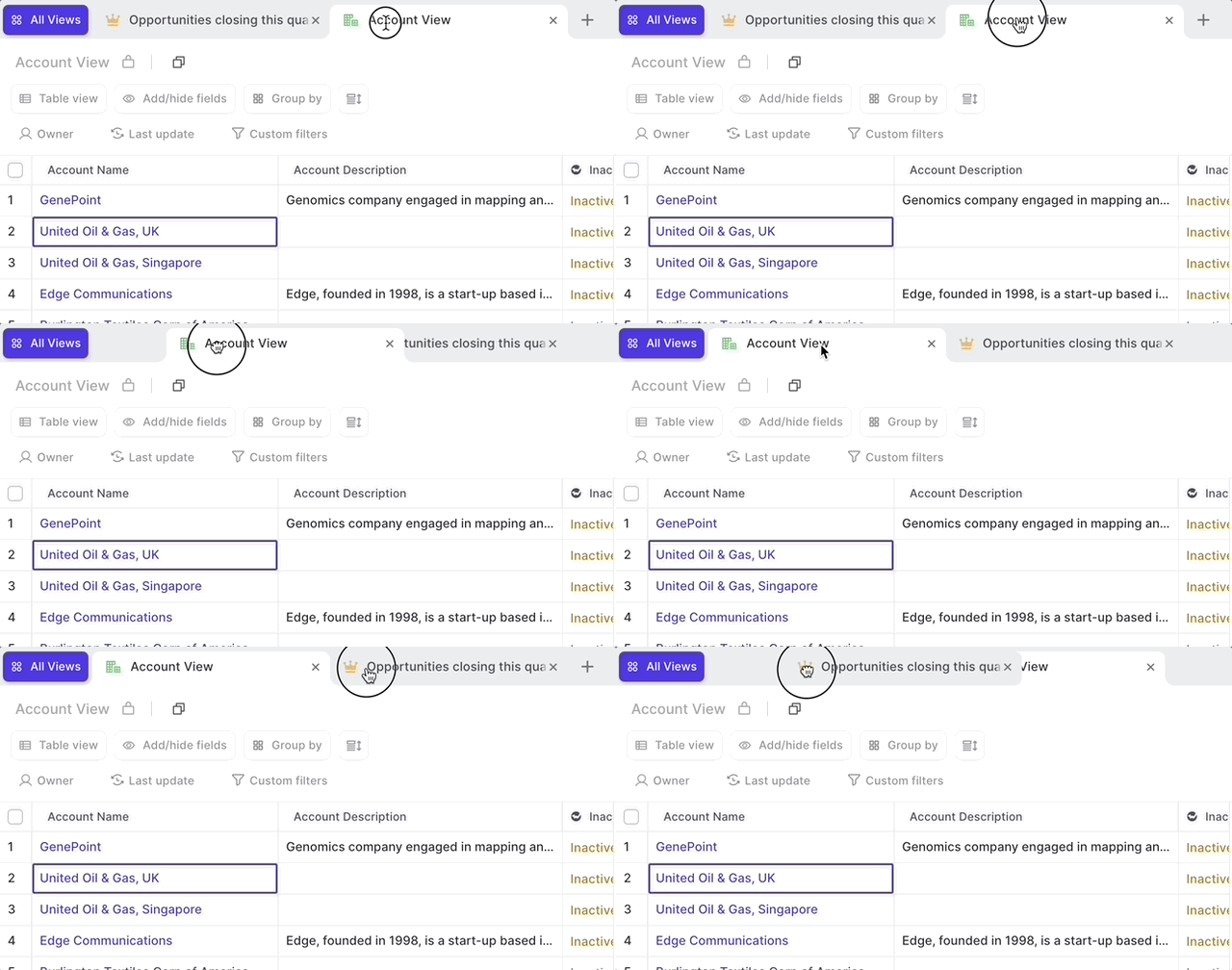
Drag tabs in pieline

  • Want to change the order of tabs in your pipeline?
  • Now, you can drag & drop tabs to change the order
  • It's simple and fast, just like in your browser
Drag tabs in pieline

January 2023

Support for Salesforce Classic

Previously, Salesforce Classic users could not open SFDC records from within Weflow. From now on, Weflow supports both Salesforce Classic and Salesforce Lightning URLs.

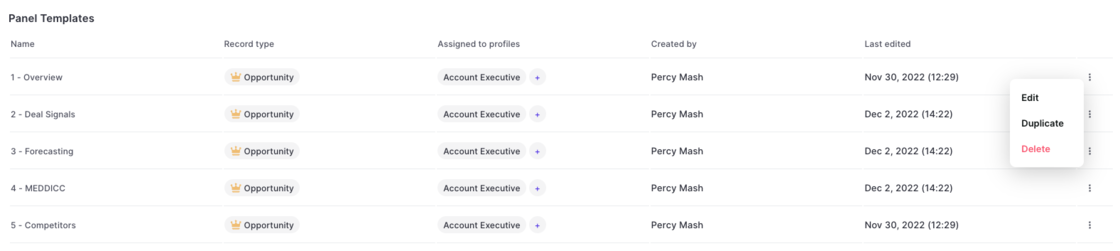
Duplicate your templates in the admin console

Please note: Duplicated templates need to be assigned to a profile before coming into effect.

  • From now on, admins can edit any kind of template in the admin console, even those they did not create or currently own
  • In addition, templates can easily be duplicated with a single click
Duplicate your templates in the admin console

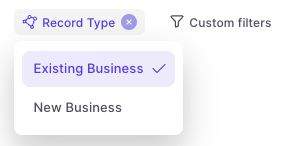
Dynamic filtering by 'Record Type'

  • You can now filter by record type
  • Filtering will automatically fields which relate to a specific business process for the selected record type e.g. the Stage
Dynamic filtering by 'Record Type'

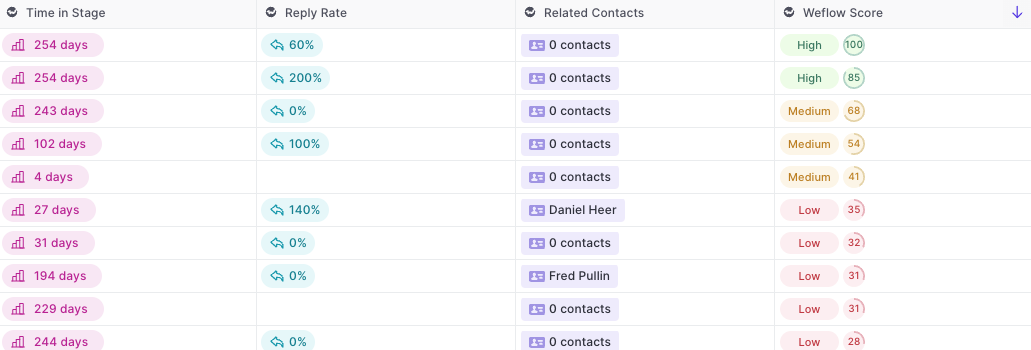
Sorting by Weflow Field

  • You can now sort table views via the Weflow fields
  • Sorting is possible for 'A to Z' and 'Z to A' or 'High to Low' and 'Low to High'
Sorting by Weflow Field

December 2022

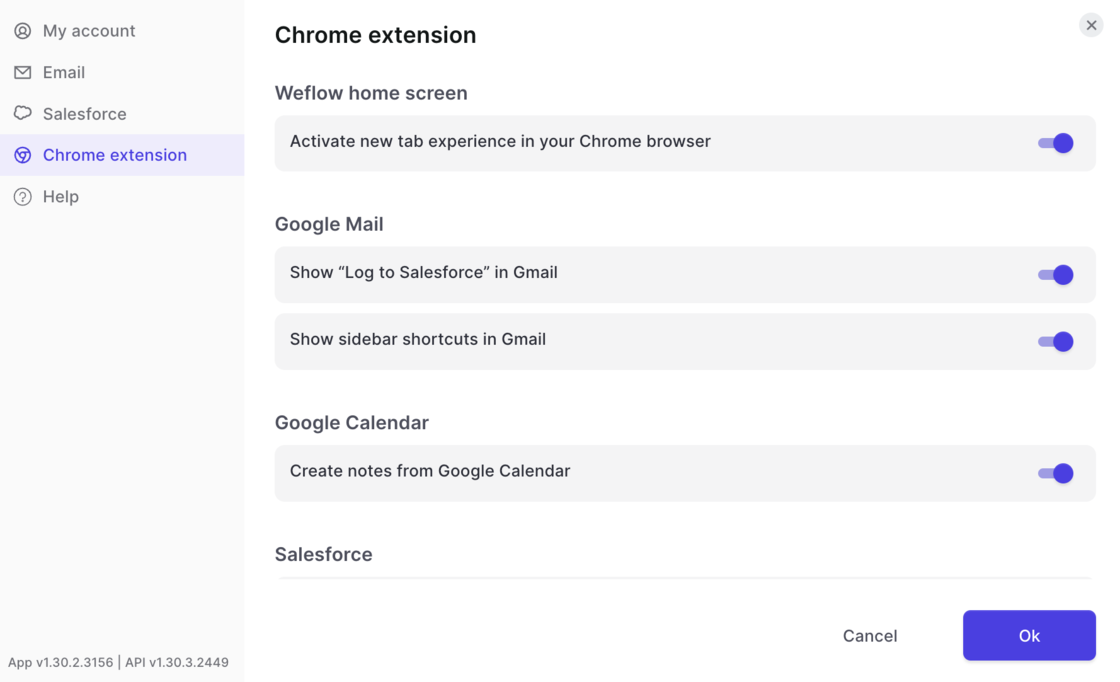
Customize the Chrome Extension

Tweak the Weflow Chrome Extension as you need it:

You are in control!

  • Access the settings
  • Define where you want the Welflow Chrome Extension to show up and support your workflows (e.g. Gmail, Google Calendar, Salesforce, Chrome's New Tab)
Customize the Chrome Extension

November 2022

Introducing: The Admin Console 🙌

Your new one-stop shop to manage Weflow is here.

Here are some of the things you can do with the new console:

Please note: If you have no access to the admin console but require one, contact our support at hello@getweflow.com or reply to this email.

  • Invite and manage team members
  • See who in your organization is already using Weflow
  • Assign profiles to users (e.g. Account Executive, SDR, Sales Manager, …)
  • Assign panel, note, and pipeline templates to the different profiles
  • Deploy new sales methodologies within minutes
  • Manage all custom templates from a unified admin console

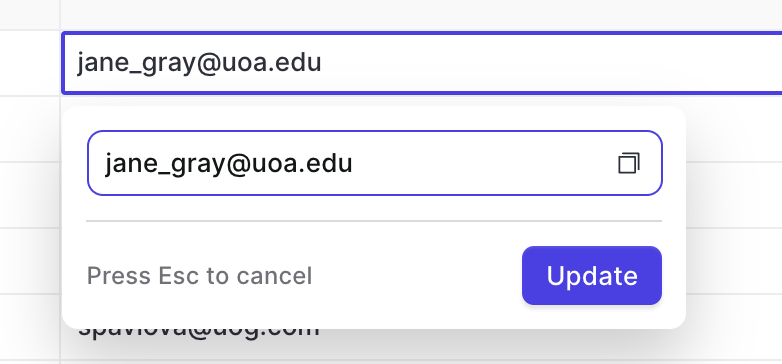
Copy & paste from your pipeline

If we can save you a click or two, we'll consider an investment well worth our time.

Hence, you can now copy values from fields with the copy button. This works for all text, email, and number fields.

Copy & paste from your pipeline

Quickly access related opportunities & contacts

Now, you can access opportunities and contacts by adding the "Related Opportunities" and "Related Contacts" field to your pipeline and panel views.

  • Clicking on a related record automatically opens the panel, so you can make updates or look up information as needed
  • You can make use of related fields also in our Chrome Extension

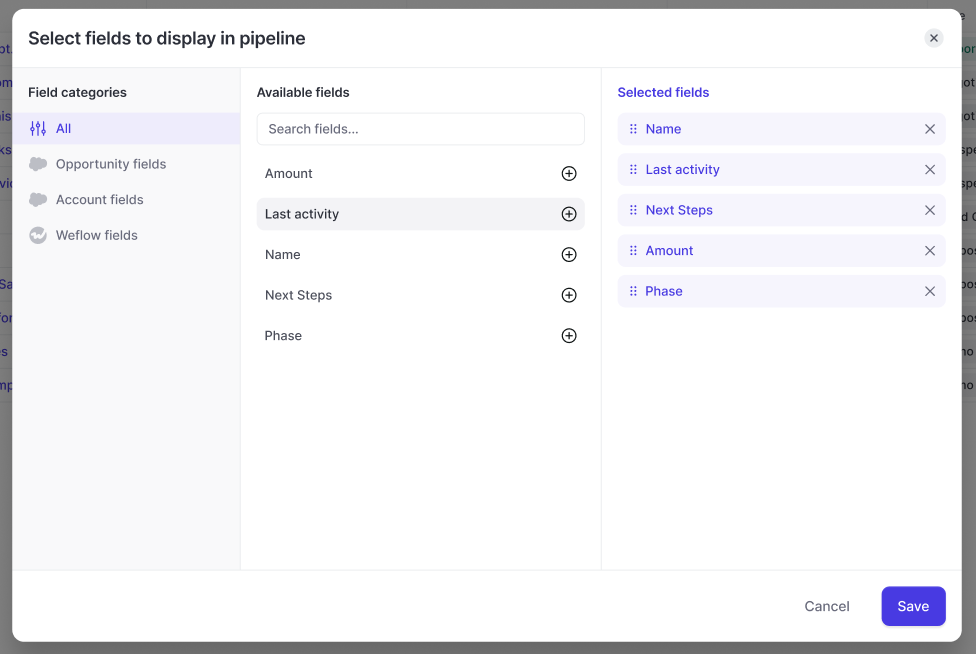
New Add/Hide fields design

With this updated design, users can now filter by field type. In addition, it is now possible to combine account and opportunity fields within an opportunity pipeline view.

  • Merge Opportunity and Account fields in any Opportunity-related pipeline view
  • Quickly filter by field type e.g. Weflow fields vs. Opportunity fields
  • Change the order or the fields with drag & drop
  • Quickly see which fields have already been added to a view
New Add/Hide fields design

October 2022

Introducing: Weflow Fields

There are a lot of hidden insights in your Salesforce CRM. Some are so well hidden, that sales reps sometimes wonder why they even make the effort to add all this data.

Weflow fields automatically calculate useful insights for you and surface them in your pipeline and panel.

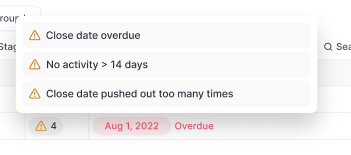
Example of Weflow fields:

Warning summary field:

You can add all Weflow fields via the Add/Hide button in the pipeline or panel.

Introducing: Weflow FieldsIntroducing: Weflow Fields