Weflow changelog

67 updates shipped in 2026339 all time

Showing July 2024 and earlier · Back to latest

July 2024

New Close Date filter + more date options

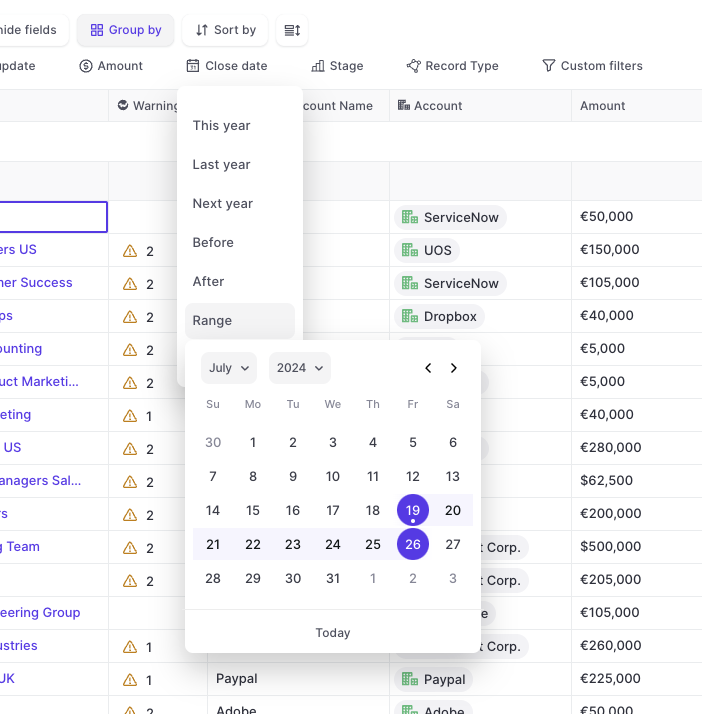
  • We added a new 'Close Date' quick filter to the top bar
  • In addition, you can now make use of a lot of additional pre-built date filters
  • All options are also available via the 'Custom filters'
New Close Date filter + more date options

Manage Activity Logging from the Admin Console (Microsoft 365)

  • Manage activity capture from Weflow's admin console
  • Stay in control of the activity capture process
  • Exclude email domains from logging
  • Add/remove users from activity logging with one click
  • Save hours of setup time, get accurate and reliable activities tracked to your Salesforce
  • All activities are logged into the correct Salesforce object and are made reportable with Salesforces' native reports

Submission Cadences

With Weflow, you are in control of your forecasting process.
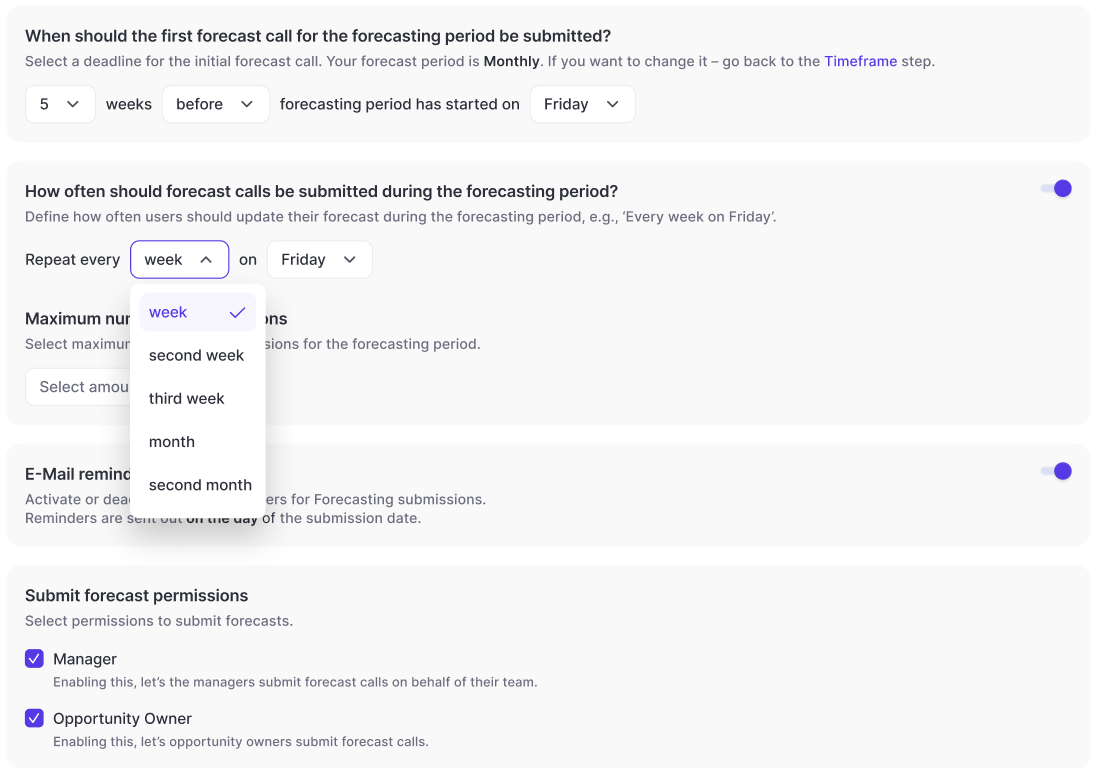
  • Configure your forecast submission calls as granular as never before
  • Define how often a forecast call needs to be updated
  • Add deadlines before/after the month/quarter has started
  • Control who can submit forecasts
  • Control who can adjust forecasts
  • Define leeway periods where forecast calls can still be adjusted
Submission Cadences

June 2024

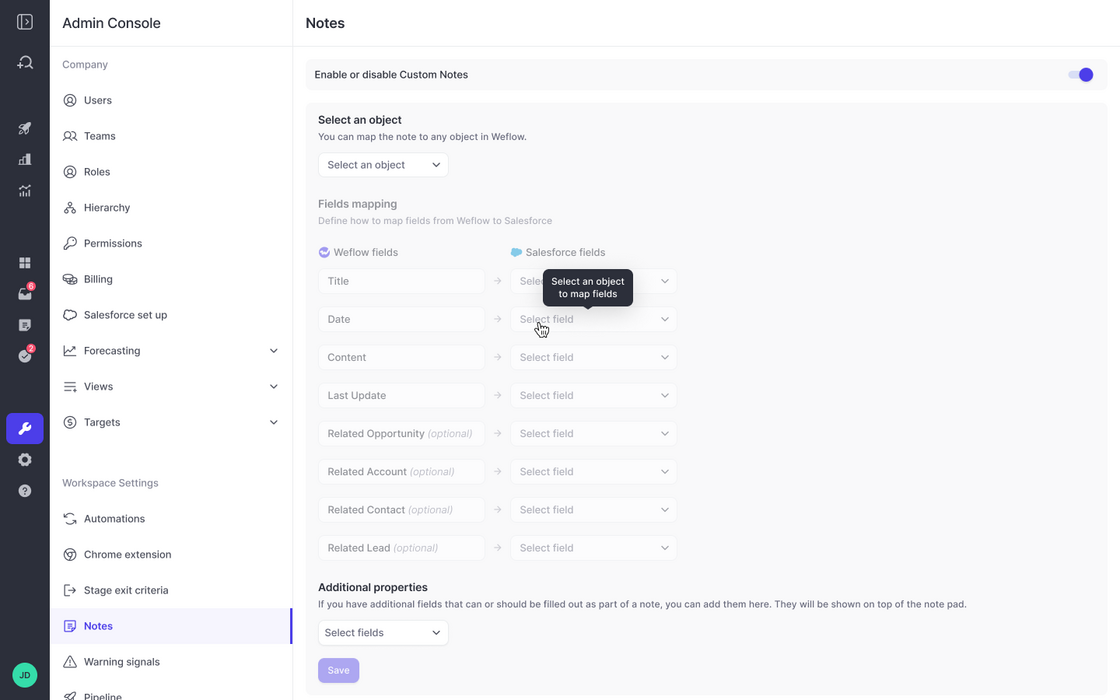
Map custom note objects to Weflow

  • If - for whatever reason - you do not utilize the contentNote or Note object in Salesforce, then you can map your custom note object to Weflow as well
  • Pick any object you like, then map key fields to Weflow's note-taking feature
  • In addition, you can let Weflow surface additional fields to stay in full control of the note-taking process
  • Required fields will automatically be surfaced by Weflow
Map custom note objects to Weflow

Weighted Forecasts

Add weighed forecasts to your pipeline views, roll-ups, collaborative forecast views and sidebar.
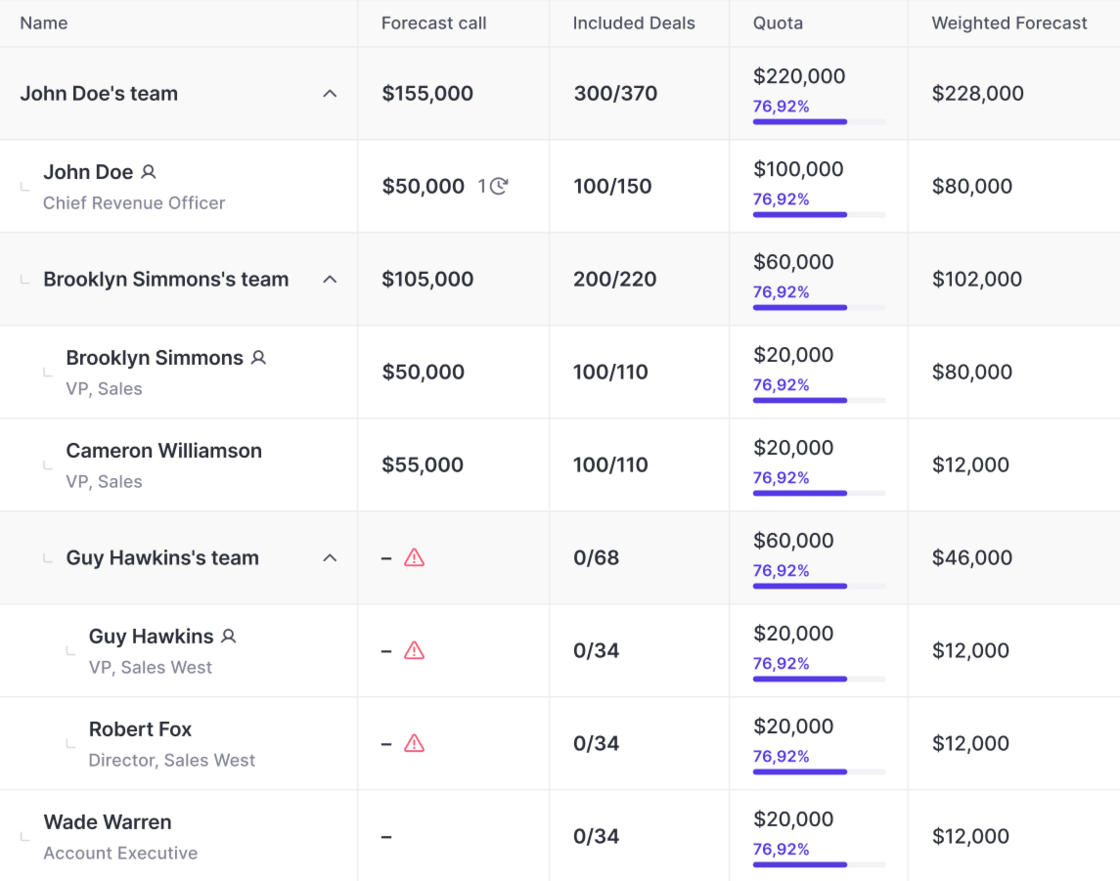
  • Weighed forecasts are calculated automatically by Weflow
  • They are based on your stage probabilities
  • Weighted forecasts work out of the box - you don't need to configure anything within Weflow
Weighted Forecasts

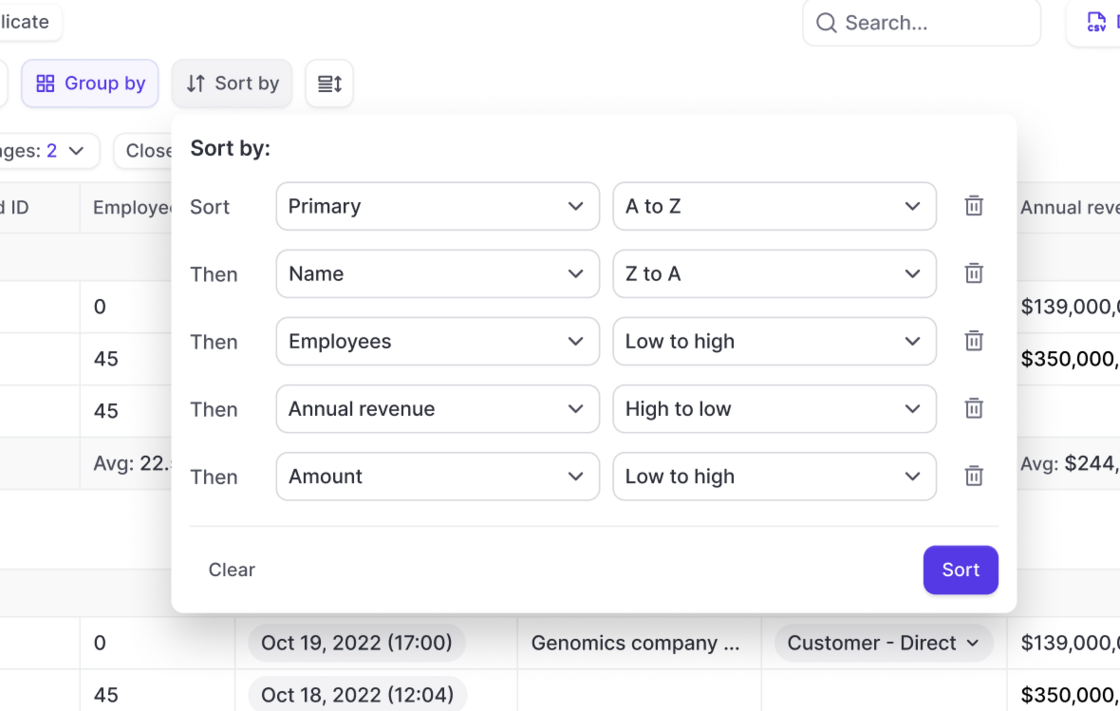
Multi-Sort your Pipeline

  • Multi-sort any pipeline view in Weflow by using up to five Salesforce fields
  • Define the right order and either sort from A->Z (low to high) or Z->A (high to low)
Multi-Sort your Pipeline

May 2024

Warning Signals

Create fully customizable Warning Signals based on any field in your Salesforce CRM.

Configure fully customizable warning signals and assign them to different user profiles within Weflow:

Weflow lets you use any field in your CRM to create custom Warning Signals.
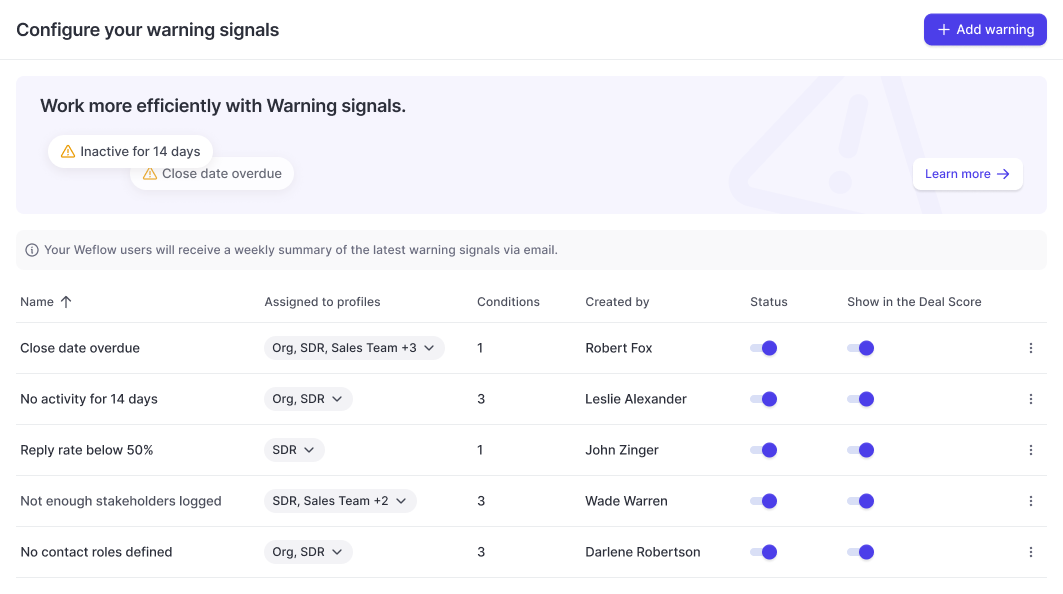
  • Track overdue close dates
  • Identify missing fields (next steps, economic buyer, etc.)
  • Highlight low velocity (low reply rate, no next meeting, etc.)
Warning Signals

April 2024

Surface deal stakeholders in Insights

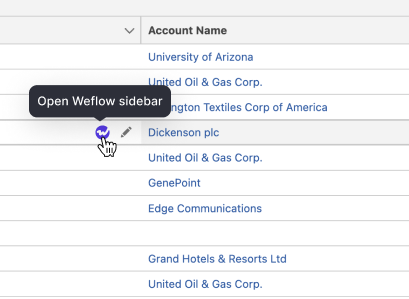
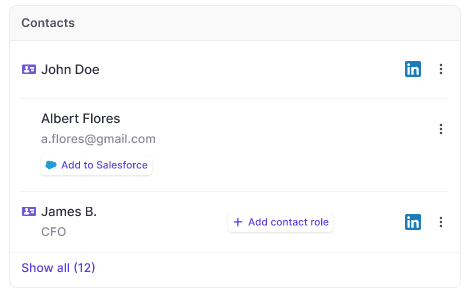
A huge benefit of using our in-house activity capture solution is that Weflow will automatically surface deal stakeholders - even if they have not been added to your Salesforce CRM yet.
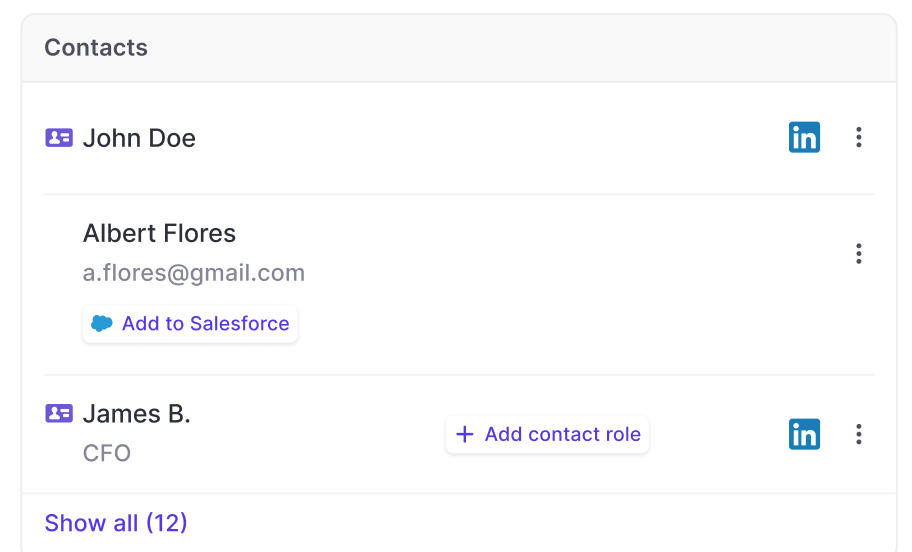
  • See deal stakeholders who are not in your CRM yet
  • Assign contact roles with one click to existing contacts
Surface deal stakeholders in Insights

March 2024

AI Forecast powered by Weflow

AI forecasts are now available for all customers on our growth plan.
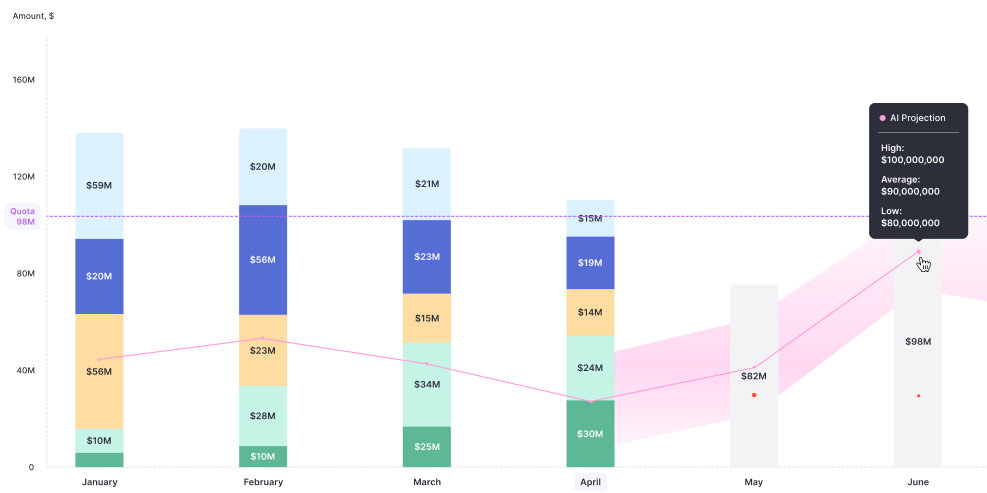
  • Weflow now features an AI-powered forecasting solution, that let's you confidently look at the next months or quarters based on your companys' historical performance
  • The model is tweaked per customer, and reflect their seasonality effects as well as past revenue generation in similar time frames.
AI Forecast powered by Weflow

Product templates

Now, admins can create templates for products in Weflow.
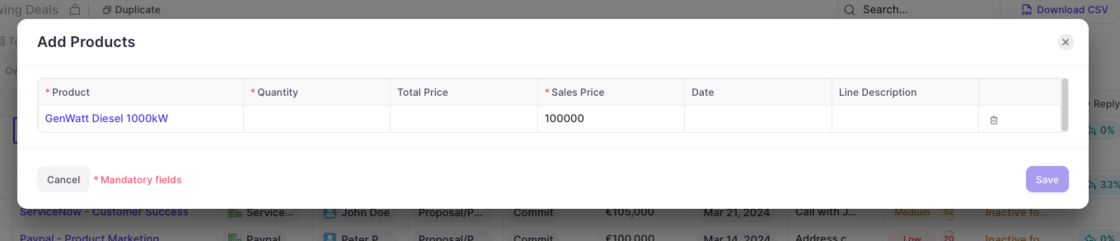
  • Create as many templates as needed
  • Assign templates to different user groups
  • Mark fields as required - independent from Salesforce
Product templates

February 2024

Mark fields as 'required' in templates

There are reasons where you'd want a field to be required in Weflow without marking it as required in your Salesforce systems. Our new template editor now covers these cases.
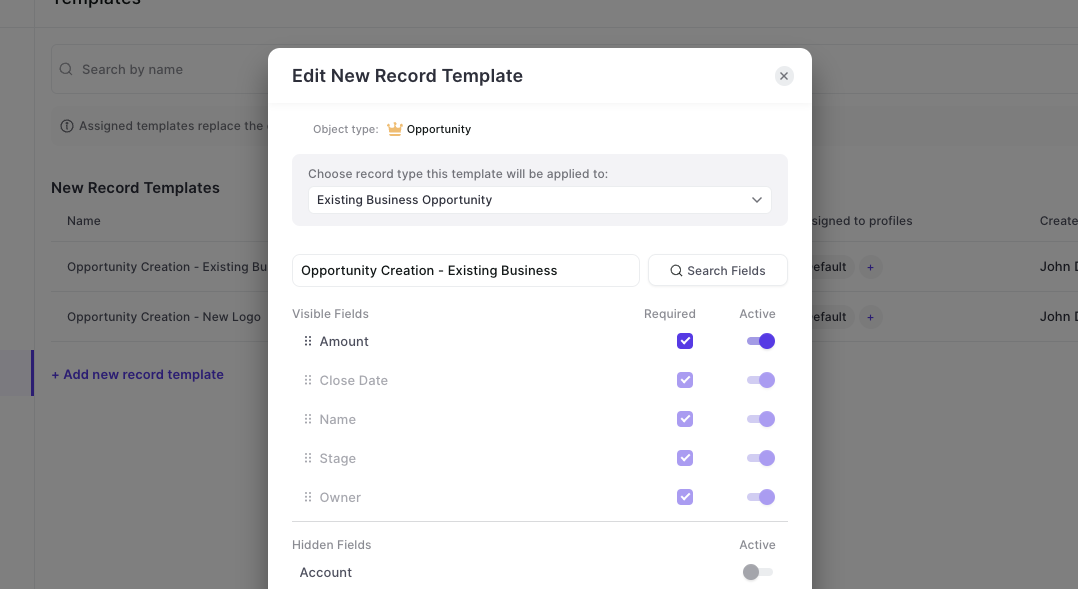
  • Access the Admin Console
  • Go to the Template section for 'New Records'
  • Edit an existing template or create a new one
  • Mark any field as 'Required' that you add into the template as needed
Mark fields as 'required' in templates

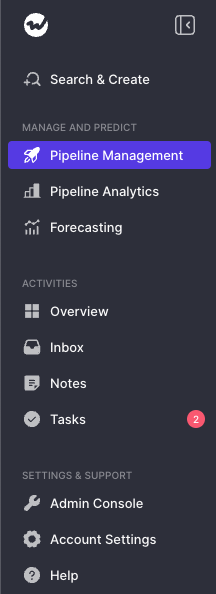
New Navigation

  • The new navigation gives you a clearer structure to navigate our ever-growing scope of features and functions
  • The admin console is no separate section anymore
  • You can collapse/un-collapse the menu with one click
  • Activities are grouped together
  • Pipeline Analytics and Forecasting are more clearly separted
New Navigation

January 2024

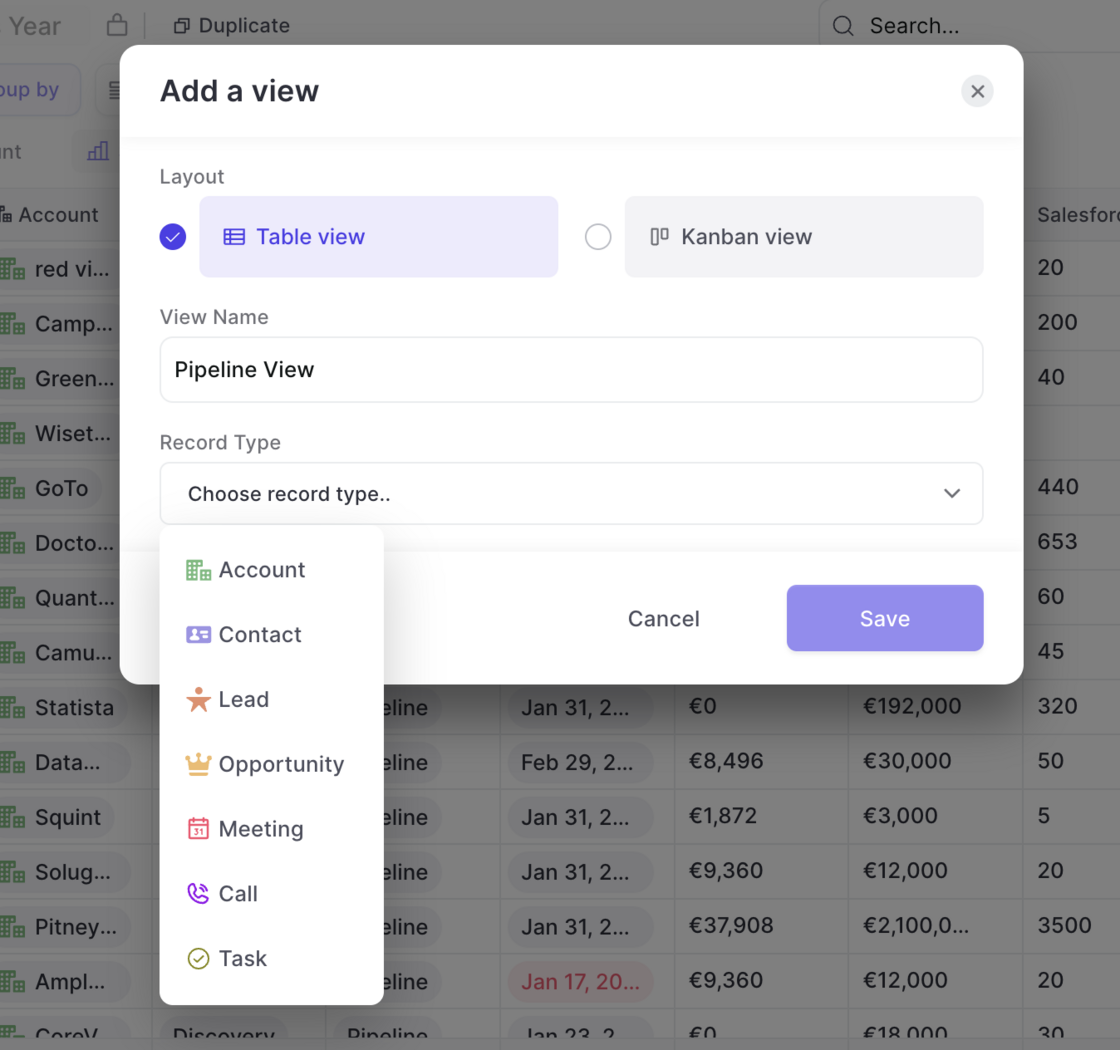
Create pipeline views for meetings, tasks or calls

  • Now, you can create pipeline views for meetings, calls and tasks
  • Adding a new view is as easy as always; simply click the "+" icon in the pipeline tabs
  • Then, select the object type you'd like to see in a table view
  • This makes editing meetings, calls and tasks even more efficient. Especially in combination with Weflows' powerful bulk editing tools
Create pipeline views for meetings, tasks or calls

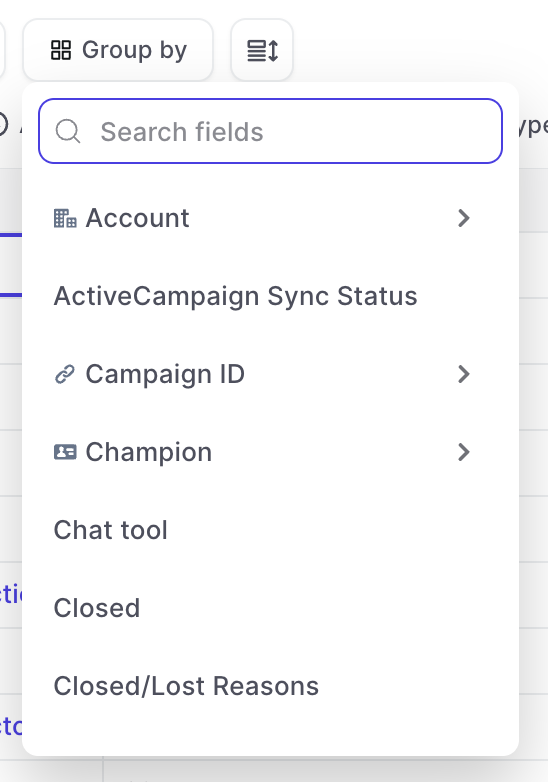
Filter and Group by any record type / field

  • Now, pipeline views can be grouped and/or filtered by any field and record available in your Salesforce instance.
  • This means, you can create an "Opportunity" view, but filter using fields from Contacts, or Accounts.
Filter and Group by any record type / field

December 2023

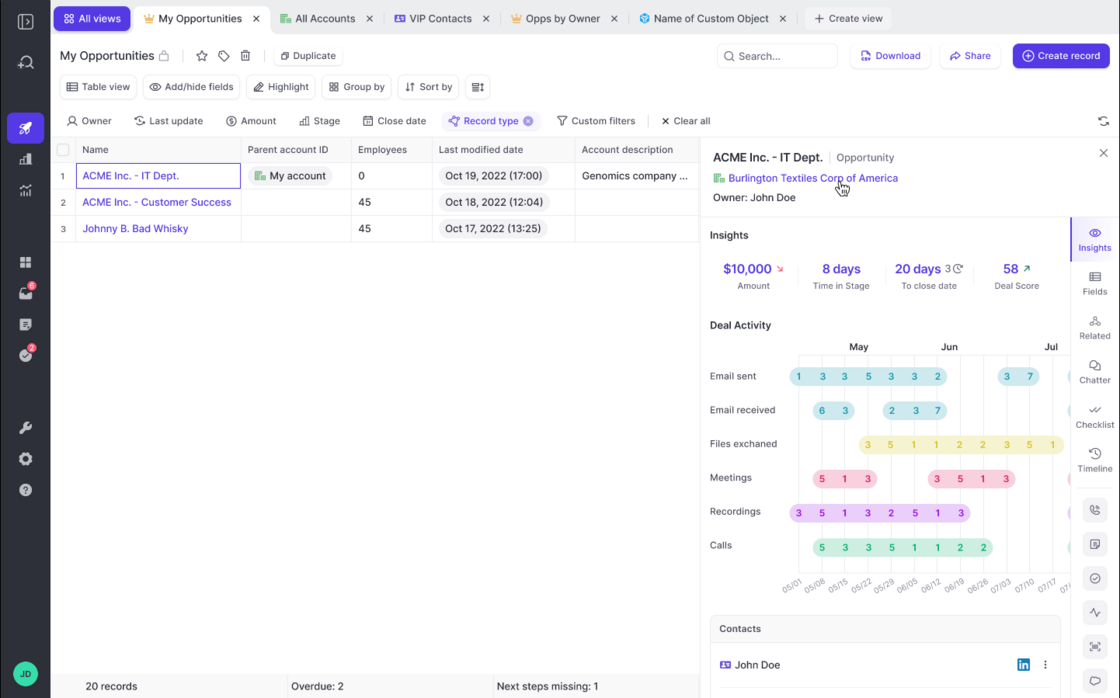
The new 🔥 Insights tab

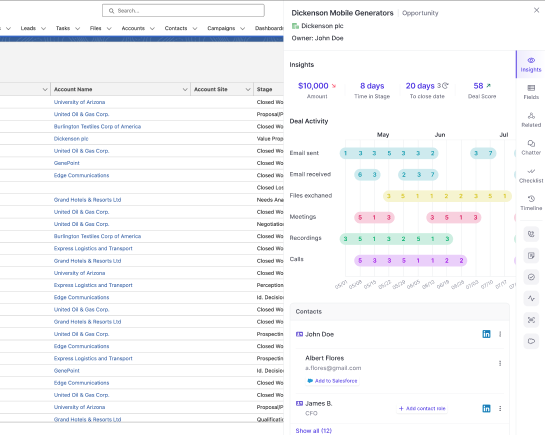
Deal inspection on a whole new level. The new Insights tab gives you unique insights into your opportunities. Admins can customize the new insights tab as needed for their specific business requirements.

1) Access the Insights tab from any Opportunity:

2) Look at key metrics:

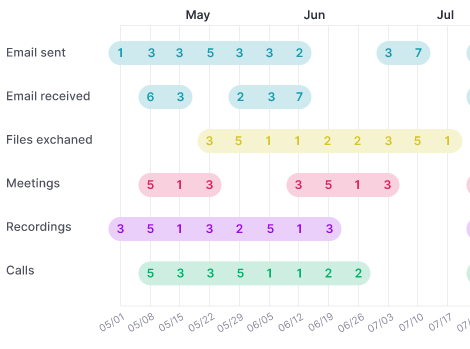
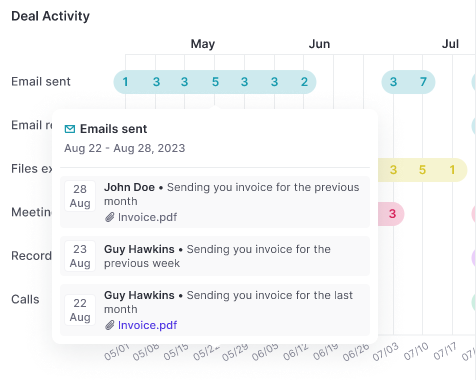
3) Understand if activities drive the deal velocity:

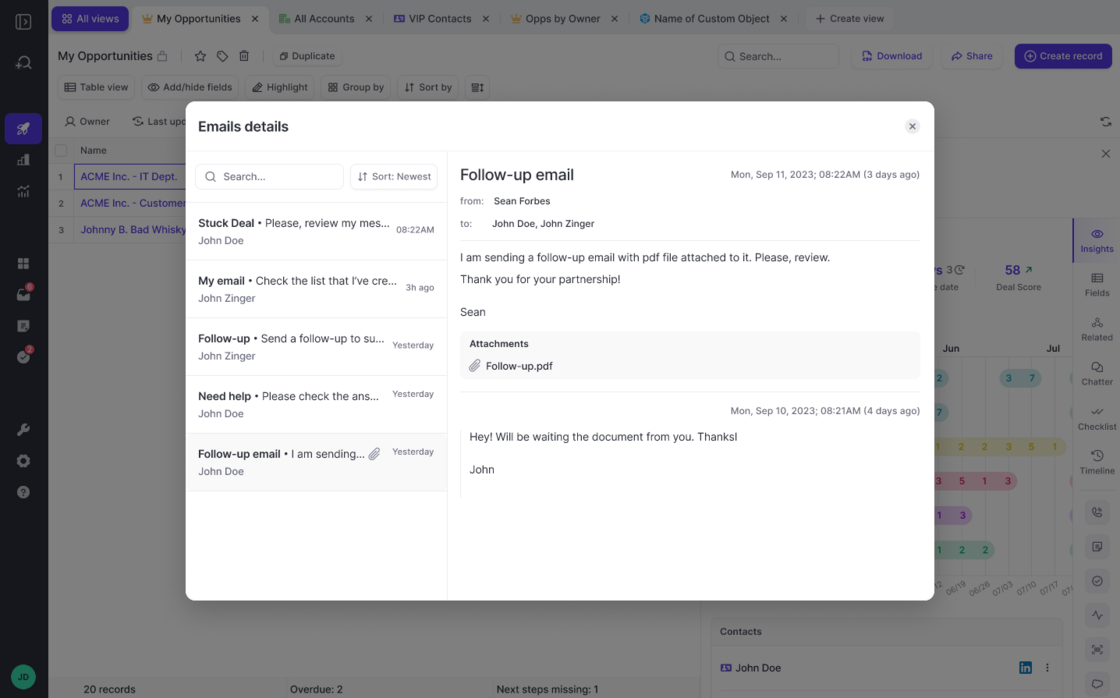
4) Read emails or meeting notes:

5) Map contacts:
The new 🔥 Insights tabThe new 🔥 Insights tabThe new 🔥 Insights tabThe new 🔥 Insights tabThe new 🔥 Insights tabThe new 🔥 Insights tab

Team Benchmark reports

Ever wondered how your teams are doing? Now you can, with just one simple click.
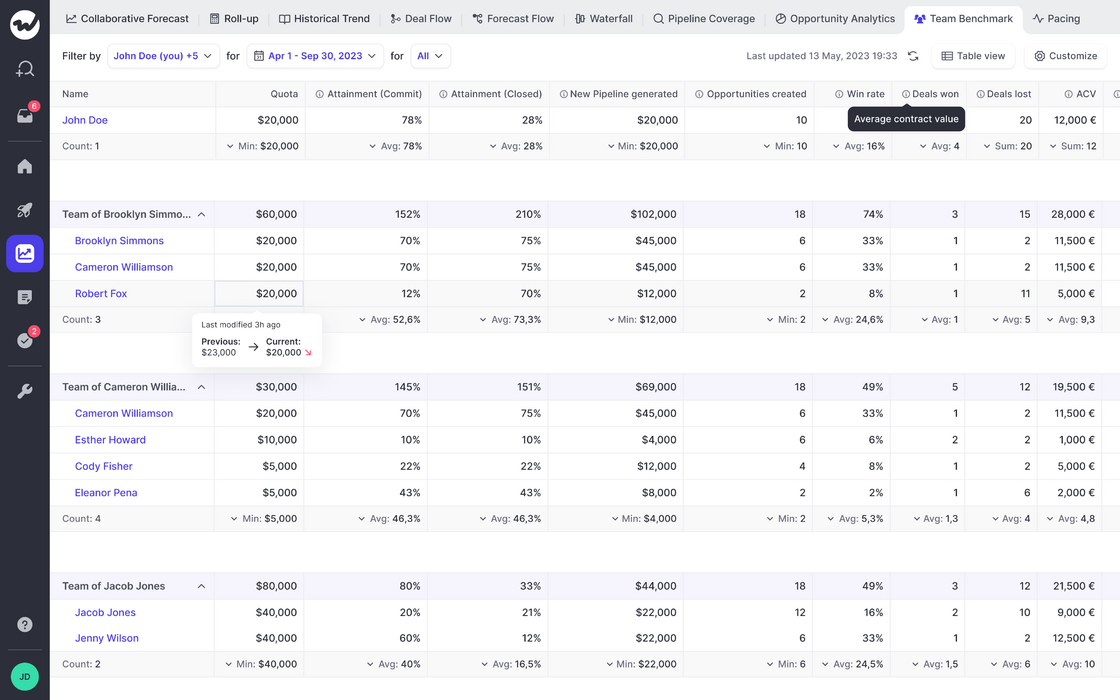
  • Access team reports via the forecasting section
  • Understand performance, attainment, velocity, and more all in one easy-to-read dashboard
  • Filter by different sales reps, look at different time frames, and record types
Team Benchmark reports

Mix & merge fields from all sObjects

Mix fields in your pipeline table views form various linked Salesforce objects (custom or standard).
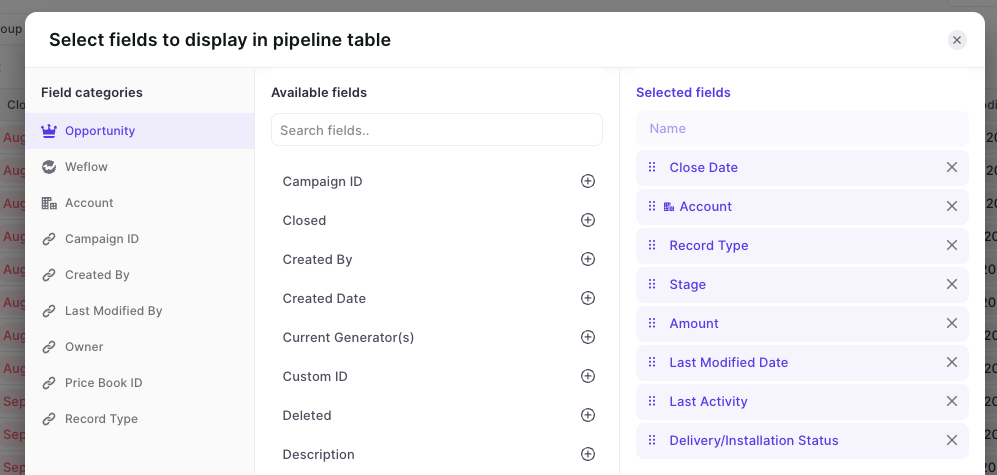
  • Out-of-the-box, Weflow lets you combine fields from different objects in one unified pipeline view
  • As long as there is a relationship between the records, Weflow can connect the dots for you
  • You can use custom objects and custom fields
  • Field dependencies, validation rules are respected automatically
Mix & merge fields from all sObjects

November 2023

Pipeline Speed

The pipeline is loading 40% faster now.

You'll automatically collect many records if you use Salesforce for long enough.

We optimized the pipeline capabilities of Weflow to display up to 2000 records at once with 40% faster load times.