Weflow changelog

67 updates shipped in 2026339 all time

Showing September 2025 and earlier · Back to latest

September 2025

Activity Reports

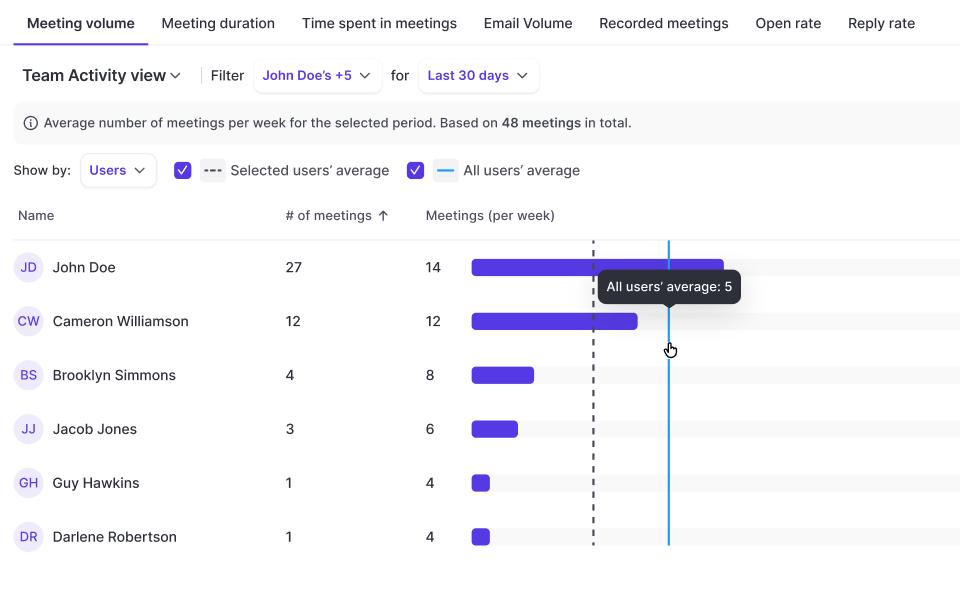
Out-of-the-box report on email and meeting activity by rep:

No setup required. Works immediately with Weflow's activity capture + includes manually tracked activities from Salesforce.

  • Meeting volume
  • Email volume
  • Time spent in meetings
  • Average meeting time
  • Number/share of recorded meetings
  • Reply rates
  • Open rates
Activity Reports

July 2025

Edit Logged Meetings

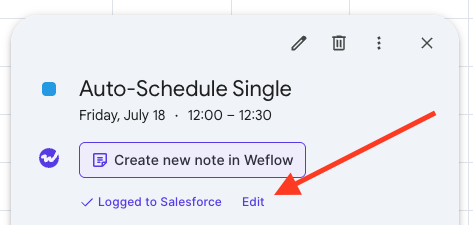
On Google Calendar, users can now edit already logged meetings via a new "Edit" button. This will open a pop-up (customizable via the admin console) to let end users edit standard and custom fields on the activity record in Salesforce directly from their Google Calendar.

Edit Logged Meetings

Smart Topic Tracker ✨

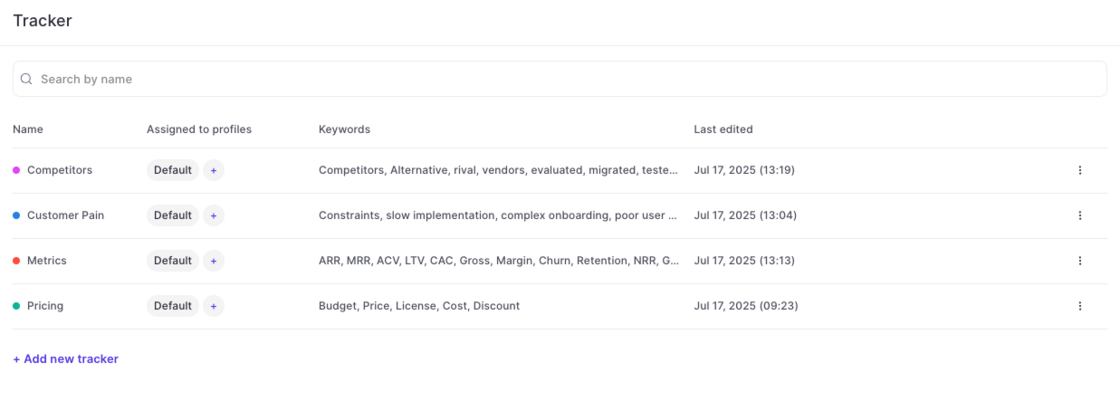
Use Weflow's smart tracker to measure and capture important topics and keywords.

Setup in Admin Console:

Weflow automatically creates four default templates for you (pain points, metrics, pricing, decision makers). Admins can create unlimited additional templates as needed.

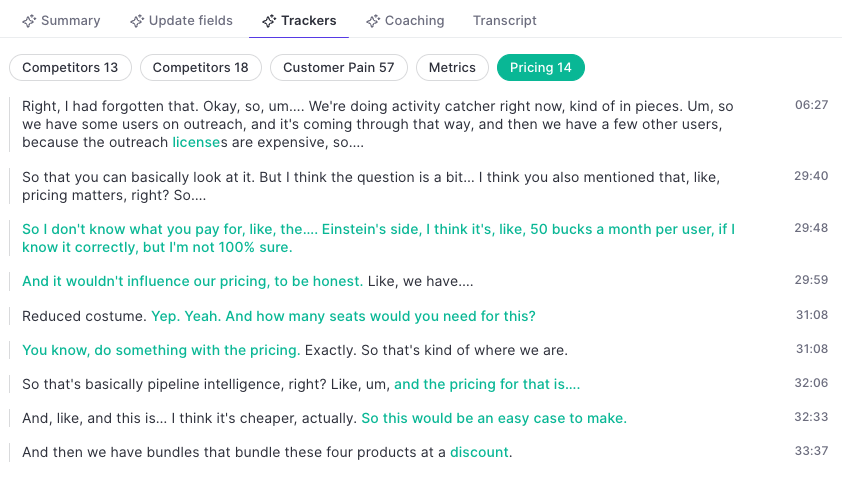
Trackers in the Transcript:

Use keywords to refine the topic tracker. Weflow's AI will pick up additional related keywords and topics automatically.

Smart Topic Tracker ✨Smart Topic Tracker ✨

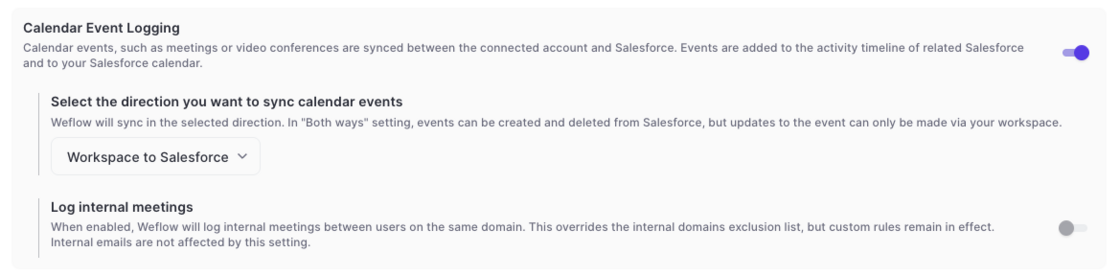
Log Internal Meetings

  • For specific setups in activity capture it may be relevant to also log internal meetings automatically
  • To cater to this requirement, Weflow has added the option to log internal meetings
  • Please note, that this does not impact email logging
  • This setting can be enabled in the 'Configurations' in the admin console
Log Internal Meetings

June 2025

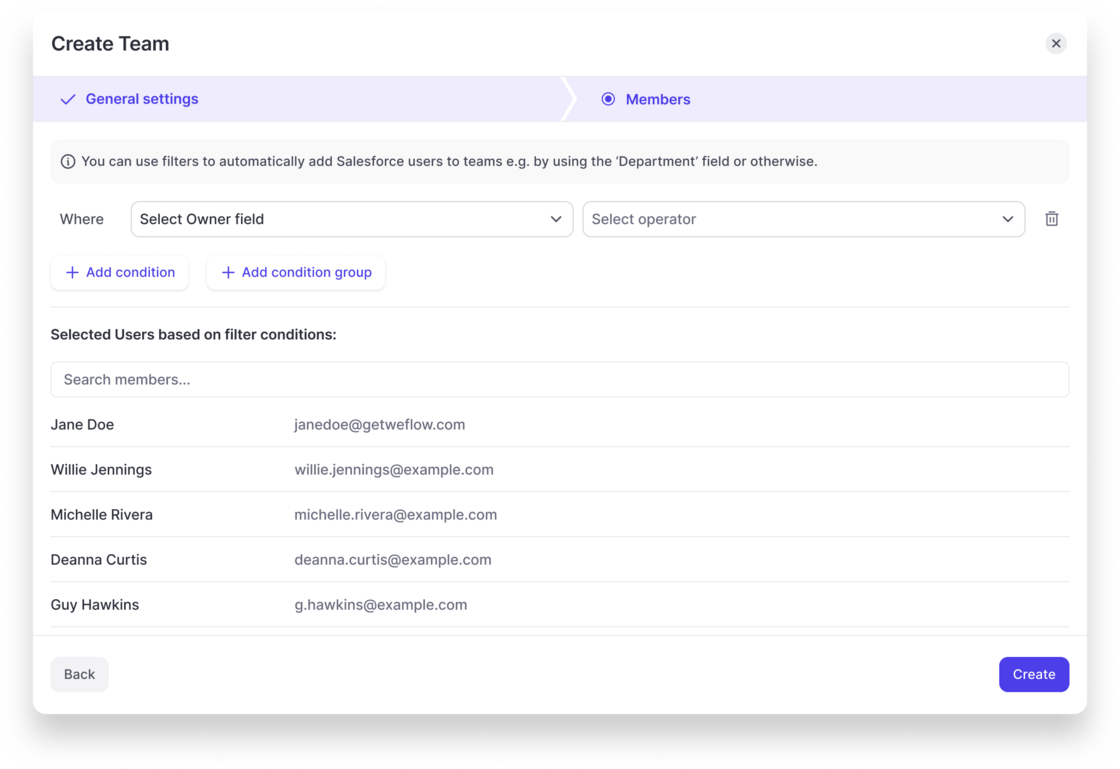
Create Teams based on custom rules

  • Weflow now let's admins configure dynamically updated teams based on fields related to the user object in Salesforce.
  • Weflow will automatically update the users assigned to a team based on these rules.
  • Also, Teams can be used to assign configurations for activity capture or conversation intelligence, so that Salesforce and Weflow always stay perfectly in-sync.
Create Teams based on custom rules

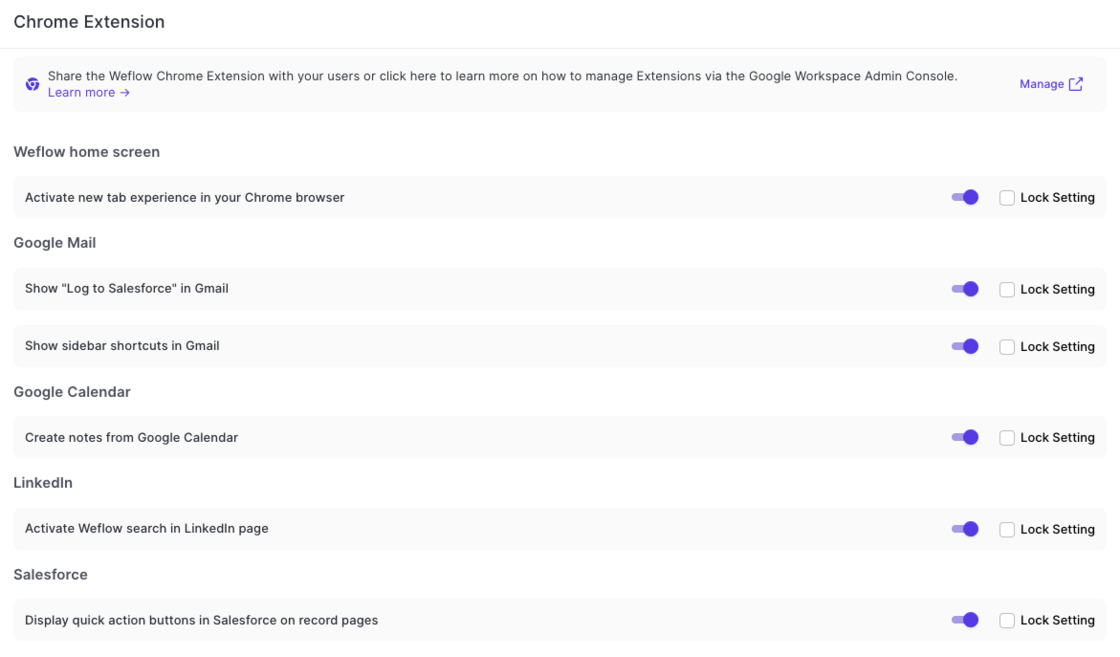
Chrome Extension - Admin Console

  • Admins can now override user settings for the Chrome Extension via Weflow's admin console
  • Settings can be locked to prevent end users from changing the settings defined by an admin
  • If not locked, then end users can change their Chrome Extension behavior via the 'Account Settings'
Chrome Extension - Admin Console

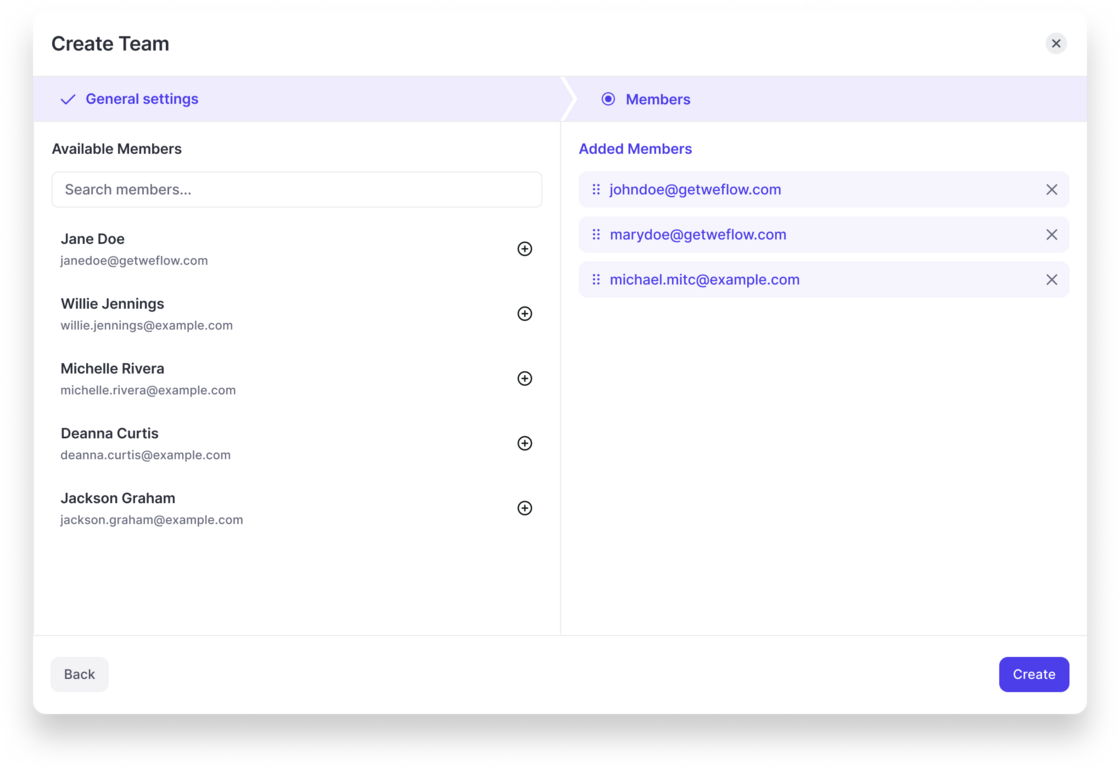
Teams

  • Admins are now able to create custom Teams in Weflow.
  • In the short term, Teams will replace "Profiles" to assign templates, configurations and presets to specific user groups.
  • Teams will also be used to define hierarchies independently from Salesforce settings.
Teams

Custom filter presets

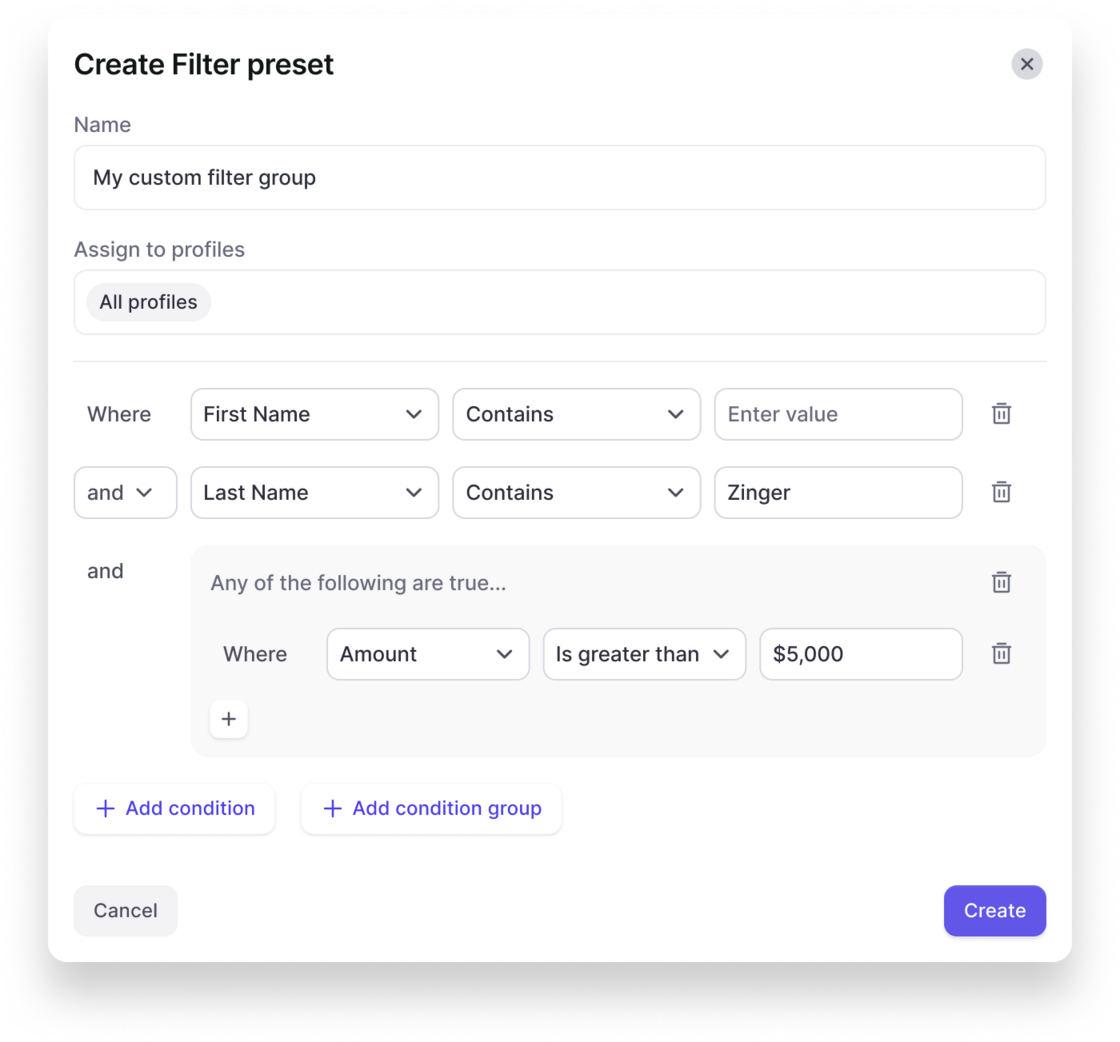
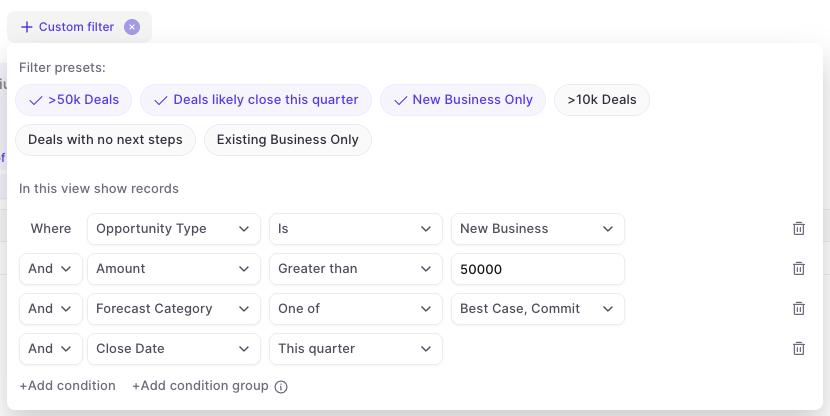
In the admin console, you can now create your own custom filter presets that are also visible and usable for other users in the Weflow app.

This gives you more control over key filters that should be used across the organization and saves time for each user when it comes to setting up tedious details in specific views.

Create a filter preset in the admin console:

Users can quickly toggle between filters in analytics & forecasting:

Custom filter presetsCustom filter presets

April 2025

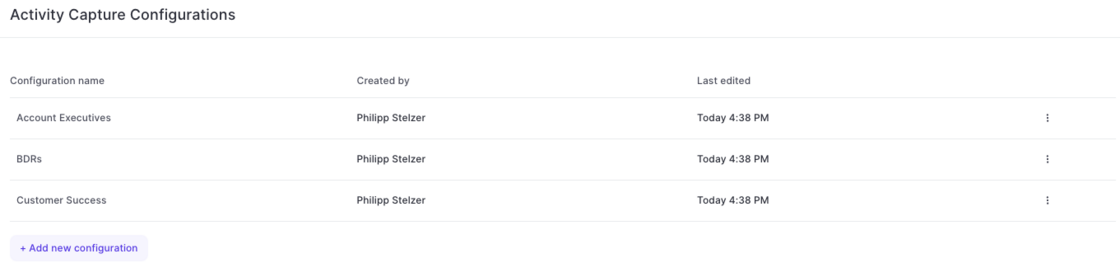
Create multiple Activity Capture configurations for different teams

  • With this latest update, admins can now configure different activity capture configurations for specific user groups, profiles, roles or teams in Weflow.
  • Simply add a new configuration and customize it based on your specific requirements and needs.
Create multiple Activity Capture configurations for different teams

February 2025

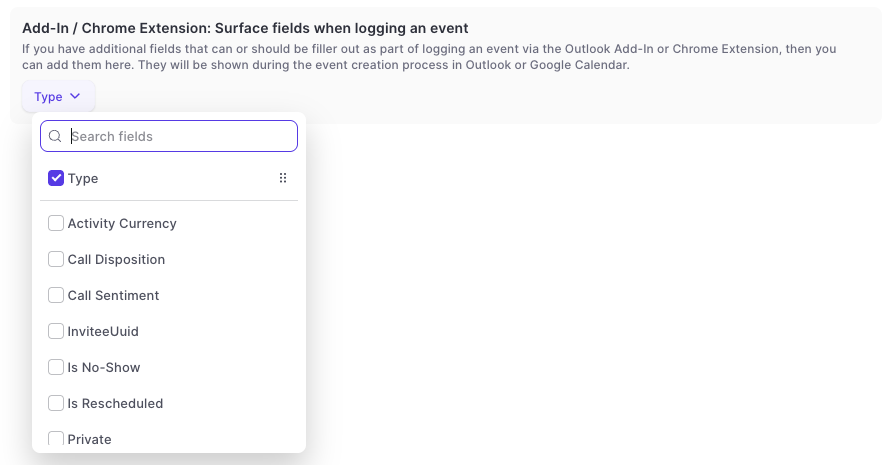
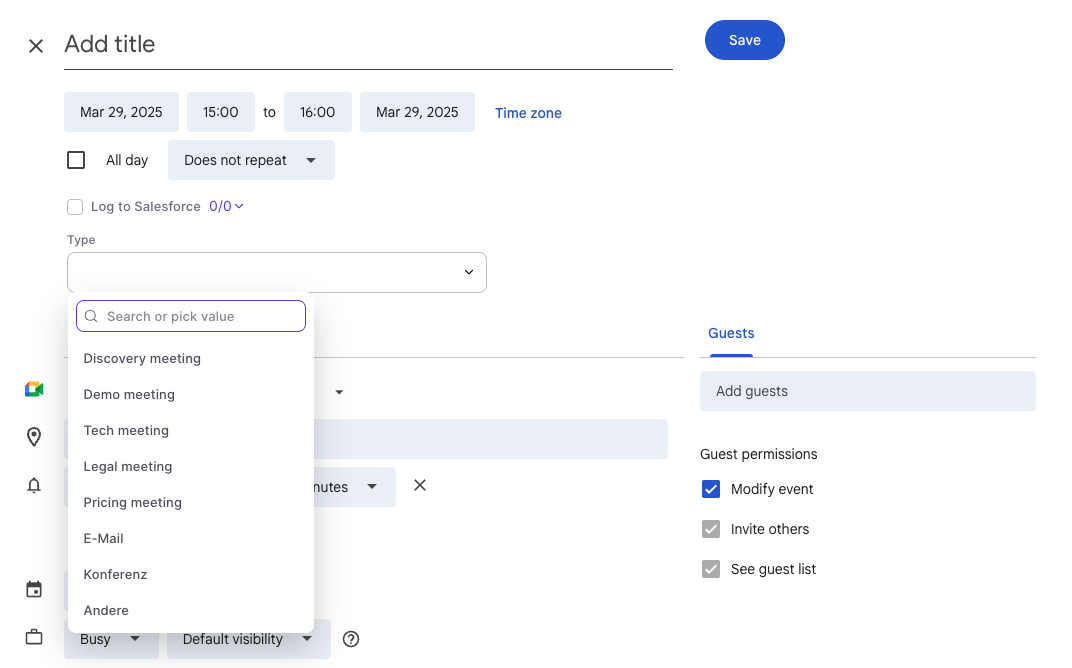
Surface fields on the event record while logging

[New Feature]

In the admin console:

In Google Calendar:

  • Surface additional fields when logging an event via the chrome extension to Salesforce.
  • This is only available in the full screen mode for event creation in the Google Calendar.
  • Support for Outlook is planned by the end of Q2-2025.
  • Long text fields are not supported.
Surface fields on the event record while loggingSurface fields on the event record while logging

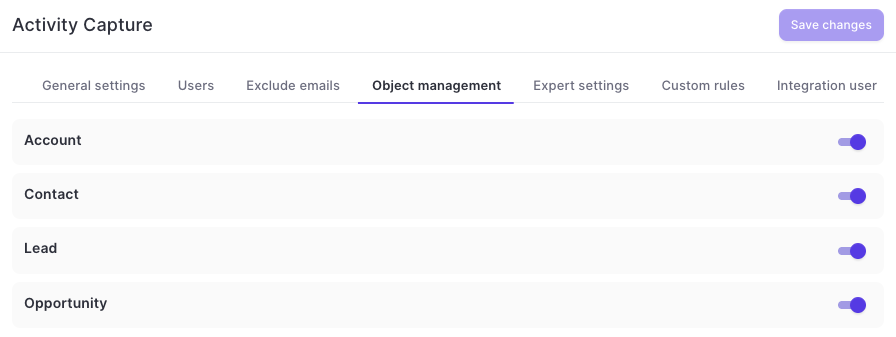
Disable objects for activity capture

  • Admins can now disable logging to specific objects altogether via the admin console in Weflow
  • This includes custom objects as well as standard objects
  • Disabled objects will not be available for manual logging via the add-in or chrome extension
Disable objects for activity capture

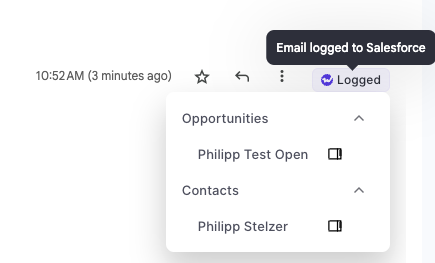
Logging sent emails and faster access to the sidebar

This update contains multiple improvements to Weflow Activity Capture on Google Workspace in combination with Weflow's Chrome Extension:

This feature is automatically available for all Weflow Activity Capture customers on Google Workspace.

  • Log emails manually whenever you like
  • Open the sidebar with one click
  • See logging status directly in Gmail
Logging sent emails and faster access to the sidebar

New access controls for forecasting & analytics

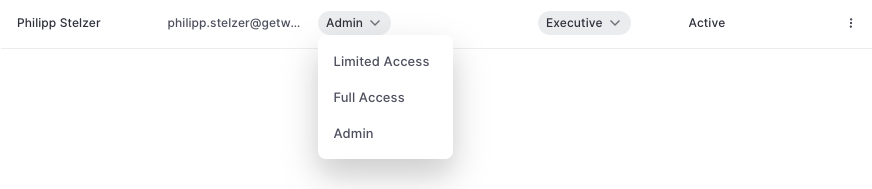
A new permission setting has been added to Weflow which limits the access to seeing opportunity data in forecasting and analytics.

Admin: Full access to all opportunity data (as per defined in your Salesforce settings) incl. admin console.

Full Access: Full access to all opportunity data (as per defined in your Salesforce settings) without access to admin console.

Limited Access: Only access to your own opportunity data (as per defined in your Salesforce settings).

New access controls for forecasting & analytics

January 2025

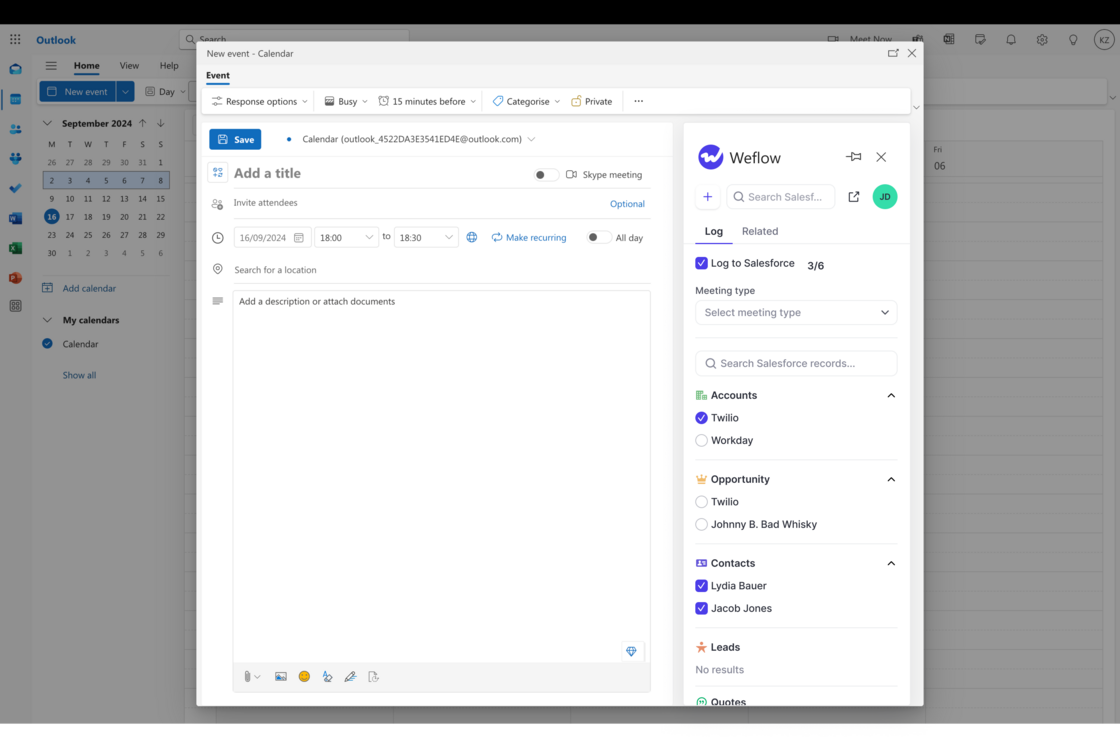
Manually log meetings in Outlook / MS365

  • Via Weflow's Outlook Add-In, you can log meetings manually.
  • Please note, that this is only available when double clicking during the even creation (you need to go into the full screen pop-up).
Manually log meetings in Outlook / MS365

December 2024

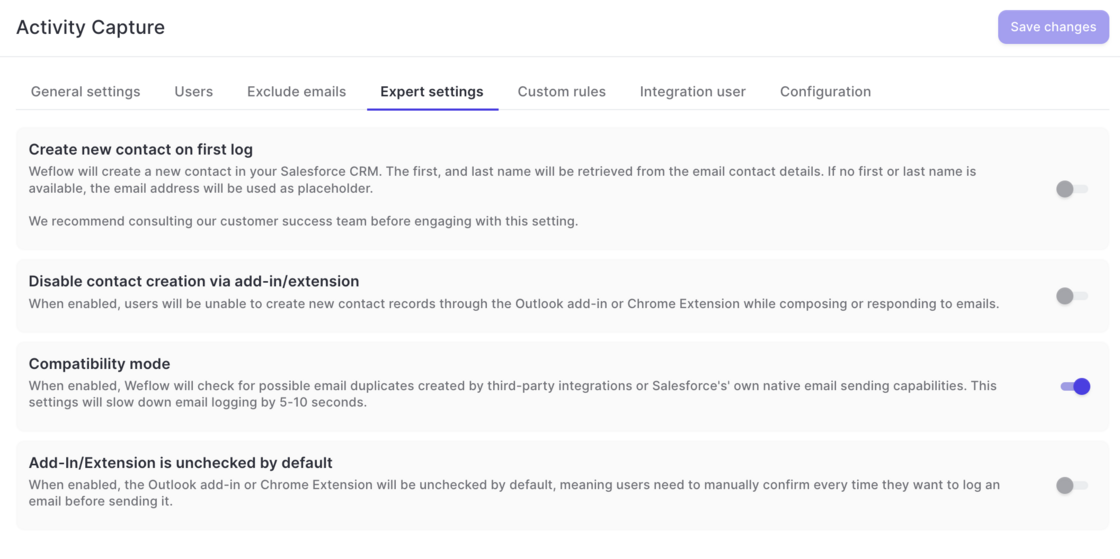
Activity Capture: Expert Settings

  • Creating contact on first log was moved from 'General Settings' to 'Expert Settings' as this setting should be enabled with care.
  • Contact creation can now be disabled via the add-in or Chrome Extension.
  • A new compatibility mode ensures that no duplicate emails are created when third-party integrations are used in addition to Weflow. In addition, this helps avoid duplicates when sending emails via Salesforce.
  • The add-in and Chrome Extension can be unchecked by default. This means, that users will have to manually log each email.
Activity Capture: Expert Settings

November 2024

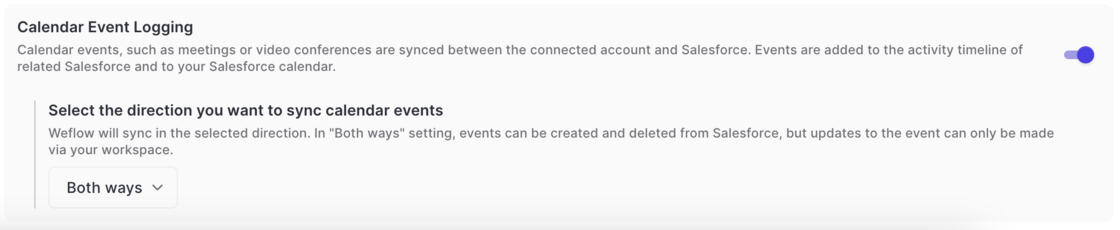
Activity Capture: Bi-Directional Sync

Warning: Do not use this feature while other activity capture solutions are active, as this may cause duplicate events in Salesforce. Consult our support team to ensure maximum compatibility.

  • Meetings can now be synced bi-directionally between Salesforce and Google/Microsoft calendars.
  • Events which are scheduled via the Salesforce calendar are now synced to Google/Microsoft calendars and vice versa.

Activity Capture: Bi-Directional Sync

October 2024

New "Weflow Fields"

Last Activity - Call: See and filter by when the last call activity occurred with this record

Close Date Pushed: View and filter by how often the close date was changed

Deal Age: See how old this deal is based on its creation date.

New "Weflow Fields"

Pipeline templates for email and meeting views

  • Now, admins can create templates for email and meeting pipeline views.
  • These views can be assigned to specific user profiles and will automatically show up in these users' views.

Limit attachment size when logging an email

  • Admins can decide to exclude attachments below or above a certain size threshold
  • This is useful if you want to exclude attachments which are too large or too small (e.g. a company logo at the bottom of an email)

September 2024