Weflow changelog

67 updates shipped in 2026339 all time

Showing October 2025 and earlier · Back to latest

September 2025

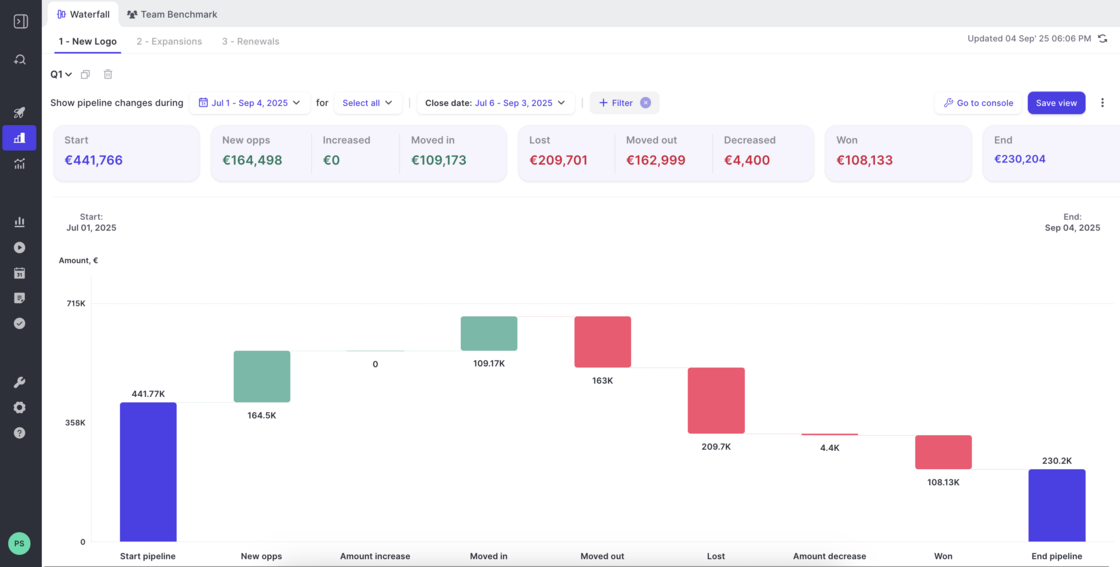
Waterfall Calculations

  • The Waterfall now includes two new columns Moved In and Moved Out.
  • If data is missing e.g. because a new field was introduced but no historical values exist, Weflow will display a warning that the data in the chart is not complete.
  • The overall calculations of the Waterfall have been rebuilt and improved for faster loading times and higher accuracy.
Waterfall Calculations

August 2025

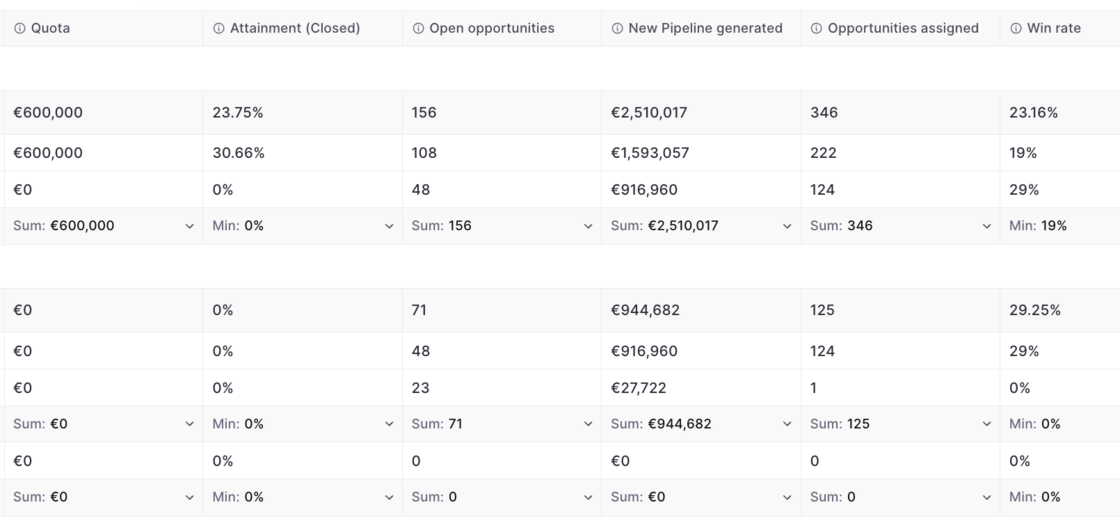
New Benchmark Calculations

  • The "Team Benchmark" report now uses an updated set of data
  • It now mixes data from opportunity snapshots and live data for maximum accuracy
New Benchmark Calculations

July 2025

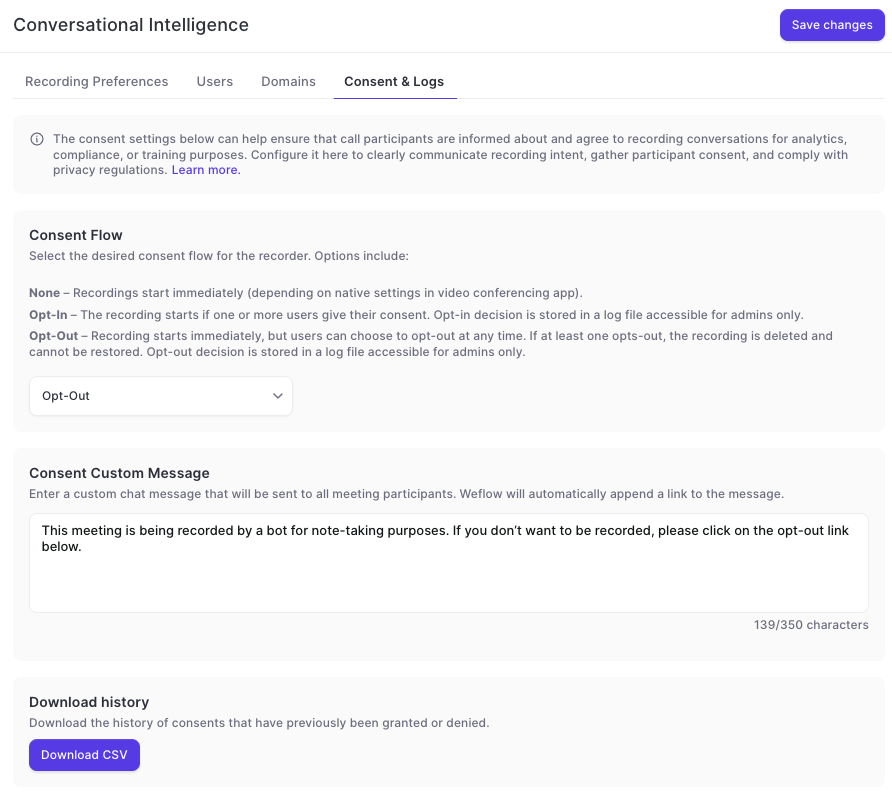
Updates to the Consent Flow for Conversation Intelligence

  • Weflow customers can define different consent flows when using a recording agent in Zoom, Meet, Teams or WebEx.
  • Weflow offers various options to choose from.
  • The message for the consent can be customized.
  • All consent flows are neutral and do not use Weflow branding.
Updates to the Consent Flow for Conversation Intelligence

May 2025

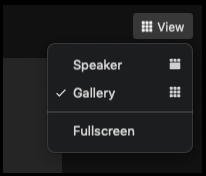
Gallery Mode Recording

  • Previously, Weflow recorded meeting in 'Speaker' mode
  • With the latest update, Weflow by default records all meetings in 'Gallery' mode
  • This ensures that all meeting participants are visible at any point in time
  • If the screen is shared by a participant, the screen will always be visible in the recording
Gallery Mode Recording

April 2025

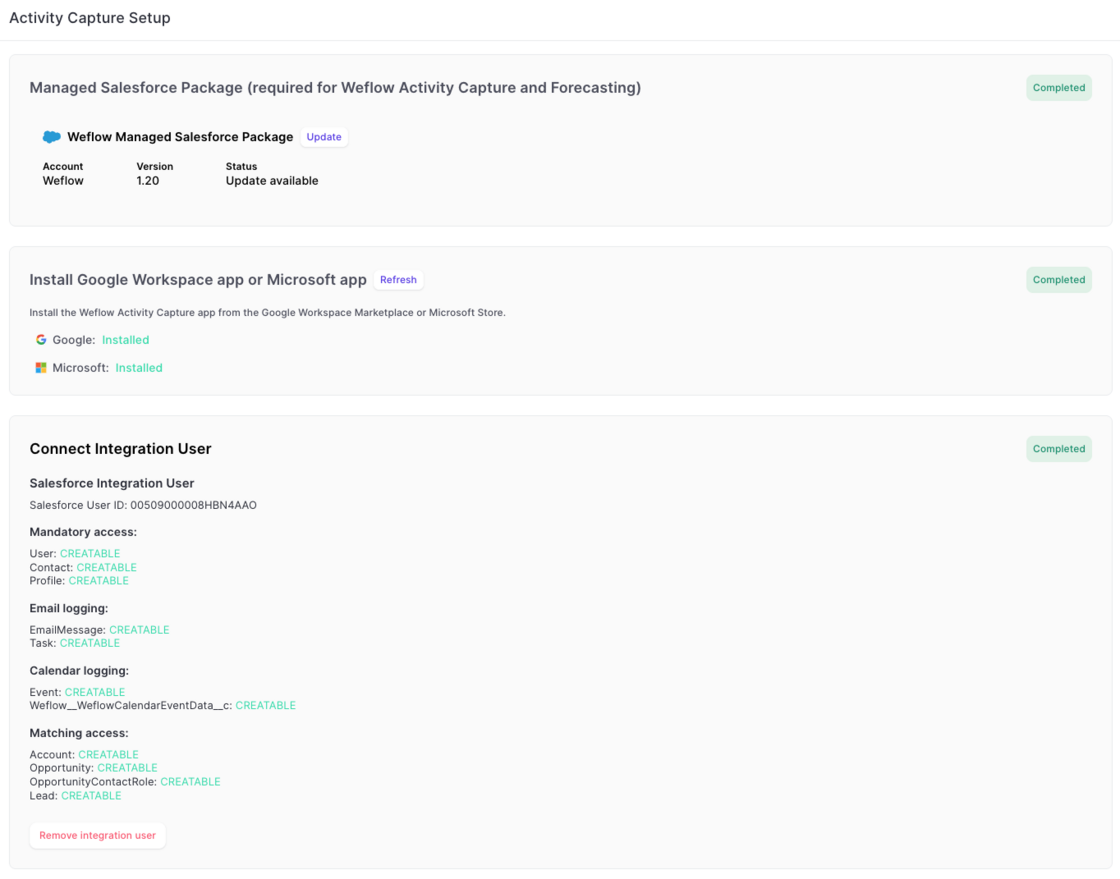
Simplified Activity Capture Setup

The new activity capture flow, guides admins more easily through every step:

1) Install the managed package.

2) Install the EntraID or Google Workspace app.

3) Connect an integration user.

Simplified Activity Capture Setup

March 2025

Disable recurrent events from getting logged

  • To help customers who do not need or want to log recurring event series from Outlook/Google to Salesforce, this can now be fully disabled via the 'Expert Settings' in Weflow's admin console.
Disable recurrent events from getting logged

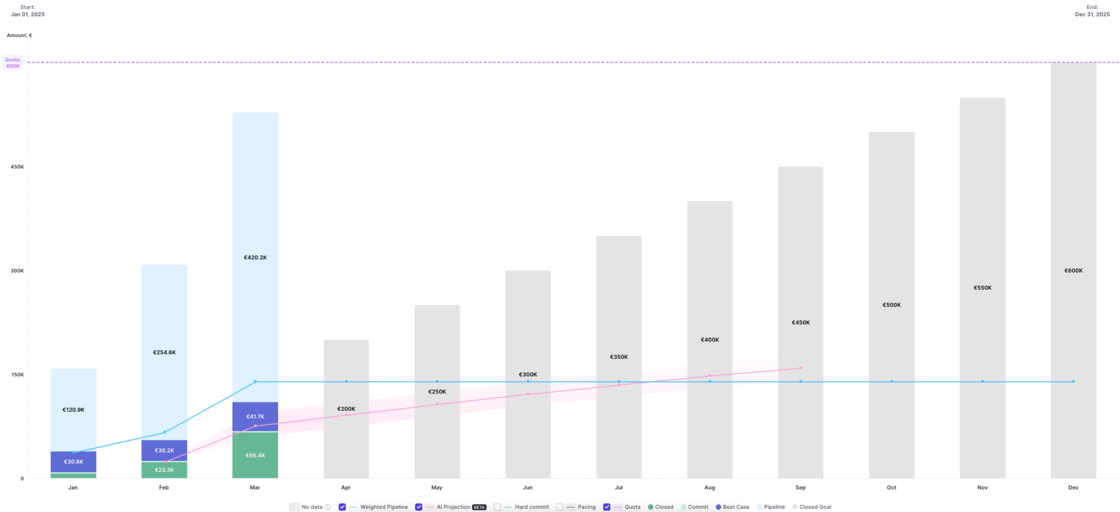
Pacing chart shows live data for current time period

Version 2.66 of our forecasting & analytics suite has introduced the ability to see live data in the pacing chart. No action is required to use this improvement. All pacing charts have been updated automatically.

Pacing chart shows live data for current time period

October 2024

Reduced API calls

As of today, Weflow uses 60% fewer API calls for logging emails and meetings from your Microsoft/Google account to Salesforce.

We will continue to improve these metrics month-over-month.

September 2024

Time in Stage

Weflow's time in stage calculation is based on LastStageChangeDate instead of stage change history now.

You will now see time in stage for all opportunities.

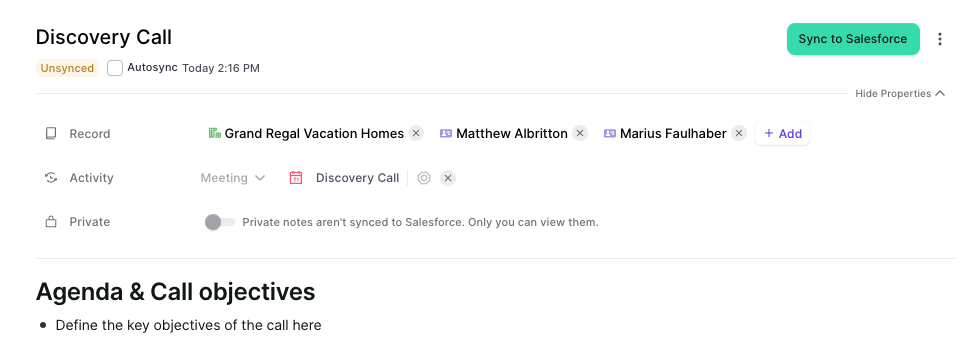
Multi-Link Notes

  • You can now multi-link notes to various records and objects simultaneously.
  • This works for contentNotes as well as Custom Note objects.
  • Please consider that custom note objects require additional configuration to work as expected. Contact our support team to learn more.
Multi-Link Notes

August 2024

July 2024

Multiple Forecasts

Weflow now lets you create and manage multiple forecasts using different settings and field mappings.

  • Create up to 5 different forecasting setups
  • Create and manage different forecasting cadences
  • Map fields (e.g. close date, amount, forecast categories) individually for each forecast setup

June 2024

Chrome Extension - Activity Logging

  • In case our Chrome Extension runs into a network error or timeout, then it will now try to reconnect and e.g. log an email activity up to five times

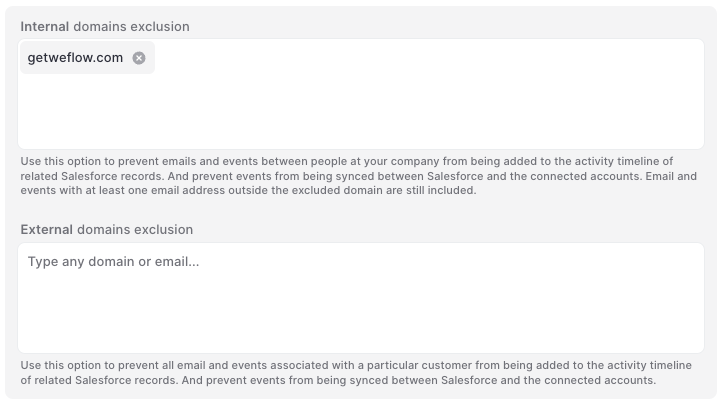
Smarter domain exclusion for activity logging

  • Weflow lets you separate between internal and external domains
  • Our smart activity logging algorithm will make sure that important activities get logged while those that should remain private stay private
Smarter domain exclusion for activity logging

May 2024

Sync back more than 365 days of activity data

Are you still using Einstein Activity Capture? Switch to Weflow and effortlessly sync back all your historical data. Control how your activities are logged and make them fully reportable.

  • Sync back email and meeting activities
  • Properly attribute all activities to contacts, accounts, opportunities, or leads
  • Even large amounts of data can be synced back over time

April 2024

Faster and smarter activity capturing for meetings and emails

Please note: If you are using an older version of Weflow's activity capture, please sign in to Weflow and re-authenticate your Google Workspace or Microsoft account with Weflow.

You should see a pop-up once you sign in to Weflow that guides you through re-authenticating your account. Alternatively, you can also follow the steps outlined below:

That's it. You did it!

  • Sign in to Weflow
  • Go to 'Account Settings'
  • Open the 'Activity Capture' tab
  • Disconnect your Google account
  • Reconnect your Google account