 weflow
Bulk Updates
We absolutely love this feature! And we hope you will too. Weflow now let's you do bulk updates on any kind of record.
This short demo highlights the key aspects of bulk updating with Weflow:
67 updates shipped in 2026339 all time
Showing July 2022 and earlier · Back to latest
We absolutely love this feature! And we hope you will too. Weflow now let's you do bulk updates on any kind of record.
This short demo highlights the key aspects of bulk updating with Weflow:
Weflow now features Opportunity Products giving you full access and editing functionality to select price books, add new products or edit existing ones.
Check this 3 minute demo and tutorial video on how to get the most out products with Weflow:
Look up your total number of API calls, manage your integrations and access information about your user profile as well as our help desk all from within t he new settings page.

Weflow has always been respecting required fields and validation rules. However, for field dependencies, we did not show the dependent fields in all cases.
As of this week, you can now safely rely on Weflow to trigger a message to your Salesforce users, whenever they make a change to a controlling field which asks for input in dependent fields.
A popular example is changing the stage of an opportunity to "Closed/Won" and then requiring additional input in a field such as e.g. "Lost Reasons".
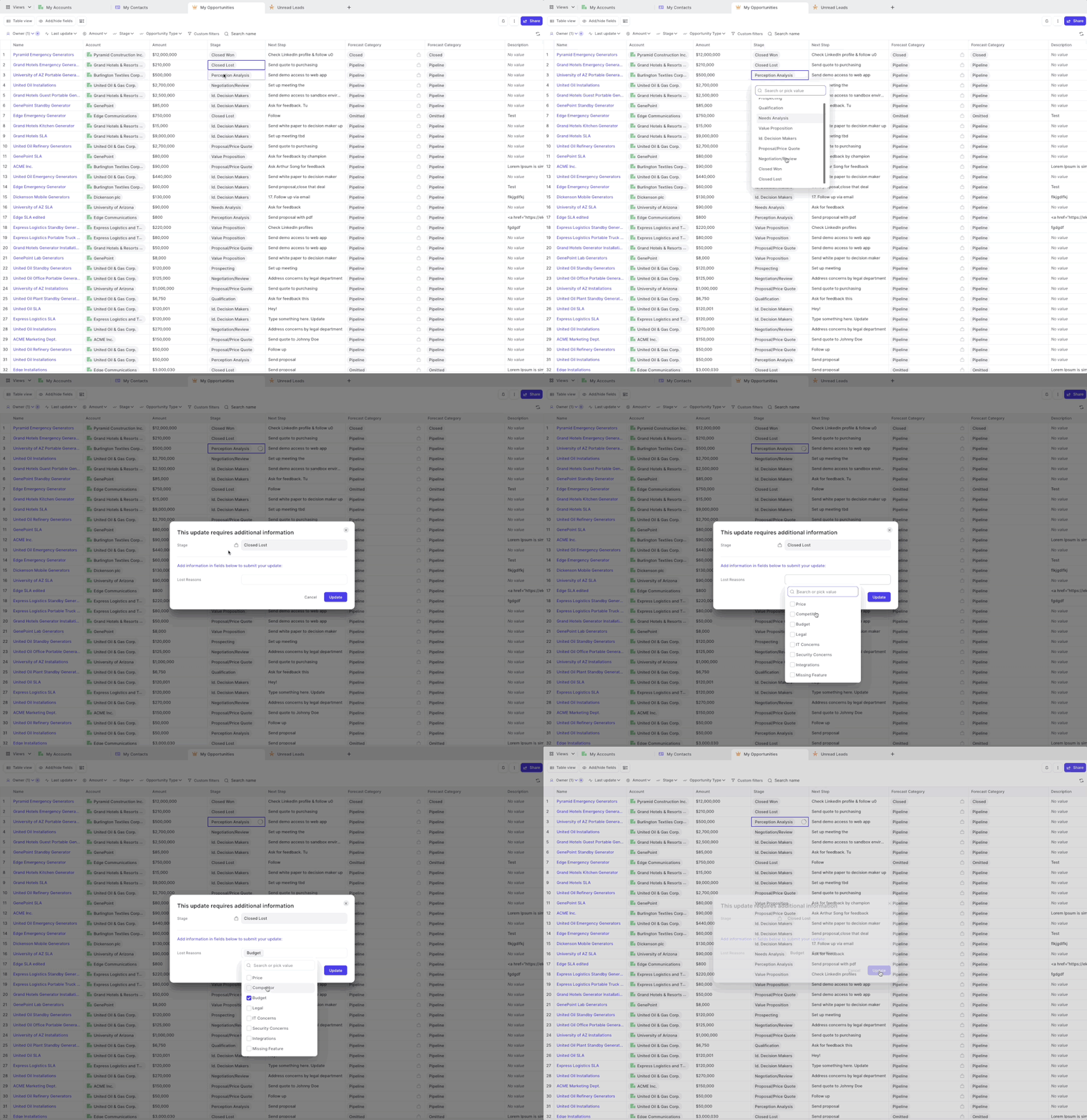
You can now filter by Opportunity record type
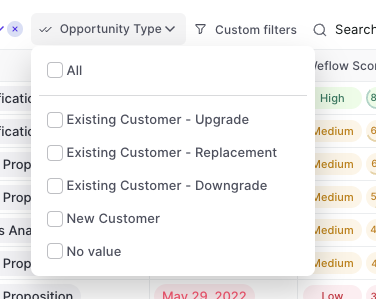
Sales is an endurance sport combined with the strategic gameplay of a football match. Sometimes you get lucky. But most deals take a lot of prospecting, negotiation, alignment and most of all: time.
On average, you need eight activities (like an email, call or meeting) until a prospect says yes or no 80% of sales are made on the fifth to 12th contact
With everything else you got going on in life and work, it's easy to lose oversight of what's been happening.
That is why we are proud to introduce the new Weflow Activity Timeline.
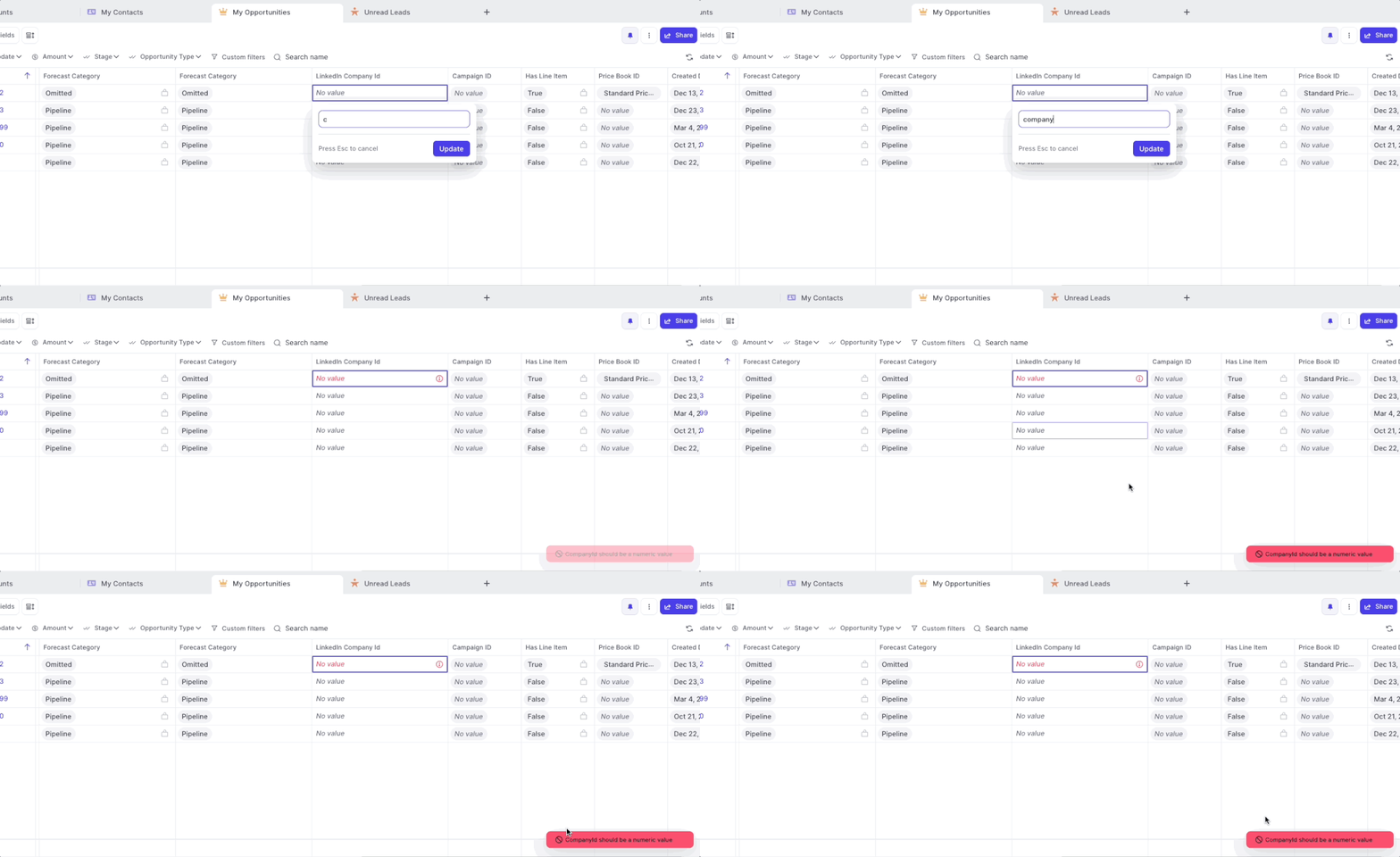
If you set up validation rules including error messages, Weflow now displays all error messages as defined in Salesforce.
If you set up validation rules without setting an explicit error message, Weflow will still ensure that no incorrect values can bet synced to Salesforce however, will display only a generic error message.
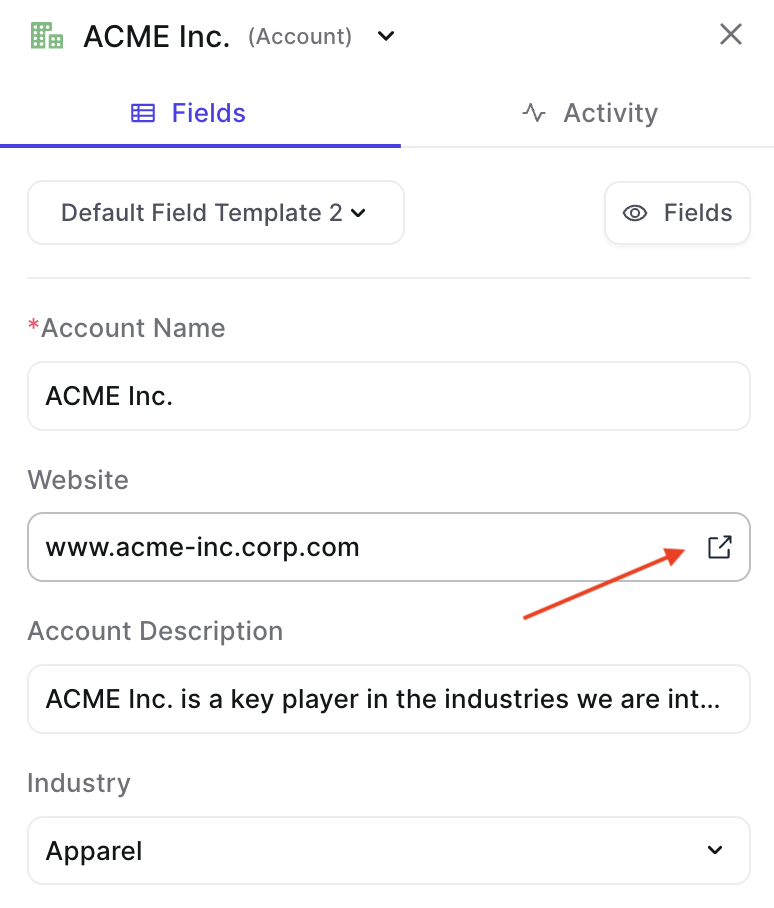
Fast access to third-party websites from Weflow
This feature was requested by our community. For other suggestions, please reach out to me or hello@getweflow.com
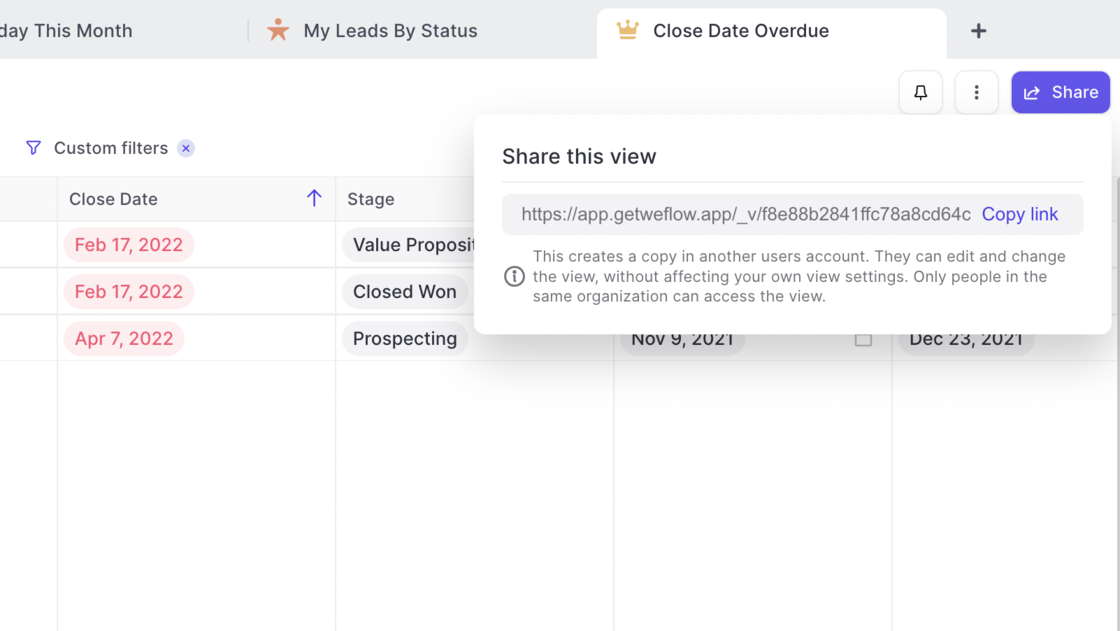
You can now share your pipeline views with other users in the same Salesforce account.
Use cases:
➡️ Send a pipeline to your manager before a 1:1 meeting
➡️ Share your best-practice pipeline settings and filters with others easily
➡️ Set up pipeline templates with filters and fields for fast onboardings
The Weflow Kanban board is a favorite among our customers to run effective weekly sales meetings. Now, Weflow automatically highlights card which have been inactive for more than 30 days.
Use Case:
➡️ No need to use the "Last update" filter (though you of course still can)
➡️ Get a quick overview of which records need attention
➡️ Combine it with the Weflow score for more actionable insights


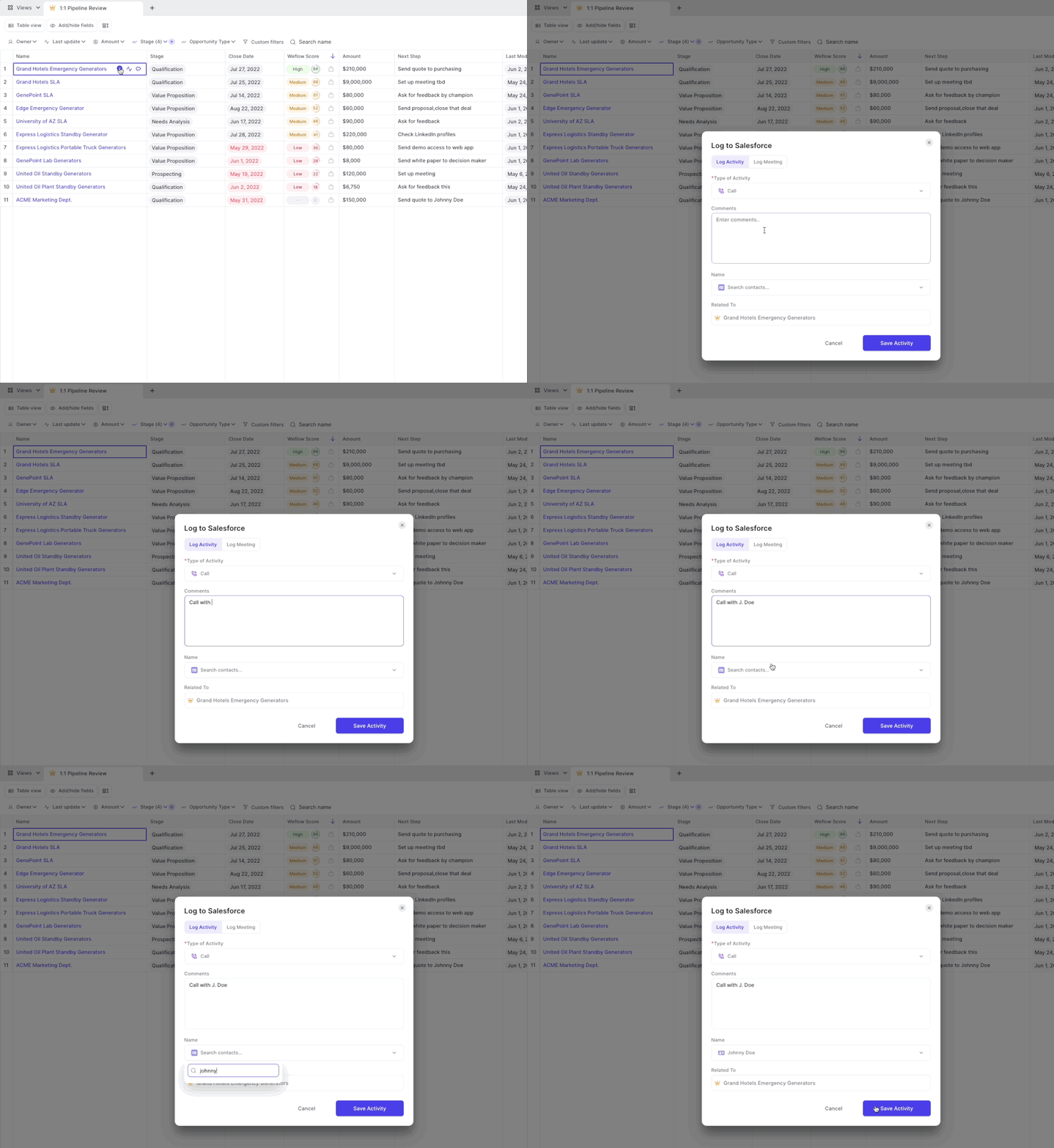
You need to log activities to understand how your sales organization is performing. Without activities you won't know what drives a conversion.
That is why we developed activity logging as part of note taking in Weflow:
If you have questions, thoughts or feedback then let us know at hello@getweflow.com. We love to hear your ideas!
Navigate your pipeline like your browser. Weflow is all about making complex sales software accessible and easy to navigate:
What is new?
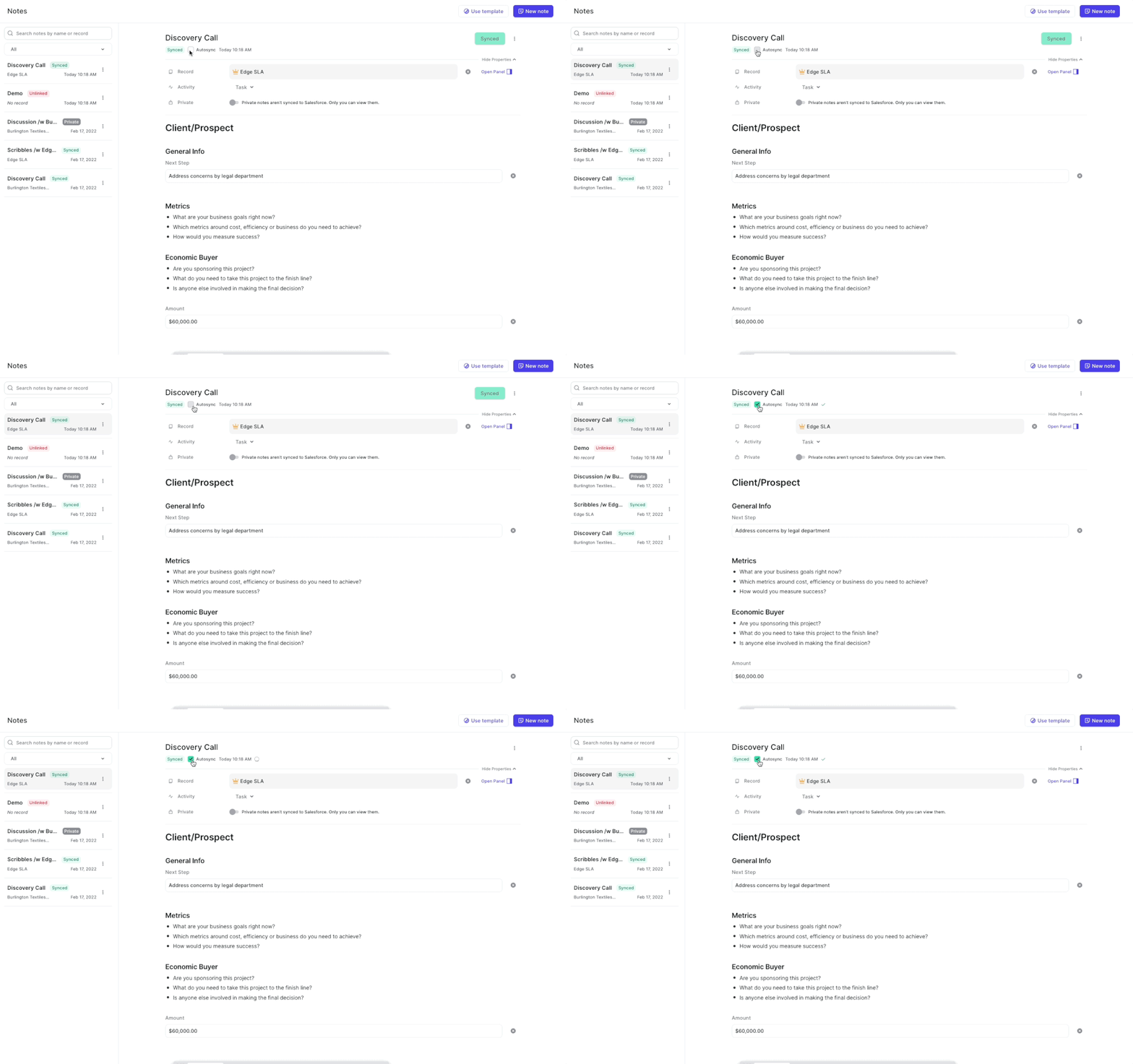
Are you sometimes forgetting to sync your notes? Well, let us take care of that for you.
How does it work?
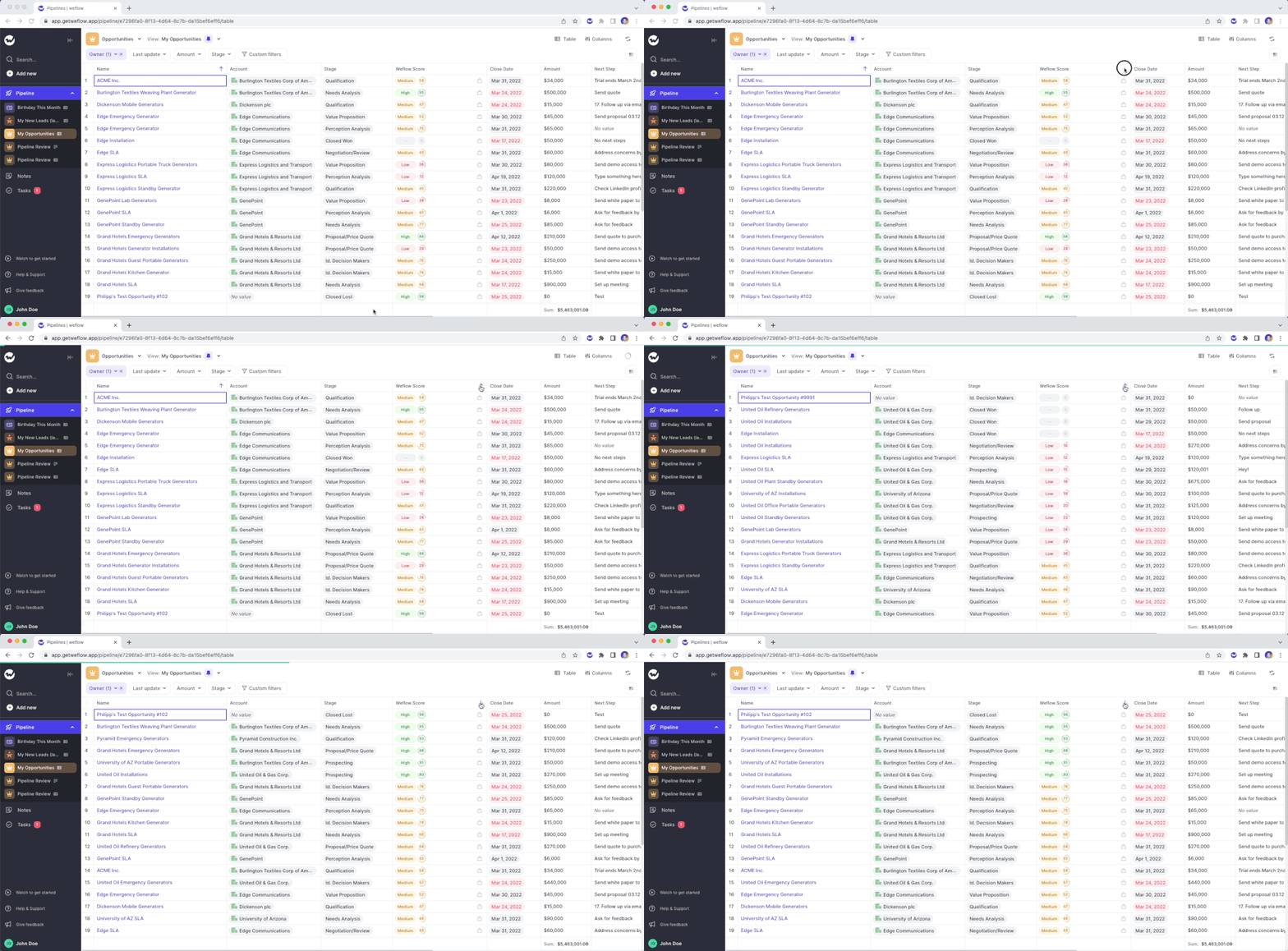
Two weeks ago, we released our algorithm which rates your Opportunity pipeline based on the likelihood to win a deal. Now, you can filter and sort the score.
Please note: The Weflow score is currently in private beta. If you are interested in using the score, please send an email to hello@getweflow.com and we will get back to you.
We understand, that using Salesforce sometimes is simply necessary. That is why we extended the functionality of the Weflow Chrome Extension to make use of Weflow within Salesforce itself.
What would you like us to build next for Salesforce? Let us know at hello@getweflow.com
With the latest version of our Chrome Extension installed, you can now create new notes directly from your Google Calendar.
Step-by-step guide:
Are you a busy note-taker? You deserve to find your notes quickly!
You can already find your notes by using the Weflow search (CMD+J on macOS or ALT+J on Windows). Now, you can also find your notes by searching in the note list itself.
Still having trouble finding your notes? Let us know! We would love to hear from you.