weflow
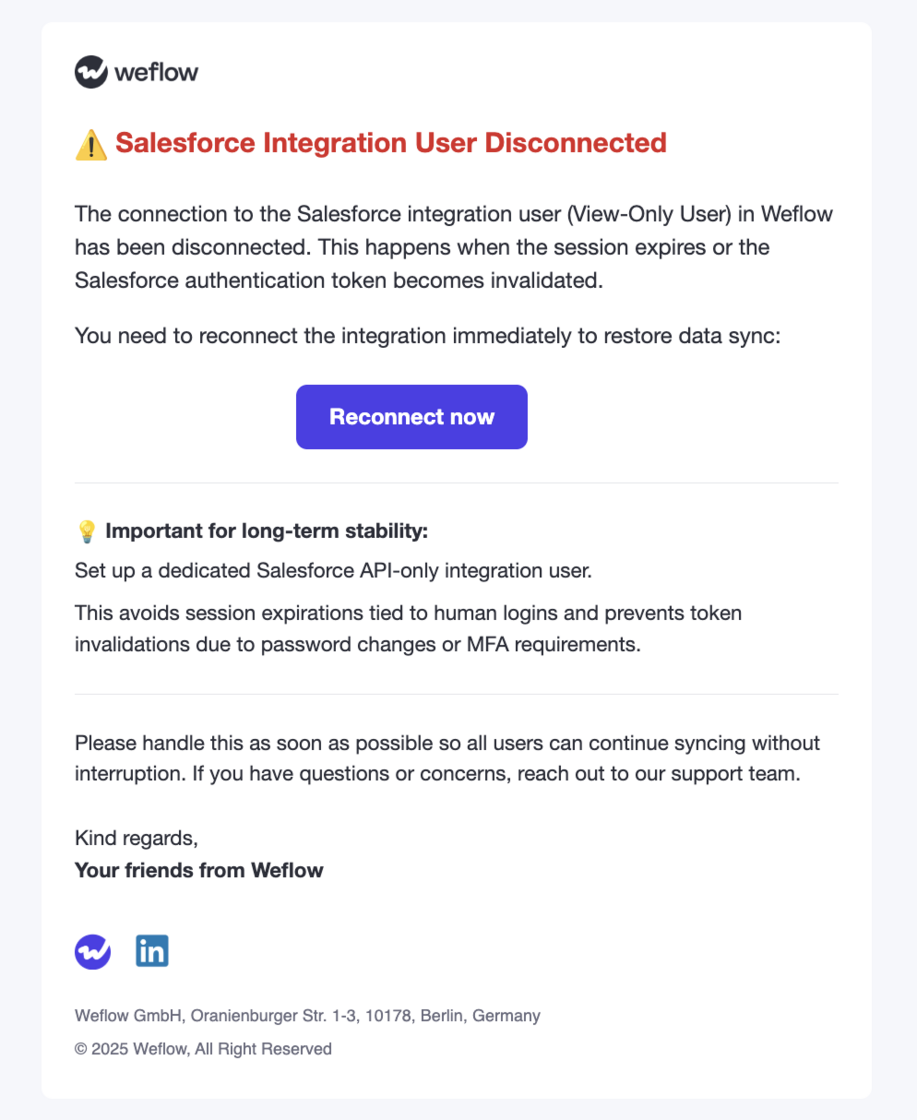
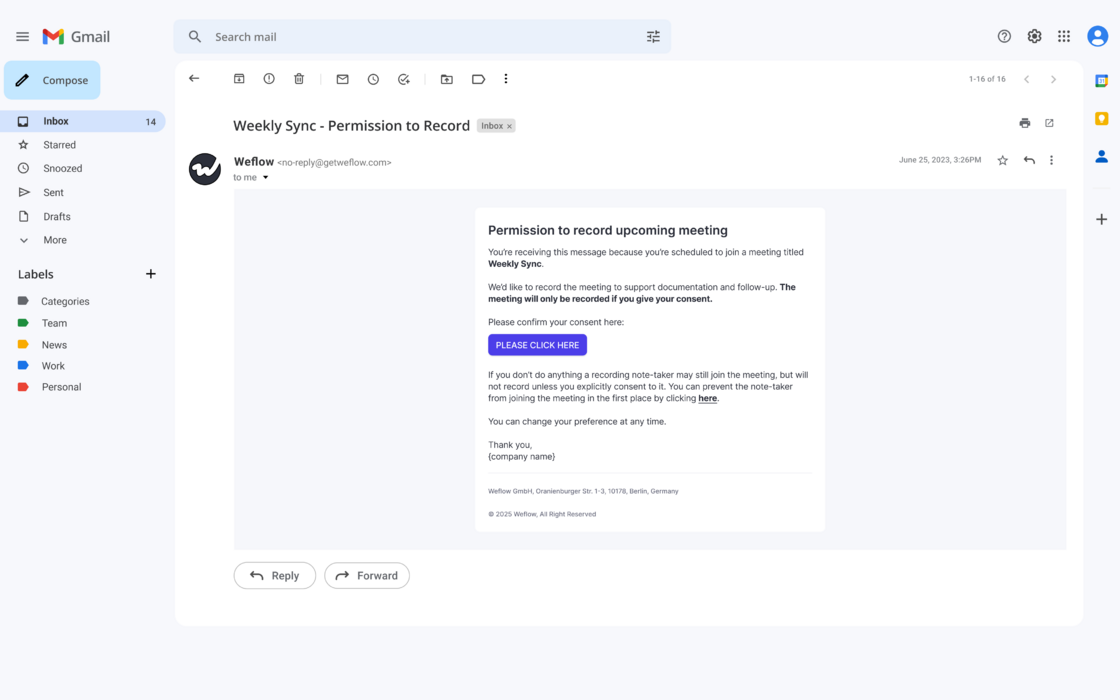
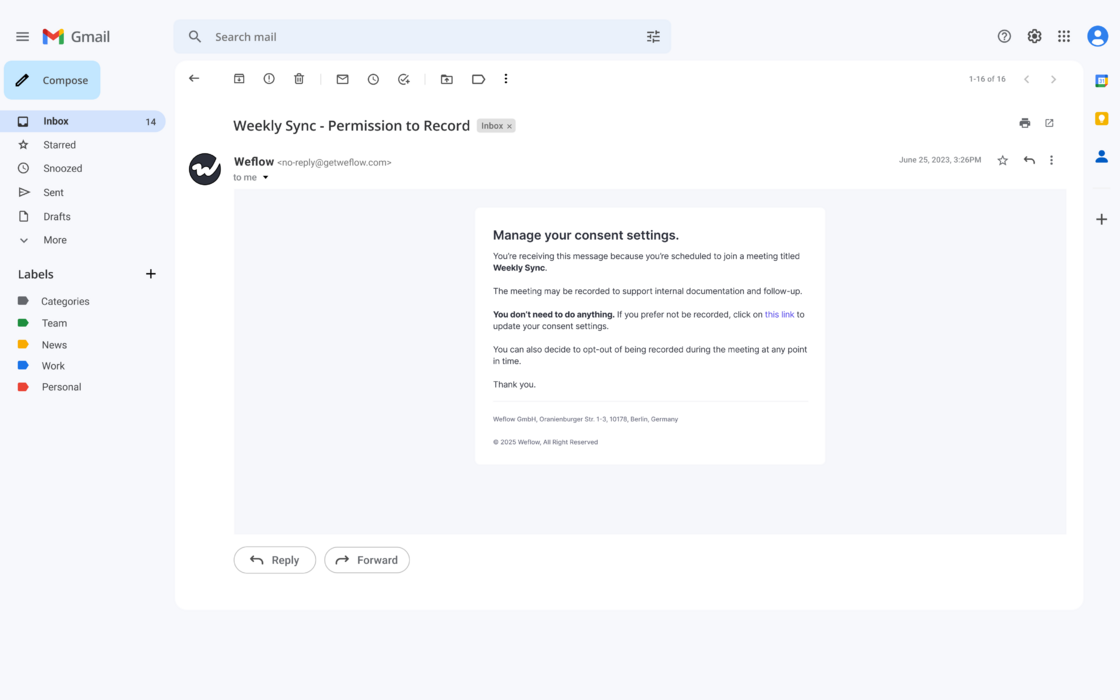
Integration User Notification
- Weflow will now notify admins when an integration user becomes disconnected.
- We continue to recommend a Salesforce API Only Integration user for a stable and lasting connection to Weflow.
67 updates shipped in 2026339 all time
Showing December 2025 and earlier · Back to latest
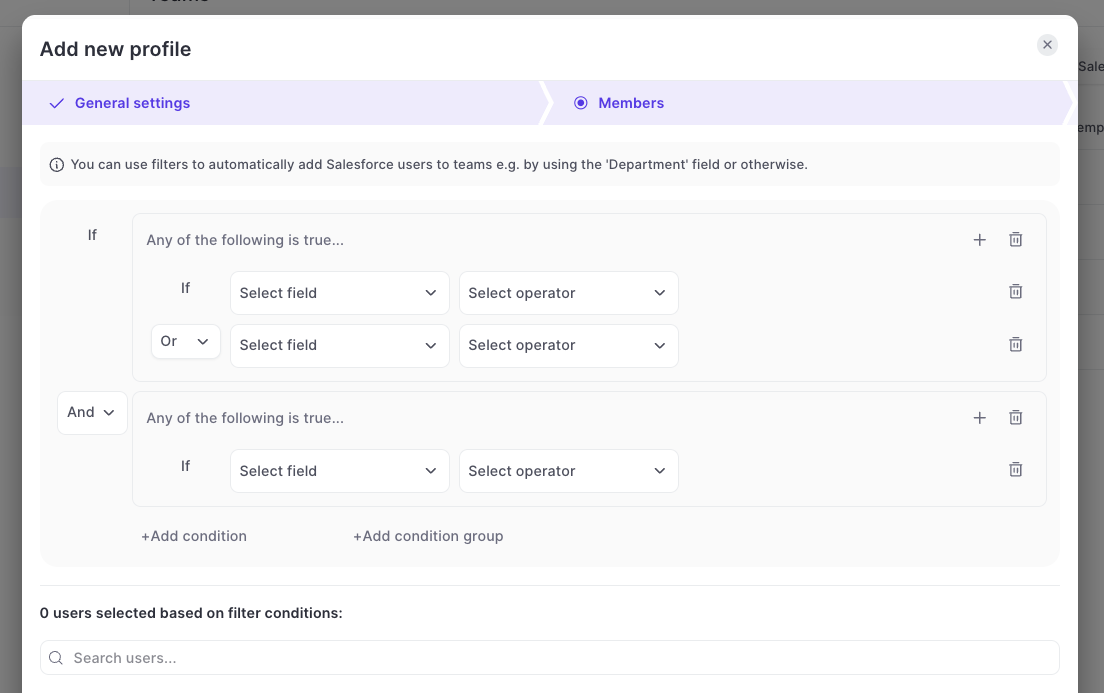
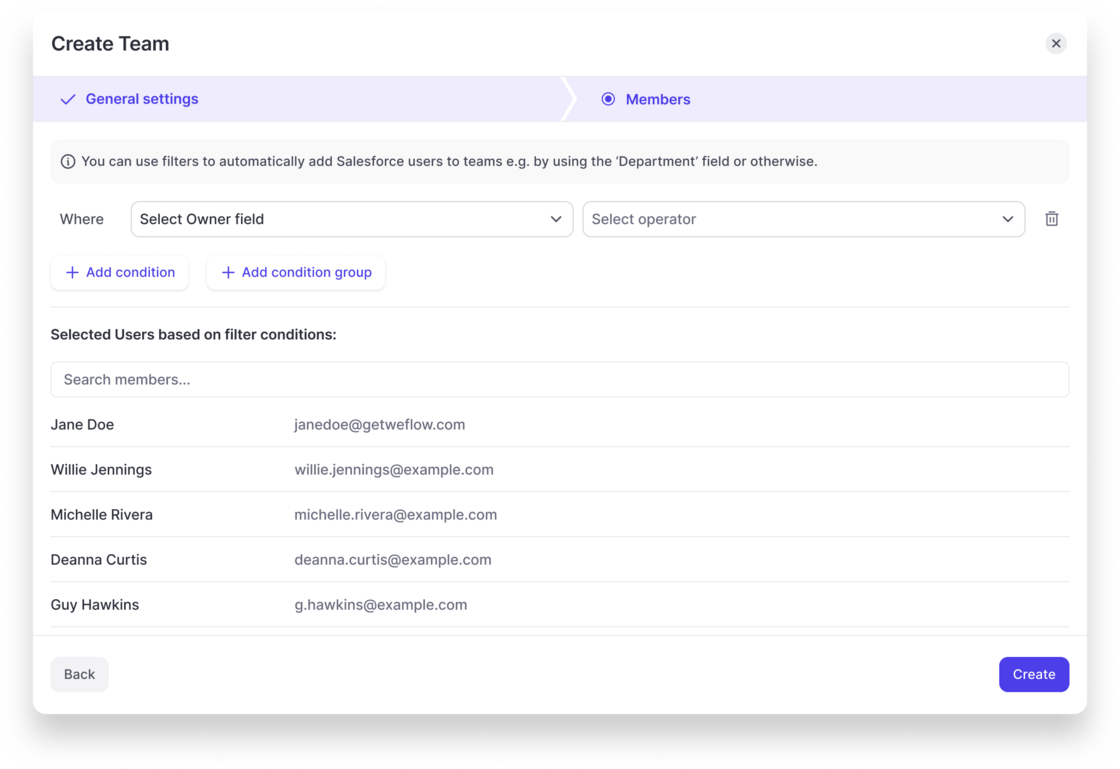
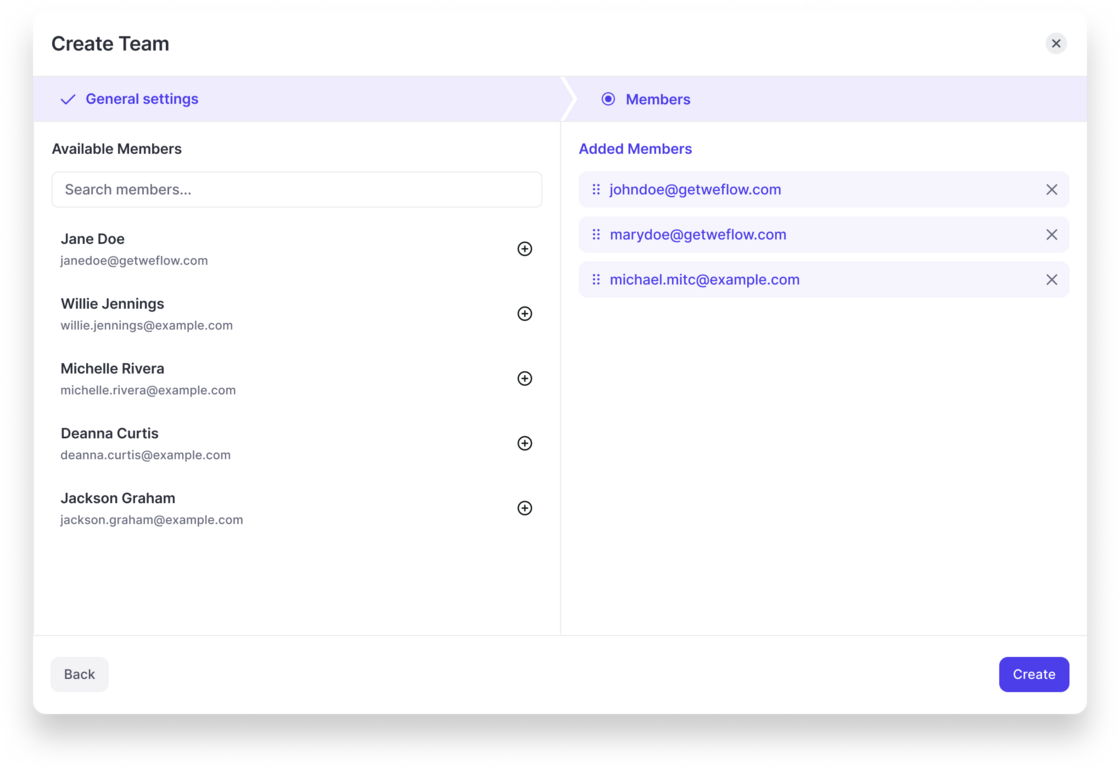
The feature lets you define a custom team hierarchy inside Weflow that overrides the Salesforce role hierarchy.
What it enables
--
How it works
This lets you mirror your operational org structure inside Weflow without depending on Salesforce’s hierarchy.
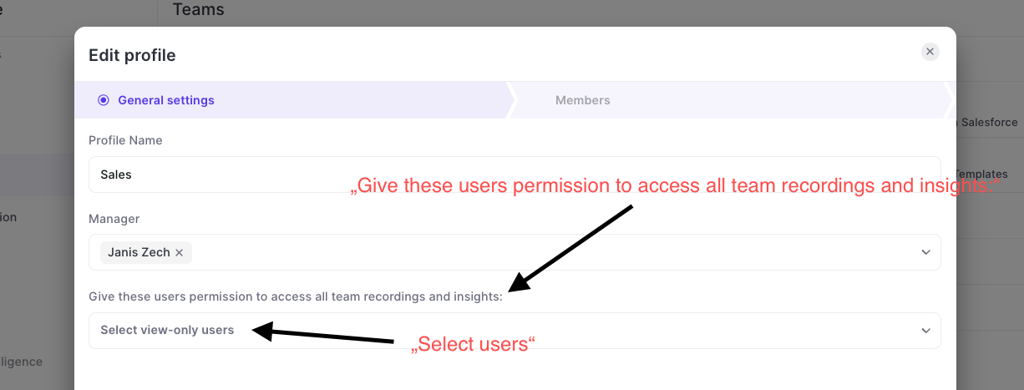
Instead of giving an entire team access to all recordings or trying to give access through complicated hierarcy systems, Weflow also let's you give access to all recordings of a team to specific individual users:
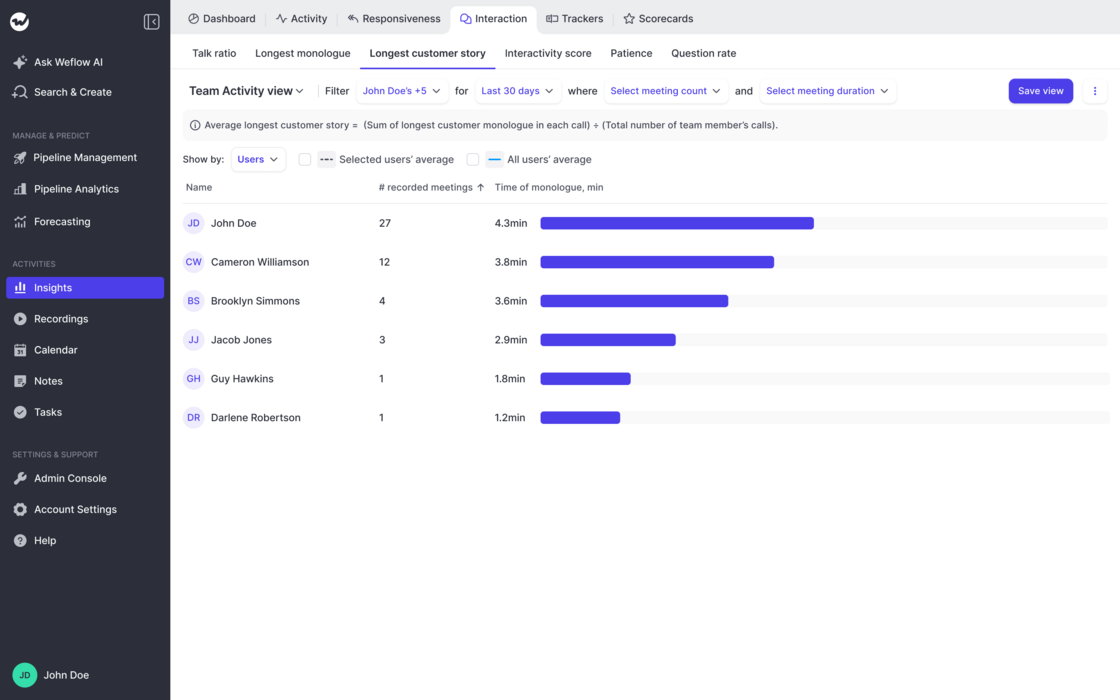
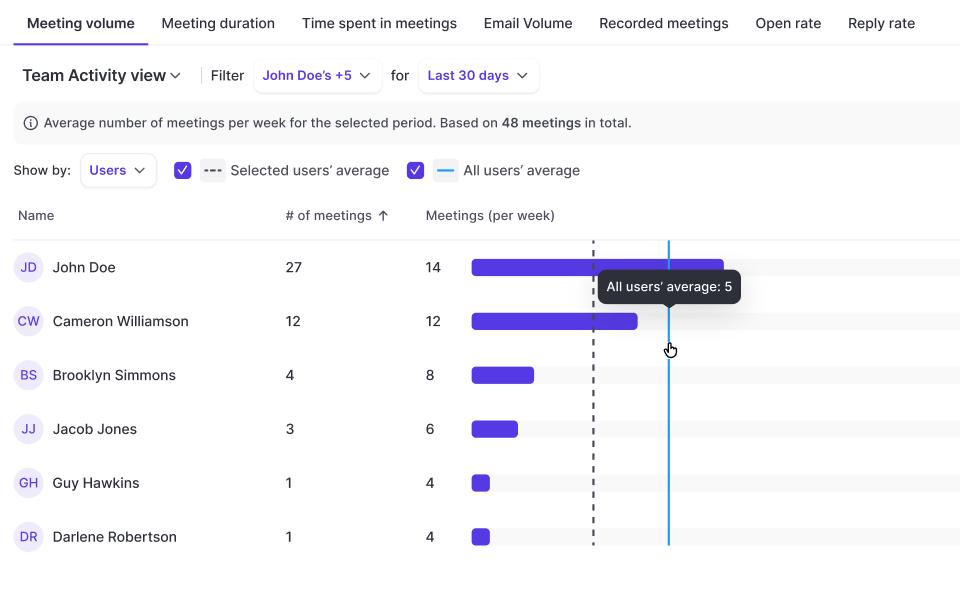
The new interactivity reports give you a deep dive into:
You can read more about all calculations and details here: help.getweflow.com/en/articles/12606897-interactions-views


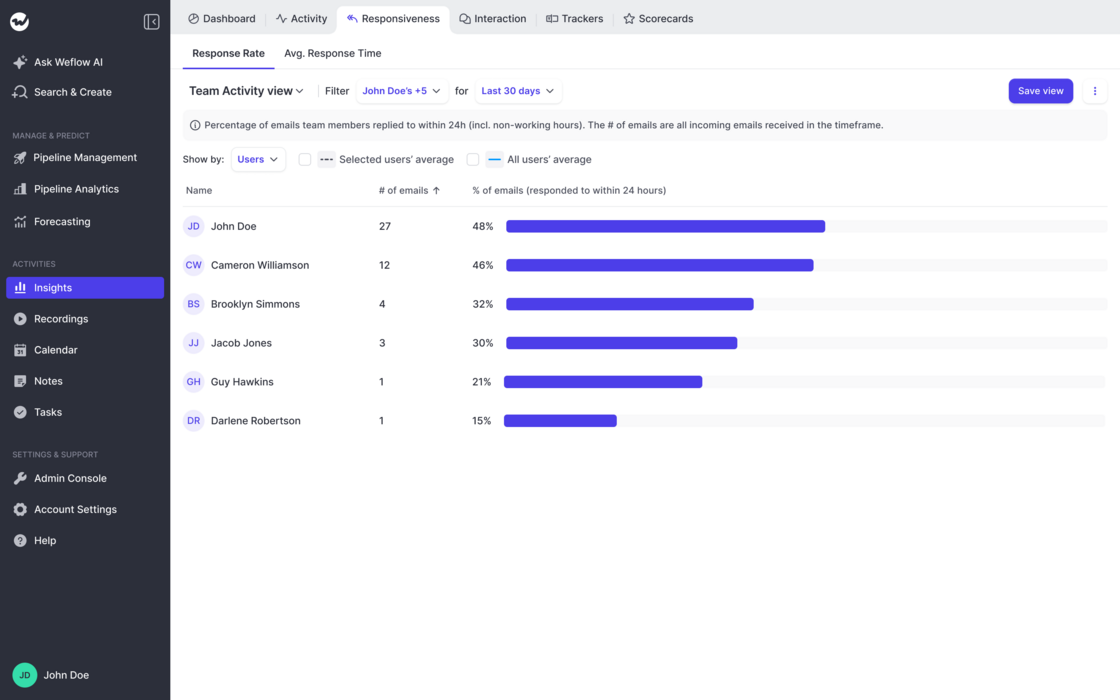
Out-of-the-box report on email and meeting activity by rep:
No setup required. Works immediately with Weflow's activity capture + includes manually tracked activities from Salesforce.
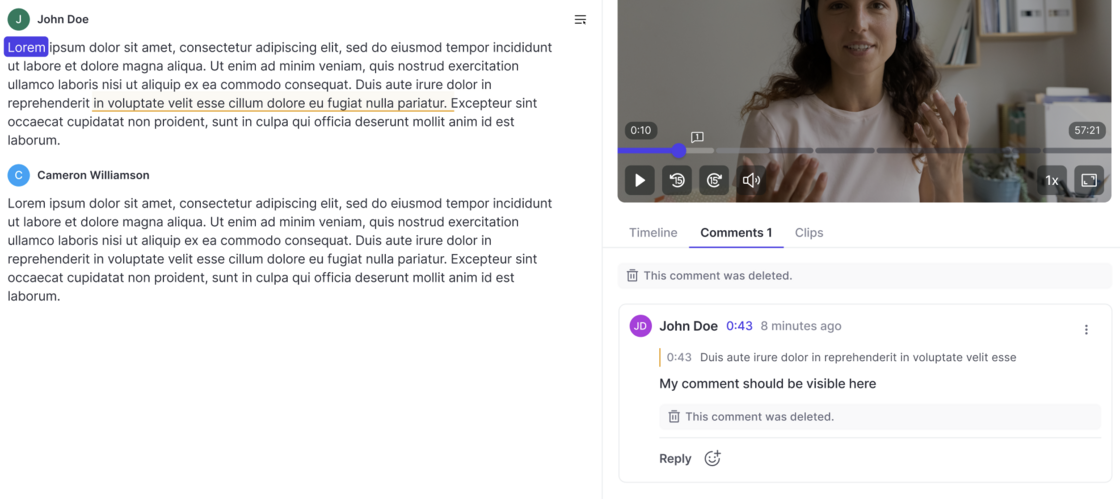
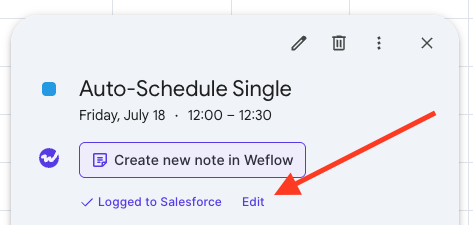
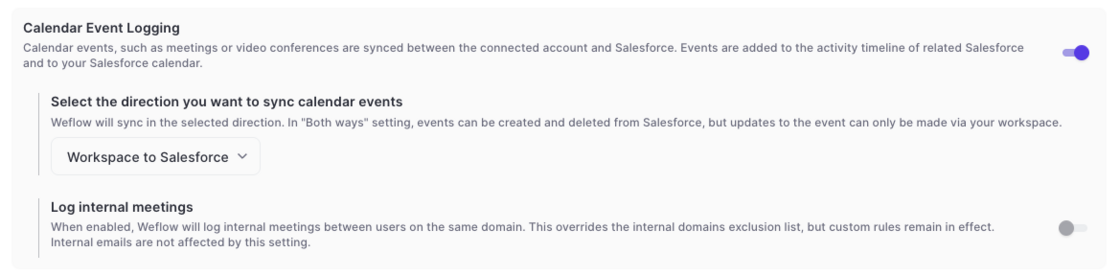
On Google Calendar, users can now edit already logged meetings via a new "Edit" button. This will open a pop-up (customizable via the admin console) to let end users edit standard and custom fields on the activity record in Salesforce directly from their Google Calendar.
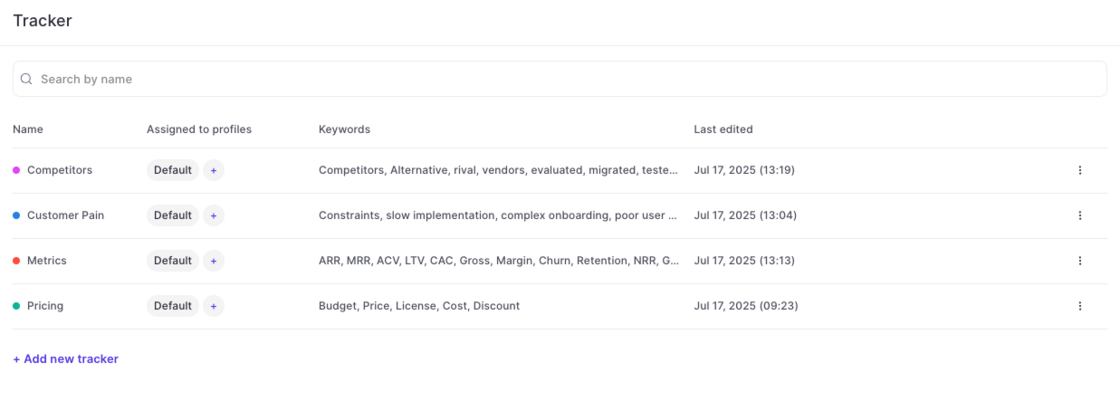
Use Weflow's smart tracker to measure and capture important topics and keywords.
Setup in Admin Console:
Weflow automatically creates four default templates for you (pain points, metrics, pricing, decision makers). Admins can create unlimited additional templates as needed.
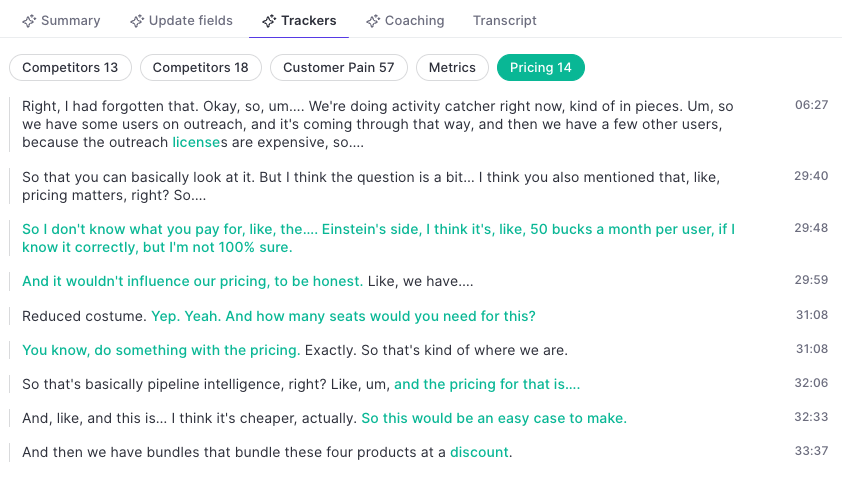
Trackers in the Transcript:
Use keywords to refine the topic tracker. Weflow's AI will pick up additional related keywords and topics automatically.
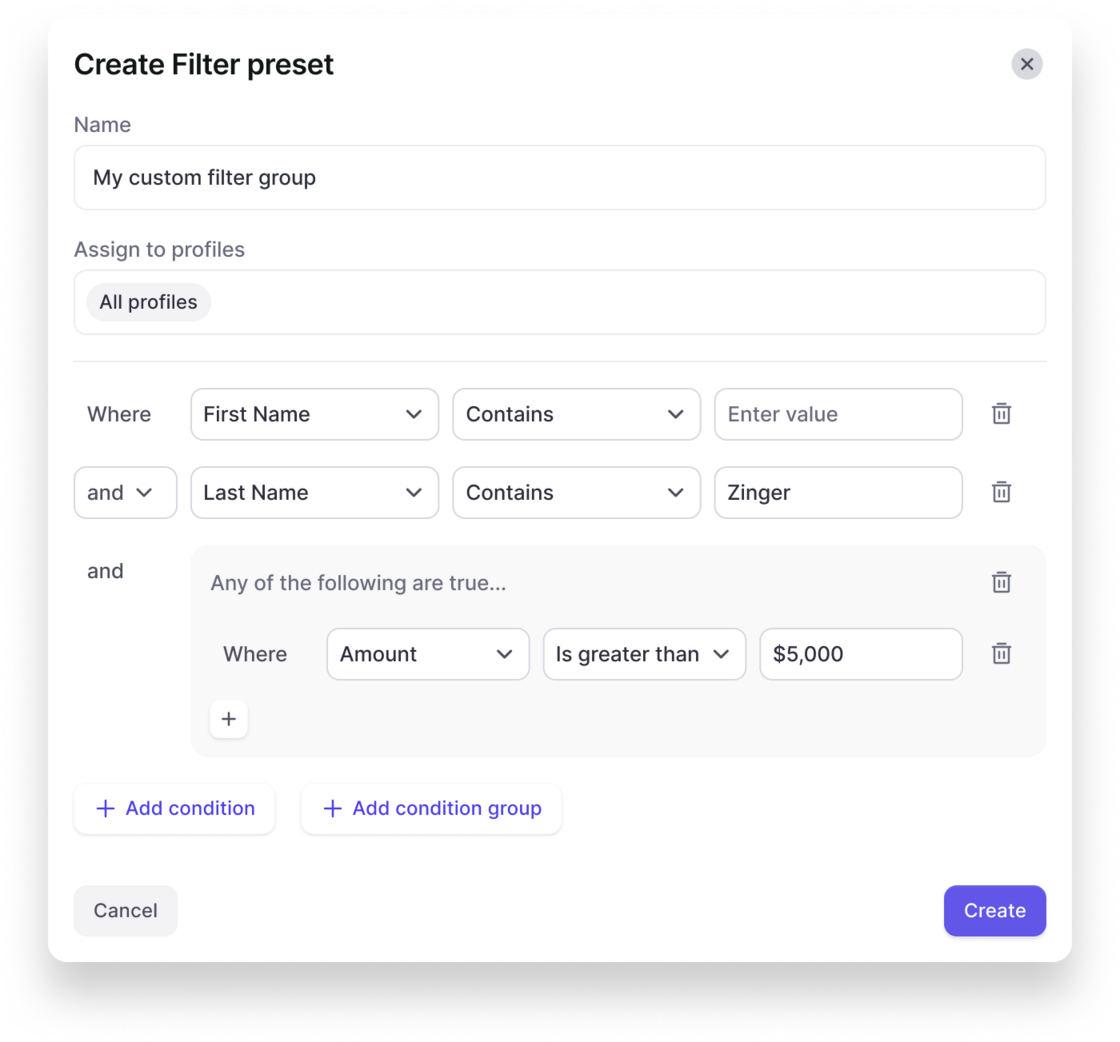
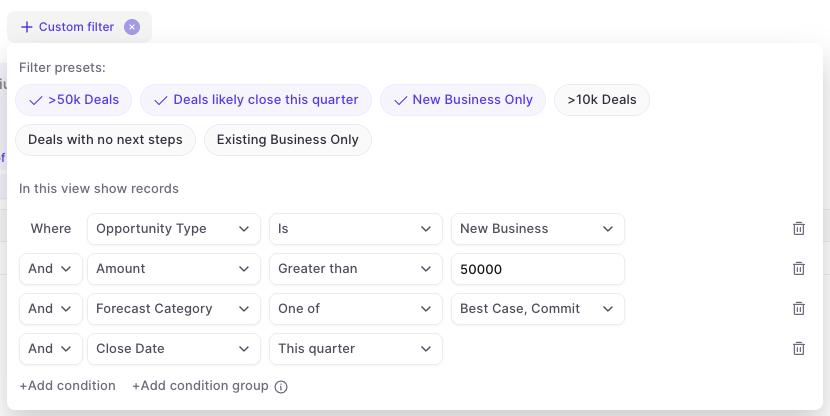
In the admin console, you can now create your own custom filter presets that are also visible and usable for other users in the Weflow app.
This gives you more control over key filters that should be used across the organization and saves time for each user when it comes to setting up tedious details in specific views.
Create a filter preset in the admin console:
Users can quickly toggle between filters in analytics & forecasting: