Weflow changelog

45 updates shipped in 2026317 all time

Showing December 2025 and earlier · Back to latest

December 2025

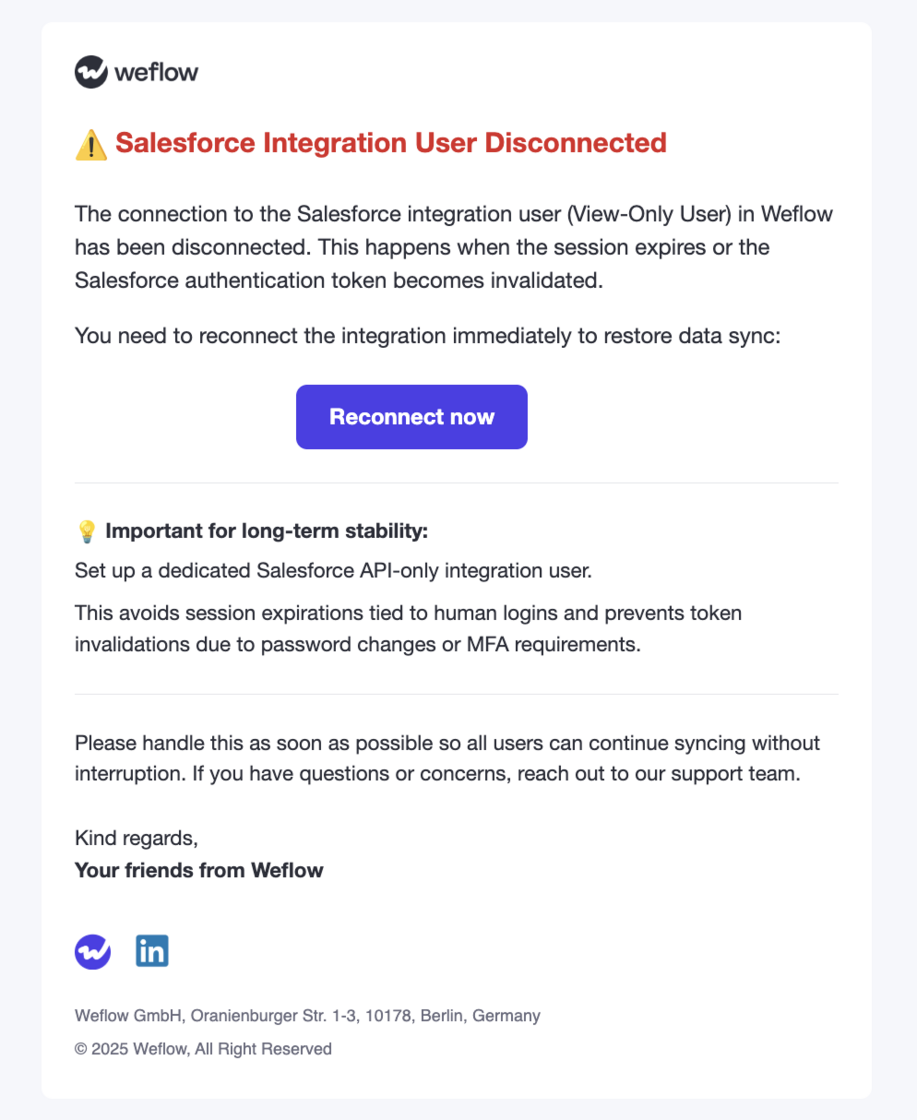
Integration User Notification

  • Weflow will now notify admins when an integration user becomes disconnected.
  • We continue to recommend a Salesforce API Only Integration user for a stable and lasting connection to Weflow.
Integration User Notification

Commenting on Recordings

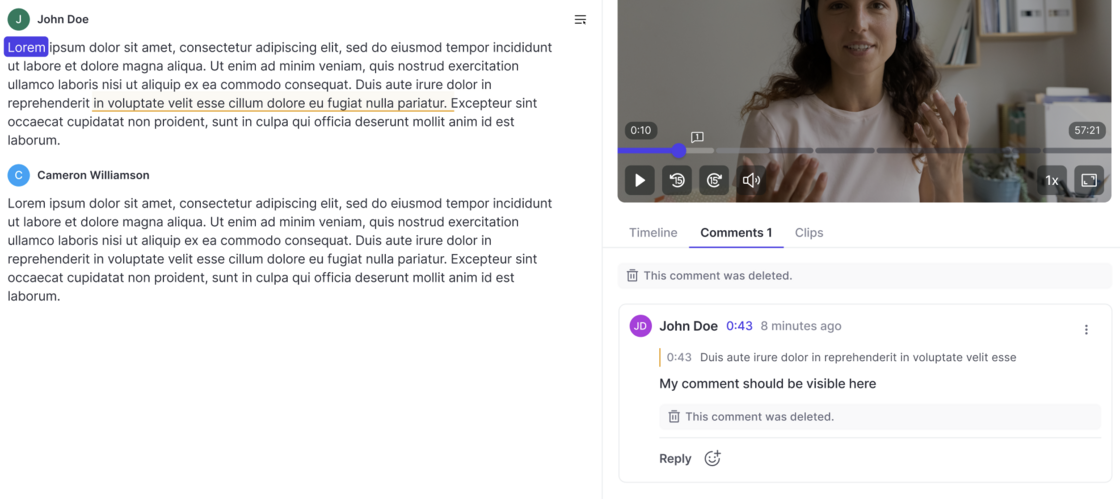
  • All users can create comments below recordings now (if they have access to the recording).
  • Add comments for specific timestamps or sections in the transcript.
  • React with emojis.
  • Marked users receive an email notification.
Commenting on Recordings

Weflow Hierarchy

The feature lets you define a custom team hierarchy inside Weflow that overrides the Salesforce role hierarchy.

What it enables

--

How it works

This lets you mirror your operational org structure inside Weflow without depending on Salesforce’s hierarchy.

  • You can manually arrange your Weflow teams into a parent-child hierarchy by dragging and dropping.
  • This hierarchy controls which users can access whose recordings and insights.
  • After enabling the feature, all existing Weflow teams appear in a flat list.
  • You can assign any team to report into another team.
  • The structure you create is used only by Weflow; it does not affect Salesforce.

Access to Recordings / Insights

  • Access to Insights now follows the same logic as access to Recordings.
  • Users can only see their own recordings and also see only their own insight reports.
  • This is true for all users without direct reports (either configured in Salesforce or in Weflow's own hierarchy system).

November 2025

Give access to recordings to specific users only

Instead of giving an entire team access to all recordings or trying to give access through complicated hierarcy systems, Weflow also let's you give access to all recordings of a team to specific individual users:
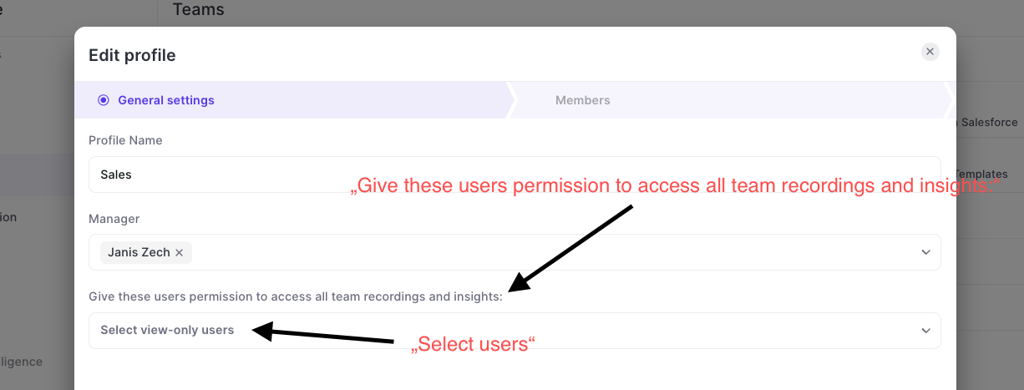
  • Go to "Teams"
  • Go to the "General settings"
  • Assign users in the dropdown that is called "Give these users permission to access all team recordings and inisghts"
Give access to recordings to specific users only

Bug Fixes & Improvements

✅ Improved handling of HTML content in specific message types on GMail.

✅ Improved multi-logging behavior when multi-logging to tasks is enabled in sharing settings on SFDC (specifically for logging to the task object).

✅ Improved reliability of dynamic teams when refreshing subscription to email and meeting inbox on Google Workspace.

✅ Resolved error where the "Responsiveness" report was not shown to all users automatically.

✅ Improved handling of scheduled email messages via GMail. When more than 10 emails were scheduled at the exact same time, a conflict with logging could occur in some specific cases.

✅ Improved sorting in insight reports.

Keyword Tracker: Stricter and multi-lingual

The keyword tracker in Weflow now automatically translates keywords in to all available languages. The tracker is overall more strict when it comes to identifying keywords mentioned.

Contact creation threshold for large events / emails

In the "Contact Creation" settings of an Activity Capture configuration, admins can now define a participant threshold for emails and meetings where Weflow should not create new contacts.

Example: If you have training events with 20+ participants, you may not want to create new contacts automatically. With this setting, you can fine tune the contact creation rules within Weflow.

Bot join time

  • The bot will will join meetings organized by an external person (outside of your organization) directly on time.
  • The bot will join meetings organized by you or an internal user (within your organization) three minutes before the meeting starts.

Custom rules for contact creation

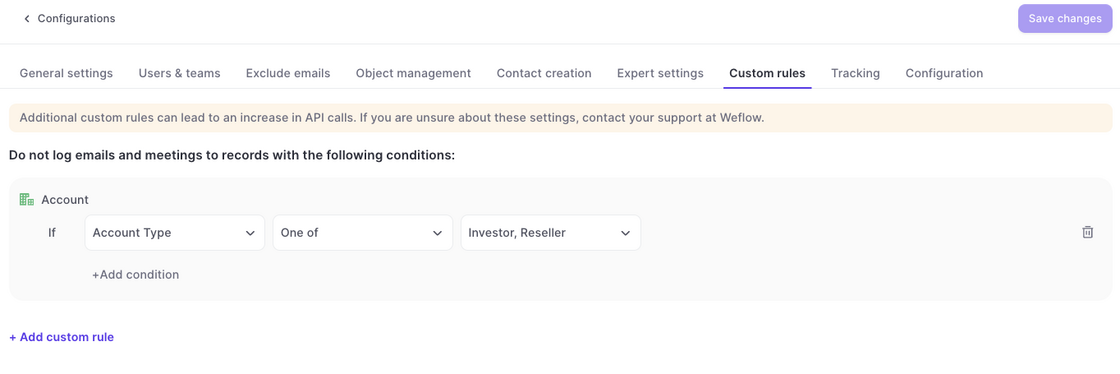
Custom Rules in the Activity Capture configurations now also block the creation of new contacts.

Example: In the example above, no contact would be created if the parent account matches the one of these values i.e. Investor and/or Reseller.
Custom rules for contact creation

October 2025

Unified logic for Chrome Extension / Add-In and Background Logging

In some specific scenarios, when creating a new contact, the Chrome Extension and Outlook Add-In had the ability to override the underlying business logic of creating new contacts.

This issue has been fully resolved by adding additional checks that prevent new contact creation if not permitted by the Activity Capture configuration.
Updated video player

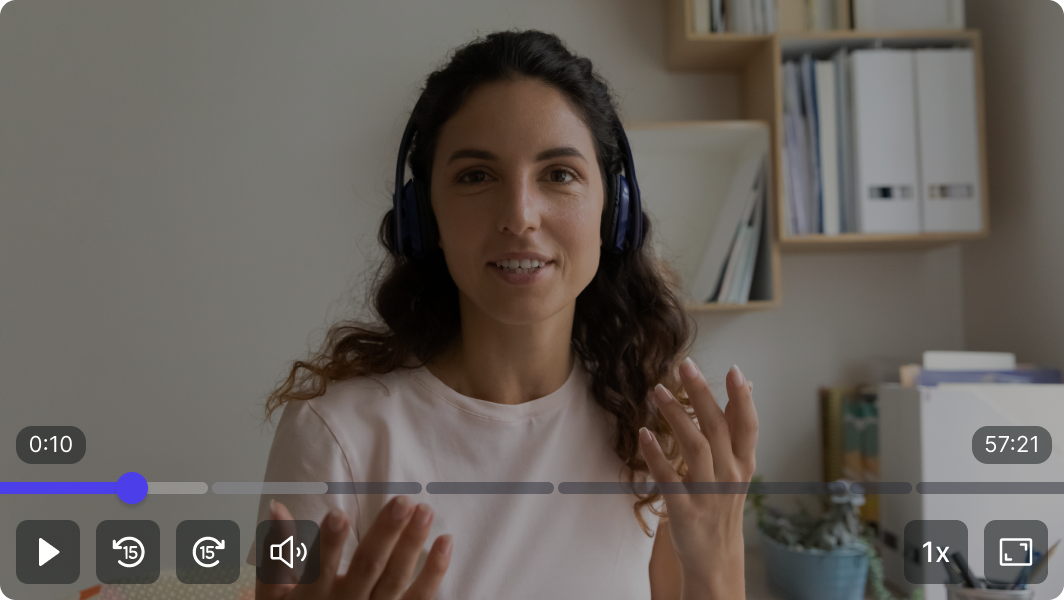
  • Skip forward/backward 15 seconds
  • Increase playback speed (0.8x - 2.5x)
  • Use spacebar to control play/pause
  • Easer navigation with bigger play bar
Updated video player

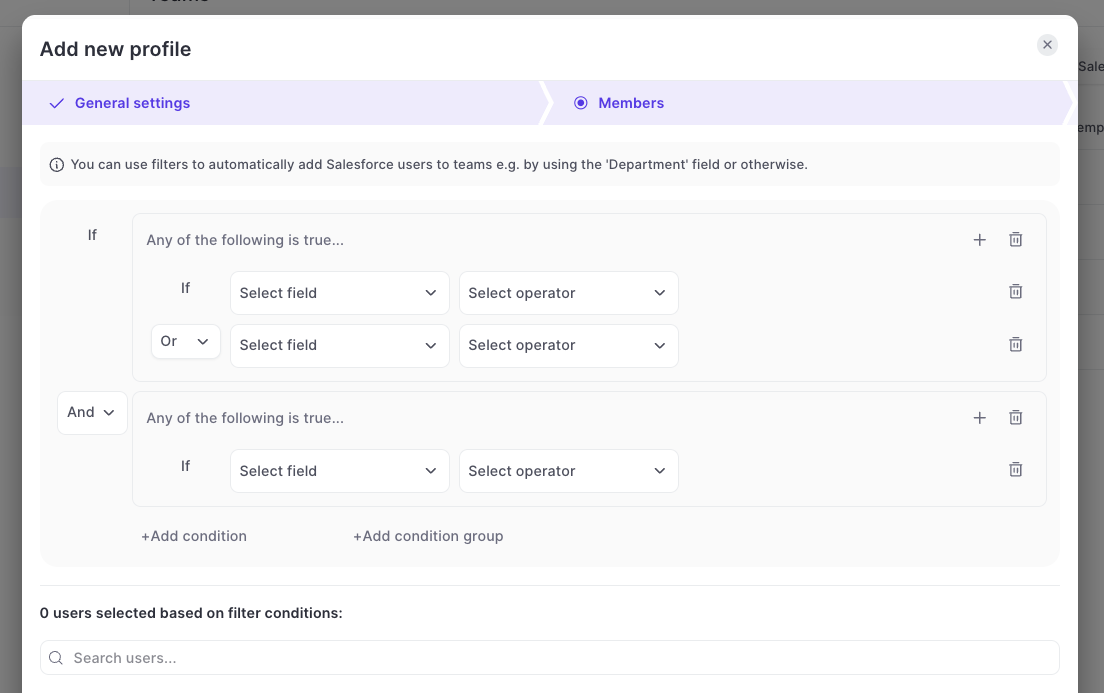
Create dynamic teams with AND/OR conditions

  • Previously, Weflow only supported AND conditions
  • Now, you can use AND / OR conditions and also create multiple condition groups
  • You can find this option under TEAMS > DYNAMIC TEAMS
Create dynamic teams with AND/OR conditions

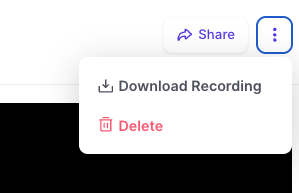
Download Recordings

  • Full Access Permission users are now enabled to download recordings directly from Weflow.
  • The recording includes the full audio, video and screen sharing.
Download Recordings

2.88 Bugfixes

  • BUGFIX / RESOLVED: Manually scheduled recording of an internal call were automatically de-scheduled again.
  • BUGFIX / RESOLVED: User can't access recording after their email changed in Salesforce.
  • BUGFIX / RESOLVED: Internal Salesforce Users are not linked to a recording anymore.

Regenerate Meeting Summary

  • With this new option, you can create up to three new summaries of the meeting transcript.
  • Clicking this button will trigger Weflow to re-process the transcript and create new AI-summaries.
Regenerate Meeting Summary

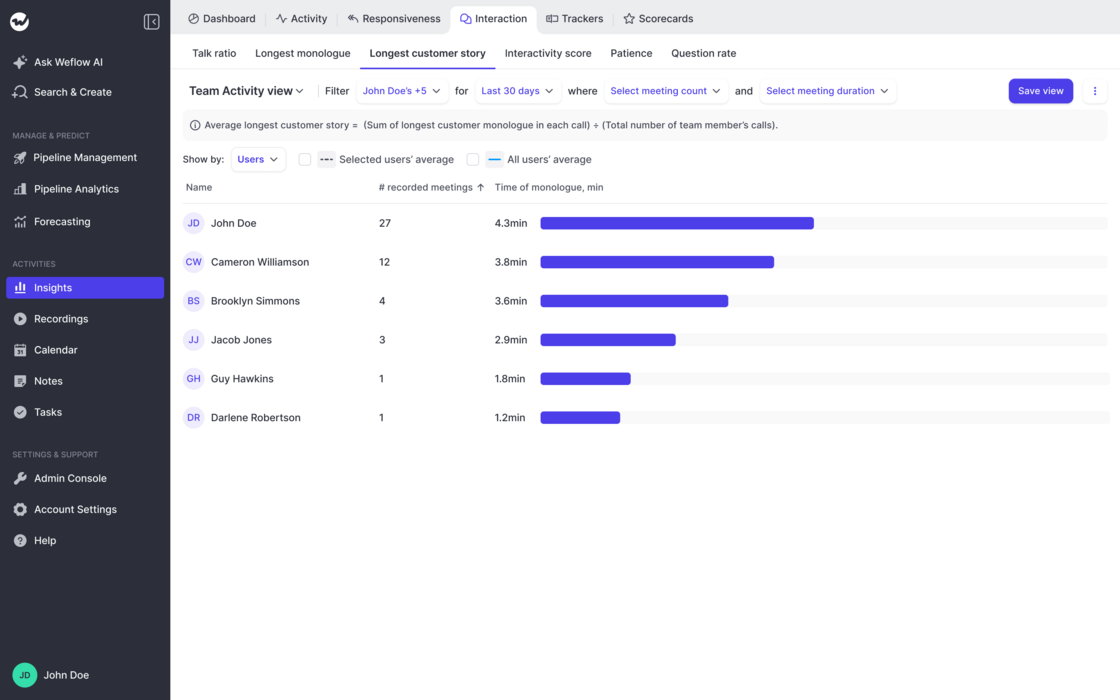
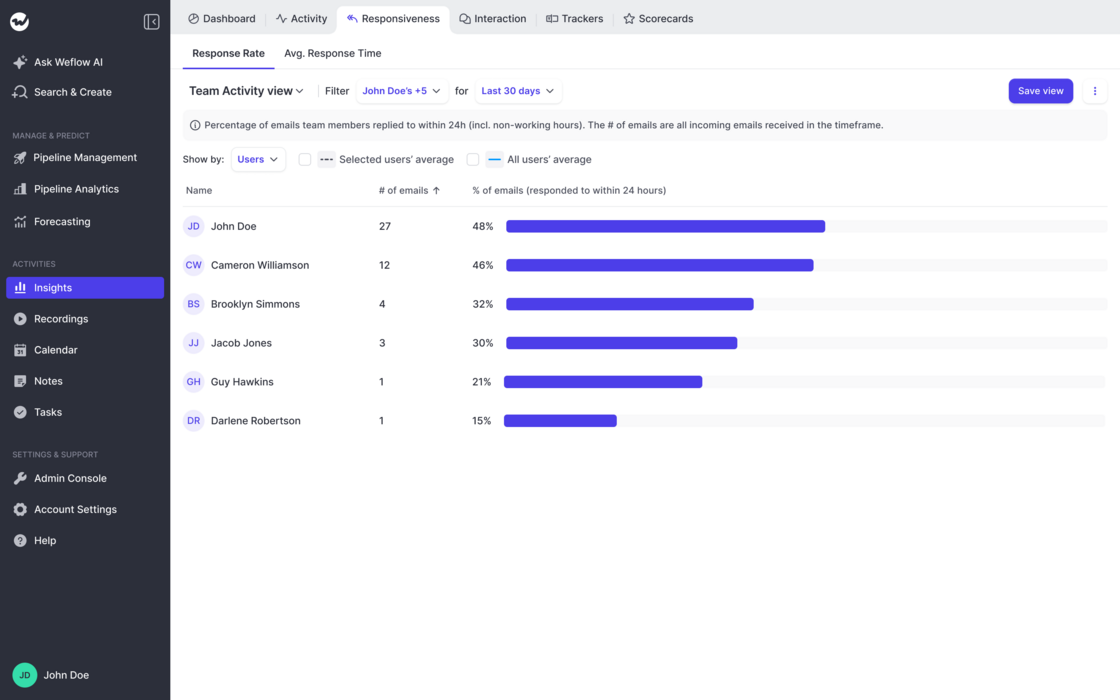
Responsiveness Reports

  • Out-of-the-box report on email responsiveness by rep
  • Share of emails they respond to within 24 hours
  • Average response time to emails in hours
  • Create infinite reports with different users/time frames etc.
Responsiveness Reports