Weflow changelog

67 updates shipped in 2026339 all time

Showing July 2023 and earlier · Back to latest

July 2023

Related notes

Access notes via the "Related Notes" field anywhere in your pipeline, sidebar, or Chrome Extension.

You can add this special Weflow field anywhere you want in our Web App or Chrome Extension.
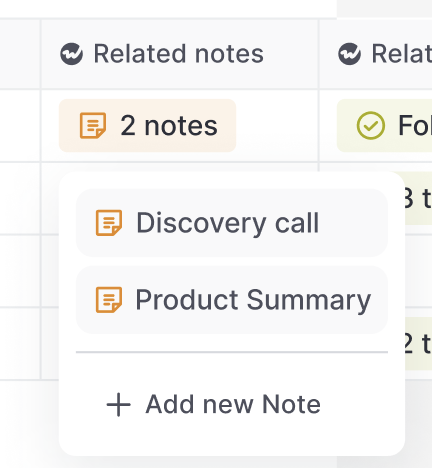
Related notes

Create templates for "New Records" and activities

Now, you can create templates for new records as well as activities and meetings via the admin console and assign them to different user profiles.
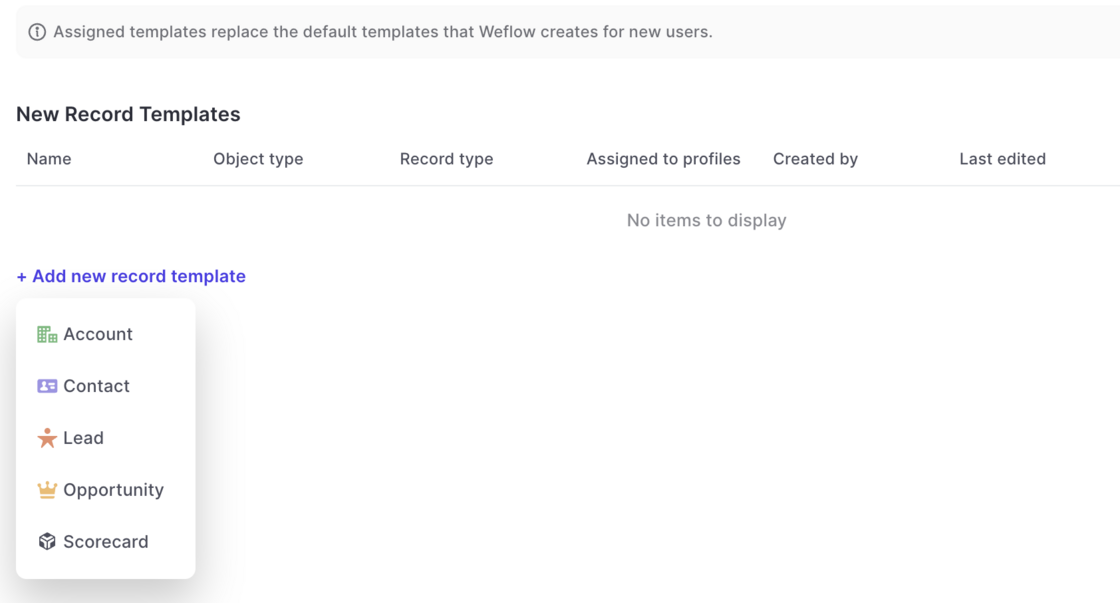
  • Go to the admin console
  • Select the template section
  • Create a template for a standard or custom object
  • Assign the template to a profile of your choice
  • Please note: You cannot assign more than one template per record type to the same profile
Create templates for "New Records" and activities

Reply Rate (Weflow Field)

  • The email reply rate field (Weflow Field) sometimes was calculated incorrecly
  • This has been fixed as part of the v2.3 release

Various improvements (v2.2.5 release)

The following improvements and fixes were applied to Weflow as part of the latest v2.2.5 release on July 17th 2023:

  • The "Panel" is now called "Sidebar" everywhere in the application
  • Activities and meetings can be logged for the "Lead" object now
  • There is no limit on the description field for tasks, meetings and other activities anymore
  • The task list in the home screen always uses the filters "Overview" and "Mine"
  • When changing an operator in the custom pipeline filter, the pipeline is re-rendered automatically now

Forecasting Waterfall

See how your pipeline developed over time. Filter by rep or entire teams.

If you have questions or feedback, please reach out to us at hello@getweflow.com or contact your customer success manager.
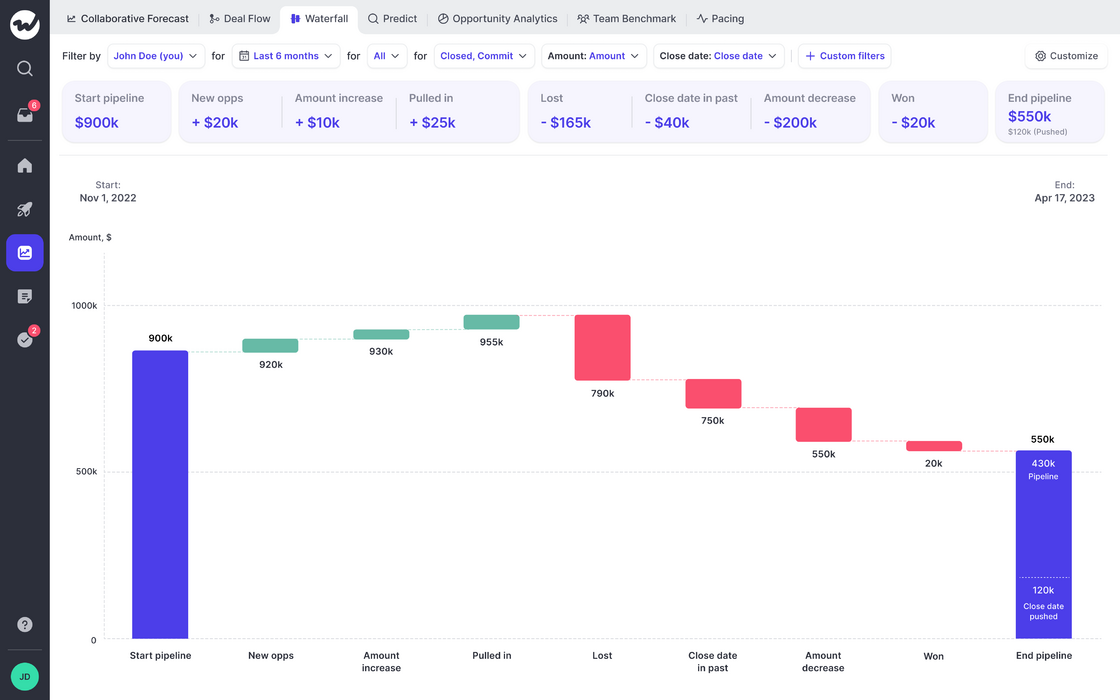
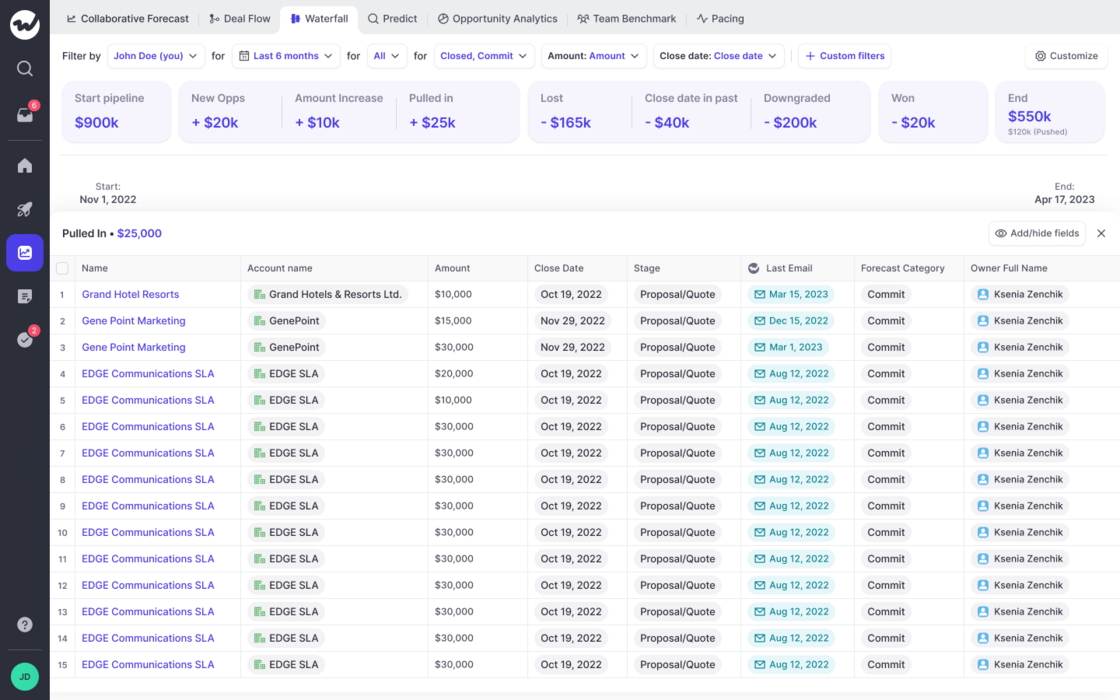
  • If you have forecasting enabled, you can now quickly learn how your pipeline developed over time
  • Filter by owner, record time and different time frames
  • Quickly learn which opportunities relate to the different categories such as "Close date pushed out", "Amount increased", "Amount decreased" and others
Forecasting WaterfallForecasting Waterfall

Filter by direct report

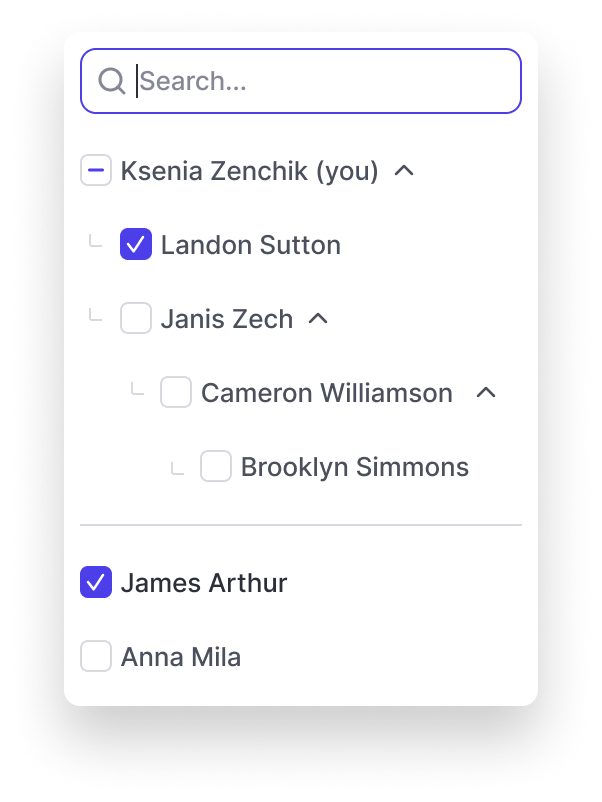
  • The "Owner" filter in Weflow's forecasts and pipeline sections automatically display team structures now
  • By selecting a manager, you automatically select the entire team
Filter by direct report

Collaborative Forecasting (Full walkthrough)

Running efficient forecasts with your entire team is hard. Weflow is here to make it easy for you, and your team.

Highlights

  • Set quotas for your entire team with two clicks
  • See quota attainment across different forecast categories
  • Make live updates to Opportunities like never before with Salesforce

June 2023

Large Text Fields

Entering information into large text fields was sometimes a bit tedious with Weflow. We fixed that now:

💡 Pro tip: This also works in the sidebar and Chrome Extension.
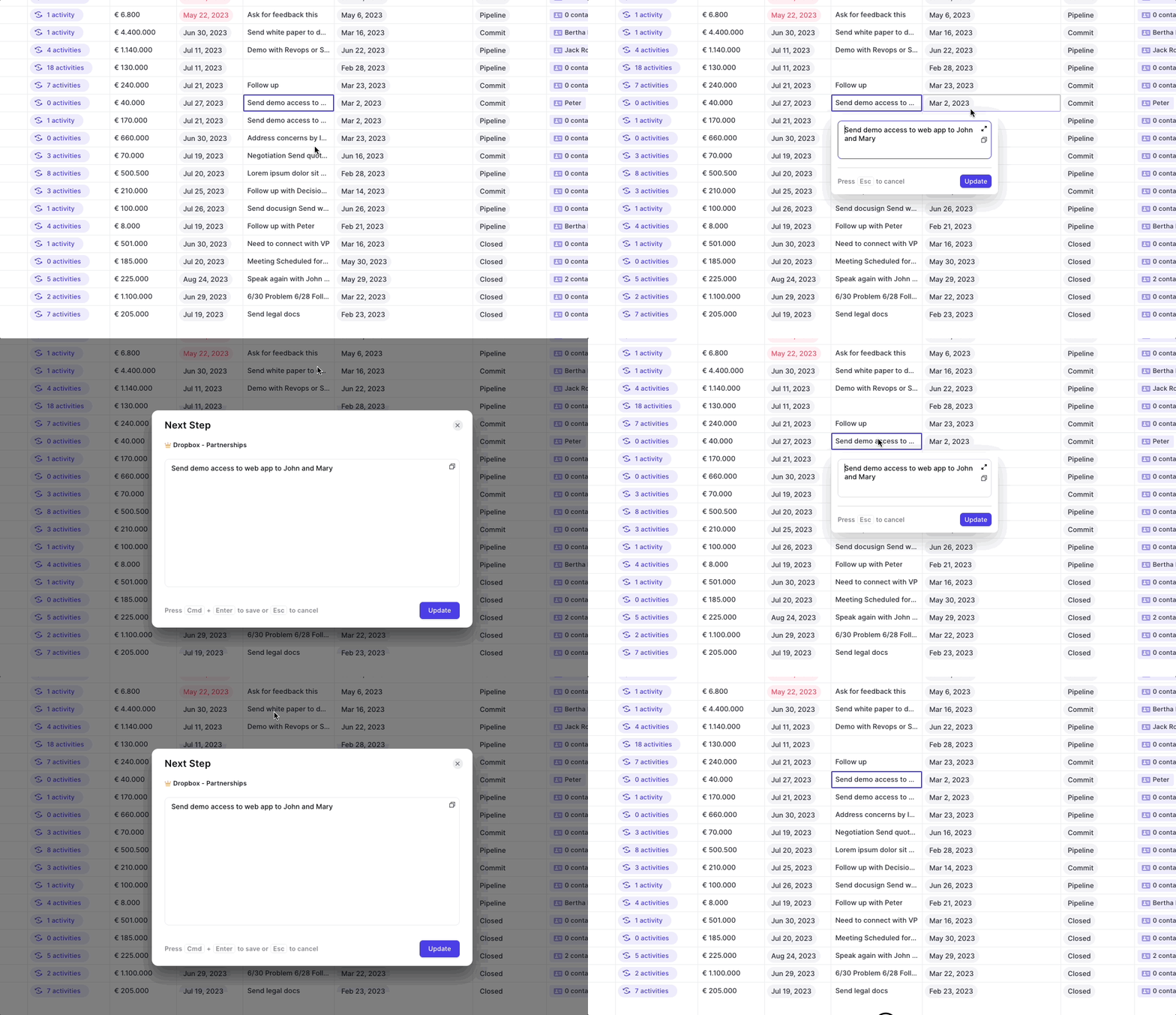
  • Open a text field like "Next Steps" or "Description"
  • Click on the enlarge icon
Large Text Fields

Close Date History

Ever wondered how often a close date has already been pushed out, or adjusted and what its previous value was? You can see all that in Weflow easily.
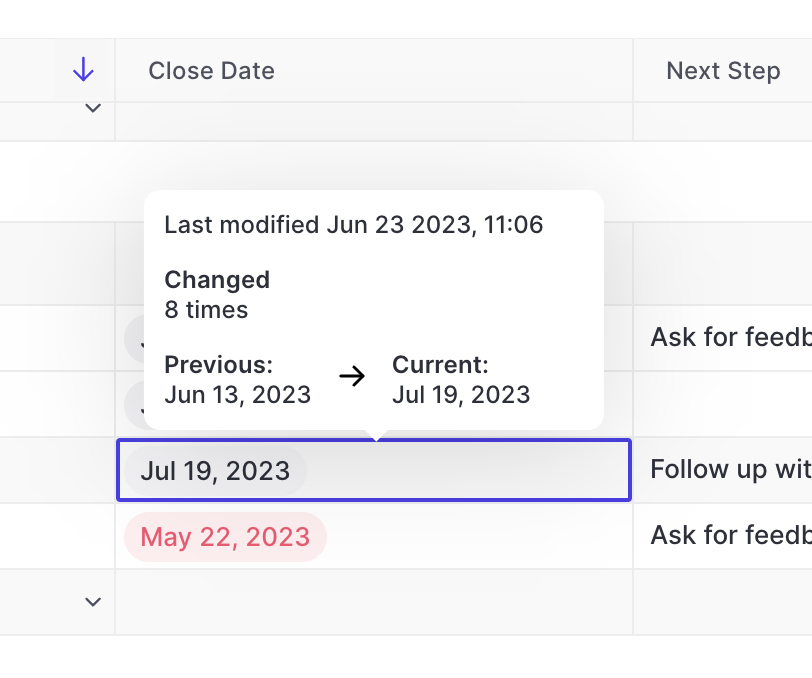
  • On hover, Weflow will show you the number of times a close date has been edited, the last modified time and date as well as the previous and current value
  • Useful during pipeline reviews and forecasting sessoins
Close Date History

Amount History

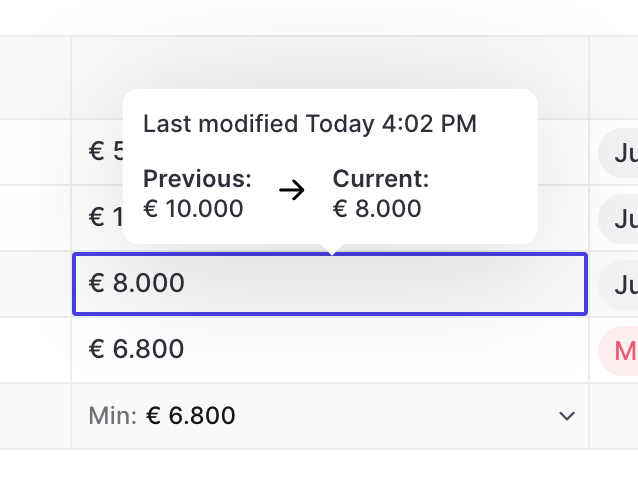
  • See the amount history on hover in any pipeline view, the Chrome Extension or sidebar/panel
  • Weflow, will show you the previous and current value
  • In addition, you can see the time and date when the last change occurred
Amount History

Contact Roles

Contact roles are now fully supported in Weflow. Add new contacts, set primary contact and quickly edit fields.

You can access contact roles via the related tab in our sidebar/panel.
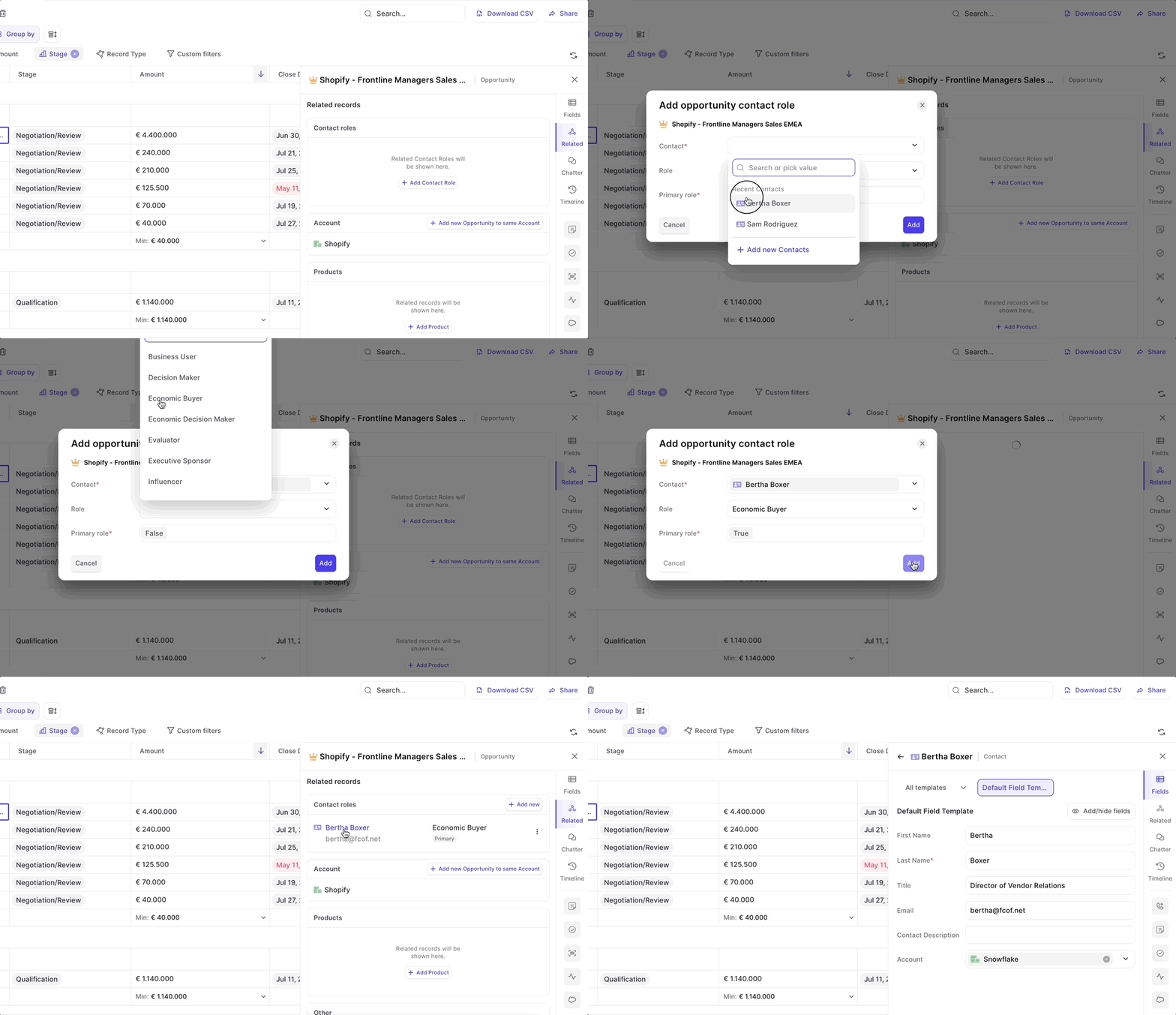
Contact Roles

May 2023

Auto-create new contacts off by default

  • Previously, in some cases the auto-creation of new contacts via email logging has been active by default
  • As of now, this setting is off by default for all new Weflow users

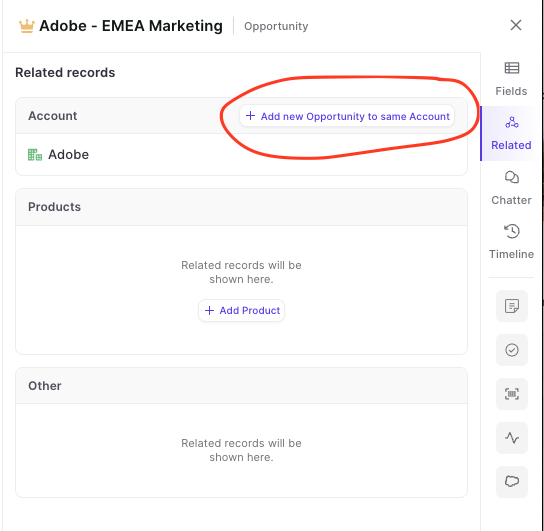
Add new Opportunities via the panel to the same account

  • Are you looking for a way to quickly add new Opportunities matching an existing Opportunity you are currently working on?
  • Look no further, Weflow has got you covered
  • You can now add Opportunities via the related tab with one click - all pre-linked to the correct Account in an instant
Add new Opportunities via the panel to the same account

Download your data as CSV file

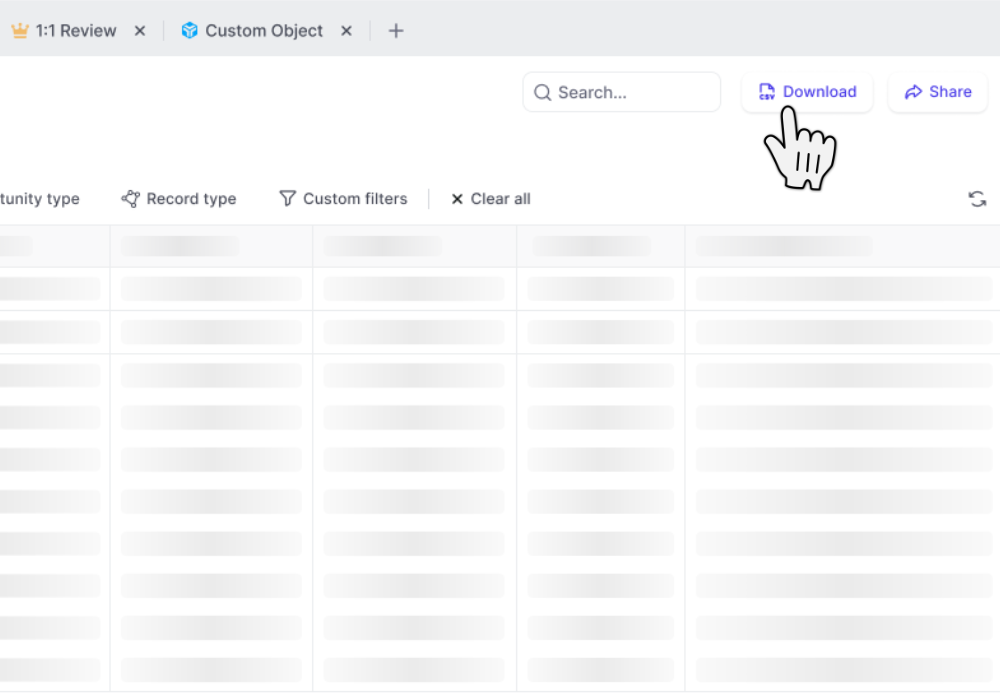
  • Download table views as CSV files
  • CSV files include custom Weflow Fields which you cannot utilize outside of Weflow such as "Reply Rate", "Time in Stage", "Weflow Engagement Score", and other use metrics
Download your data as CSV file

Add Custom Objects from related tab

You can now add custom objects via the related tab.

This is especially useful when utilizing third-party integrations in Salesforce such as Loopio, Partnerships, or other tools that create custom objects in your Salesforce setup.

April 2023

Related tab in panel

See all related records with just one click

Please note: Shortly, you will also be able to edit 'Contact Roles' from here.
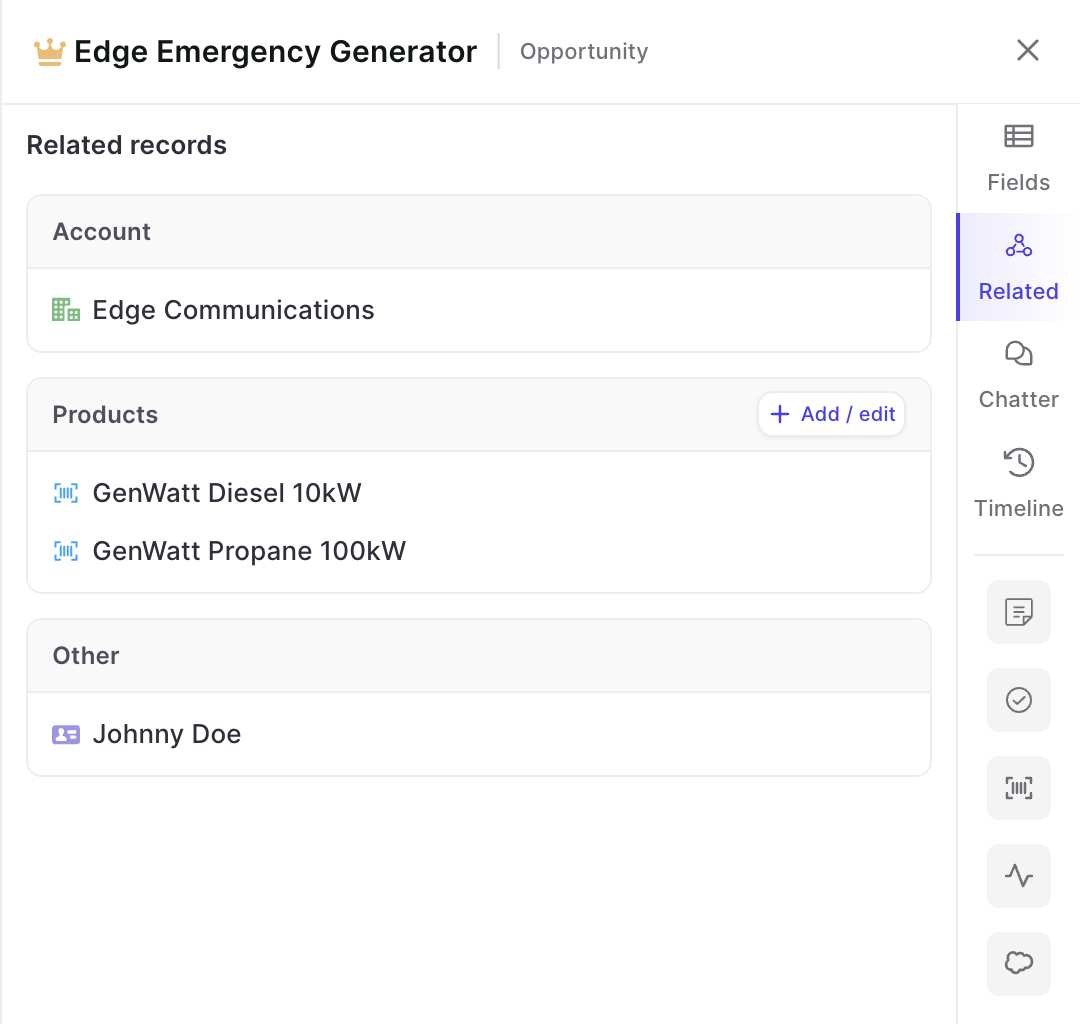
  • With just one click in the panel, you can now find all related records
  • This includes custom objects as long as they have been set up in Weflow (reach out to hello@getweflow.com to get help on this)
  • Add new related records or make changes e.g. to products
Related tab in panel

Go deep with the panel

Drill into an infinite amount of records with the Weflow panel
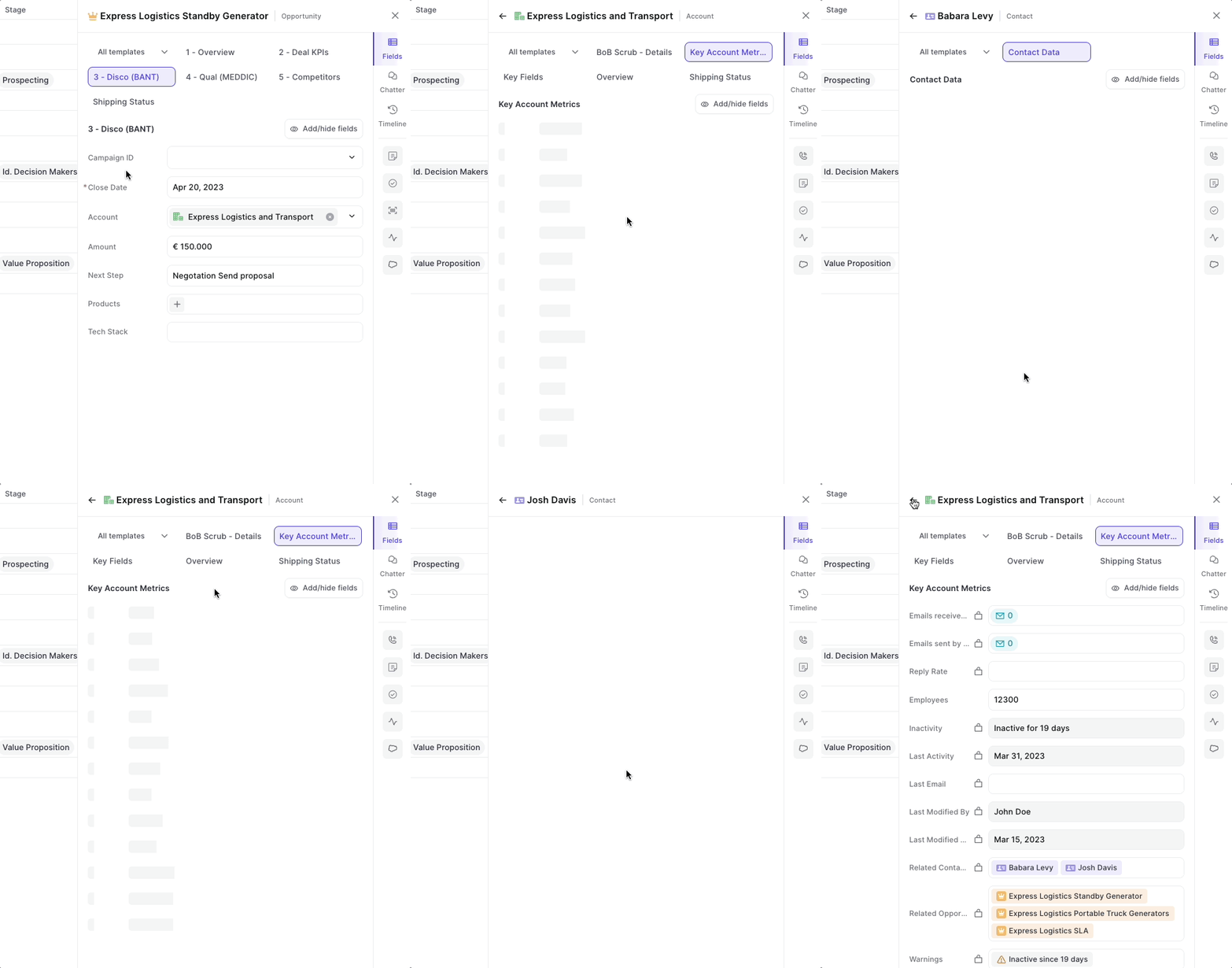
  • From now on, you can click on any related record in the panel to open up field details
  • Go back and forth between different types of records and object types
Go deep with the panel

Multi-select record types

  • You can now multi-select record types
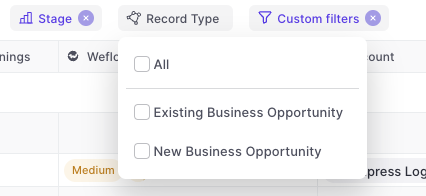
  • Weflow will automatically adjust other filters based on your business process settings in Salesforce e.g. hide irrelevant stages for a specific record type
Multi-select record types

Group by Calculations

Let Weflow calculate number and currency fields for individual groups.
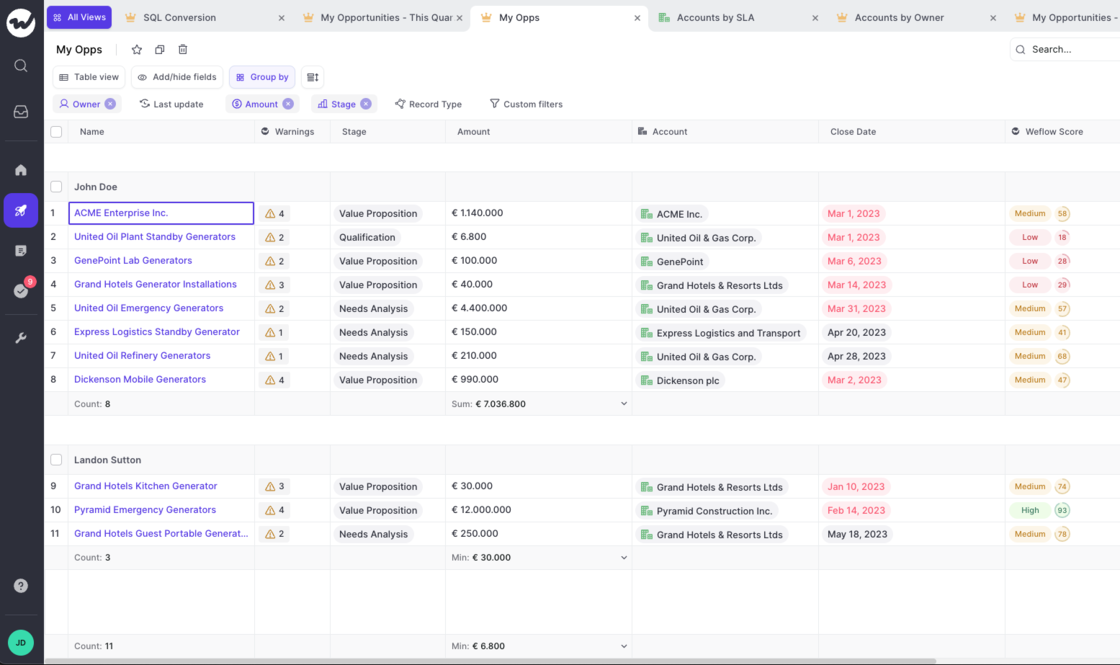
  • Customize the calculation for each group
  • Save your settings
  • Make use of average, min, max, sum operators
  • Quickly find out specific values for groups in your pipeline
Group by Calculations