Weflow changelog

45 updates shipped in 2026317 all time

Showing April 2025 and earlier · Back to latest

April 2025

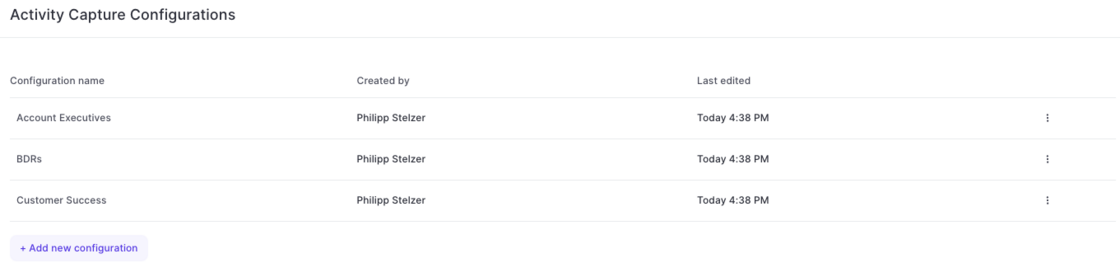
Create multiple Activity Capture configurations for different teams

  • With this latest update, admins can now configure different activity capture configurations for specific user groups, profiles, roles or teams in Weflow.
  • Simply add a new configuration and customize it based on your specific requirements and needs.
Create multiple Activity Capture configurations for different teams

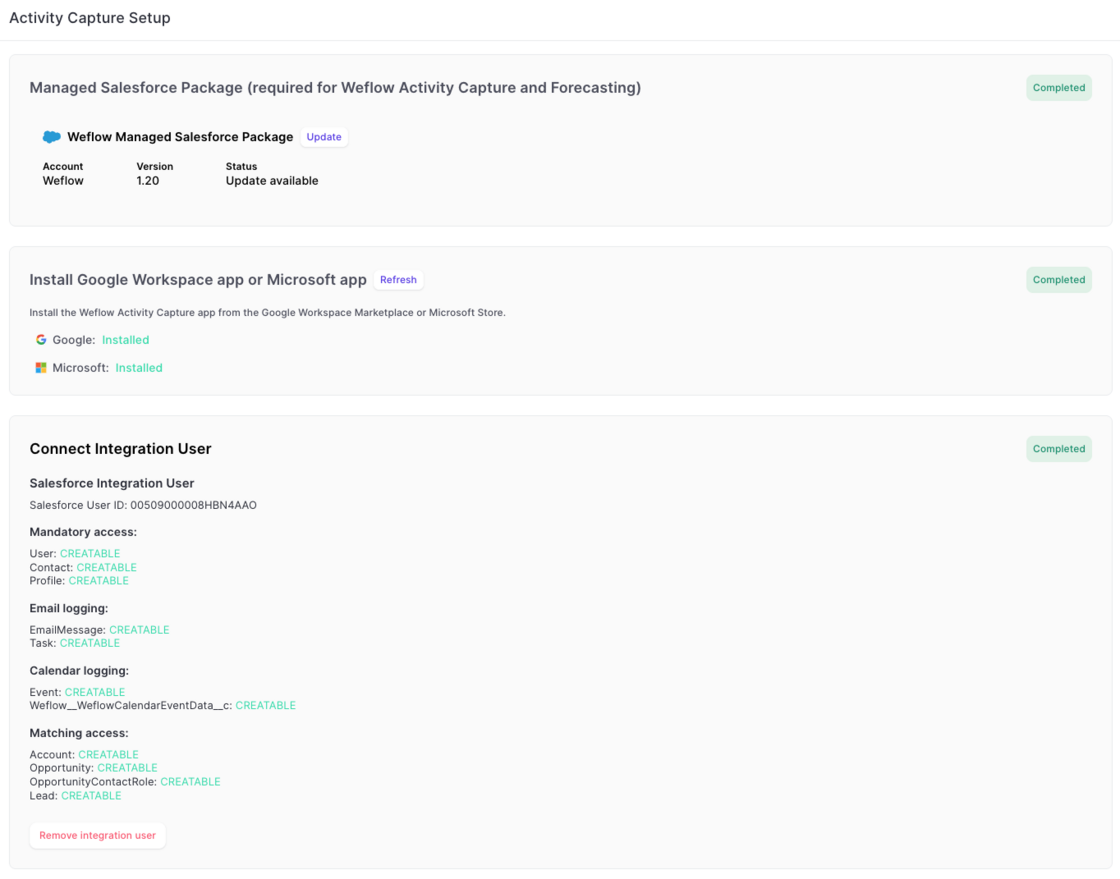
Simplified Activity Capture Setup

The new activity capture flow, guides admins more easily through every step:

1) Install the managed package.

2) Install the EntraID or Google Workspace app.

3) Connect an integration user.

Simplified Activity Capture Setup

March 2025

Disable recurrent events from getting logged

  • To help customers who do not need or want to log recurring event series from Outlook/Google to Salesforce, this can now be fully disabled via the 'Expert Settings' in Weflow's admin console.
Disable recurrent events from getting logged

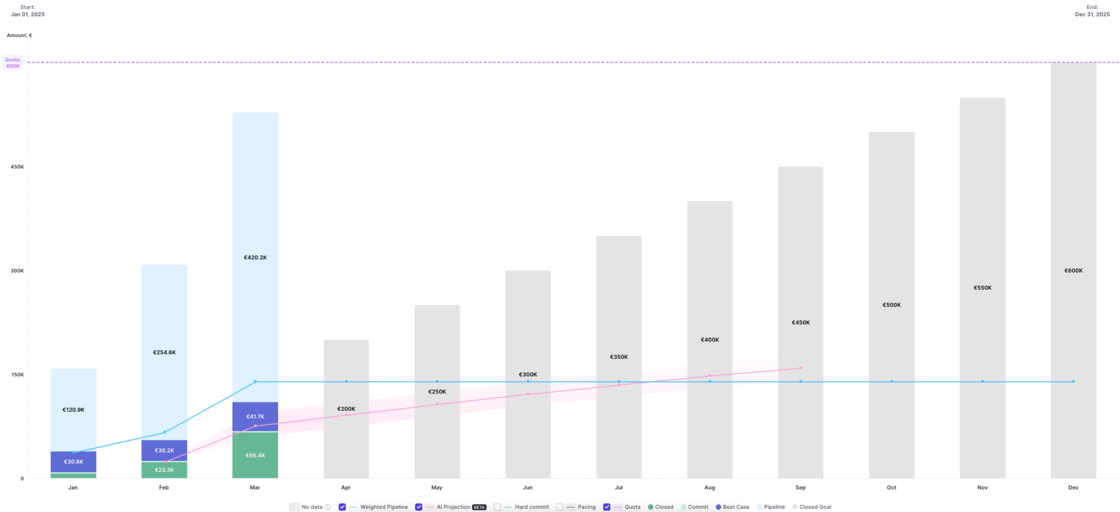
Pacing chart shows live data for current time period

Version 2.66 of our forecasting & analytics suite has introduced the ability to see live data in the pacing chart. No action is required to use this improvement. All pacing charts have been updated automatically.

Pacing chart shows live data for current time period

February 2025

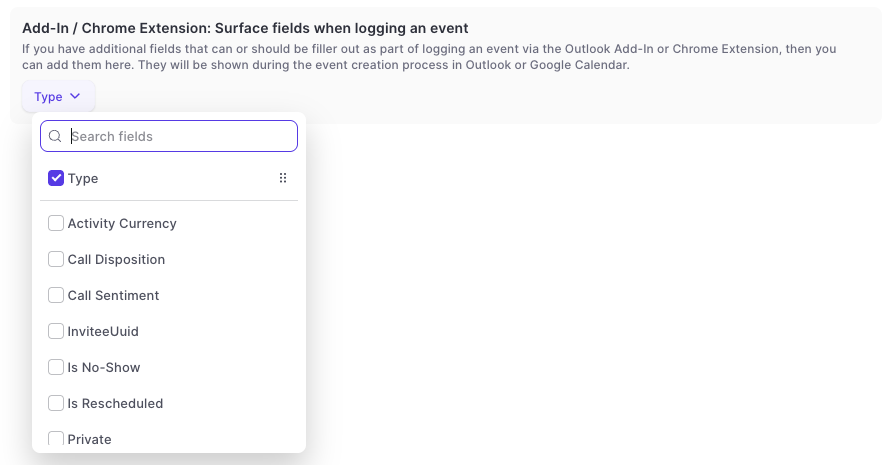
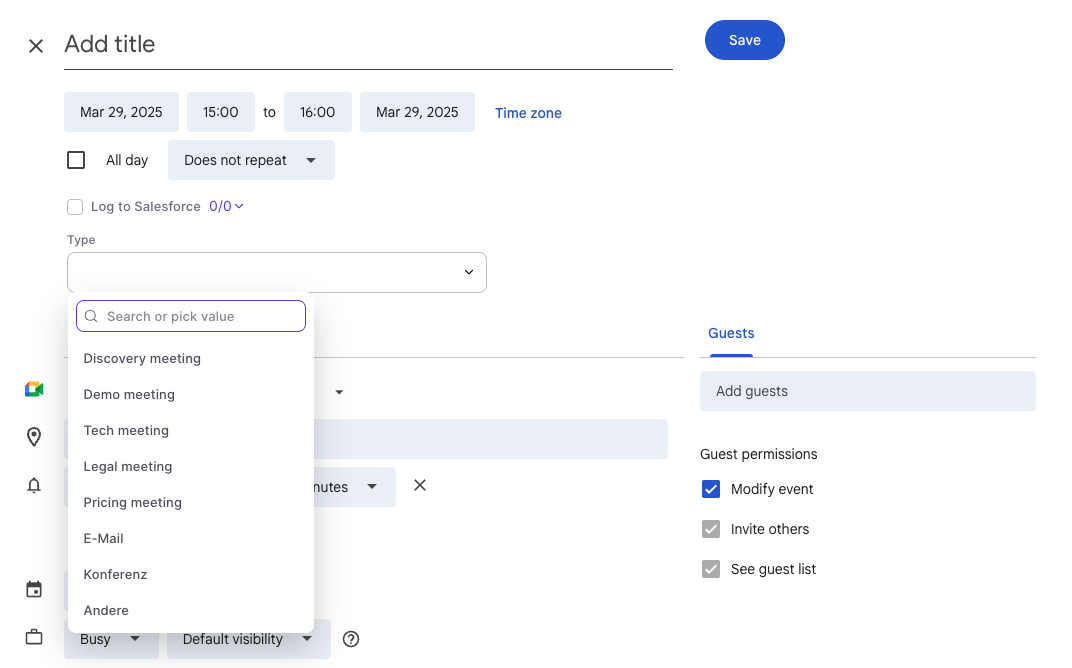
Surface fields on the event record while logging

[New Feature]

In the admin console:

In Google Calendar:

  • Surface additional fields when logging an event via the chrome extension to Salesforce.
  • This is only available in the full screen mode for event creation in the Google Calendar.
  • Support for Outlook is planned by the end of Q2-2025.
  • Long text fields are not supported.
Surface fields on the event record while loggingSurface fields on the event record while logging

Disable objects for activity capture

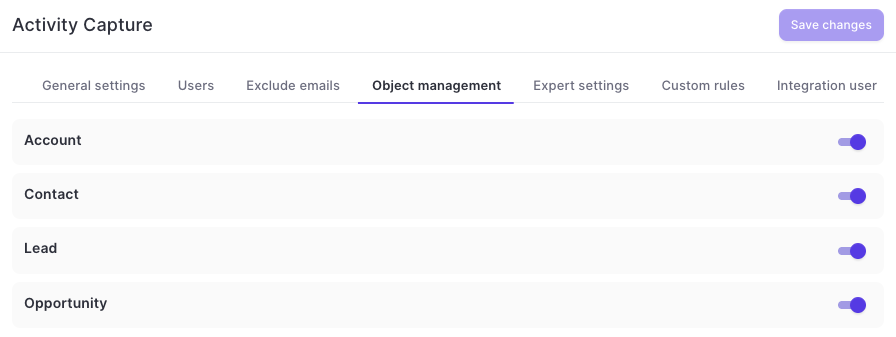
  • Admins can now disable logging to specific objects altogether via the admin console in Weflow
  • This includes custom objects as well as standard objects
  • Disabled objects will not be available for manual logging via the add-in or chrome extension
Disable objects for activity capture

Logging sent emails and faster access to the sidebar

This update contains multiple improvements to Weflow Activity Capture on Google Workspace in combination with Weflow's Chrome Extension:

This feature is automatically available for all Weflow Activity Capture customers on Google Workspace.

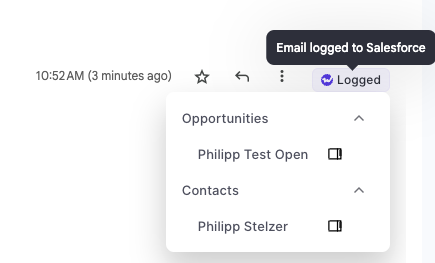
  • Log emails manually whenever you like
  • Open the sidebar with one click
  • See logging status directly in Gmail
Logging sent emails and faster access to the sidebar

Various Improvements

  • Tasks could not be assigned to other users (fixed)
  • Time ranges were incorrect if timezone was set to Pacific Standard Time (fixed)
  • Notes could not be linked in some specific use cases (fixed)
  • Deactivating users in the admin console did not automatically end the subscription for Weflow Activity Capture (fixed)

New access controls for forecasting & analytics

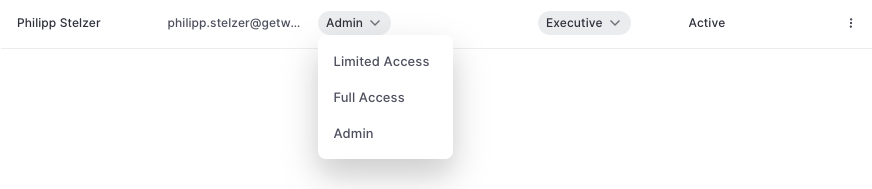
A new permission setting has been added to Weflow which limits the access to seeing opportunity data in forecasting and analytics.

Admin: Full access to all opportunity data (as per defined in your Salesforce settings) incl. admin console.

Full Access: Full access to all opportunity data (as per defined in your Salesforce settings) without access to admin console.

Limited Access: Only access to your own opportunity data (as per defined in your Salesforce settings).

New access controls for forecasting & analytics

January 2025

Multi Pick-List Filters

This issue affected custom filters in pipeline views:

When creating a custom filter with a multi ick-list field, the Weflow App would only return records where there is an exact match of only one value

However, no records will be returned where multiple pick-list values have been selected.

This issue has been fully resolved.

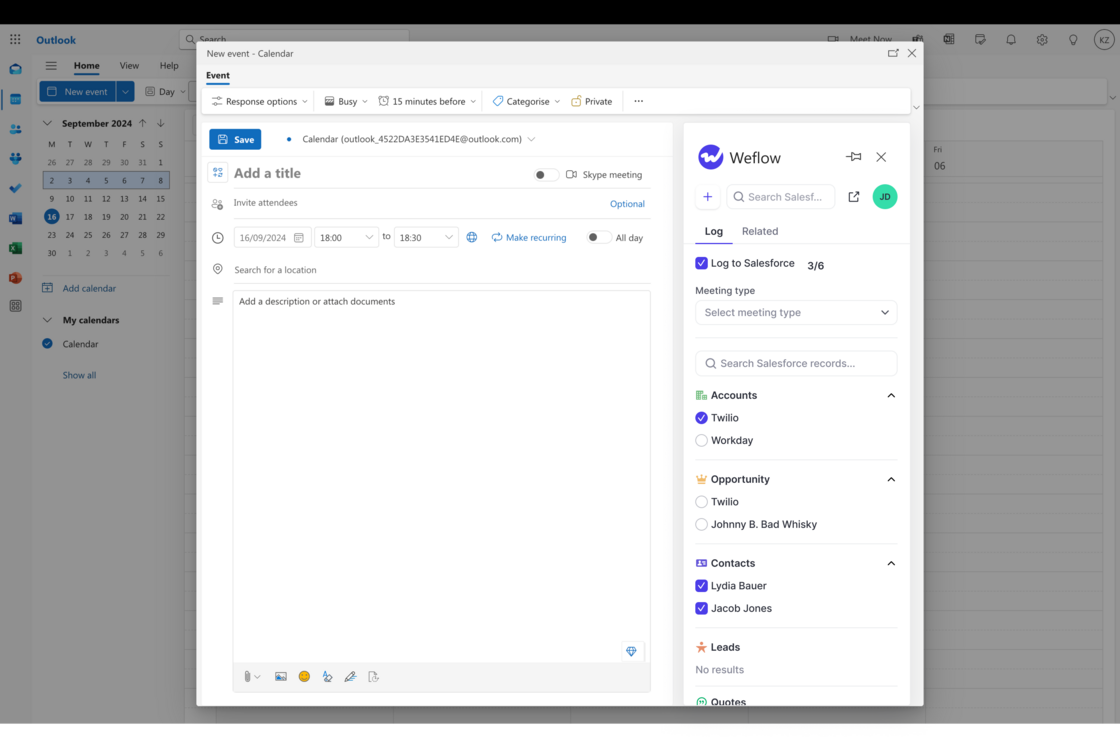
Manually log meetings in Outlook / MS365

  • Via Weflow's Outlook Add-In, you can log meetings manually.
  • Please note, that this is only available when double clicking during the even creation (you need to go into the full screen pop-up).
Manually log meetings in Outlook / MS365

Emails shown in task manager

The task manager in Weflow showed emails logged as tasks for all users.

This creates partially huge lists of completed / uncompleted tasks for the users and causes confusion.

This issue has been fully resolved. Weflow does not show logged emails in its own task manager anymore.

December 2024

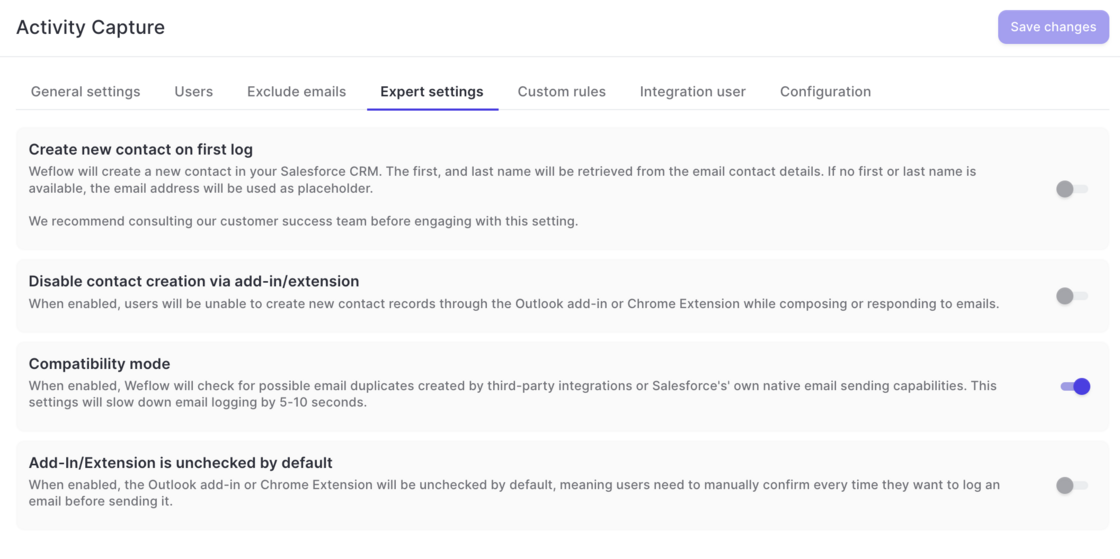
Activity Capture: Expert Settings

  • Creating contact on first log was moved from 'General Settings' to 'Expert Settings' as this setting should be enabled with care.
  • Contact creation can now be disabled via the add-in or Chrome Extension.
  • A new compatibility mode ensures that no duplicate emails are created when third-party integrations are used in addition to Weflow. In addition, this helps avoid duplicates when sending emails via Salesforce.
  • The add-in and Chrome Extension can be unchecked by default. This means, that users will have to manually log each email.
Activity Capture: Expert Settings

November 2024

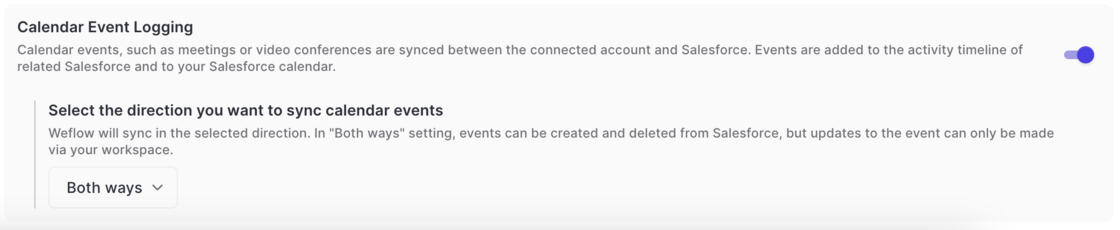
Activity Capture: Bi-Directional Sync

Warning: Do not use this feature while other activity capture solutions are active, as this may cause duplicate events in Salesforce. Consult our support team to ensure maximum compatibility.

  • Meetings can now be synced bi-directionally between Salesforce and Google/Microsoft calendars.
  • Events which are scheduled via the Salesforce calendar are now synced to Google/Microsoft calendars and vice versa.

Activity Capture: Bi-Directional Sync

October 2024

New "Weflow Fields"

Last Activity - Call: See and filter by when the last call activity occurred with this record

Close Date Pushed: View and filter by how often the close date was changed

Deal Age: See how old this deal is based on its creation date.

New "Weflow Fields"

Reduced API calls

As of today, Weflow uses 60% fewer API calls for logging emails and meetings from your Microsoft/Google account to Salesforce.

We will continue to improve these metrics month-over-month.

Pipeline templates for email and meeting views

  • Now, admins can create templates for email and meeting pipeline views.
  • These views can be assigned to specific user profiles and will automatically show up in these users' views.

Limit attachment size when logging an email

  • Admins can decide to exclude attachments below or above a certain size threshold
  • This is useful if you want to exclude attachments which are too large or too small (e.g. a company logo at the bottom of an email)

2.50 Bug Fixes

  • Field dependencies sometimes did not work from the sidebar
  • Sorting by a number/amount field did not work in pipeline views
  • Forecasting roll-up did not always select the current forecasting period automatically
  • Pressing enter into a forecast call comment immediately submitted the forecast instead of adding another line of text
  • Sharing pipeline views did not work anymore

September 2024