Weflow changelog

45 updates shipped in 2026317 all time

Showing June 2024 and earlier · Back to latest

June 2024

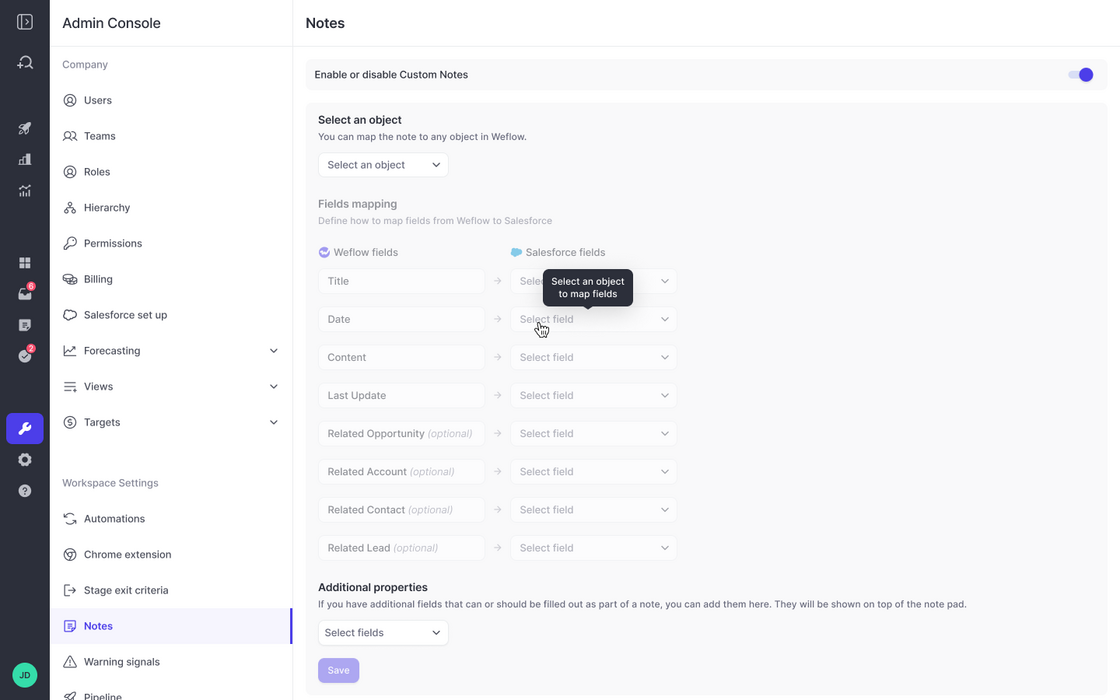
Map custom note objects to Weflow

  • If - for whatever reason - you do not utilize the contentNote or Note object in Salesforce, then you can map your custom note object to Weflow as well
  • Pick any object you like, then map key fields to Weflow's note-taking feature
  • In addition, you can let Weflow surface additional fields to stay in full control of the note-taking process
  • Required fields will automatically be surfaced by Weflow
Map custom note objects to Weflow

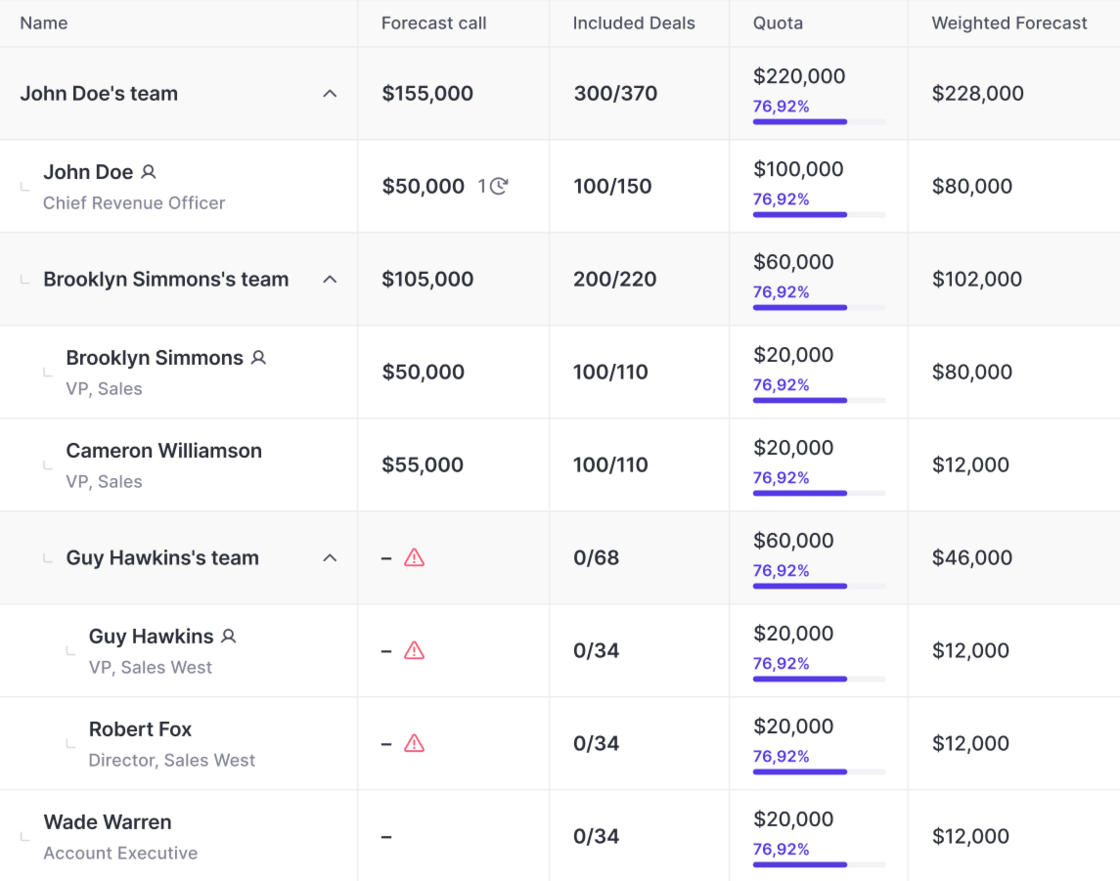
Weighted Forecasts

Add weighed forecasts to your pipeline views, roll-ups, collaborative forecast views and sidebar.

  • Weighed forecasts are calculated automatically by Weflow
  • They are based on your stage probabilities
  • Weighted forecasts work out of the box - you don't need to configure anything within Weflow
Weighted Forecasts

Chrome Extension - Activity Logging

  • In case our Chrome Extension runs into a network error or timeout, then it will now try to reconnect and e.g. log an email activity up to five times

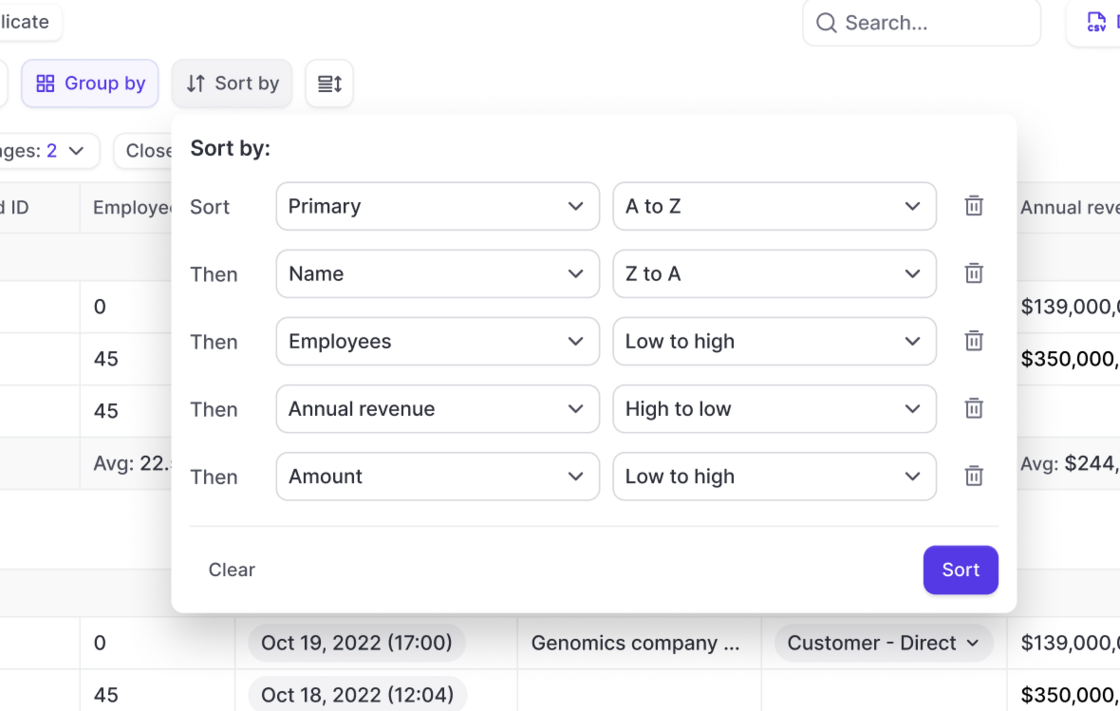
Multi-Sort your Pipeline

  • Multi-sort any pipeline view in Weflow by using up to five Salesforce fields
  • Define the right order and either sort from A->Z (low to high) or Z->A (high to low)
Multi-Sort your Pipeline

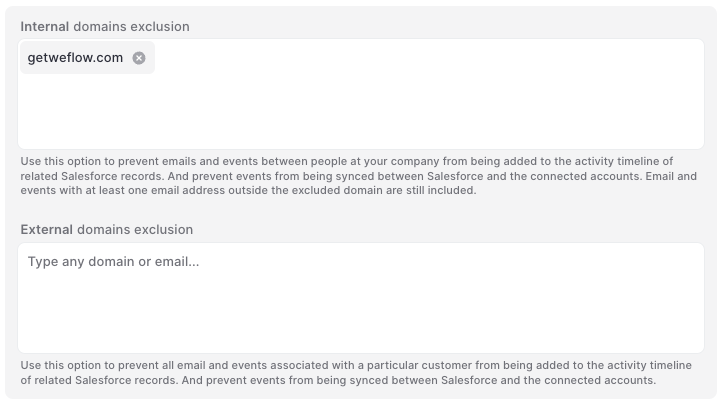
Smarter domain exclusion for activity logging

  • Weflow lets you separate between internal and external domains
  • Our smart activity logging algorithm will make sure that important activities get logged while those that should remain private stay private
Smarter domain exclusion for activity logging

May 2024

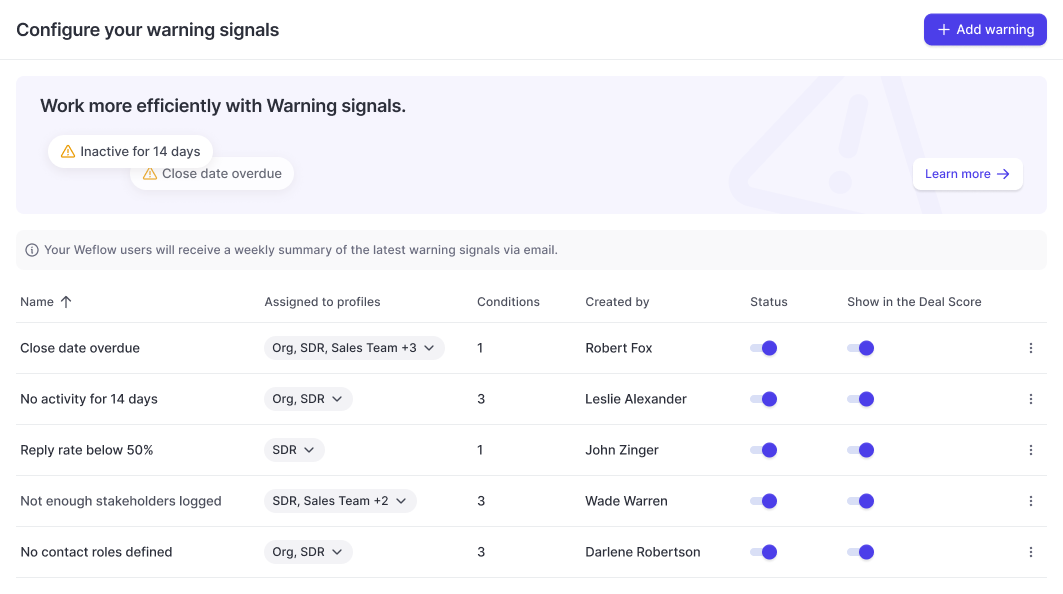
Warning Signals

Create fully customizable Warning Signals based on any field in your Salesforce CRM.

Configure fully customizable warning signals and assign them to different user profiles within Weflow:

Weflow lets you use any field in your CRM to create custom Warning Signals.

  • Track overdue close dates
  • Identify missing fields (next steps, economic buyer, etc.)
  • Highlight low velocity (low reply rate, no next meeting, etc.)
Warning Signals

Sync back more than 365 days of activity data

Are you still using Einstein Activity Capture? Switch to Weflow and effortlessly sync back all your historical data. Control how your activities are logged and make them fully reportable.

  • Sync back email and meeting activities
  • Properly attribute all activities to contacts, accounts, opportunities, or leads
  • Even large amounts of data can be synced back over time

April 2024

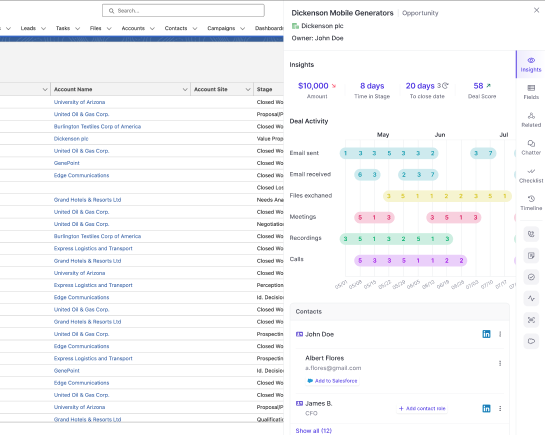
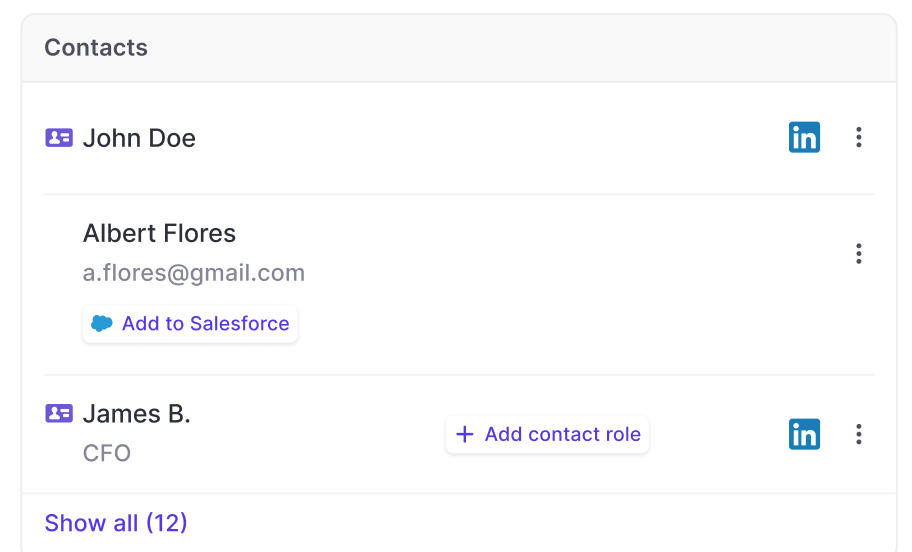
Surface deal stakeholders in Insights

A huge benefit of using our in-house activity capture solution is that Weflow will automatically surface deal stakeholders - even if they have not been added to your Salesforce CRM yet.

  • See deal stakeholders who are not in your CRM yet
  • Assign contact roles with one click to existing contacts
Surface deal stakeholders in Insights

Faster and smarter activity capturing for meetings and emails

Please note: If you are using an older version of Weflow's activity capture, please sign in to Weflow and re-authenticate your Google Workspace or Microsoft account with Weflow.

You should see a pop-up once you sign in to Weflow that guides you through re-authenticating your account. Alternatively, you can also follow the steps outlined below:

That's it. You did it!

  • Sign in to Weflow
  • Go to 'Account Settings'
  • Open the 'Activity Capture' tab
  • Disconnect your Google account
  • Reconnect your Google account

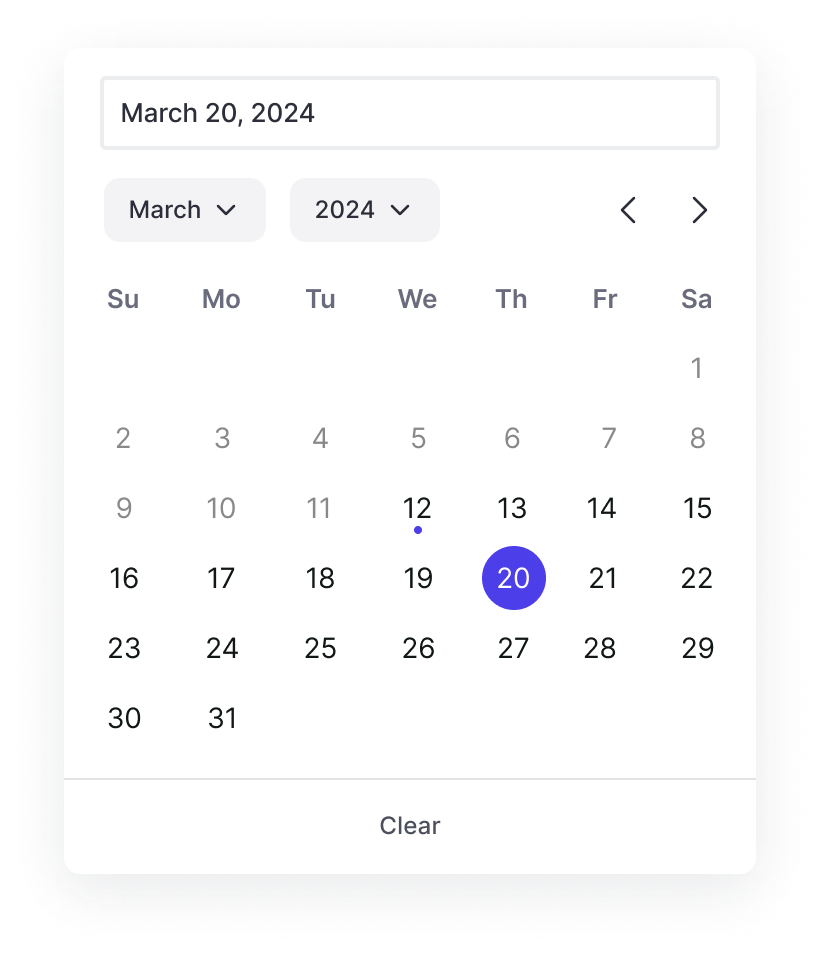
A new date picker

Based on feedback from our customers, we updated the date and calendar picker across the app and Chrome Extension. Picking dates is now faster and easier with a more responsive user interface and fewer layout shifts.

A new date picker

Submit forecast calls across record types

  • Previously, it was only possible to submit a forecast call for one specific record type
  • Now, you can submit forecast calls across all or multiple selected record types

March 2024

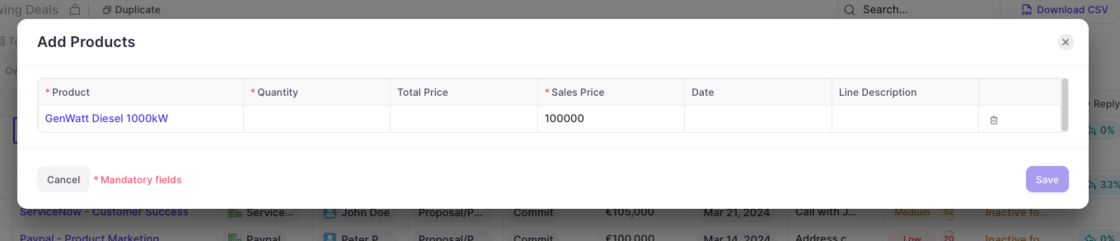
Amount is locked if Products are used

  • If products are used for an opportunity, then the amount field is now fully locked
  • Previously, it was possible to edit the amount however, it had no effect and was reset automatically
  • This user experience has been corrected with the changes mentioned above

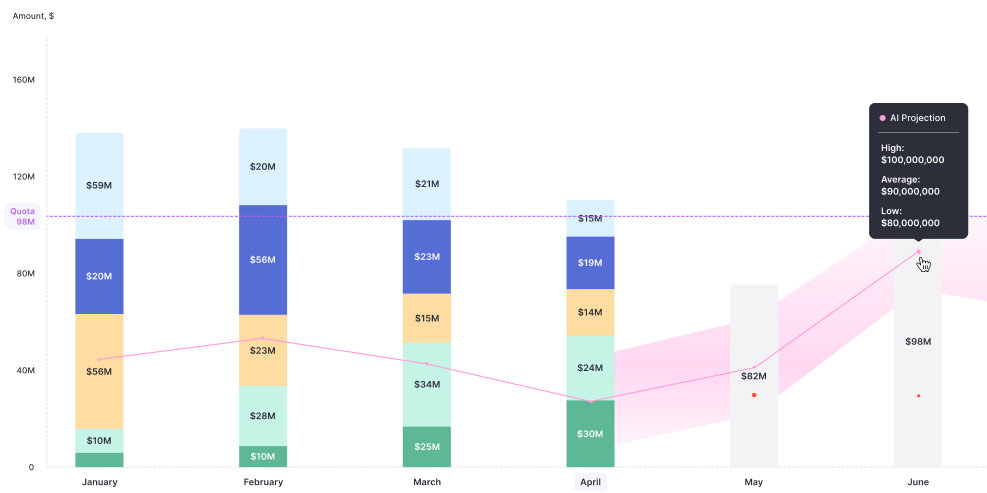
AI Forecast powered by Weflow

AI forecasts are now available for all customers on our growth plan.

  • Weflow now features an AI-powered forecasting solution, that let's you confidently look at the next months or quarters based on your companys' historical performance
  • The model is tweaked per customer, and reflect their seasonality effects as well as past revenue generation in similar time frames.
AI Forecast powered by Weflow

Product templates

Now, admins can create templates for products in Weflow.

  • Create as many templates as needed
  • Assign templates to different user groups
  • Mark fields as required - independent from Salesforce
Product templates

Better scrollbars on Windows 🪟

In some cases, Weflow showed too many and too visible/large scrollbars for users on Windows operating systems. This has been improved by:

  • Reducing the size of the scroll bars if not in use
  • Increase the size in case a user hovers over them
  • Remove unnecessary scroll bars

February 2024

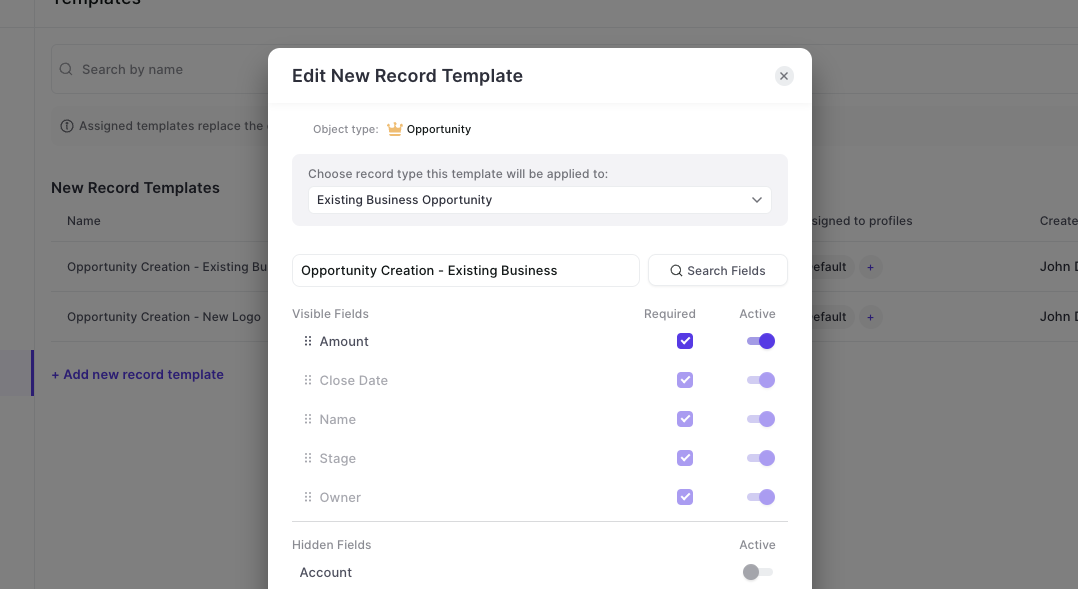
Mark fields as 'required' in templates

There are reasons where you'd want a field to be required in Weflow without marking it as required in your Salesforce systems. Our new template editor now covers these cases.

  • Access the Admin Console
  • Go to the Template section for 'New Records'
  • Edit an existing template or create a new one
  • Mark any field as 'Required' that you add into the template as needed

Mark fields as 'required' in templates

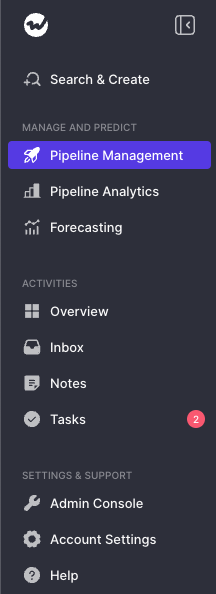
New Navigation

  • The new navigation gives you a clearer structure to navigate our ever-growing scope of features and functions
  • The admin console is no separate section anymore
  • You can collapse/un-collapse the menu with one click
  • Activities are grouped together
  • Pipeline Analytics and Forecasting are more clearly separted
New Navigation