weflow
Currency Locale
- Weflow now understands how you prefer your currency fields to be formatted based on your organization's formatting settings
- When changing your currency, Weflow will update the formatting on the next sign-in (sign out and back in)
67 updates shipped in 2026339 all time
Showing June 2022 and earlier · Back to latest
Look up your total number of API calls, manage your integrations and access information about your user profile as well as our help desk all from within t he new settings page.

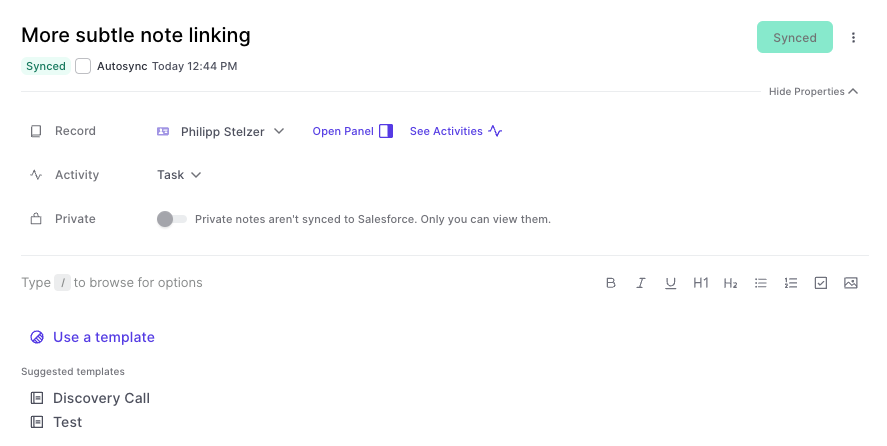
We improved the readability of the note pad editor by making the following changes:
We take pride in resolving any new issues with speed and accuracy. Here you can find a list of the latest fixes:
If you find any new issues, we are committed to resolve them within a short time. Let us know at hello@getweflow.com
This improvement was made possible by a suggestion from one of our great customers. If you find issues like this, always let us know.
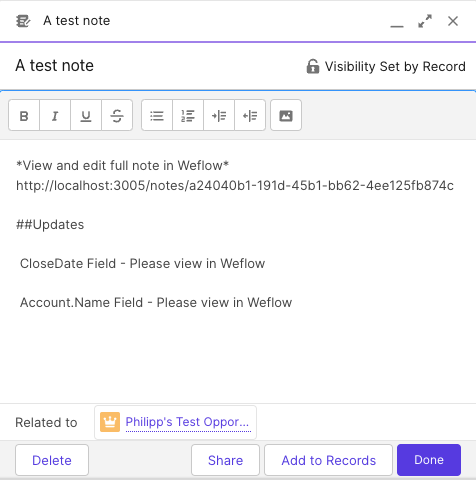
Before:
This format was not that readable. In fact, we used the API name of a field and not the customer-facing field label, which users are more accustomed to. This has been changed now to look like this:
Please note, that field values in notes are always only a snapshot since the last sync. Even if you have auto-sync activated, the auto-sync will only come into play if you made a pro-active change to that note.
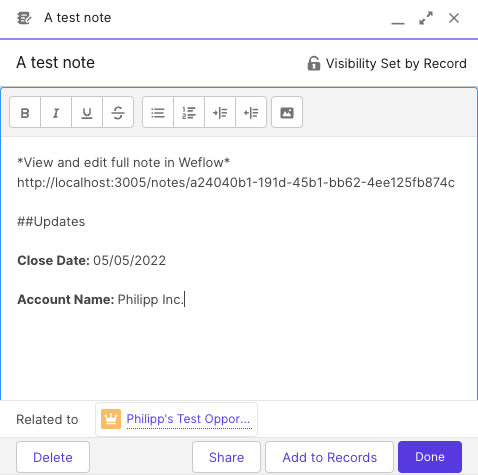
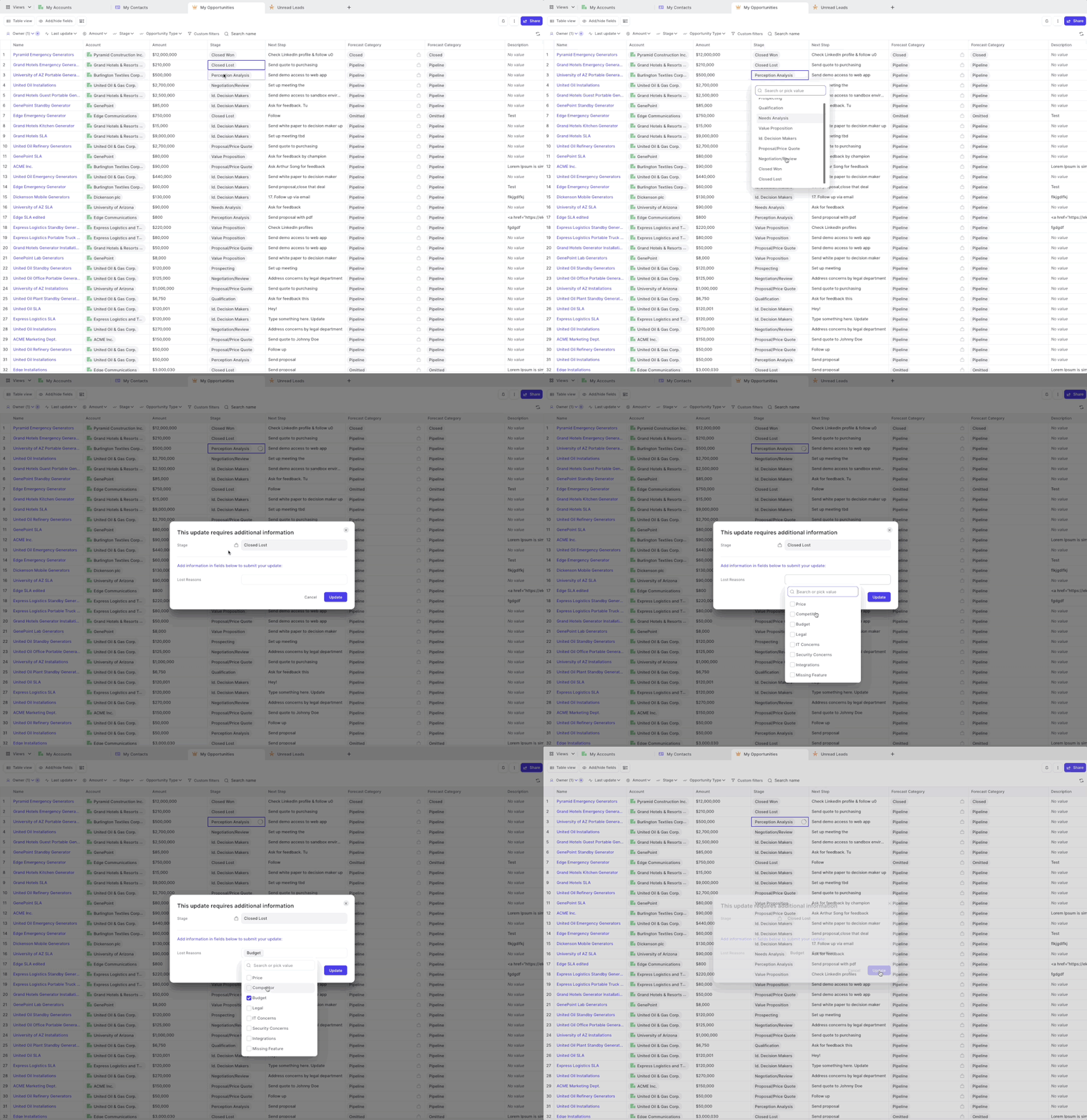
Weflow has always been respecting required fields and validation rules. However, for field dependencies, we did not show the dependent fields in all cases.
As of this week, you can now safely rely on Weflow to trigger a message to your Salesforce users, whenever they make a change to a controlling field which asks for input in dependent fields.
A popular example is changing the stage of an opportunity to "Closed/Won" and then requiring additional input in a field such as e.g. "Lost Reasons".
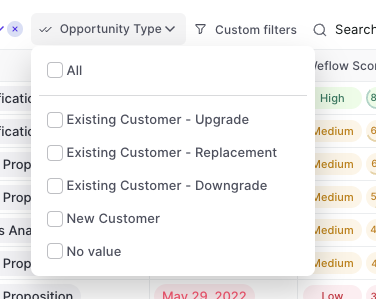
You can now filter by Opportunity record type
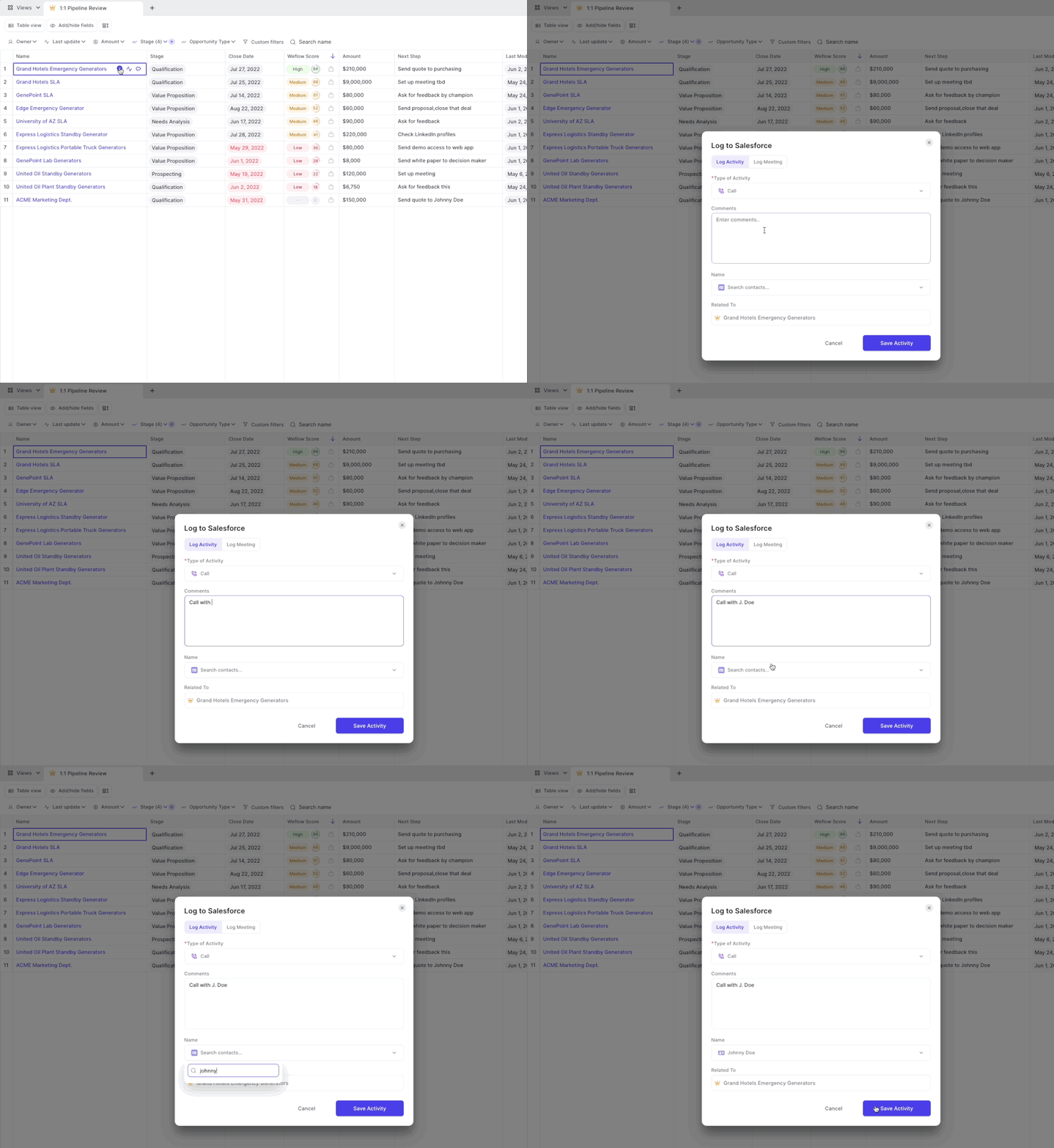
Currently, the Weflow development team resolves newly reported issues within 3 days. The following issues were resolved since the last release:
If you find any new issues, we are committed to resolve them within a short time. Let us know at hello@getweflow.com
Depending on your Salesforce settings, sometimes you can have customs fields which are generally accessible but not visible. This can cause issues in our interface. Hence, Weflow now regularly checks which fields and objects a user has access to and what kind of access (i.e. read or write access).
This is a backend change, and you will unlikely notice any differences while using Weflow. However, it is a major improvement to ensure a 100% stable user experience.
Sales is an endurance sport combined with the strategic gameplay of a football match. Sometimes you get lucky. But most deals take a lot of prospecting, negotiation, alignment and most of all: time.
On average, you need eight activities (like an email, call or meeting) until a prospect says yes or no 80% of sales are made on the fifth to 12th contact
With everything else you got going on in life and work, it's easy to lose oversight of what's been happening.
That is why we are proud to introduce the new Weflow Activity Timeline.
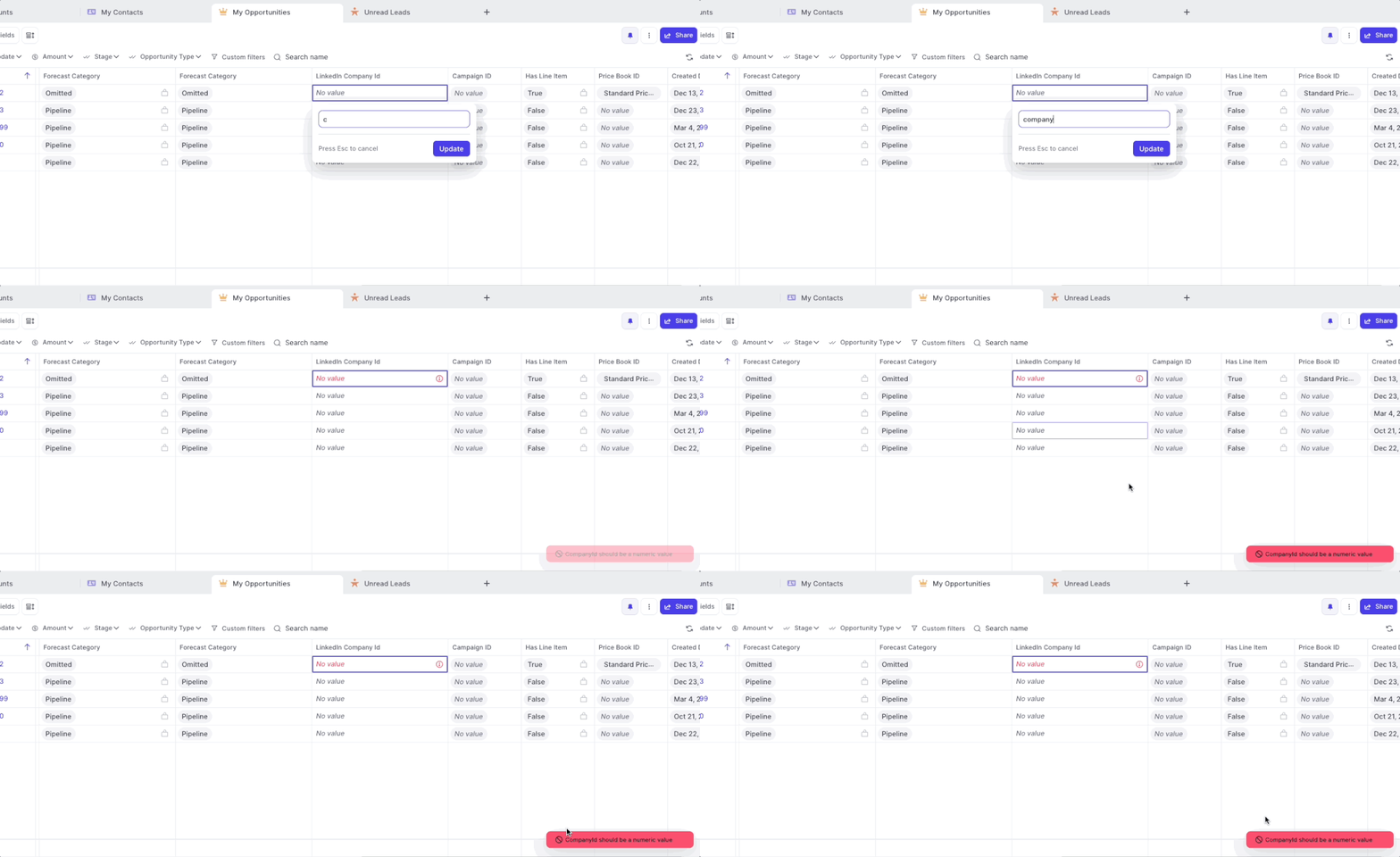
If you set up validation rules including error messages, Weflow now displays all error messages as defined in Salesforce.
If you set up validation rules without setting an explicit error message, Weflow will still ensure that no incorrect values can bet synced to Salesforce however, will display only a generic error message.
Don't you hate that random clicking around when trying to close a menu or window you don't want in your view anymore?
We definitely try to avoid this whenever possible. So here is another update where we made improvements to ensuring you can close whatever you want as quickly as possible with no unnecessary clicks.
Now, Weflow sets a due date when logging an activity via the note pad.
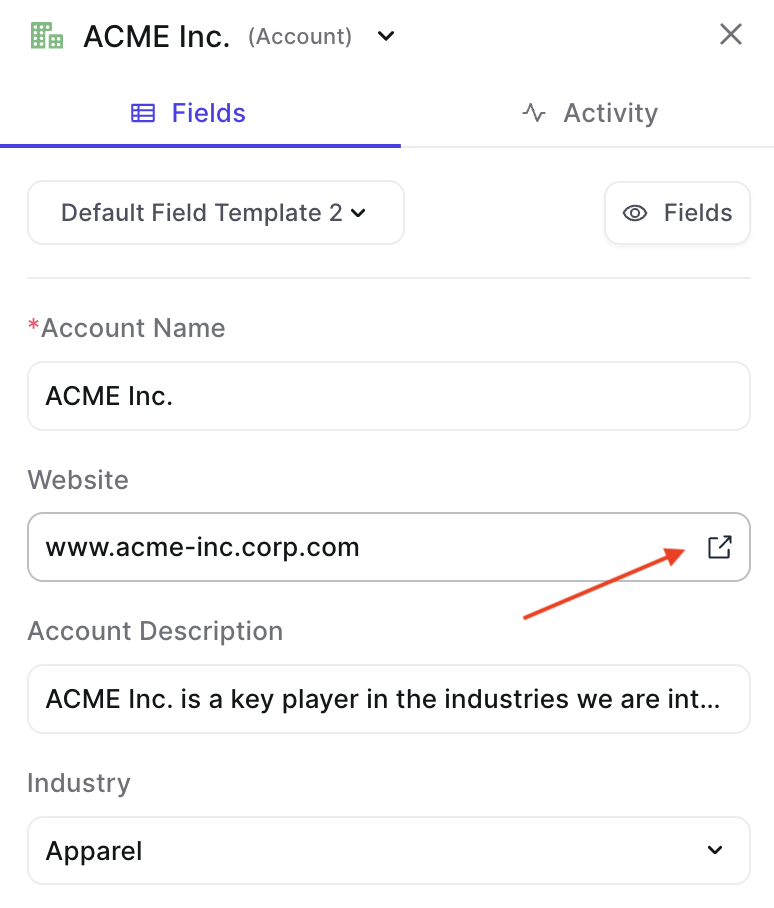
Fast access to third-party websites from Weflow
This feature was requested by our community. For other suggestions, please reach out to me or hello@getweflow.com
Previously, when logging an activity like a call or a meeting via a formatted note i.e. using bold or italic text, then we also copied the HTML code for the formatting into Salesforce.
The comment field of an activity could then look like this: <p>Meeting Notes</p>**Discuss pricing & rollout
This has been fixed now. So your activities are all fully readable by humans as well as machines 🤖

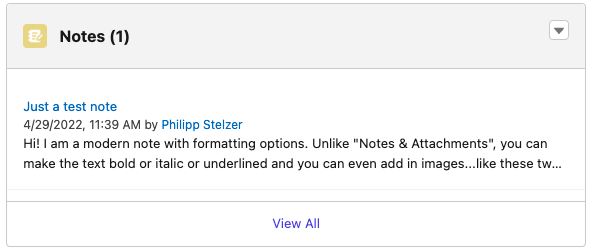
Did you know that there are different note types within Salesforce?
1) Notes & Attachments
2) Notes
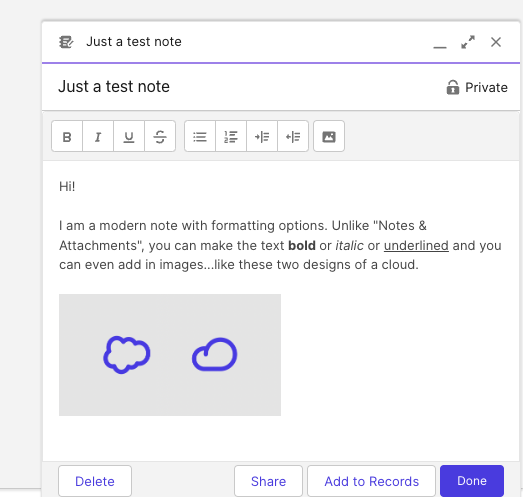
As you can see here, the newer note type features formatting options:
In Weflow, you can now choose how you want your notes to be snyced to Salesforce. Either into the "Notes & Attachment" or into "Notes" i.e. Content Notes. Of course, notes from Weflow will also appear as formatted notes if you choose the newer "Notes" type.
If you have questions about this option, please contact us at hello@getweflow.com. We are happy to assist you in setting you up for success.