Weflow changelog

45 updates shipped in 2026317 all time

Showing September 2024 and earlier · Back to latest

September 2024

Delete meetings + emails

Now, meetings and emails can be deleted in bulk by admins.

To delete a meeting or email, go to a table pipeline view and select the checkbox next to the record.

Pipeline tabs stored in cloud

  • Your pipeline view tabs are now stored in the cloud and not in local cache anymore
  • This means, that whatever tabs you have opened when closing/logging out of Weflow, will show again when you sign back in - even from another computer

2.49 Bug Fixes

  • When creating a custom object from a lookup field in the sidebar, Weflow did not set the related record automatically
  • Close date quick filter was not persisted after selecting a value
  • Contact roles could not be set due to ISO code field in some rare cases

Time in Stage

Weflow's time in stage calculation is based on LastStageChangeDate instead of stage change history now.

You will now see time in stage for all opportunities.
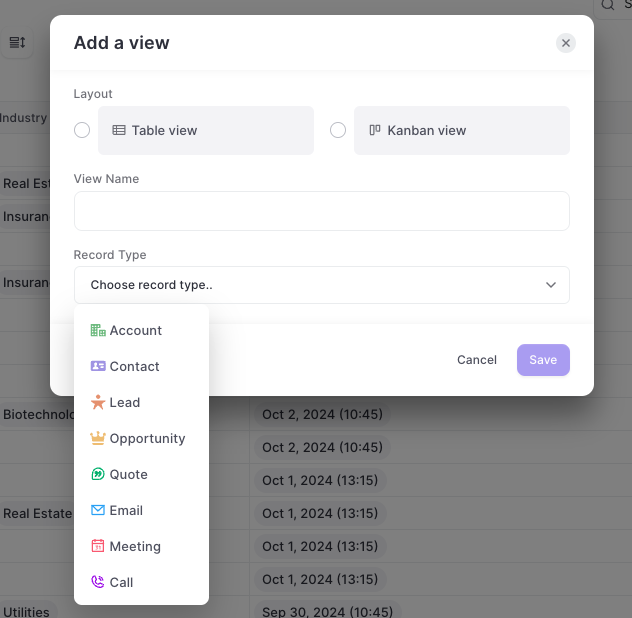
Meetings + Emails in Pipeline Management

  • Create pipeline views for quick and easy data hygiene for both meetings and emails
  • Quickly update and edit emails and meetings with Weflow's bulk editing feature
Meetings + Emails in Pipeline Management

Multi-Link Notes

  • You can now multi-link notes to various records and objects simultaneously.
  • This works for contentNotes as well as Custom Note objects.
  • Please consider that custom note objects require additional configuration to work as expected. Contact our support team to learn more.
Multi-Link Notes

August 2024

2.48 bug fixes

  • Weighted forecasts in pipeline management rendered no values (due to a change in weighting logic)
  • Product search did not work for long (>50 entries) product lists in the product modal
  • Products were always shown in the default currency, even though they were assigned to a different currency.
  • Unnecessary fields were shown as part of the record creation (required but auto-updated fields, e.g. "Last modified date")
  • Conversion rates from different Opportunities with different currencies were miscalculated in Kanban boards

2.47 bug fixes

  • Key fields could not be changed in the Insights tab
  • Changing columns via drag & drop did not work in the slide-up (in forecasting views)

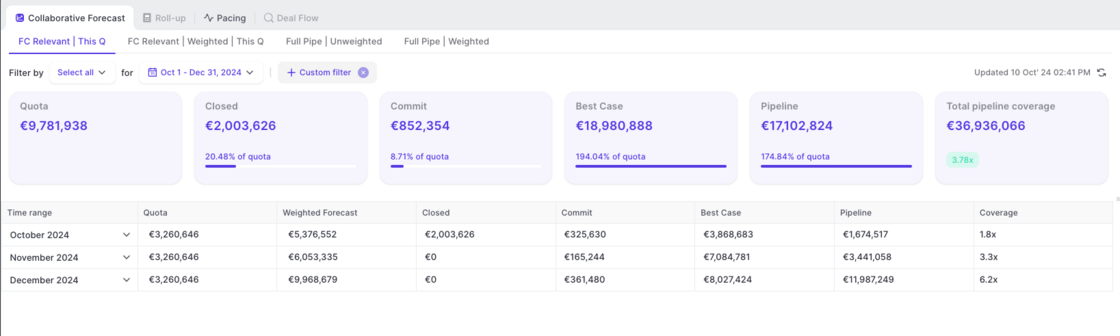
Create multiple Forecast views

Weflow now lets you create up to five unique forecast views. For each view, admins can define:
  • Close date
  • Currency field (can also be a number or formula)
  • Custom forecast categories (use any picklist field)
  • Custom fields to inspect deals

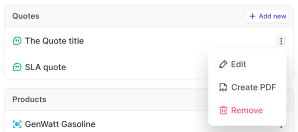
Create and manage Quotes from Weflow

  • Highly anticipated by many of our customers
  • Users can now create and manage quotes from inside Weflow
  • Products are automatically attached as line item to the quote
Create and manage Quotes from Weflow

See all 'Tasks' in your insights tab

Tasks now surface in the insights tab for all opportunities.
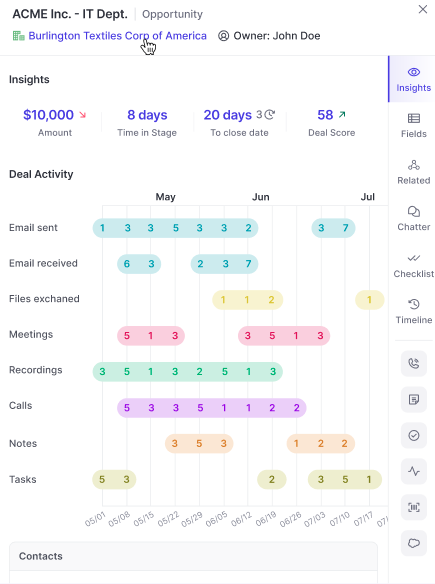
  • Tasks will now appear automatically in the insights tab
  • Useful if you log emails to tasks instead of the email message object
See all 'Tasks' in your insights tab

July 2024

Multiple Forecasts

Weflow now lets you create and manage multiple forecasts using different settings and field mappings.
  • Create up to 5 different forecasting setups
  • Create and manage different forecasting cadences
  • Map fields (e.g. close date, amount, forecast categories) individually for each forecast setup

New Close Date filter + more date options

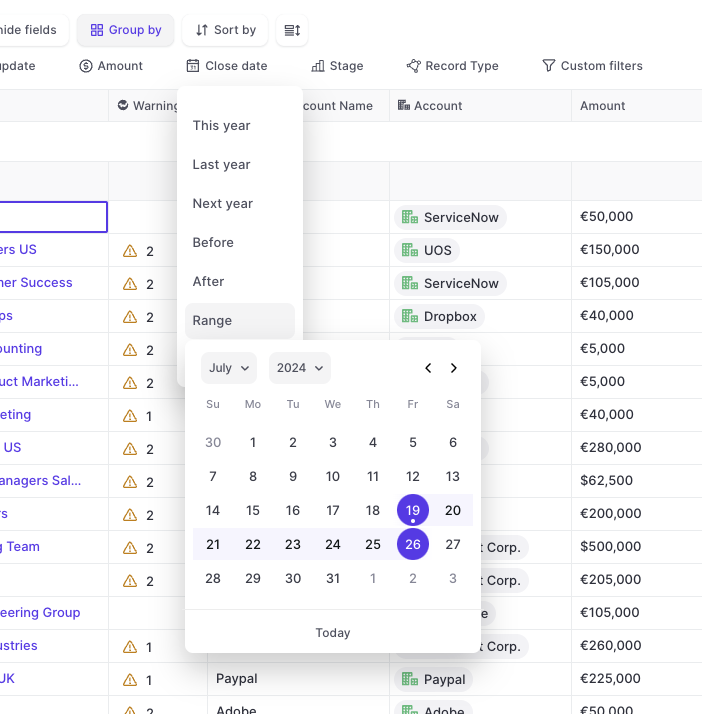
  • We added a new 'Close Date' quick filter to the top bar
  • In addition, you can now make use of a lot of additional pre-built date filters
  • All options are also available via the 'Custom filters'
New Close Date filter + more date options

Manage Activity Logging from the Admin Console (Microsoft 365)

  • Manage activity capture from Weflow's admin console
  • Stay in control of the activity capture process
  • Exclude email domains from logging
  • Add/remove users from activity logging with one click
  • Save hours of setup time, get accurate and reliable activities tracked to your Salesforce
  • All activities are logged into the correct Salesforce object and are made reportable with Salesforces' native reports

Various bug fixes

  • Forecast roll-up was missing currency conversion
  • Label in slide-up on the wrong side (was right, should be left)
  • Lost deals were shown in deal-by-deal forecasting
  • Lookup service for email logging via Chrome Extension stopped after 3 retries; now restarts itself and tries 5 more times

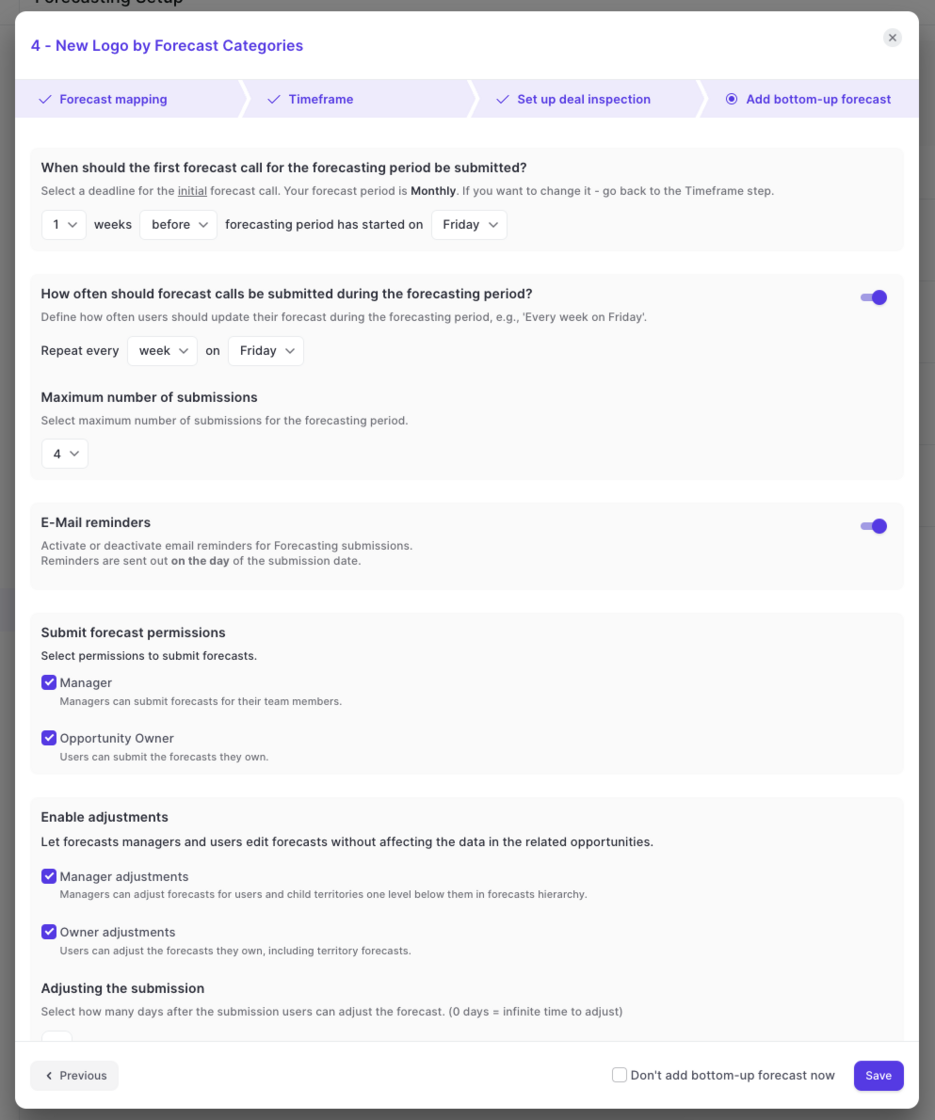
Submission Cadences

With Weflow, you are in control of your forecasting process.
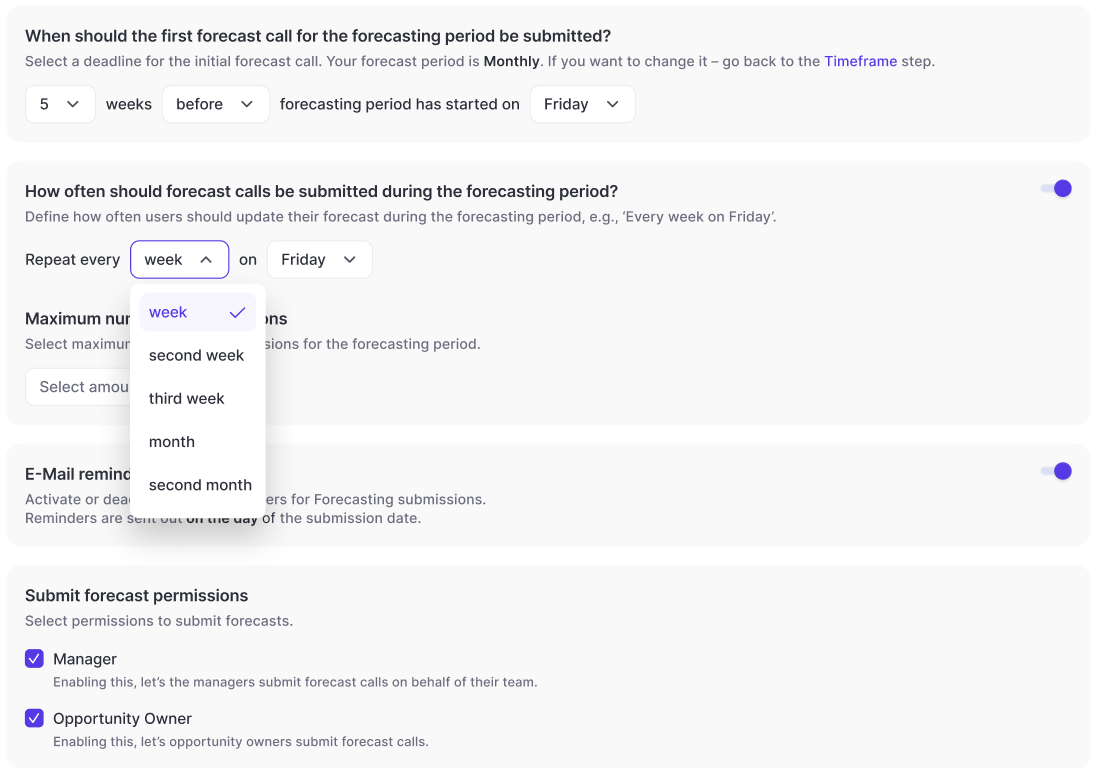
  • Configure your forecast submission calls as granular as never before
  • Define how often a forecast call needs to be updated
  • Add deadlines before/after the month/quarter has started
  • Control who can submit forecasts
  • Control who can adjust forecasts
  • Define leeway periods where forecast calls can still be adjusted
Submission Cadences