Weflow changelog

67 updates shipped in 2026339 all time

Showing August 2022 and earlier · Back to latest

August 2022

Don't like the new tab by Weflow?

When installing the Weflow Chrome Extension, you'll get an entirely new "new tab" experience that is optimized for revenue teams with a fast access to your pipeline, notes and tasks.

With the latest Weflow update, you can now choose whether you want to keep the new tab or switch it off. In the past, deactivating the "new tab" experience, deactivated the entire Chrome Extension. Now, you can choose what works best for you.

Please note: We heavily recommend to keep the "new tab" experience alive and running as we constantly push new updates and improvements.

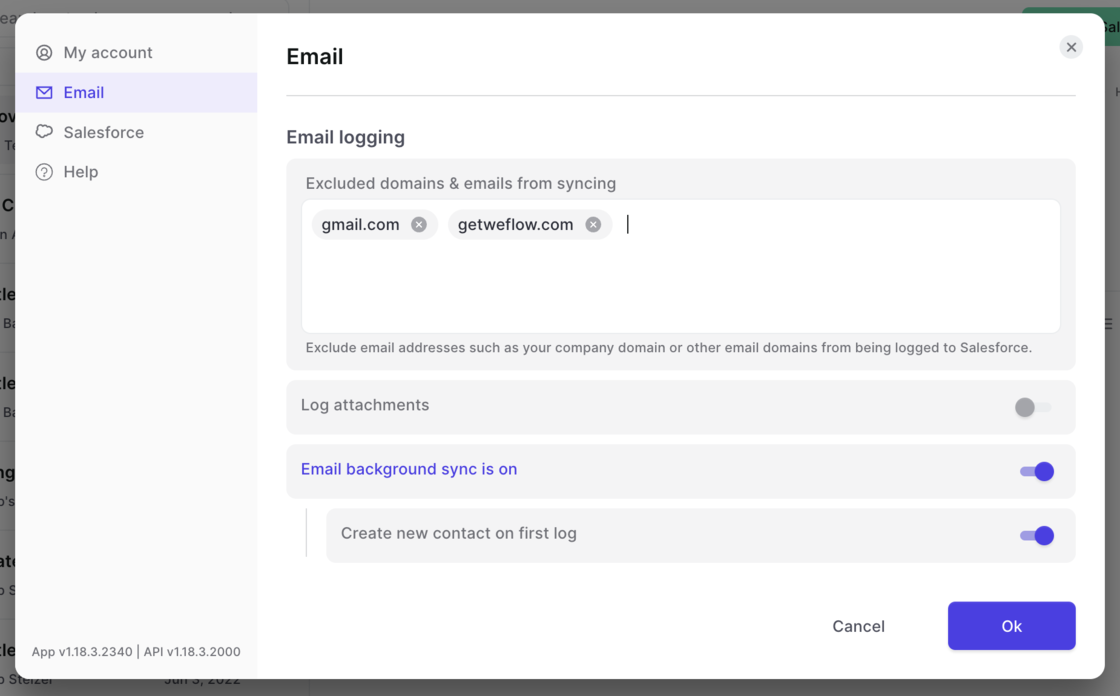
Domain exclusion for email logging

  • Set domains you want to avoid being logged by Salesforce
  • Deactivate logging attachments
  • Allow emails to be synced via background logging (to be used without the Weflow Chrome Extension)
Domain exclusion for email logging

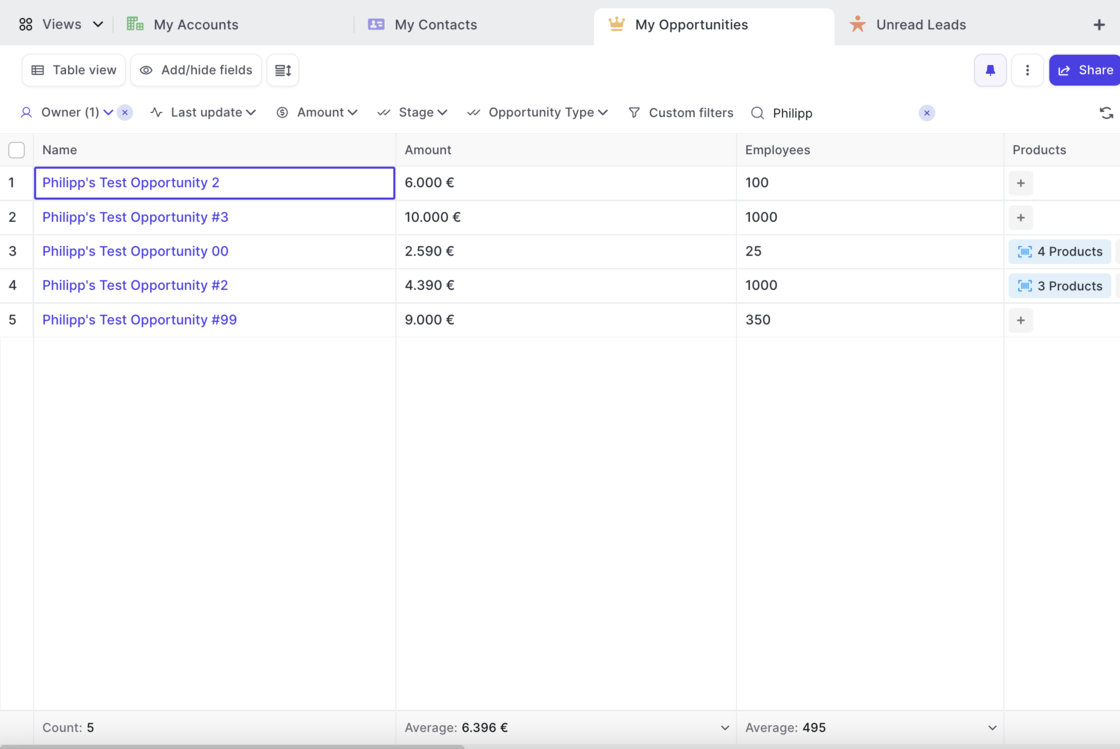
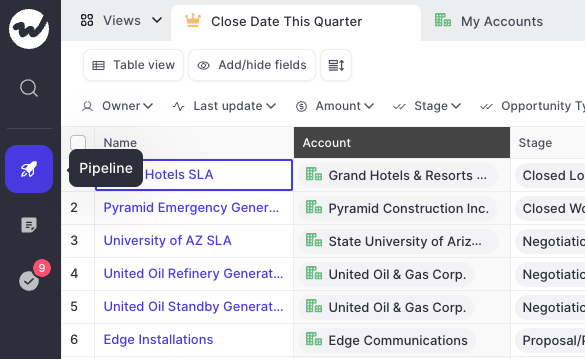
Counting and calculating number fields

  • You can now calculate the max, min, sum and average of any number or currency field at the bottom of a table view
  • In addition, Weflow shows you the total count of records for each view in the left-most column
Counting and calculating number fields

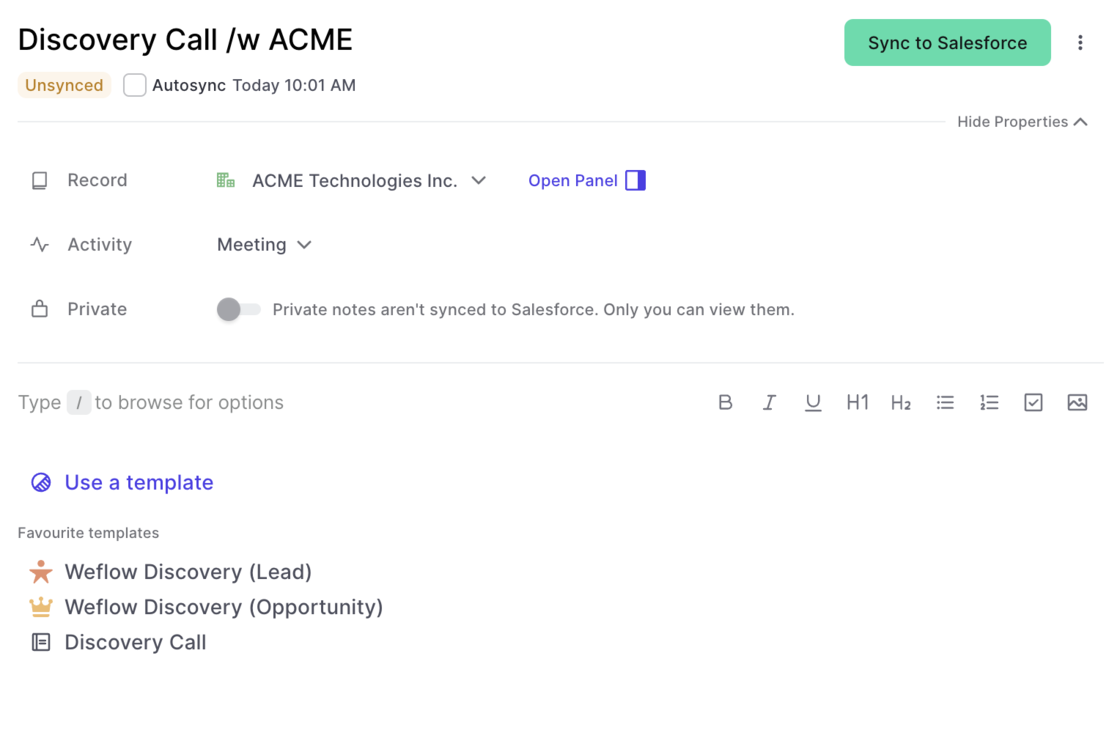
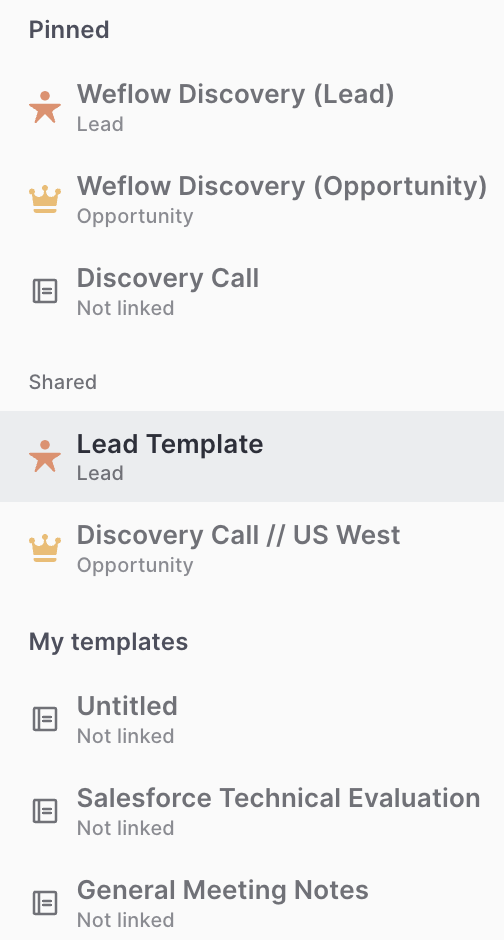
Linking templates to record types

Previously, the link between a note template and a record type was not that obvious. We now added record icons into the quick selection and the template editor to change that.

Quick Selection:

Template Editor:

Linking templates to record typesLinking templates to record types

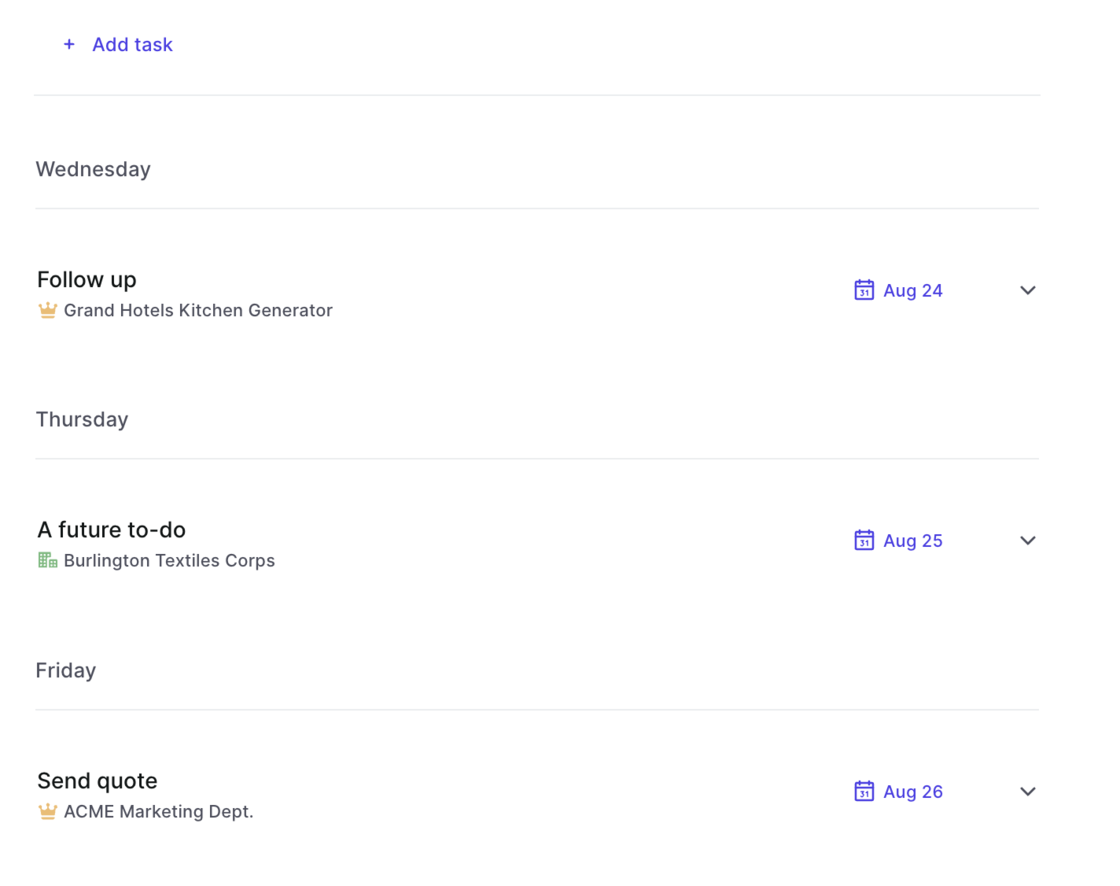
Tasks sorting updated

  • When selecting the "Next 7 days" filter in the task list, the tasks are now sorted with the earliest date at the top
  • Previously tasks were listed based on creation date
Tasks sorting updated

Faster navigation with the panel

We know from many conversations with our customers, that the panel is a great way to access and update information quickly. However, space was always a bit too limited and switching between different panel templates never felt intuitive enough. Here is what we changed:

  • Fast switch between panel field templates
  • Add an infinite amount of different templates
  • Quick actions in the panel
  • Wider, more space to display and update information

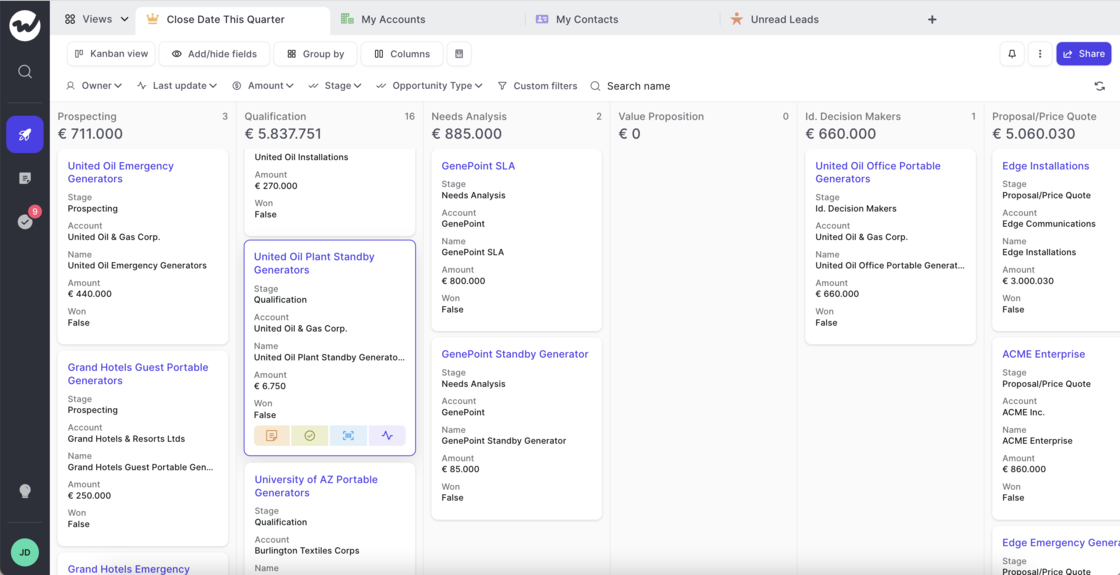
A better Kanban board

The Kanban board received a UX update:

  • More information on cards
  • Hover states for easier navigation
  • Quick actions on hover
A better Kanban board

July 2022

Save time with quick actions

Quick actions can now be used in the panel, kanban and table view.

  • Add a product (for Opportunities)
  • Create notes
  • Add tasks
  • Log an activity (meeting, call, letter, email, …)
  • Open in Salesforce

Less sidebar, more clarity

A fresh & clean sidebar, to let you focus on what matters:

  • Super fast tooltips on hover
  • Smaller in width
  • No text to distract you
Less sidebar, more clarity

Bulk Updates

We absolutely love this feature! And we hope you will too. Weflow now let's you do bulk updates on any kind of record.

This short demo highlights the key aspects of bulk updating with Weflow:

Opportunity Products

Weflow now features Opportunity Products giving you full access and editing functionality to select price books, add new products or edit existing ones.

Check this 3 minute demo and tutorial video on how to get the most out products with Weflow:

We squashed some 🐛s

No animals were harmed during the process! However, we did spend some time these past days on making sure everything works smoothly.

If you ever find an issue that annoys you or simply disrupts your workflow by costing you an additional click, do let us know at hello@getweflow.com

  • Sometimes on sign-in, the pipeline had a blank screen
  • Duplicating a view from the view list did not work
  • There was no option to select "None" i.e. no value in pick-list fields
  • The "Add/Hide Fields" pick-list did not reset when searching for a field
  • When creating a new record, the owner field was not pre-filled

June 2022

Currency Locale

  • Weflow now understands how you prefer your currency fields to be formatted based on your organization's formatting settings
  • When changing your currency, Weflow will update the formatting on the next sign-in (sign out and back in)

Auto-save changes in your table or panel

  • Previously, whenever you adjusted your pipeline views, you were required to hit the save button if you wanted it to persist
  • Now, Weflow auto-saves all your changes saving you valuable clicks and time
  • The same is true when adjusting fields in your panel
  • You can still duplicate a view by clicking on the 3-dot menu (…) in the view list or top right corner of any view

User Settings

Look up your total number of API calls, manage your integrations and access information about your user profile as well as our help desk all from within t he new settings page.

  • You can access the settings by clicking on your account avatar and then selecting 'Settings'
  • Look up your total number of API calls made by Weflow that day
  • Manage your integrations (more on this coming soon)
  • Manage your name, email, etc.
  • Quickly access the help section
  • See an overview of all available screen shots
User Settings

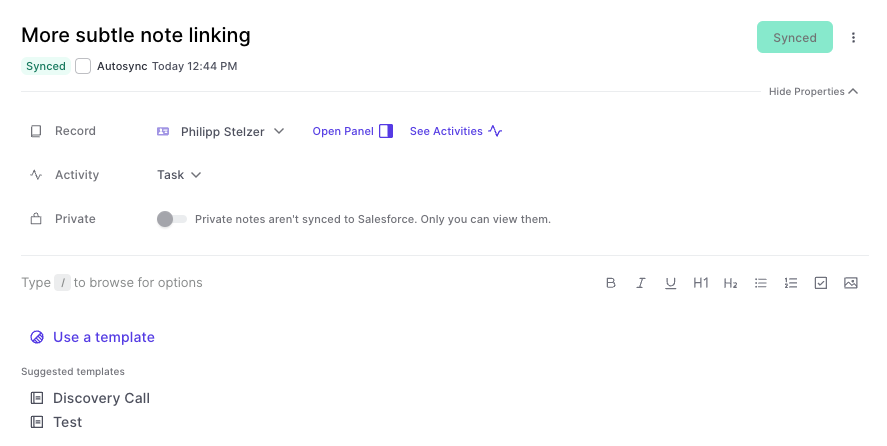
Readability in the Note Pad

We improved the readability of the note pad editor by making the following changes:

  • The font size has been increased by 1pt
  • The option to use the / to open the command menu has been made more visible so first time users have an easier time finding this shortcut
  • The link to a record has been made more subtle and less wide so that there is more space for other actions such as opening the panel or accessing the record's activity timeline (see screen shot below)
Readability in the Note Pad

Latest bug fixes

We take pride in resolving any new issues with speed and accuracy. Here you can find a list of the latest fixes:

If you find any new issues, we are committed to resolve them within a short time. Let us know at hello@getweflow.com

  • The 3-dot menu in the "View List" did not work in some cases.
  • When reloading a page, the "Custom Filter" disappeared (but was still active)
  • Custom filters for multi pick lists did not work for all objects
  • When switching quickly between different pipeline tabs, sometimes the pipeline content was shown on the wrong tab
  • Zeros and boolean "False" values were formatted with the wrong font size on Kanban cards

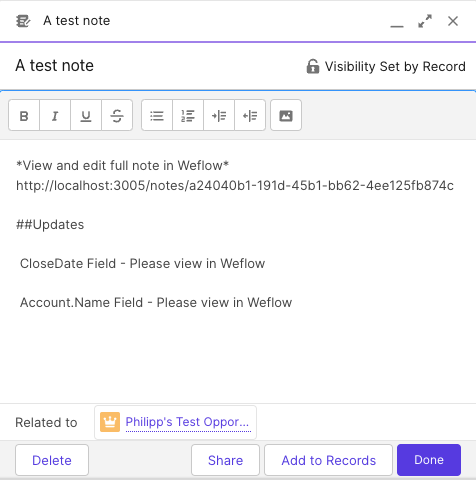
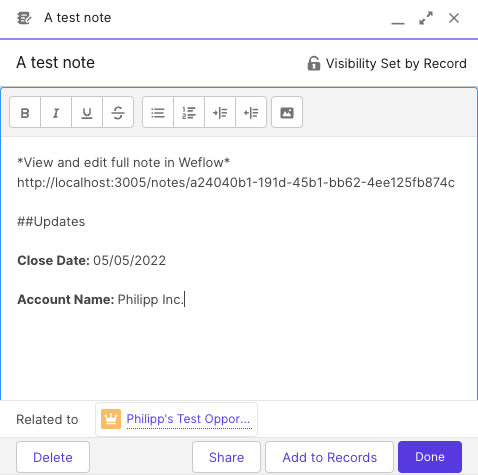
Changes to fields via notepad are more readable in Salesforce now

This improvement was made possible by a suggestion from one of our great customers. If you find issues like this, always let us know.

Before:

This format was not that readable. In fact, we used the API name of a field and not the customer-facing field label, which users are more accustomed to. This has been changed now to look like this:

Please note, that field values in notes are always only a snapshot since the last sync. Even if you have auto-sync activated, the auto-sync will only come into play if you made a pro-active change to that note.

Changes to fields via notepad are more readable in Salesforce nowChanges to fields via notepad are more readable in Salesforce now

Field Dependencies

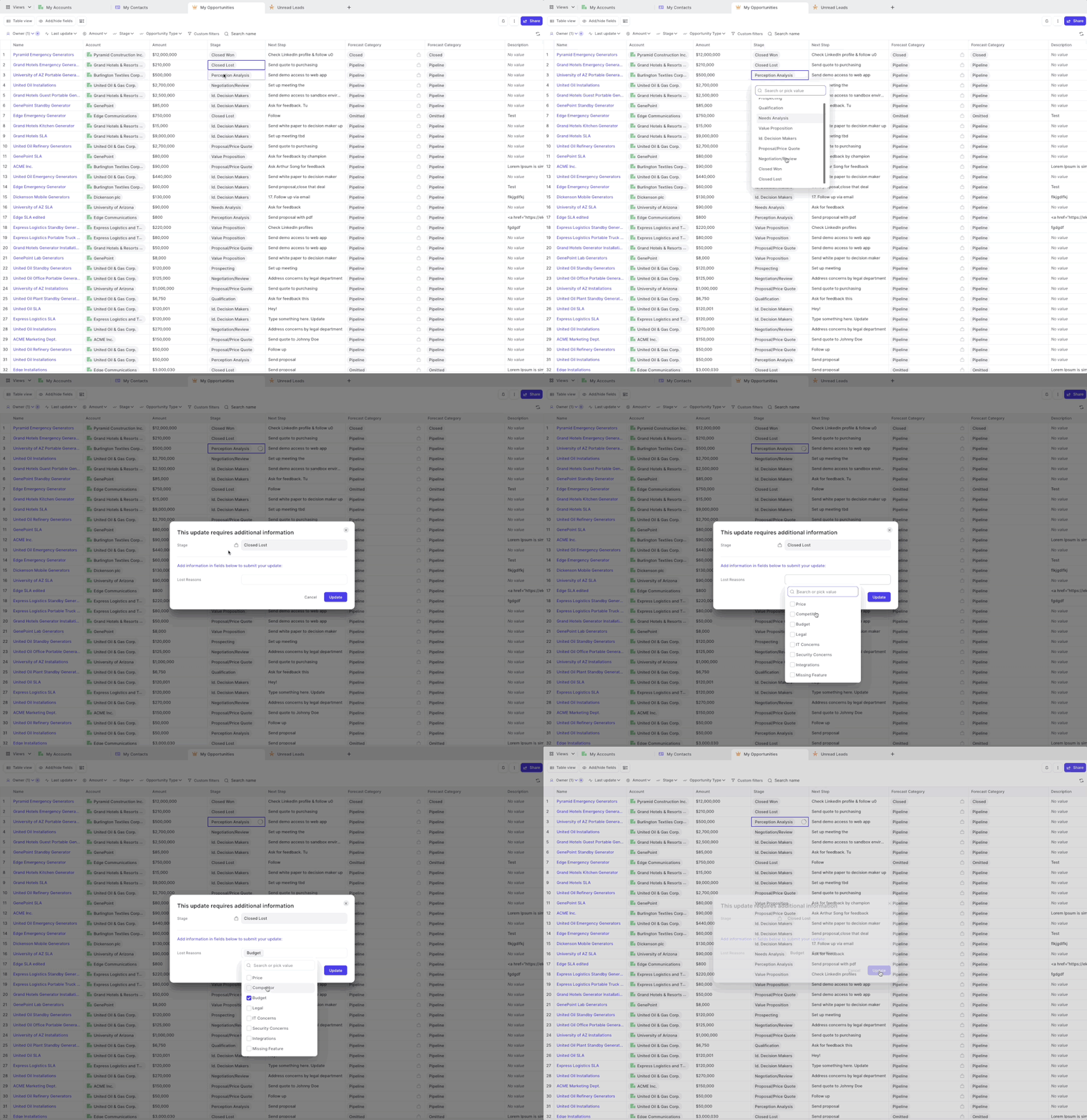
Weflow has always been respecting required fields and validation rules. However, for field dependencies, we did not show the dependent fields in all cases.

As of this week, you can now safely rely on Weflow to trigger a message to your Salesforce users, whenever they make a change to a controlling field which asks for input in dependent fields.

A popular example is changing the stage of an opportunity to "Closed/Won" and then requiring additional input in a field such as e.g. "Lost Reasons".

Field Dependencies