Weflow changelog

45 updates shipped in 2026317 all time

Showing July 2026 and earlier · Back to latest

July 2026

Read-Only Mode Improvements

As of v3.18, admins can more granuarly define which records can get created and which fields are editable.

Admins can manage this via Admin Console > Salesforce Permissions
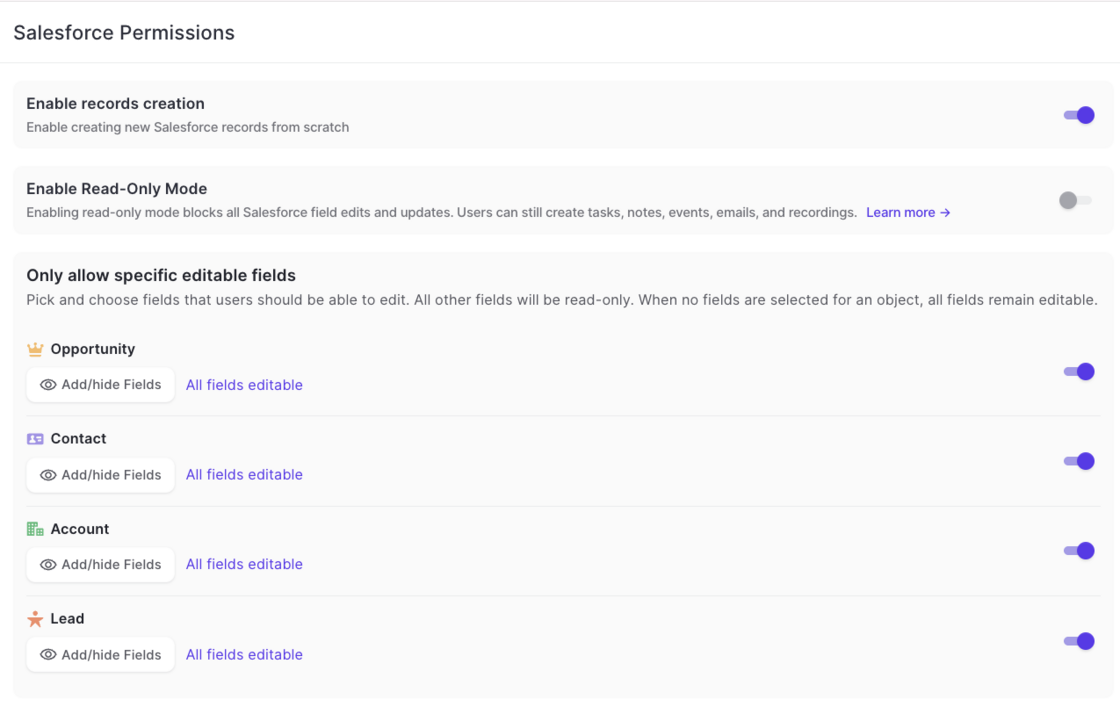
Read-Only Mode Improvements

Improvements and Changes to Ask AI

Additional limitiations: Ask AI has now more refined and stricter guardrails preventing users to retrieve information they should not be able to access (even if they can via Salesforce).

Speed: Ask AI improved processing speed by 40% on avergae.

Model: Ask AI was updated to a more powerful model with increased usage bandwidth.

Manually Upload Recordings

This feature is available to all customers on version 3.18 or higher.
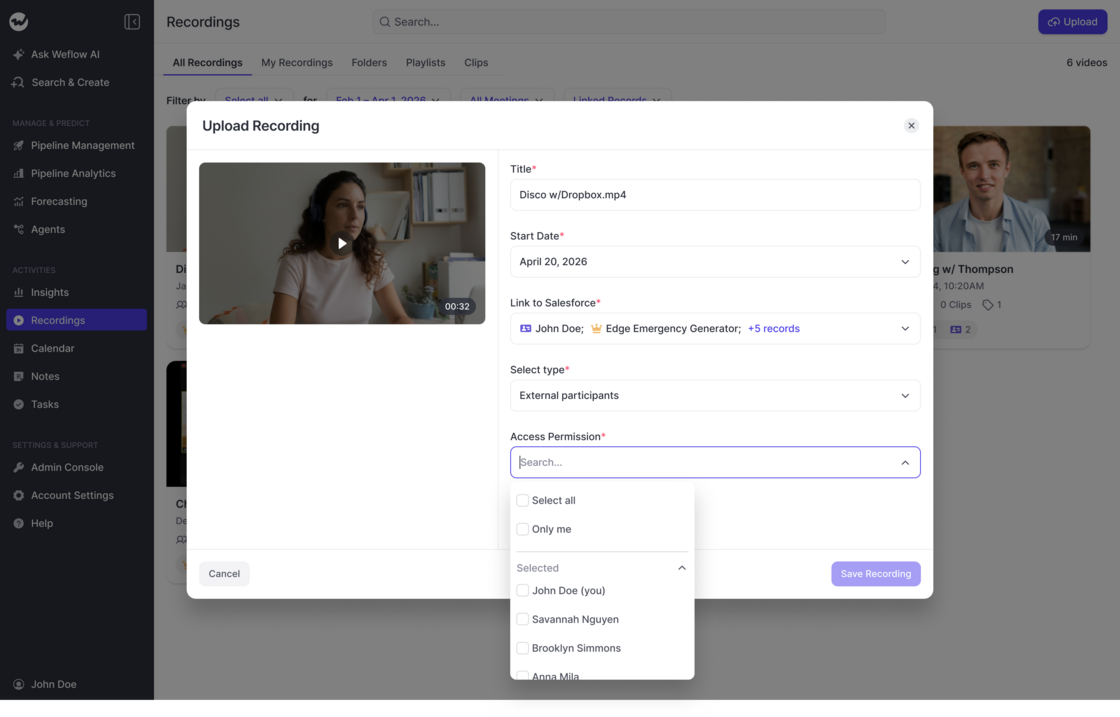
  • All users can now upload recordings (with up to 512MB) to Weflow.
  • The recording will get processed like any other meeting/recording on Weflow.
  • Users can link the recording and manage permissions.
Manually Upload Recordings

Log to Custom Object Owner

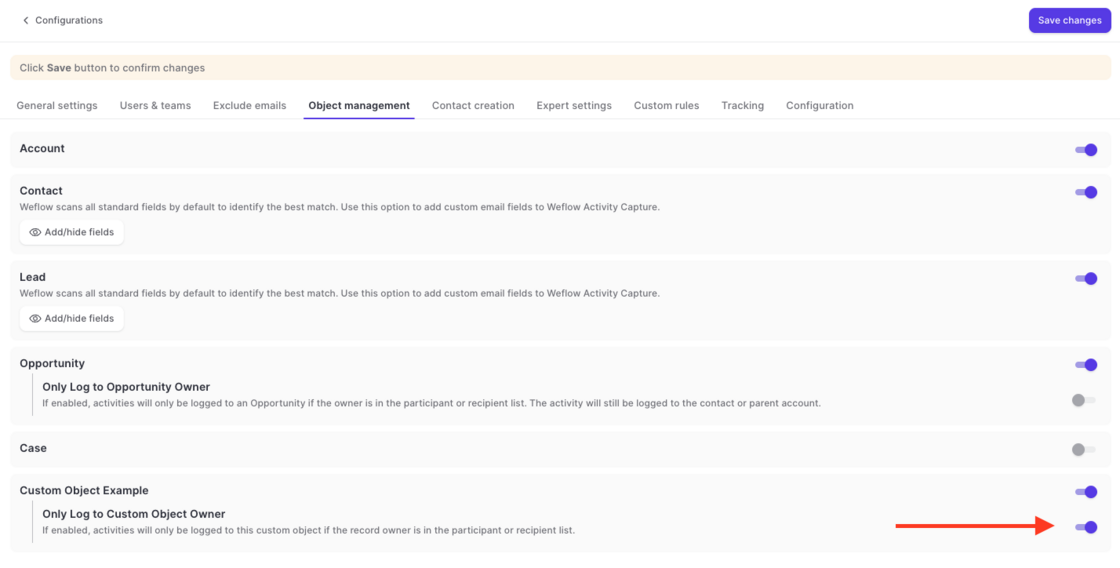
Via Admin Console > Activity Capture > Object Management, admins can now define that an email or meeting should only be logged to a custom object if the email/meeting participants include the owner of said custom object.
Log to Custom Object Owner

June 2026

Custom Email Processing Delay Time

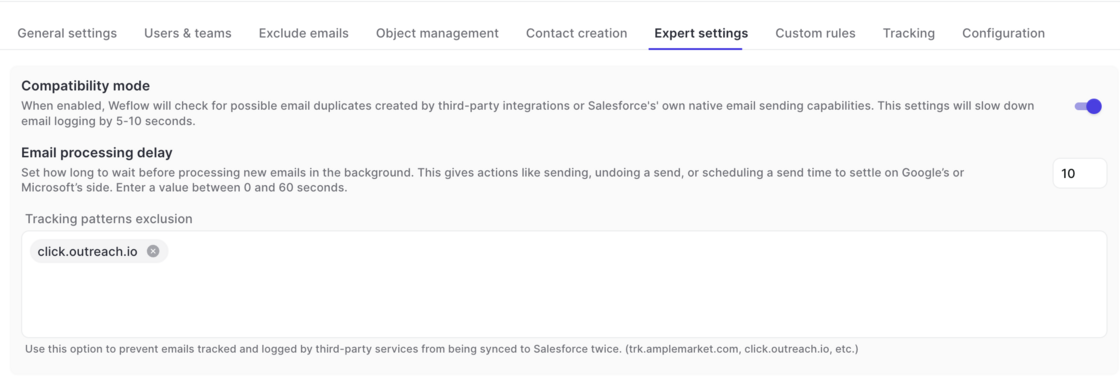
  • Outlook and Google Workspace allow admins to define custom "undo" timeouts to set the time that users have to undo a sent email.
  • If your admin has set a time of >10 seconds to undo an email, we recommend adjusting the processing delay time in Weflow in your activity capture configuration.
  • Go to Activity Capture -> Expert Settings -> Email Processing Delay
Custom Email Processing Delay Time

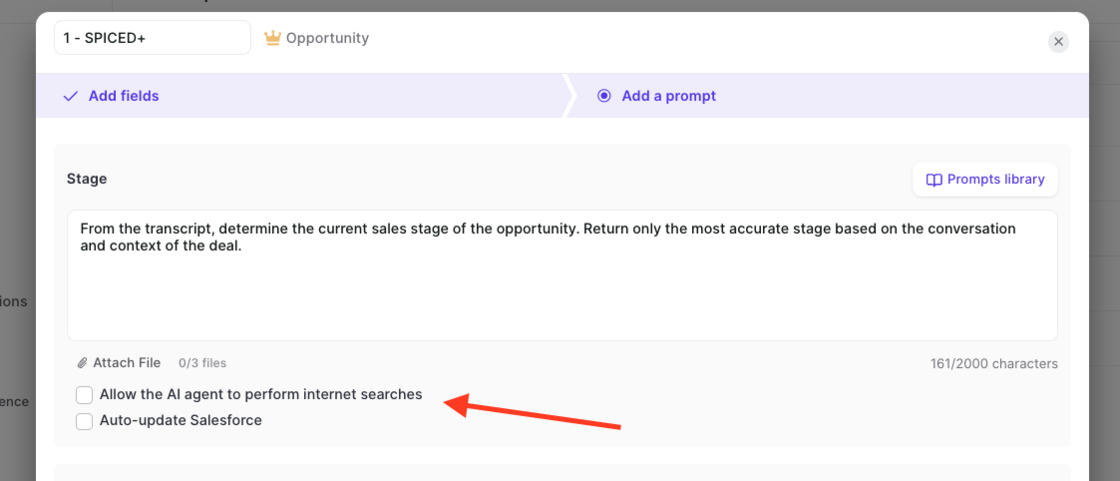
Auto-update individual fields, web search + PDF upload for field updates

  • Admins can now configure Weflow to update specific fields (or all fields) automatically, without requiring user verification.
  • Admins can upload PDF files to give the AI additional context.
  • Admins can also enable web queries, letting Weflow enrich its output with publicly available information.
Auto-update individual fields, web search + PDF upload for field updates

Read-Only Mode and Field Restrictions

You can now control which fields users are allowed to edit in Weflow when syncing to Salesforce. By default, Weflow syncs records bi-directionally, so any change you make in Weflow updates Salesforce instantly. With this release, admins get two new ways to tighten that:

Read-only mode: Blocks all record creation and field updates from Weflow to Salesforce. Users can still create tasks, notes, events, emails, and recordings.

Field-level permissions: Allow specific fields to be edited while locking the rest. For example, you can keep Close Date editable on opportunities while setting Stage, Amount, and Owner to read-only.

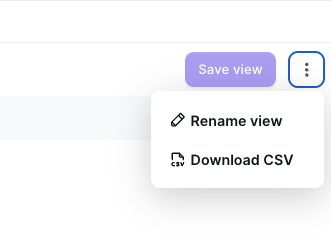
Download Insights as CSV files

  • Users can now download reports from the Activity, Interaction, Scorecard, etc. insights as CSV file.
  • This feature has been enabled for all customers on version 3.15
Download Insights as CSV files

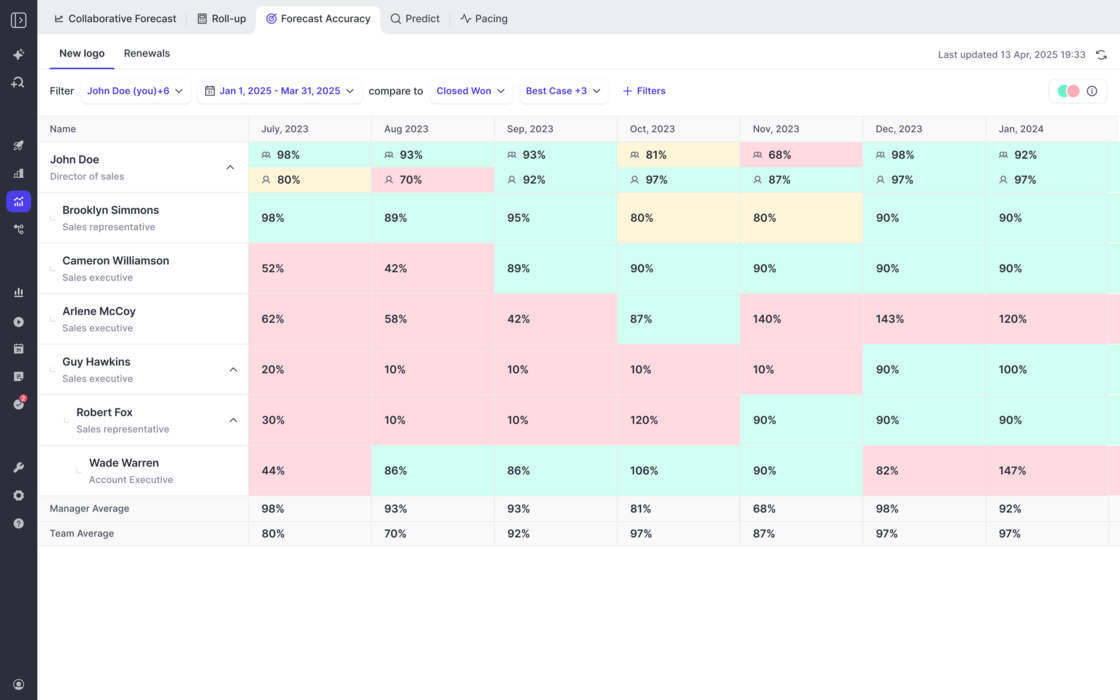
Forecast Accuracy Tracking

  • Weflow tracks the forecasting accuracy across all forecast calls by manager, team, and individual user.
  • Admins can create flexible views for different forecast setups and filter against which field they want to track the accuracy (e.g. Closed/Won).
  • This feature is automatically enbaled for all customers with access to the Forecasting module.
Forecast Accuracy Tracking

Minor fixes and improvements (v3.15)

  • Hierarchy in Roll-Up missed users if using Weflow's hierarchy system
  • URLs shwon in the Ask AI chat were sometimes not clickable.
  • Quotas/Targets could not be edited by quarter. Only by month or year.
  • Account name field was visible in slide-ups in forecasting views, instead of the account ID field.
  • Calculation fields (sum, min, max, average) for analytics fields in forecasting views did not calculate correctly.

Re-use integration user for view-only users

  • Admins can now use the same integration user for view-only licenses and the standard connection between Weflow and Salesforce.
  • No separate integration user is required anymore.

May 2026

Meeting Prep from Weflow Calendar

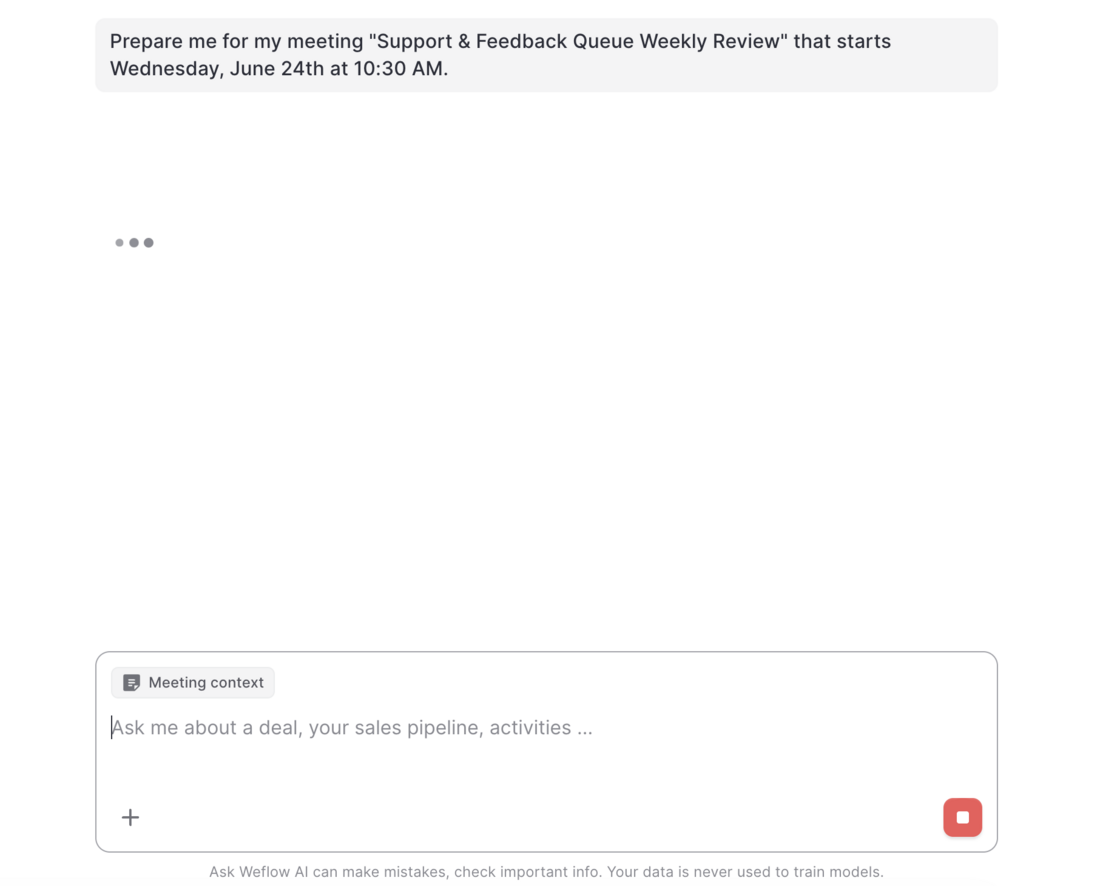
This new addition to Weflow's AskAI let's users prepare for any upcoming meeting on their calendar by clicking the "Prepare meeting" button.

When clicked on, users get forwarded to Weflow's AskAI.

The AI will retrieve any available context information e.g. emails, meetings, previous recordings and Salesforce to prepare a meeting brief 👇

Meeting Prep from Weflow CalendarMeeting Prep from Weflow Calendar

April 2026

Allow Activity Capture for Individual Users with dedicated OAuth Flow

For companies who want to avoid giving Weflow the permission to modify and send emails from Google Workspace, Weflow now offers a new authentiction flow that limits Weflow to read and sync emails from Google Workspace to Salesforce only.

Contact your account manager or support to enable this feature for your organization.
March 2026

Minor fixes and improvements (v3.8)

  • Fix: The Owner filter and the Recordings page speed were significantly improved and optimized for 50k+ recordings instances.
  • Fix: Clips can be created across multiple paragraphs.
  • Improvement: Users who have been marked as Inactive in Salesforce will automatically become inactive in Weflow (every 60 minutes).
  • Improvement: Admins can no longer disable themselves.
  • Improvement: Admins can define a default event record type to log meeting activities to by activity capture configuration.

Improved scoring system

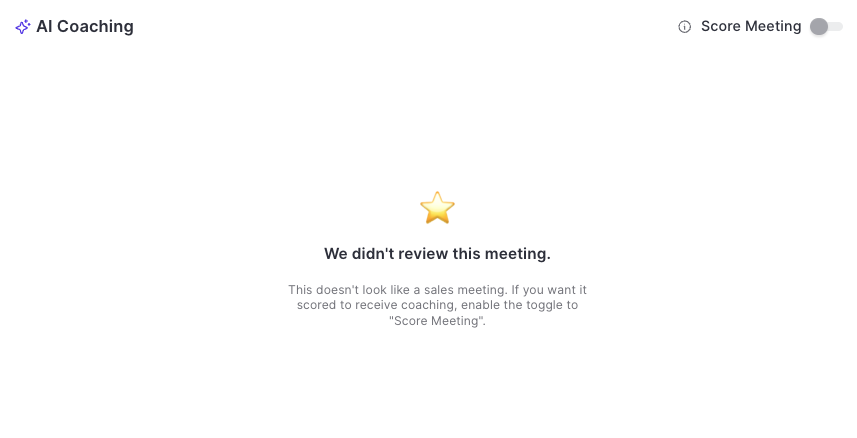
  • Weflow's AI will only score and rate meetings if it's certain that it was a sales meeting.
  • Admins and managers can toggle/untoggle the scoring system.
  • Untoggling, will remove the score from the database until it is toggled again.
Improved scoring system

Reduced API calls + getting ready for the new ECA (External Client App)

We've reduced API call and login rates by 20%, resulting in a leaner, more efficient integration that puts less load on your Salesforce org.

Our applications have been updated to align with Salesforce's most recent security requirements for the upcoming Spring '26 release, so your data stays protected and your workflows stay uninterrupted.

Reduced API calls + getting ready for the new ECA (External Client App)