Weflow changelog

45 updates shipped in 2026317 all time

Showing August 2025 and earlier · Back to latest

August 2025

New Benchmark Calculations

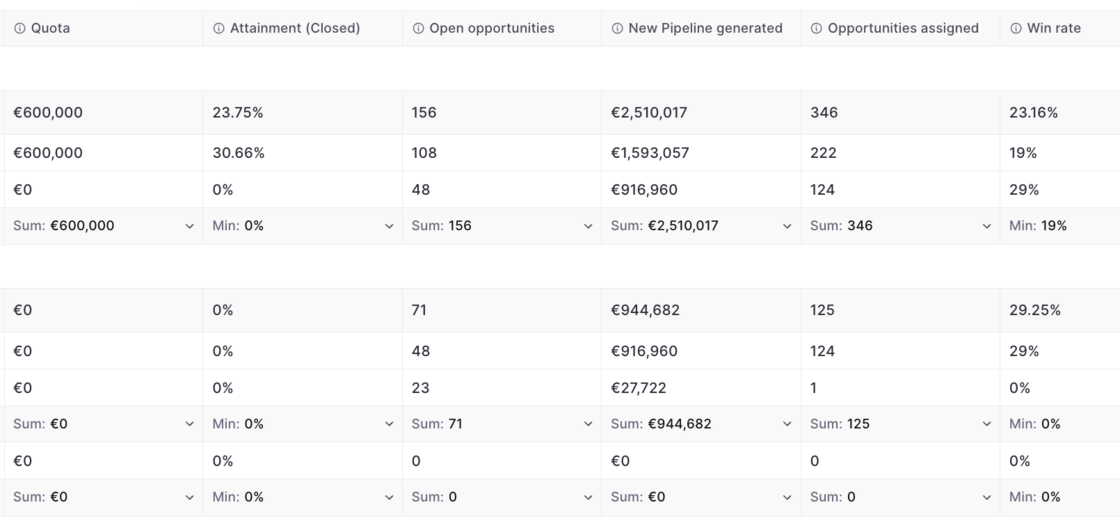
  • The "Team Benchmark" report now uses an updated set of data
  • It now mixes data from opportunity snapshots and live data for maximum accuracy
New Benchmark Calculations

July 2025

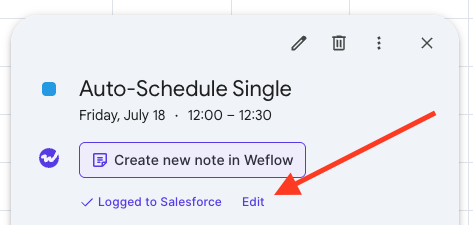
Edit Logged Meetings

On Google Calendar, users can now edit already logged meetings via a new "Edit" button. This will open a pop-up (customizable via the admin console) to let end users edit standard and custom fields on the activity record in Salesforce directly from their Google Calendar.
Edit Logged Meetings

Smart Topic Tracker ✨

Use Weflow's smart tracker to measure and capture important topics and keywords.

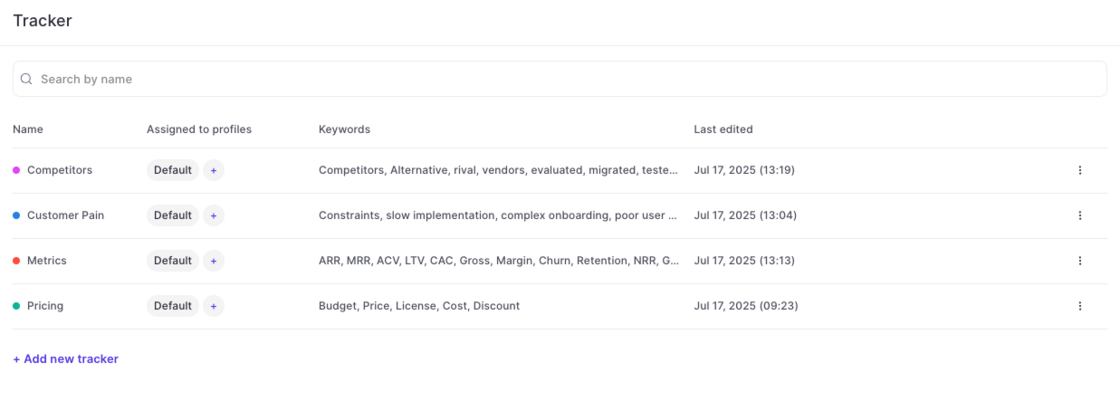
Setup in Admin Console:

Weflow automatically creates four default templates for you (pain points, metrics, pricing, decision makers). Admins can create unlimited additional templates as needed.

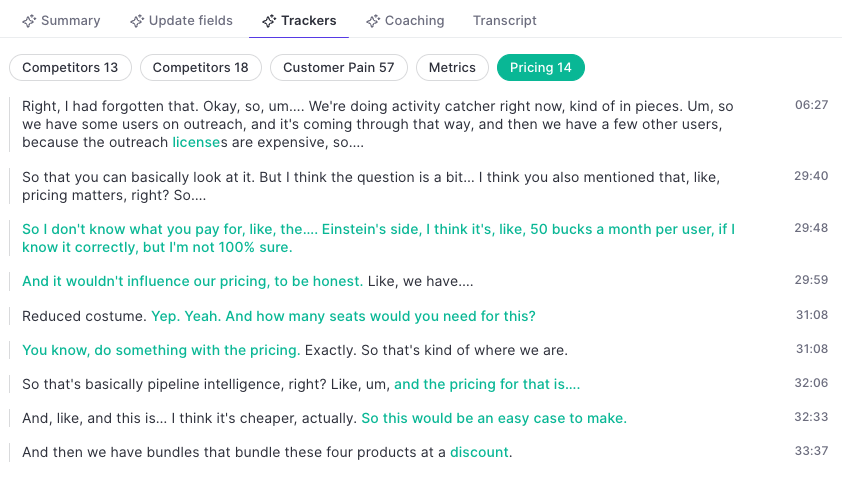
Trackers in the Transcript:

Use keywords to refine the topic tracker. Weflow's AI will pick up additional related keywords and topics automatically.
Smart Topic Tracker ✨Smart Topic Tracker ✨

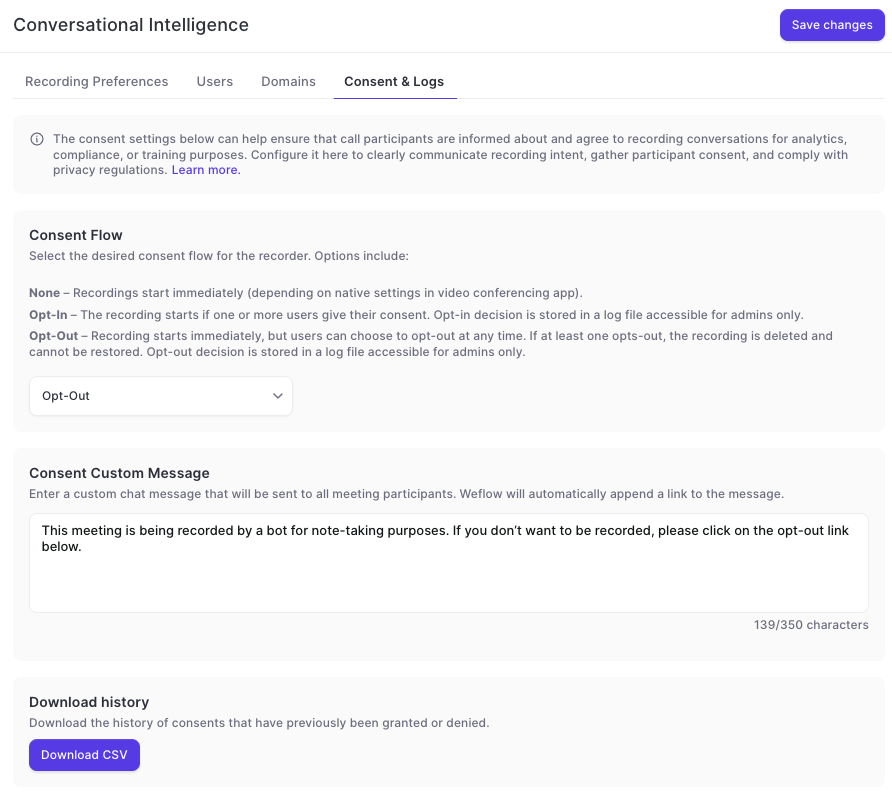
Updates to the Consent Flow for Conversation Intelligence

  • Weflow customers can define different consent flows when using a recording agent in Zoom, Meet, Teams or WebEx.
  • Weflow offers various options to choose from.
  • The message for the consent can be customized.
  • All consent flows are neutral and do not use Weflow branding.
Updates to the Consent Flow for Conversation Intelligence

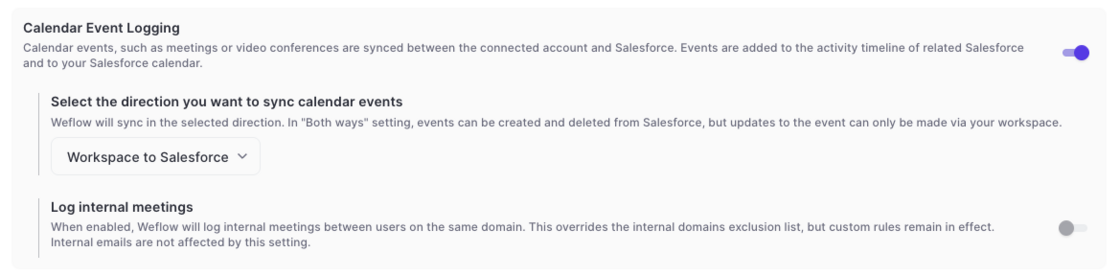
Log Internal Meetings

  • For specific setups in activity capture it may be relevant to also log internal meetings automatically
  • To cater to this requirement, Weflow has added the option to log internal meetings
  • Please note, that this does not impact email logging
  • This setting can be enabled in the 'Configurations' in the admin console
Log Internal Meetings

June 2025

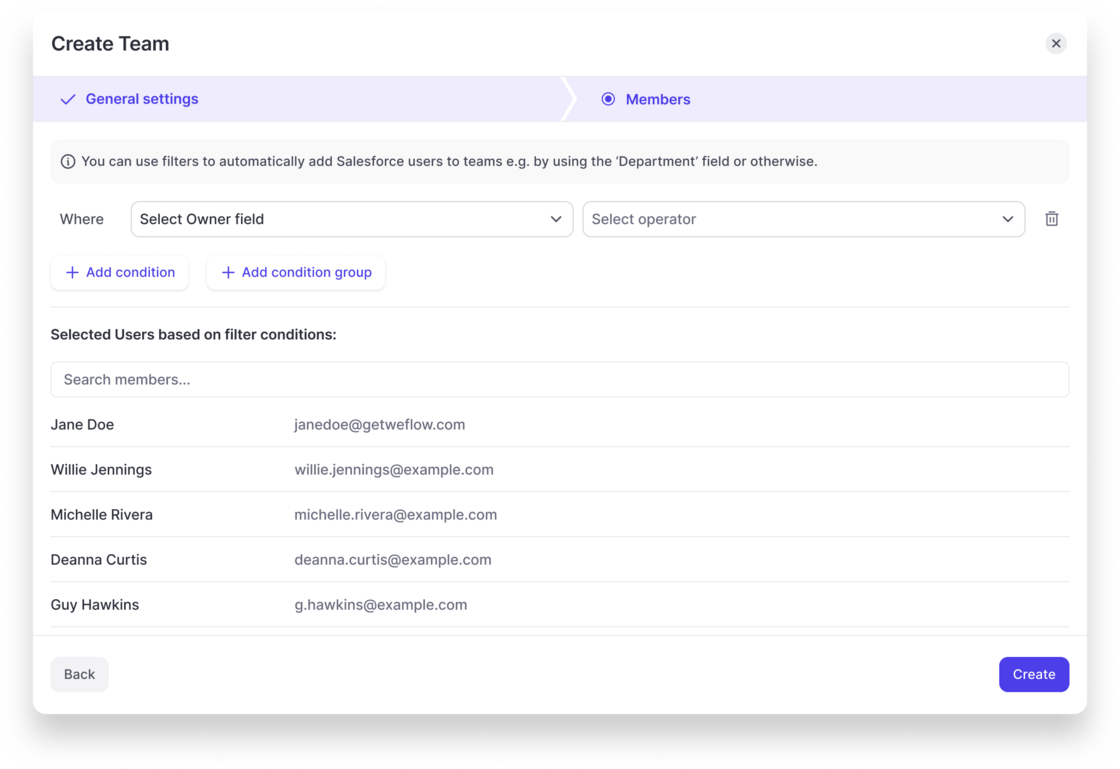
Create Teams based on custom rules

  • Weflow now let's admins configure dynamically updated teams based on fields related to the user object in Salesforce.
  • Weflow will automatically update the users assigned to a team based on these rules.
  • Also, Teams can be used to assign configurations for activity capture or conversation intelligence, so that Salesforce and Weflow always stay perfectly in-sync.
Create Teams based on custom rules

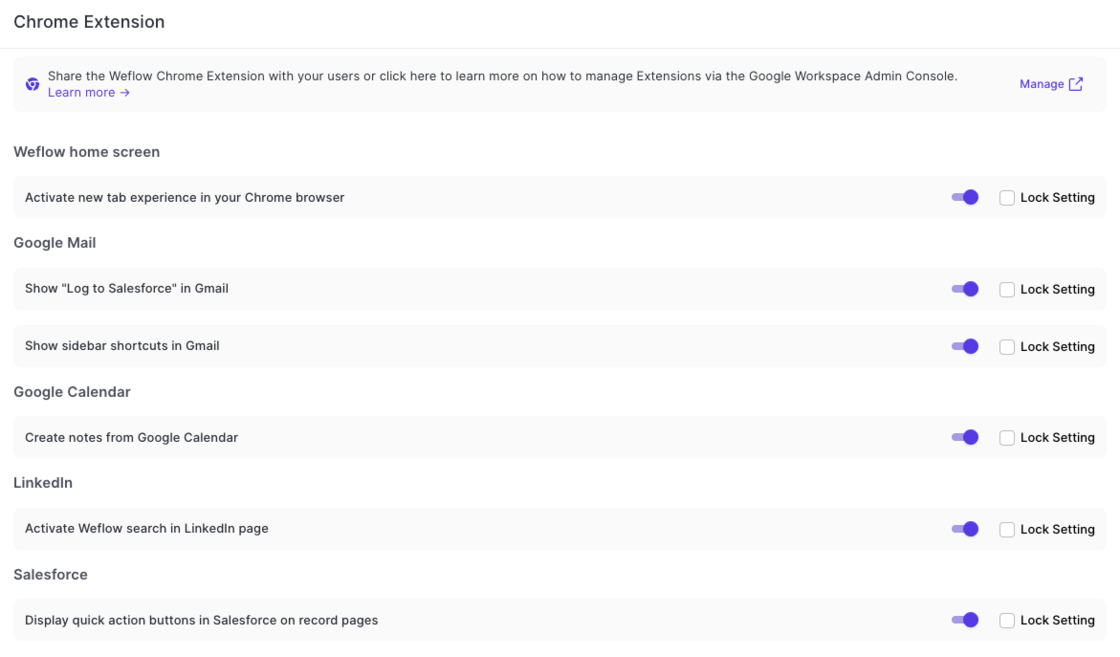
Chrome Extension - Admin Console

  • Admins can now override user settings for the Chrome Extension via Weflow's admin console
  • Settings can be locked to prevent end users from changing the settings defined by an admin
  • If not locked, then end users can change their Chrome Extension behavior via the 'Account Settings'
Chrome Extension - Admin Console

Teams

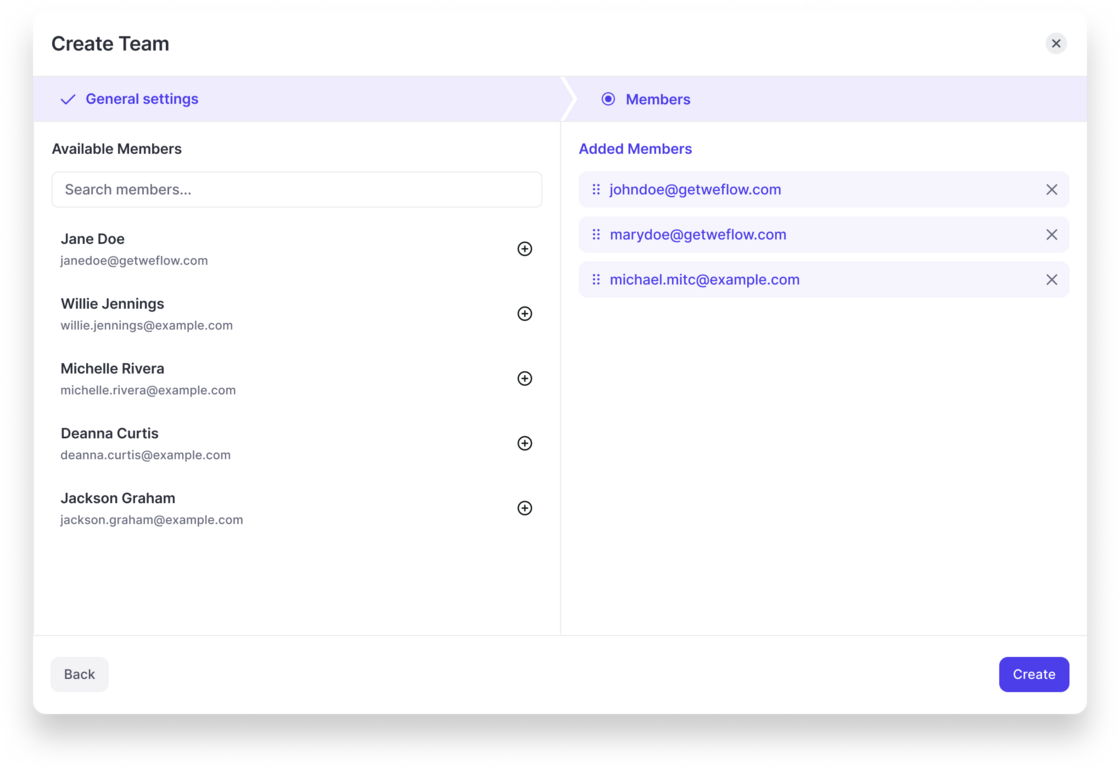
  • Admins are now able to create custom Teams in Weflow.
  • In the short term, Teams will replace "Profiles" to assign templates, configurations and presets to specific user groups.
  • Teams will also be used to define hierarchies independently from Salesforce settings.
Teams

Custom filter presets

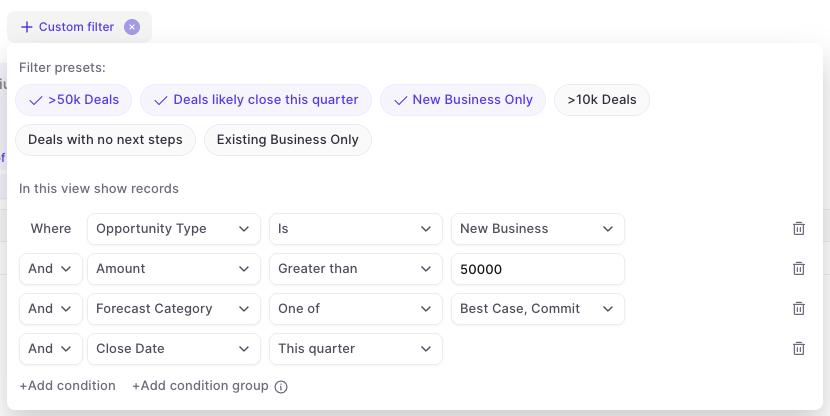
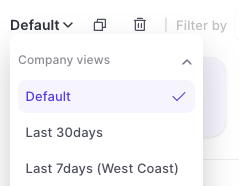
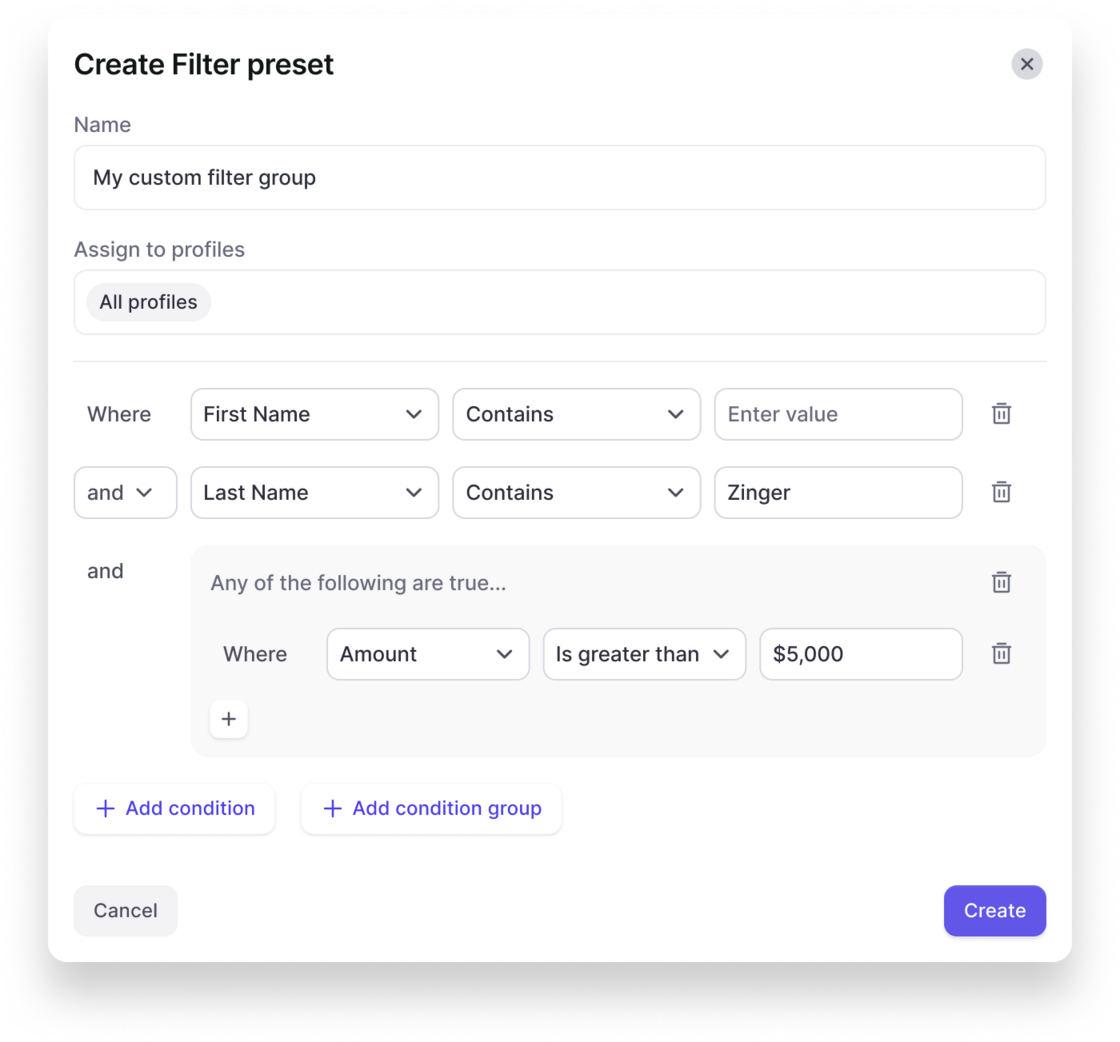
In the admin console, you can now create your own custom filter presets that are also visible and usable for other users in the Weflow app.

This gives you more control over key filters that should be used across the organization and saves time for each user when it comes to setting up tedious details in specific views.

Create a filter preset in the admin console:

Users can quickly toggle between filters in analytics & forecasting:
Custom filter presetsCustom filter presets

May 2025

Gallery Mode Recording

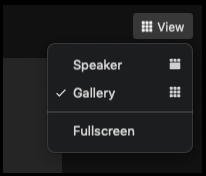
  • Previously, Weflow recorded meeting in 'Speaker' mode
  • With the latest update, Weflow by default records all meetings in 'Gallery' mode
  • This ensures that all meeting participants are visible at any point in time
  • If the screen is shared by a participant, the screen will always be visible in the recording
Gallery Mode Recording

Talktime Calculation

The talk-time calculation in Weflow's Conversation Intelligence has been improved to always add up to 100%.
April 2025

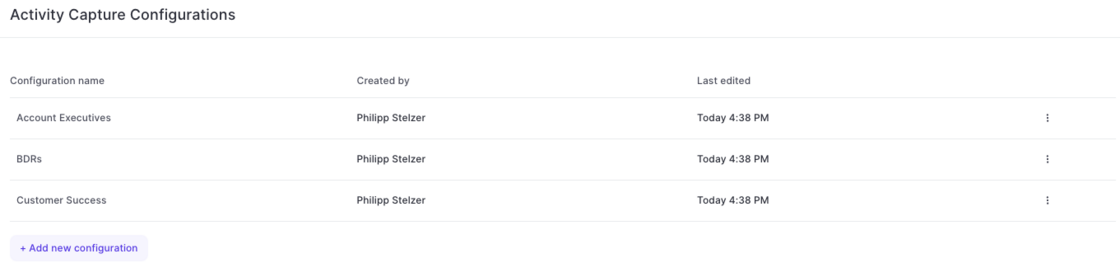
Create multiple Activity Capture configurations for different teams

  • With this latest update, admins can now configure different activity capture configurations for specific user groups, profiles, roles or teams in Weflow.
  • Simply add a new configuration and customize it based on your specific requirements and needs.
Create multiple Activity Capture configurations for different teams

Simplified Activity Capture Setup

The new activity capture flow, guides admins more easily through every step:

1) Install the managed package.

2) Install the EntraID or Google Workspace app.

3) Connect an integration user.
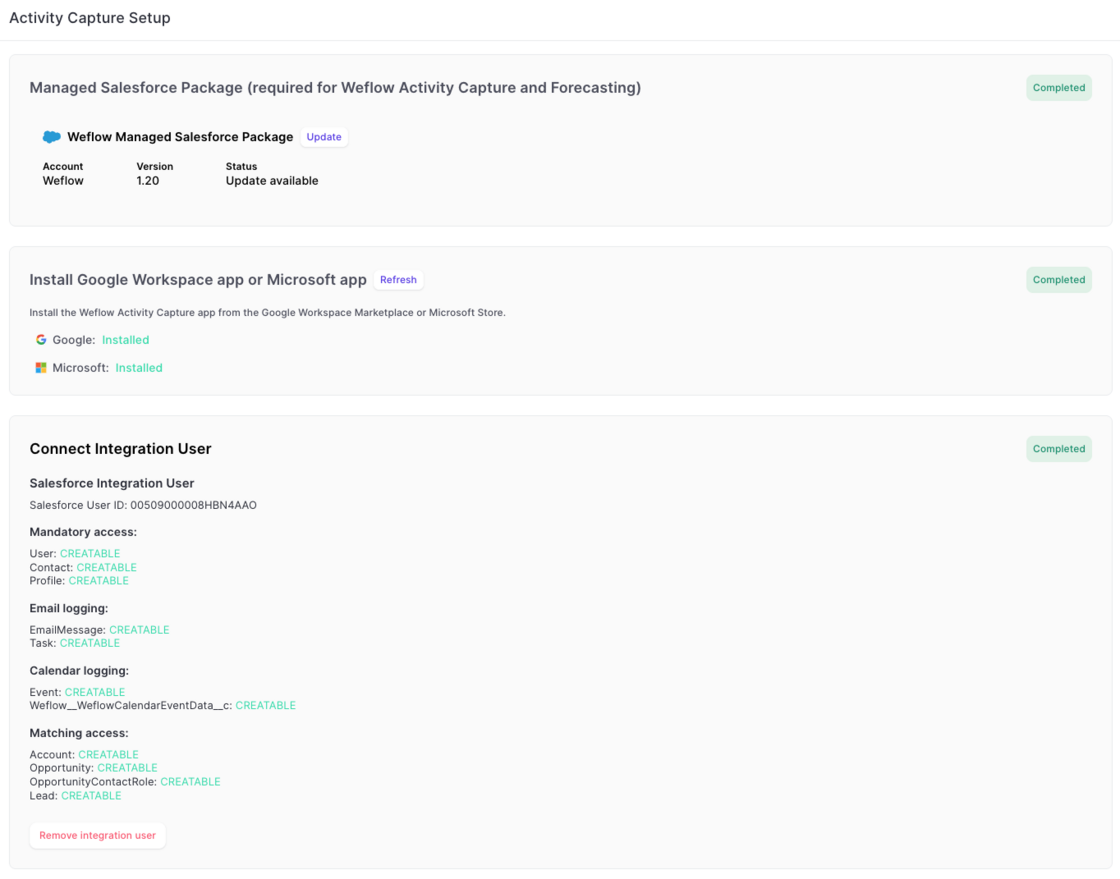
Simplified Activity Capture Setup

March 2025

Disable recurrent events from getting logged

  • To help customers who do not need or want to log recurring event series from Outlook/Google to Salesforce, this can now be fully disabled via the 'Expert Settings' in Weflow's admin console.
Disable recurrent events from getting logged

Pacing chart shows live data for current time period

Version 2.66 of our forecasting & analytics suite has introduced the ability to see live data in the pacing chart. No action is required to use this improvement. All pacing charts have been updated automatically.
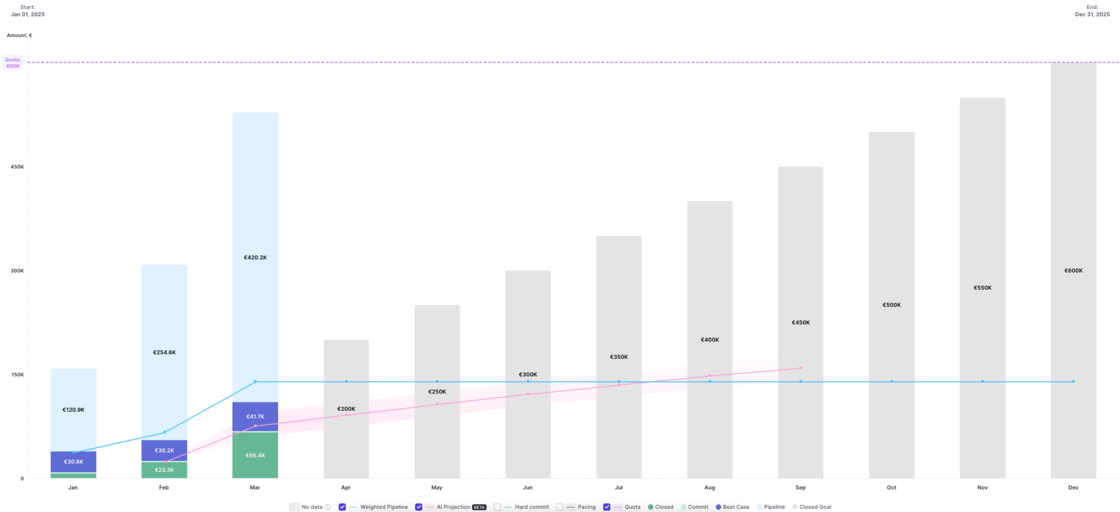
Pacing chart shows live data for current time period

February 2025

Surface fields on the event record while logging

[New Feature]

In the admin console:

In Google Calendar:
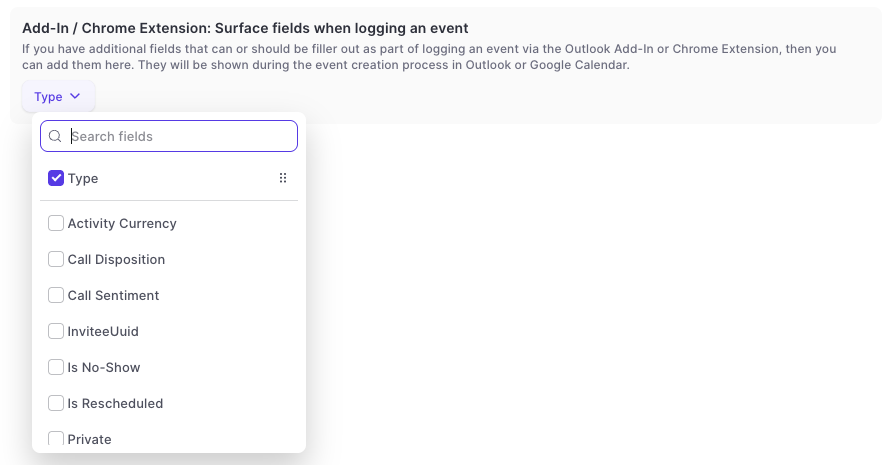
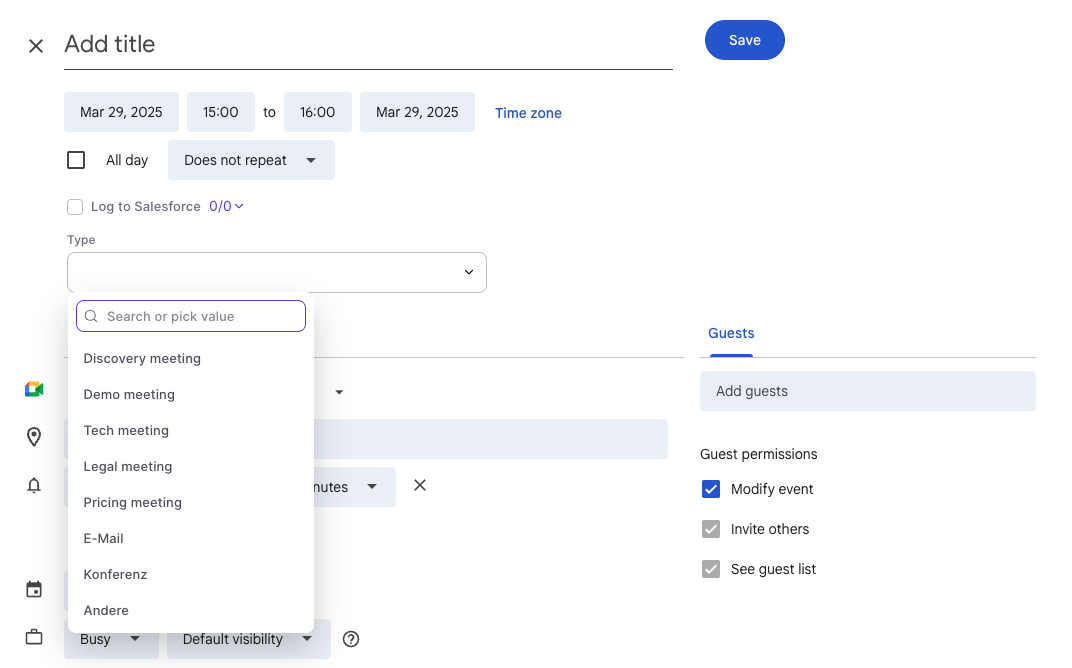
  • Surface additional fields when logging an event via the chrome extension to Salesforce.
  • This is only available in the full screen mode for event creation in the Google Calendar.
  • Support for Outlook is planned by the end of Q2-2025.
  • Long text fields are not supported.
Surface fields on the event record while loggingSurface fields on the event record while logging

Disable objects for activity capture

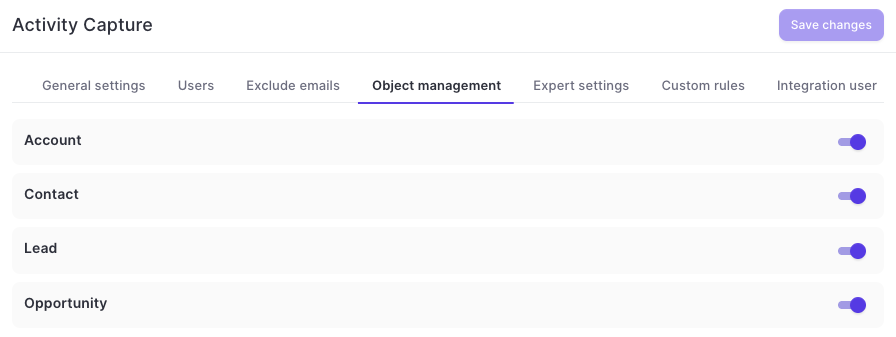
  • Admins can now disable logging to specific objects altogether via the admin console in Weflow
  • This includes custom objects as well as standard objects
  • Disabled objects will not be available for manual logging via the add-in or chrome extension
Disable objects for activity capture

Logging sent emails and faster access to the sidebar

This update contains multiple improvements to Weflow Activity Capture on Google Workspace in combination with Weflow's Chrome Extension:

This feature is automatically available for all Weflow Activity Capture customers on Google Workspace.
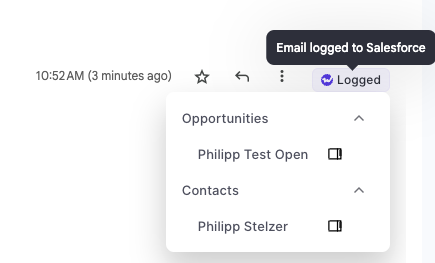
  • Log emails manually whenever you like
  • Open the sidebar with one click
  • See logging status directly in Gmail
Logging sent emails and faster access to the sidebar