Weflow changelog

67 updates shipped in 2026339 all time

Showing May 2023 and earlier · Back to latest

May 2023

Auto-create new contacts off by default

  • Previously, in some cases the auto-creation of new contacts via email logging has been active by default
  • As of now, this setting is off by default for all new Weflow users

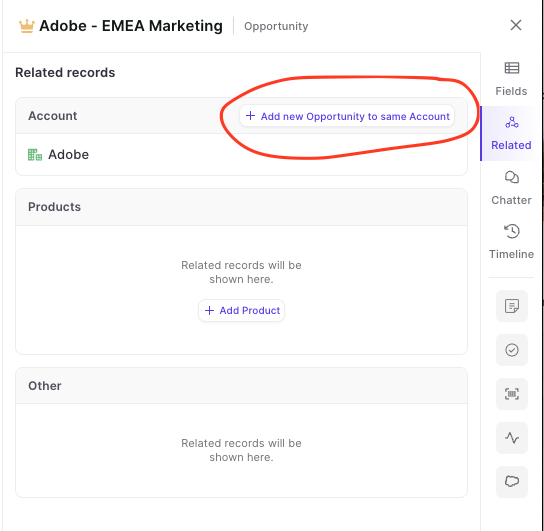
Add new Opportunities via the panel to the same account

  • Are you looking for a way to quickly add new Opportunities matching an existing Opportunity you are currently working on?
  • Look no further, Weflow has got you covered
  • You can now add Opportunities via the related tab with one click - all pre-linked to the correct Account in an instant
Add new Opportunities via the panel to the same account

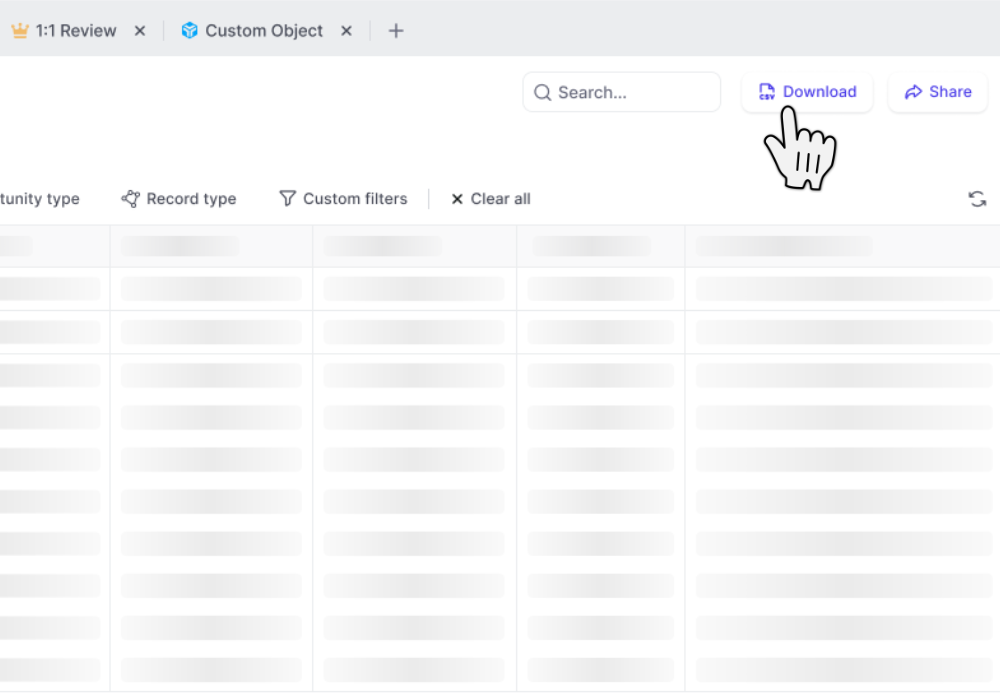
Download your data as CSV file

  • Download table views as CSV files
  • CSV files include custom Weflow Fields which you cannot utilize outside of Weflow such as "Reply Rate", "Time in Stage", "Weflow Engagement Score", and other use metrics
Download your data as CSV file

Add Custom Objects from related tab

You can now add custom objects via the related tab.

This is especially useful when utilizing third-party integrations in Salesforce such as Loopio, Partnerships, or other tools that create custom objects in your Salesforce setup.

April 2023

Related tab in panel

See all related records with just one click

Please note: Shortly, you will also be able to edit 'Contact Roles' from here.
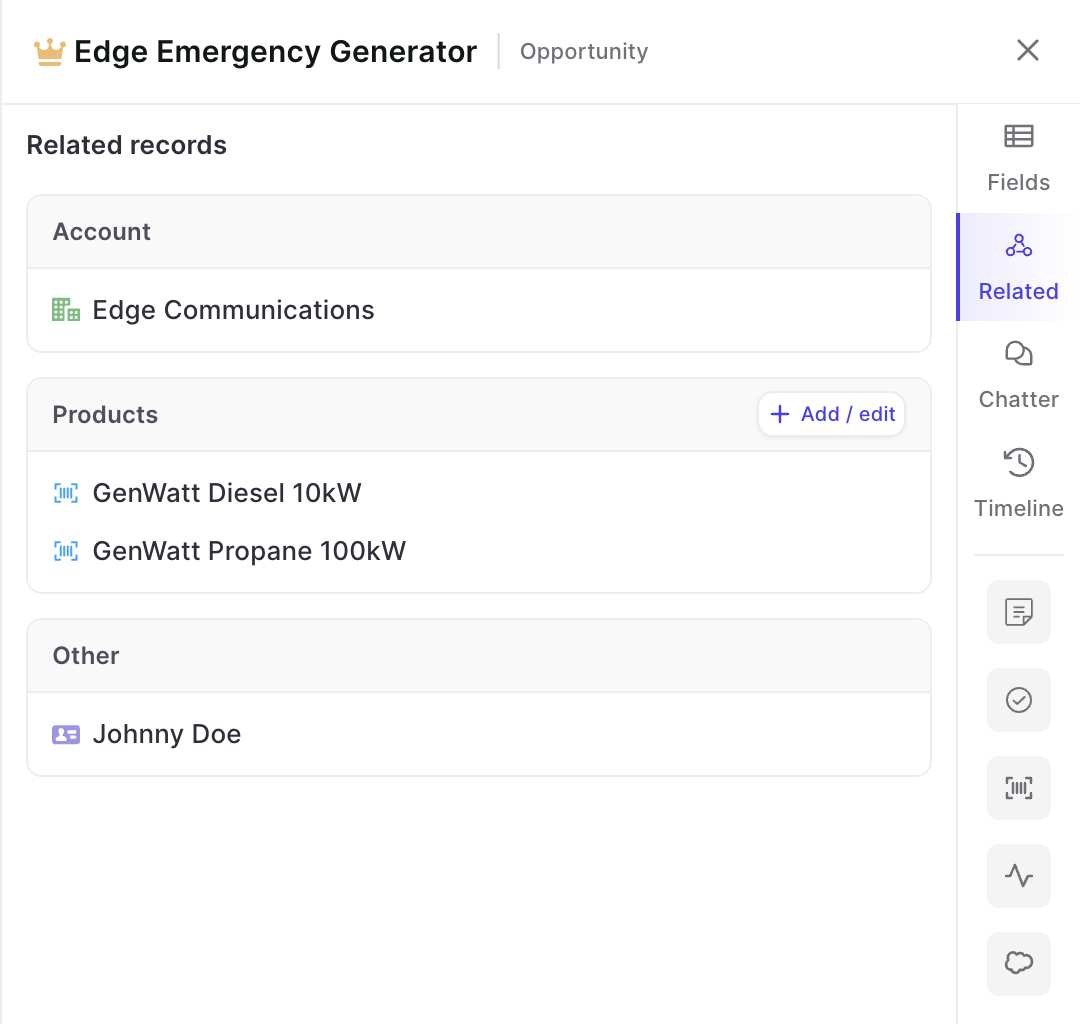
  • With just one click in the panel, you can now find all related records
  • This includes custom objects as long as they have been set up in Weflow (reach out to hello@getweflow.com to get help on this)
  • Add new related records or make changes e.g. to products
Related tab in panel

Go deep with the panel

Drill into an infinite amount of records with the Weflow panel
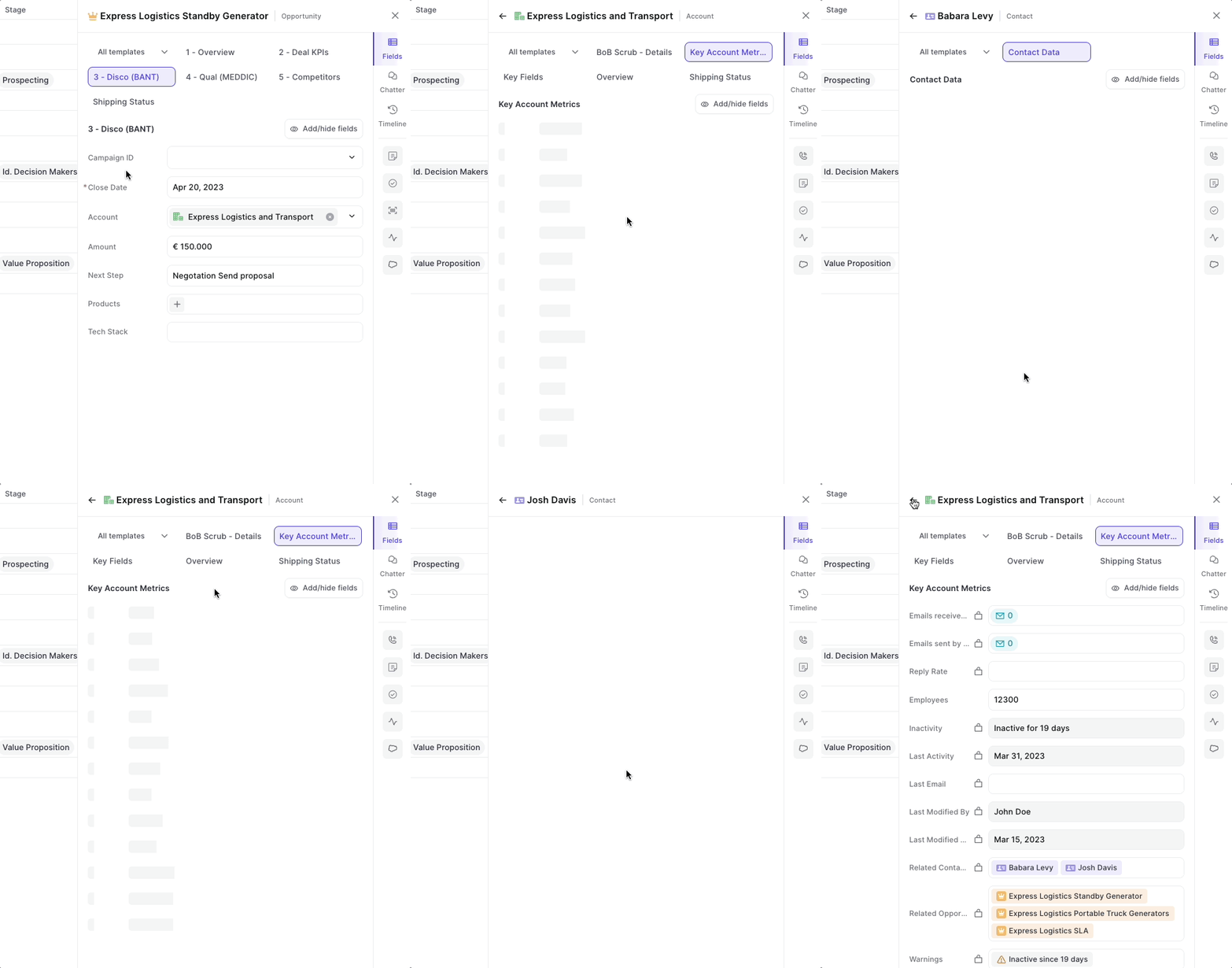
  • From now on, you can click on any related record in the panel to open up field details
  • Go back and forth between different types of records and object types
Go deep with the panel

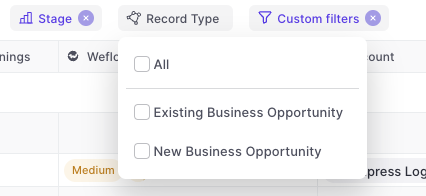
Multi-select record types

  • You can now multi-select record types
  • Weflow will automatically adjust other filters based on your business process settings in Salesforce e.g. hide irrelevant stages for a specific record type
Multi-select record types

Group by Calculations

Let Weflow calculate number and currency fields for individual groups.
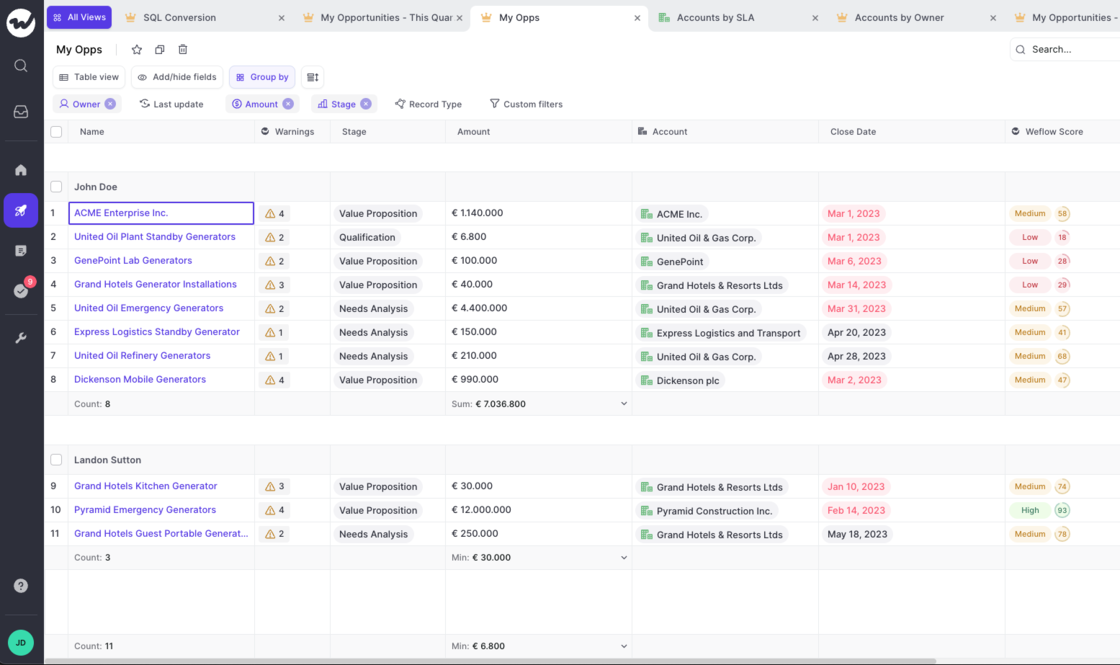
  • Customize the calculation for each group
  • Save your settings
  • Make use of average, min, max, sum operators
  • Quickly find out specific values for groups in your pipeline
Group by Calculations

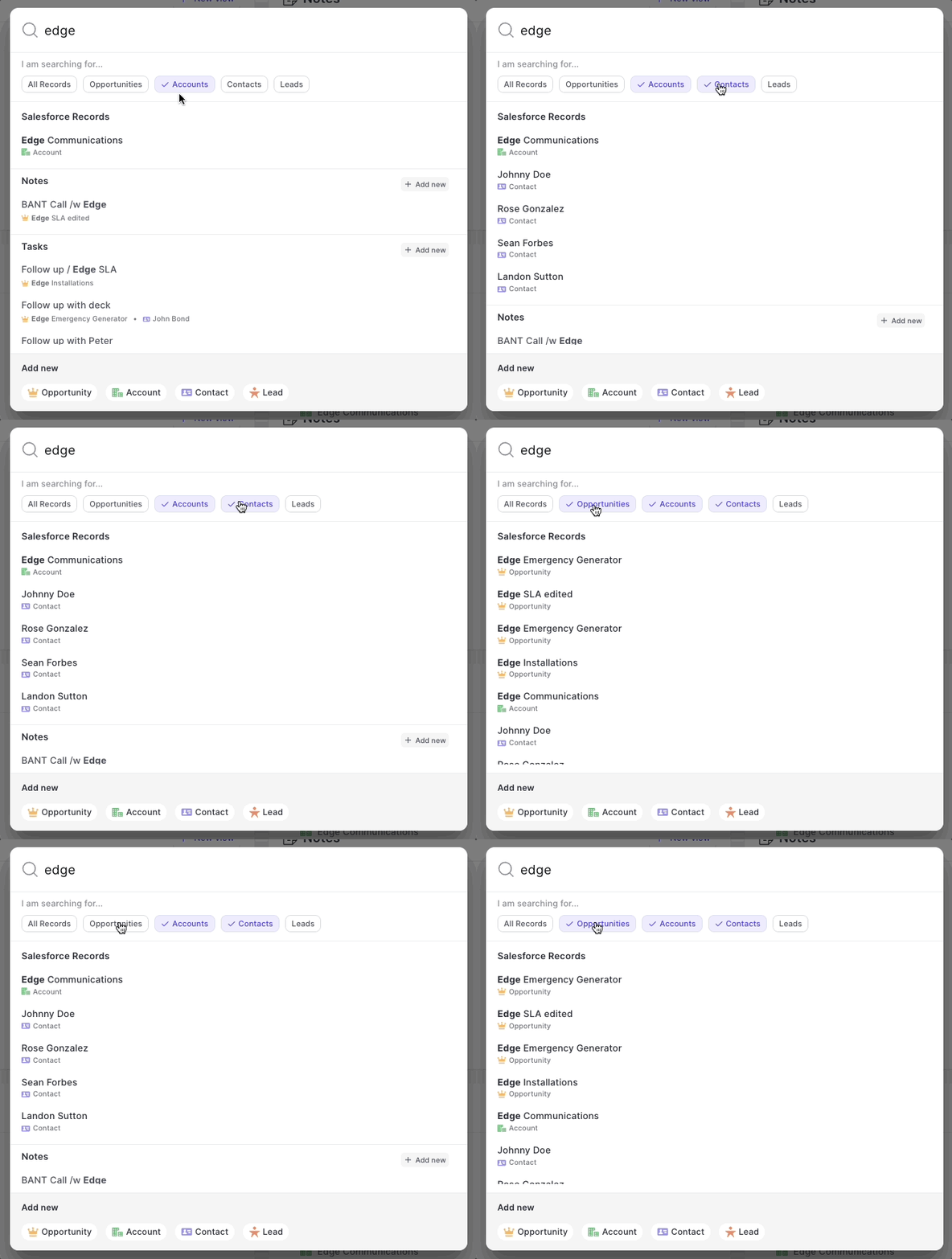
A new search experience

  • Now, you can filter for record types when searching in the web app or via the Chrome Extension
  • Adding new records, notes or tasks is simpler than ever and always visible
A new search experience

March 2023

The new 🏡 home screen

As of today, when signing into Weflow we will not re-direct you to your pipeline, but start every session in the new home screen.

It's purpose is simple. Give you a quick overview of the status quo:

You can also quickly create new actions and records from here. Got feedback? Let us know at hello@getweflow.com

  • Your recently used pipeline views
  • Your latest notes
  • Your overdue/upcoming tasks
  • Your latest Chatter messages
The new 🏡 home screen

Recently used records

When linking an Opportunity to an account (or any other object), Weflow will now show the last 5 used records.

This will save you a click or search every now and then.

Recently used records

Increased width in note list

The note list has been cleaned up a bit:

  • Increased width
  • Auto-aligning labels on the right side
  • More space for note titles
Increased width in note list

Recent improvements

The following is an excerpt of improvements and fixes we shipped over the past two weeks:

  • Refreshing the pipeline manually sometimes did not work
  • When using the "Group by" filter in a pipeline view, sometimes we did not show the difference between an "Account" and an "Opportunity" field creating confusion as to possible duplicates in the list
  • The "Timeline" layout in the panel looked broken when there were long texts in field updates
  • Global search did not render results quickly and accurately
  • On Windows there were too many scroll bars (even if not needed)
  • Various typo and string improvements

Manually override email logging rules with the Chrome Extension

One of our most beloved features is the ability to let Weflow log all your emails in the background. No clicking, no worrying…it just works.

But sometimes, you want to tweak the details a bit more. Maybe there is that one email that should not get logged or that one email that absolutely needs to get into Salesforce even though typically it shouldn't. Exceptions are the norm. And Weflow let's you stay in control.

You can install our Chrome Extension here.

Text formatting for Chatter messages

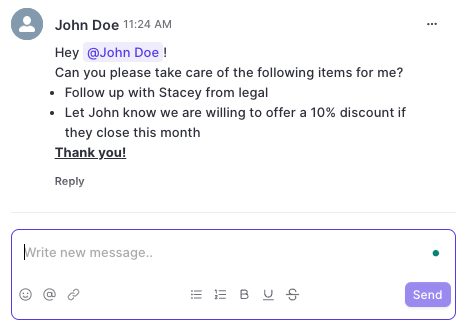
You can now use text formatting for bold, italic, underlined and strikethrough texts.

In addition, you can add in emojis, tag colleagues, add links, create lists and many more options.
Text formatting for Chatter messages

Improved date filter options

To make filtering for specific dates and time ranges easier, we added the following options for date filters to Weflow:

  • Today [new]
  • Tomorrow
  • Yesterday
  • Last 7 days
  • Last 14 days [new]
  • Last 30 days [new]
  • Last 60 days [new]
  • This week [new]
  • Last week [new]
  • This month
  • Last month
  • This quarter [new]
  • Last quarter
  • This year [new]
  • Last year

February 2023

Log Outlook/Microsoft emails with Salesforce via Weflow

Let Weflow log your emails via Outlook/Microsoft accounts and link them automatically to your Salesforce records.

  • Weflow now lets you connect your Outlook inbox to Salesforce
  • Whenever you send an email via Outlook, Weflow will automatically log for matching records in Salesforce
  • If successful, Weflow will link the email to the right record
Log Outlook/Microsoft emails with Salesforce via Weflow

Use Chatter in Weflow

Weflow has now a full integration with Chatter.

  • Write and read chatter messages via the panel / Chrome Extension from everywhere
  • Make use of the new "Inbox" to quickly see all new and old Chatter messages
Use Chatter in Weflow

Click-to-call from the panel

Start phone calls from anywhere on the web, via the click-to-call button in the Weflow panel.

  • Weflow will automatically scan all Salesforce fields for phone numbers and automatically surface them via the "Phone numbers" button in the panel
  • This button is available via the Chrome Extension also
Click-to-call from the panel