Weflow changelog

67 updates shipped in 2026339 all time

Showing December 2023 and earlier · Back to latest

December 2023

The new 🔥 Insights tab

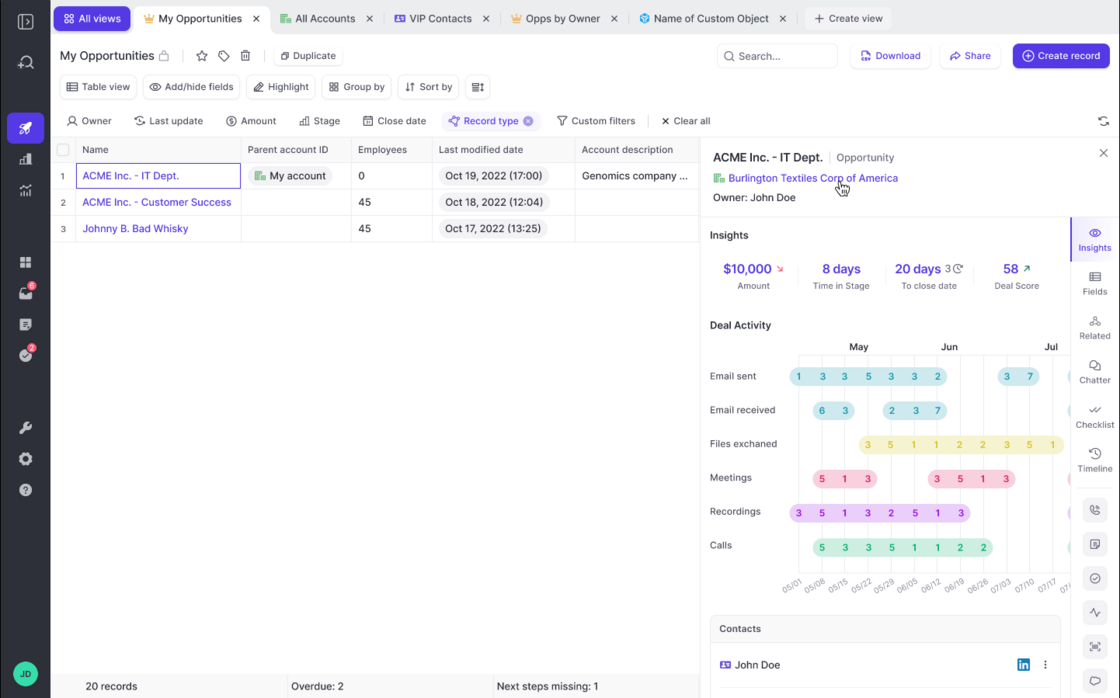
Deal inspection on a whole new level. The new Insights tab gives you unique insights into your opportunities. Admins can customize the new insights tab as needed for their specific business requirements.

1) Access the Insights tab from any Opportunity:

2) Look at key metrics:

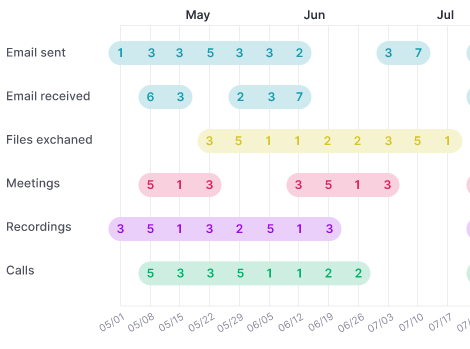
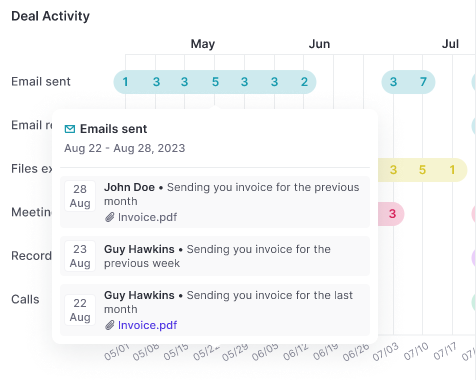
3) Understand if activities drive the deal velocity:

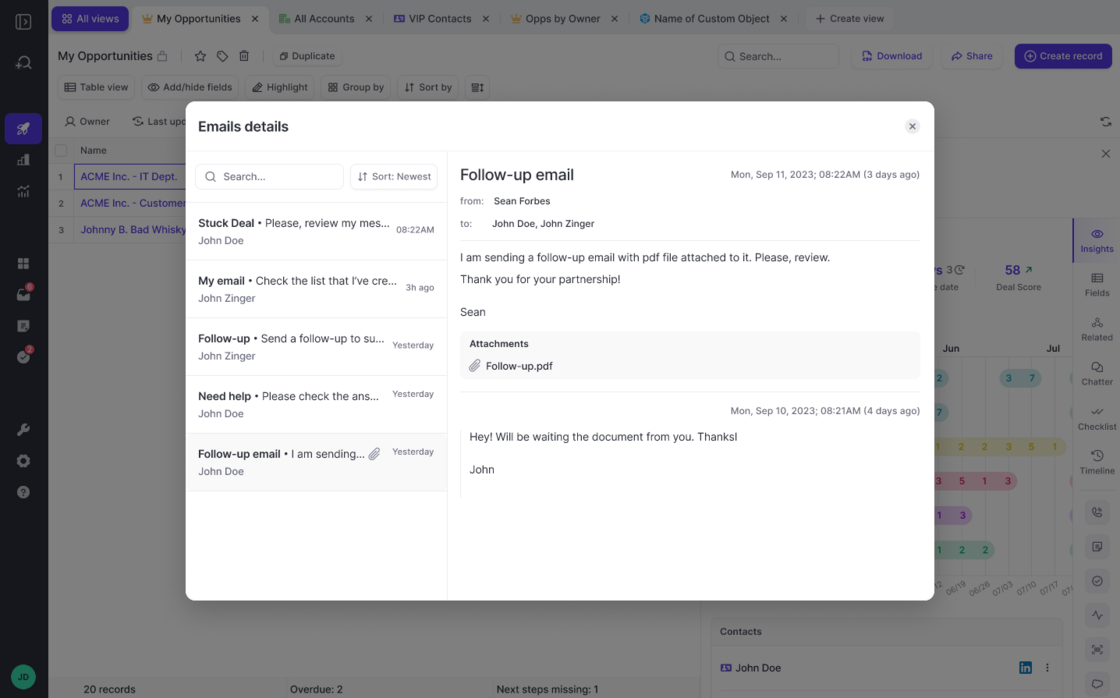
4) Read emails or meeting notes:

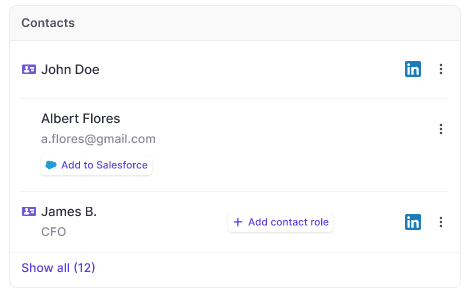
5) Map contacts:

The new 🔥 Insights tabThe new 🔥 Insights tabThe new 🔥 Insights tabThe new 🔥 Insights tabThe new 🔥 Insights tabThe new 🔥 Insights tab

Team Benchmark reports

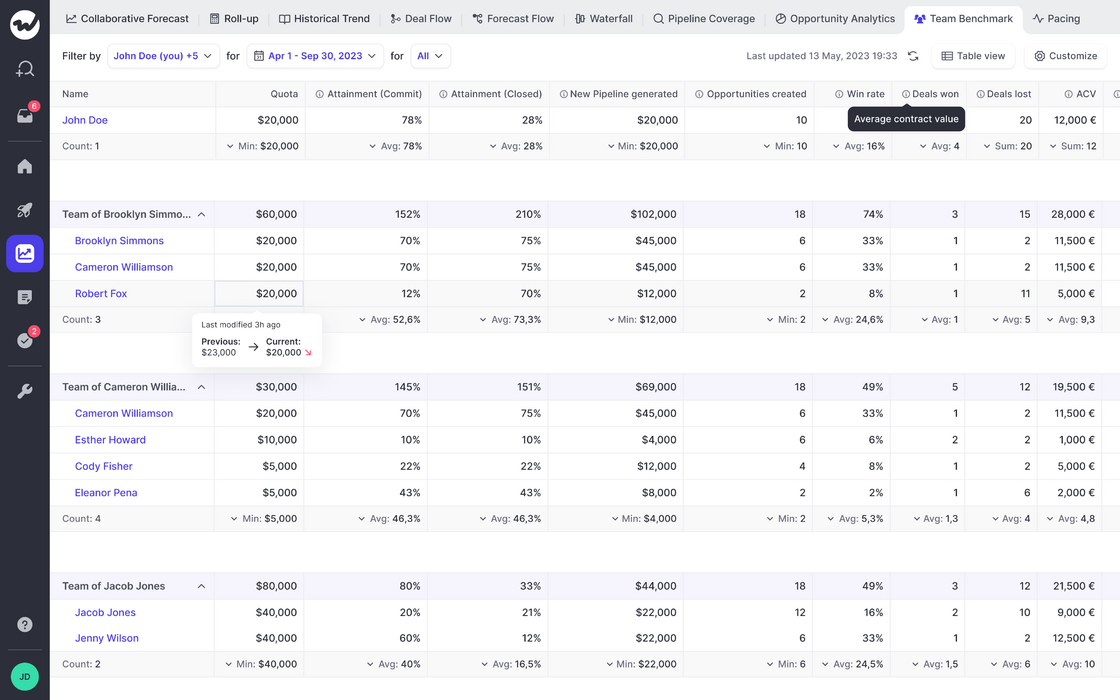
Ever wondered how your teams are doing? Now you can, with just one simple click.

  • Access team reports via the forecasting section
  • Understand performance, attainment, velocity, and more all in one easy-to-read dashboard
  • Filter by different sales reps, look at different time frames, and record types
Team Benchmark reports

Mix & merge fields from all sObjects

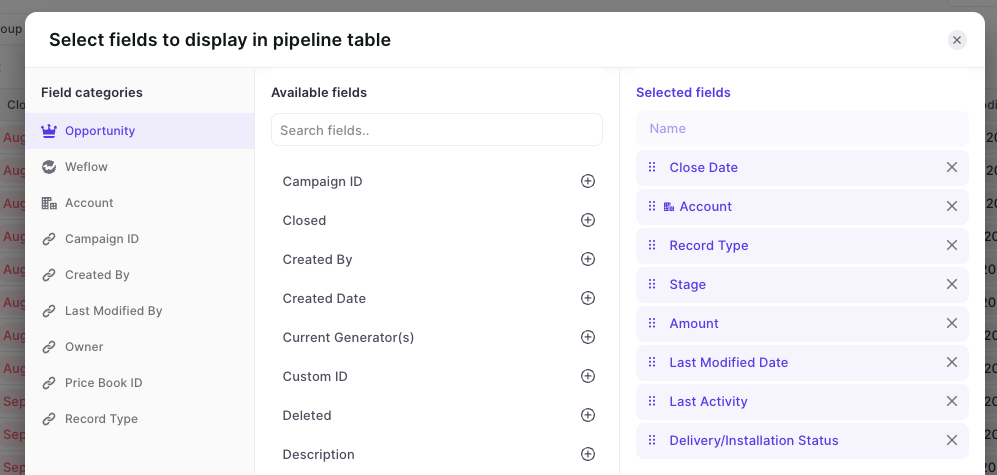
Mix fields in your pipeline table views form various linked Salesforce objects (custom or standard).

  • Out-of-the-box, Weflow lets you combine fields from different objects in one unified pipeline view
  • As long as there is a relationship between the records, Weflow can connect the dots for you
  • You can use custom objects and custom fields
  • Field dependencies, validation rules are respected automatically
Mix & merge fields from all sObjects

November 2023

Pipeline Speed

The pipeline is loading 40% faster now.

You'll automatically collect many records if you use Salesforce for long enough.

We optimized the pipeline capabilities of Weflow to display up to 2000 records at once with 40% faster load times.

Various bug fixes

  • When a character limit was reached on a field, Weflow did not save the input when a user tried to save it (it now is saved)
  • The record type search did not work when applying a custom filter

Forecasting: Submission Flow

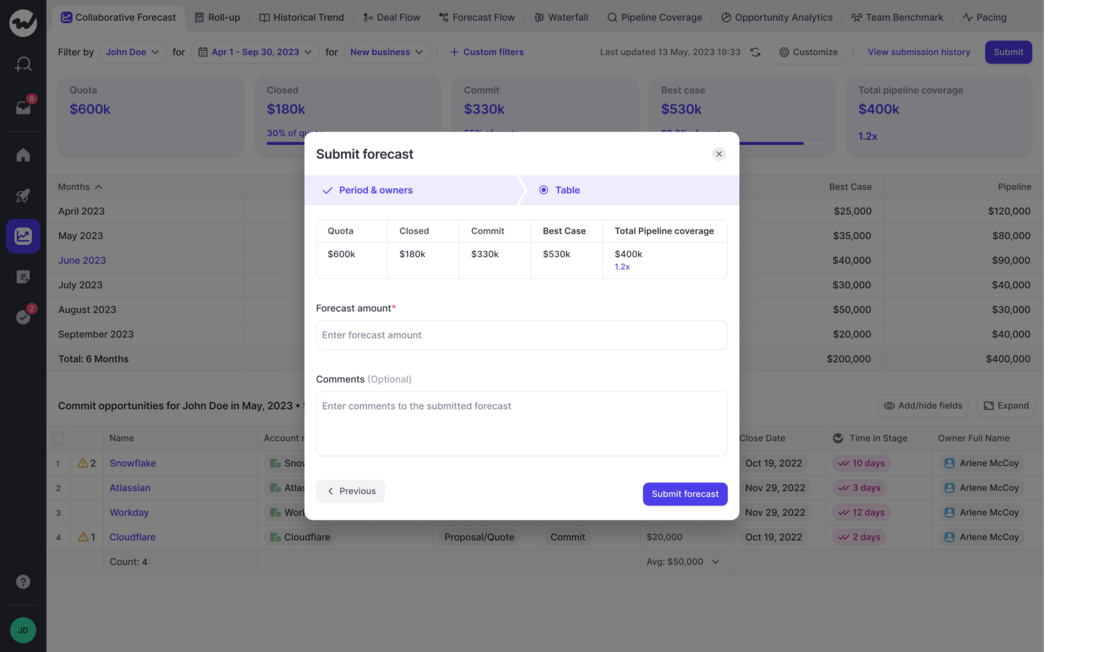
Run your entire forecasting process with Weflow.

Submission Flow:

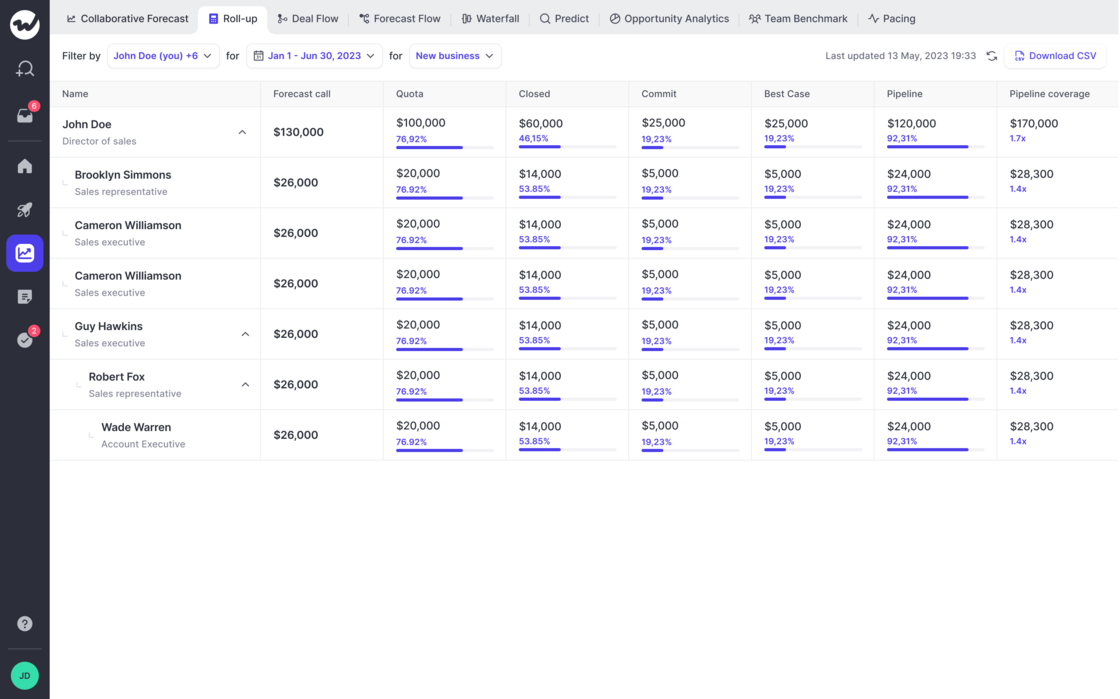
Roll-Up:

If you have feedback or concerns, let us know via hello@getweflow.com

  • Now, Weflow, let's define a forecasting flow for your sales team
  • Forecasts are rolled up automatically to the different hierarchies based on manager roles
  • Forecasting snapshots are saved and stored automatically and can be used to compare forecasting accuracy
Forecasting: Submission FlowForecasting: Submission Flow

October 2023

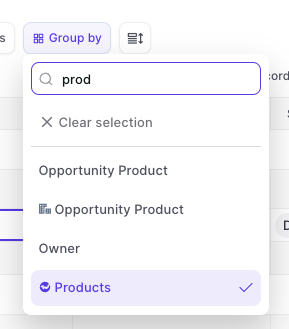
Group by 'Product'

Records in a pipeline view can now be grouped together by different products.

Group by 'Product'

Pipeline Coverage

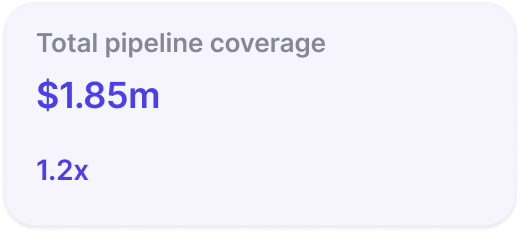
Pipeline coverage is now displayed as a factor e.g. 2x instead of a percentage.

Pipeline Coverage

Various fixes

  • Field formatting was broken for rich text fields in some special cases
  • Email content was cut off in the activity timeline
  • The "Create Note" button in Google Calendar disappeared on some browser versions
  • Duplicating a template from the sidebar did not carry over the original template fields

Stage Order

Weflow now respects the correct order of stages when using a 'group by' view in the pipeline or opening the selection options from a stage field (in sidebar and pipeline).

Custom Forecast Mapping

  • Custom fields incl. formula fields can now be used for forecasting in Weflow
  • To use custom fields, please install the 'Managed Weflow Package' in your Salesforce instance

September 2023

Various fixes and improvements

  • Weflow now respects the stage order for Opportunities when grouping a view by stage
  • When a new view is created, the aggregation is "Sum" by default
  • When linking a note to a record, the object type icon sometimes were distorted on small screens
  • Sometimes, the button to create a note via Google Calendar did not show up
  • Links to the help desk were updated
  • Email content was sometimes cut off in the sidebar when looking up the Activity History
  • Duplicating a template from the sidebar did not always carry over the original template fields

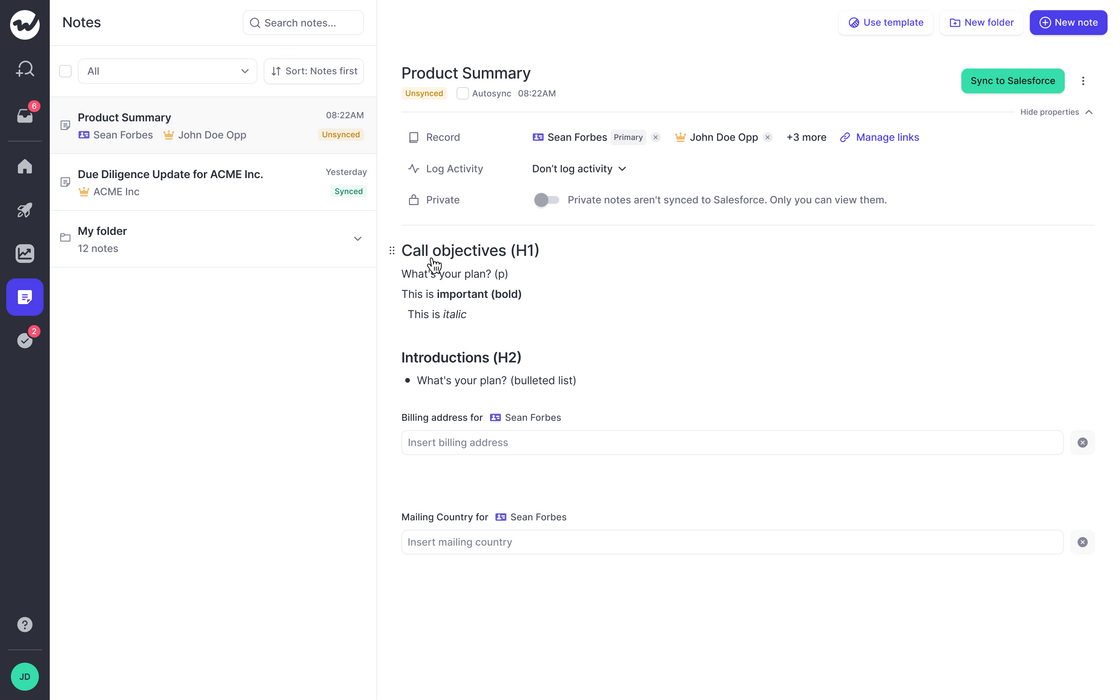
Rich Media Fields

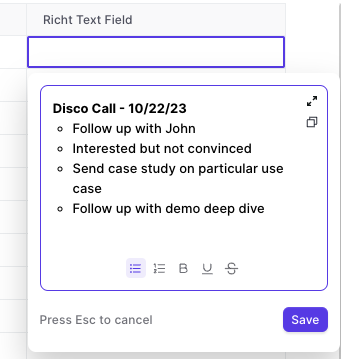
As of today, Weflow supports rich media text fields.

  • Create bullet lists
  • Create numbered lists
  • Make text bold, underlined, strikethrough
  • Great if you use rich text fields for note taking
Rich Media Fields

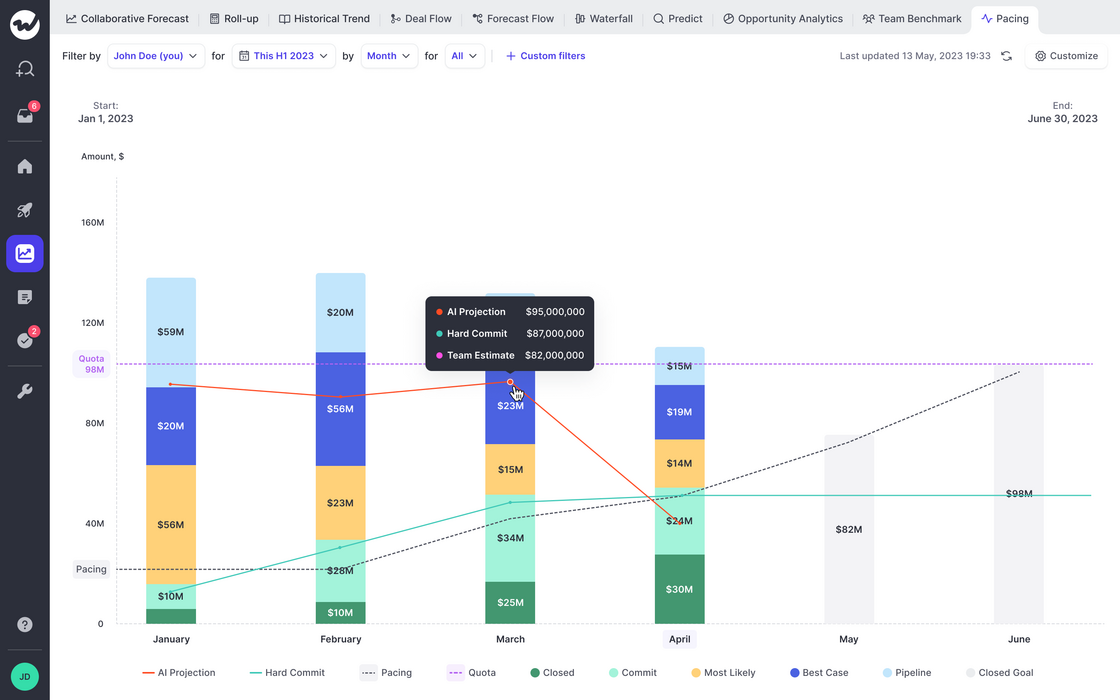
Forecasting: Pacing Chart

The new pacing chart is perfect for understanding trends in forecasting and quota attainment.

  • Weflow will automatically look for historical data of up to 12 months (field history tracking is required)
  • If no historic data is available, then only a snapshot of the status quo will be taken instead
  • The Pacing chart will tell you how you are moving towards your revenue goals (=quota)
  • In addition, you can observe the optimal pacing line and compare the sum of your committed and closed deals against the team call and our own AI projection (currently in beta; coming soon)
Forecasting: Pacing Chart

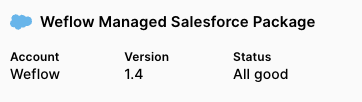
Weflow Managed Salesforce Package

We understand that API calls are a valuable resource with Salesforce. Hence, Weflow has developed a new way to ensure that important data for forecasting and analytics is pulled directly from your Salesforce account without triggering an API call or requiring field history to be activated for the specific field.

To install the managed package, please activate forecasting first (Growth license required).

Weflow Managed Salesforce Package

Recent fixes and improvements

  • Checkbox fields sometimes did not show a value even though a value was assigned
  • Spelling error in the toast message when record creation failed
  • Custom filters where sometimes carried over to forecast views
  • Moving tabs was not possible in the pipeline anymore
  • The owner field could not be changed dynamically on the "Lead" object
  • When duplicating a view, the owner filter was always set to "Me" even though the settings could have included other users
  • A newly created opportunity sometimes was counted twice in the waterfall chart in forecasting if it matched the selected timeframe

Notepad - Speed Improvements

  • We made significant improvements to the speed and performance of our notepad
  • Typing should feel a lot better
  • Large amounts of notes in the archive do not affect the usability anymore
Notepad - Speed Improvements

August 2023

"All" and "Me" option for owner filter in forecasting

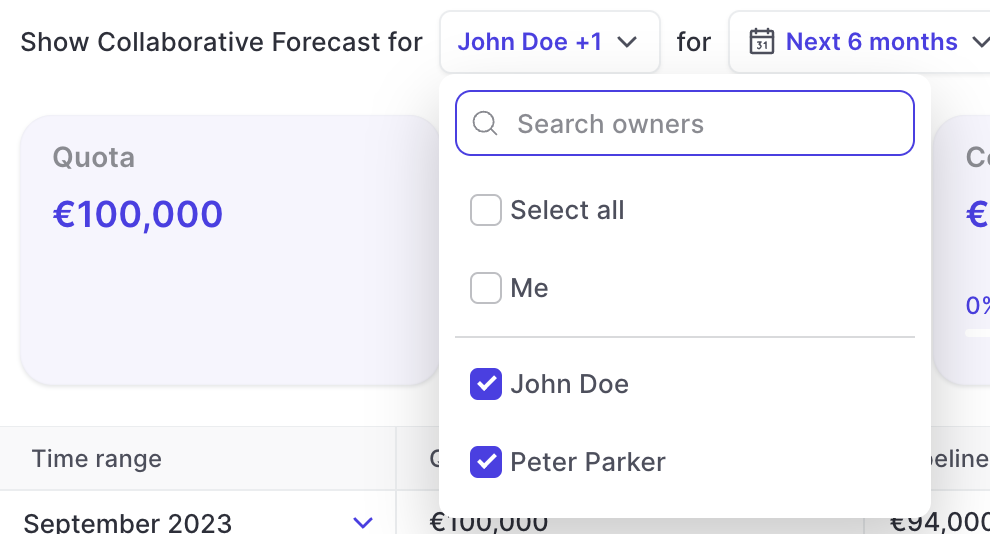
  • Users of the forecasting features in Weflow can now quickly filter for all users or only themselves via the owner filter
  • This feature was added based on feedback from one our customers (Thank you 👍)
"All" and "Me" option for owner filter in forecasting