Weflow changelog

45 updates shipped in 2026317 all time

Showing March 2026 and earlier · Back to latest

March 2026

Minor fixes and improvements (v3.8)

  • Fix: The Owner filter and the Recordings page speed were significantly improved and optimized for 50k+ recordings instances.
  • Fix: Clips can be created across multiple paragraphs.
  • Improvement: Users who have been marked as Inactive in Salesforce will automatically become inactive in Weflow (every 60 minutes).
  • Improvement: Admins can no longer disable themselves.
  • Improvement: Admins can define a default event record type to log meeting activities to by activity capture configuration.

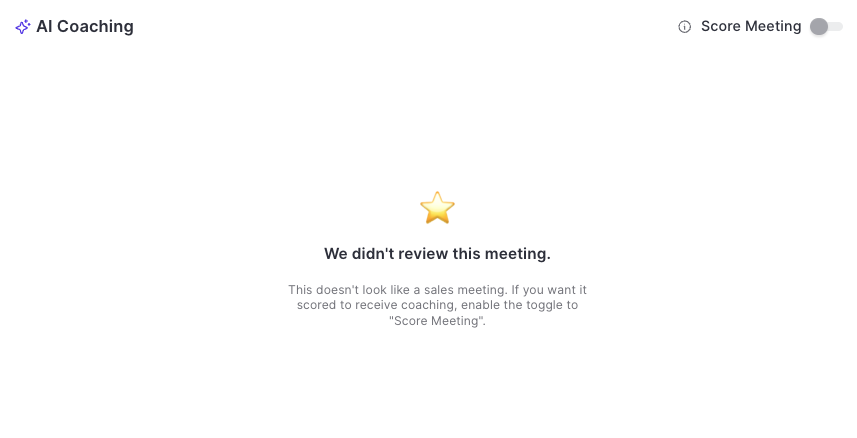
Improved scoring system

  • Weflow's AI will only score and rate meetings if it's certain that it was a sales meeting.
  • Admins and managers can toggle/untoggle the scoring system.
  • Untoggling, will remove the score from the database until it is toggled again.
Improved scoring system

Reduced API calls + getting ready for the new ECA (External Client App)

We've reduced API call and login rates by 20%, resulting in a leaner, more efficient integration that puts less load on your Salesforce org.

Our applications have been updated to align with Salesforce's most recent security requirements for the upcoming Spring '26 release, so your data stays protected and your workflows stay uninterrupted.

Reduced API calls + getting ready for the new ECA (External Client App)

Minor fixes and improvements (v3.7)

  • Fix: Users can now remove lookup field values and replace them with a different record.
  • Fix: The Chrome Extension sometimes showed an email as 'Processing' even though it was successfully logged.
  • Improvement: Admins can no longer disable themselves.

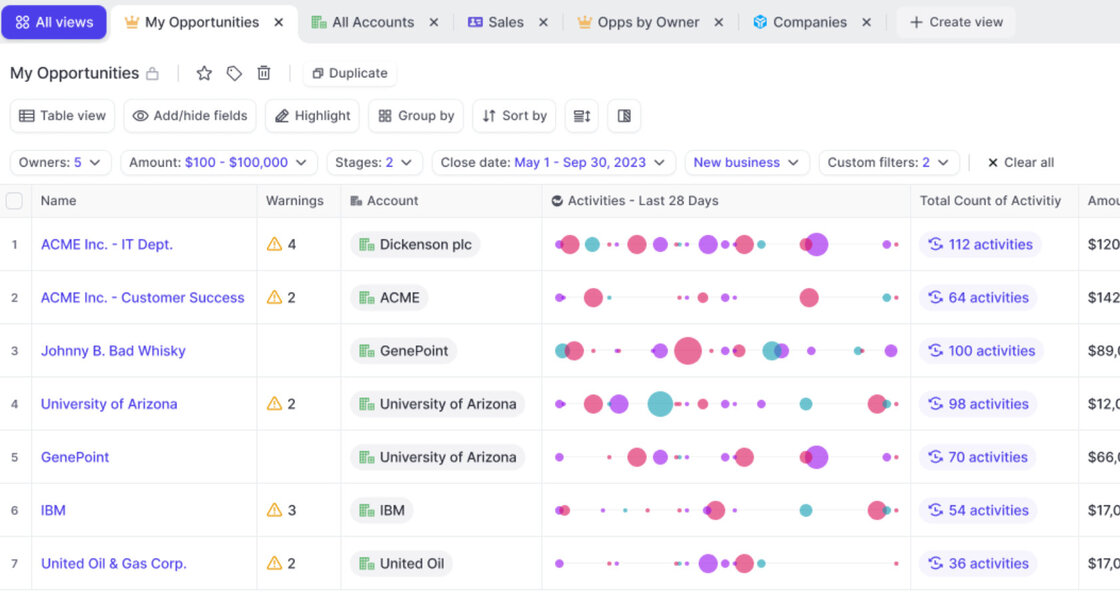
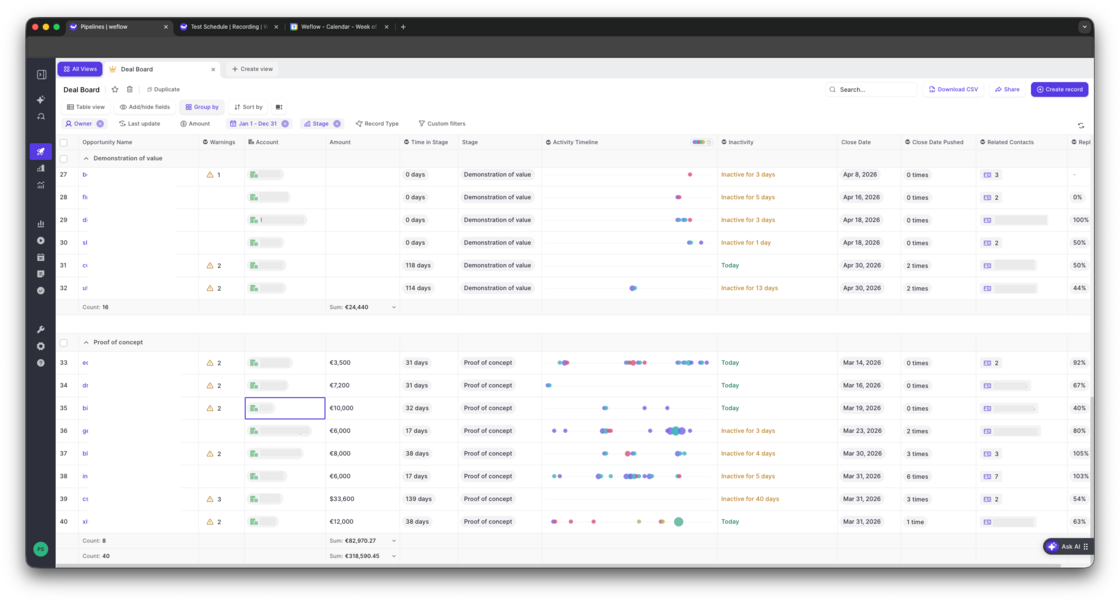
Deal Board - Activity Timeline

  • The new "Activity Timeline" field can be added to any Opportunity pipeline view via the "Weflow Fields"
  • A future update will make this available across all objects incl. accounts, leads and contacts
Deal Board - Activity Timeline

Copy meeting participant's emails with one click

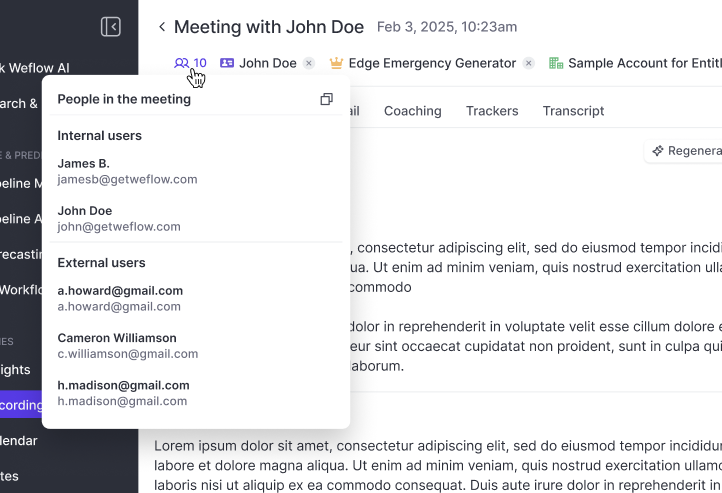
  • Independent from whether or not the record was successfully linked to a Contact or Lead, Weflow will always show you the participants based on the calendar invite.
  • You can copy all email addresses with one click e.g. for your follow-up email.
Copy meeting participant's emails with one click

The new Dealboard

  • See activities directly in your pipeline view
  • Bi-directionally synced with Salesforce
  • Compatible with any custom object or field
The new Dealboard

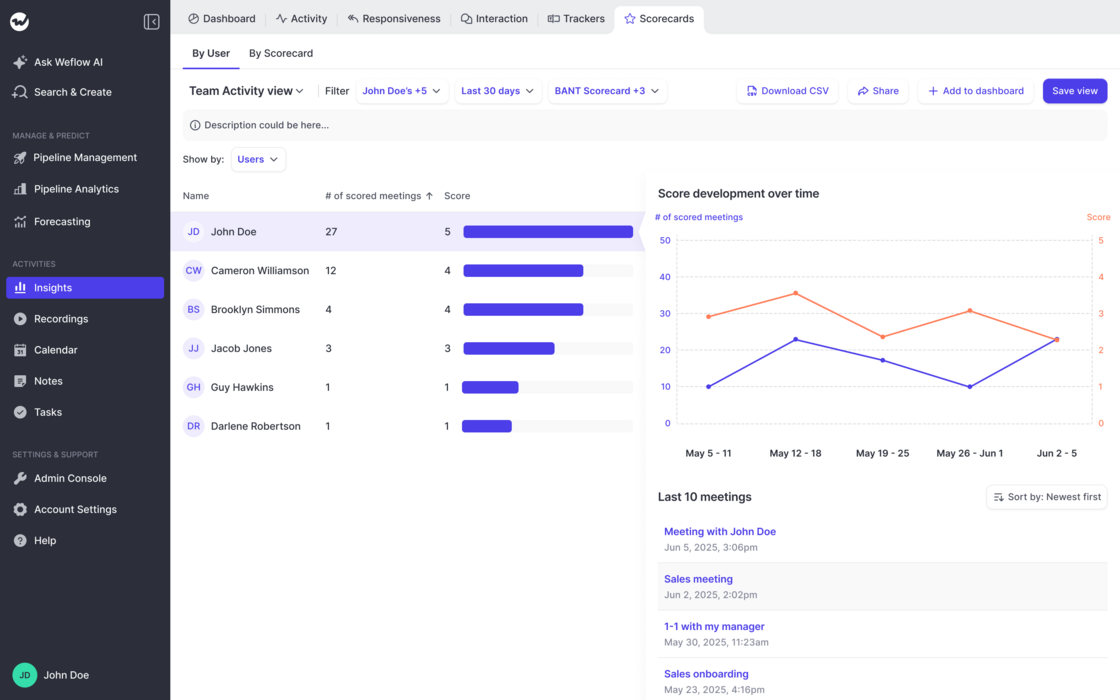
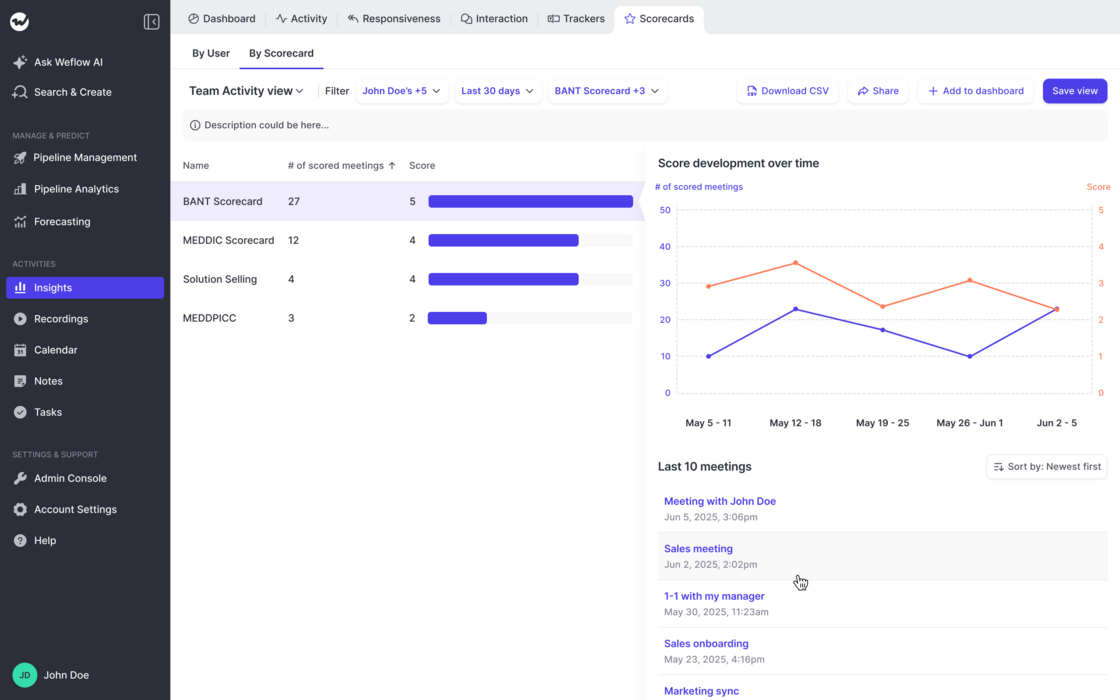
Coaching Scorecards in Insights

Track ratings by Users:

Track ratings by Scorecard:

  • This new addition to the "Insights" feature in Weflow let's admins and end-users alike track ratings across users, scorecards and time.
  • Create customizable views looking at different groups of users, scorecards, and timeframes.
  • Understand if and how ratings change over time.
  • Quickly drill deeper into the related activities.
Coaching Scorecards in InsightsCoaching Scorecards in Insights

Minor fixes and improvements (v3.3)

  • Required fields with a default value assigned are no longer marked as required when creating a new record via Weflow.
  • Notetakers get more reliably unscheduled if a user is removed the feature or deactivated.
  • Fix to ensure invited users with an admin account do have full access to the admin console after signing up for Weflow.

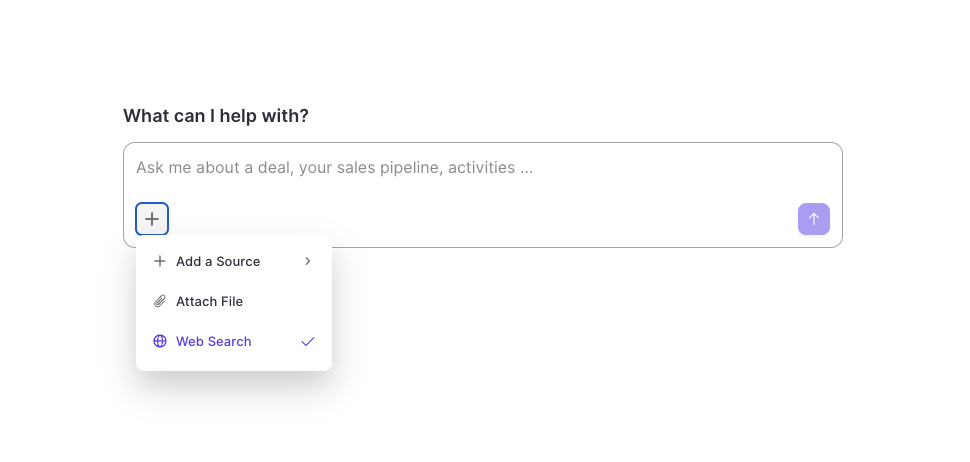
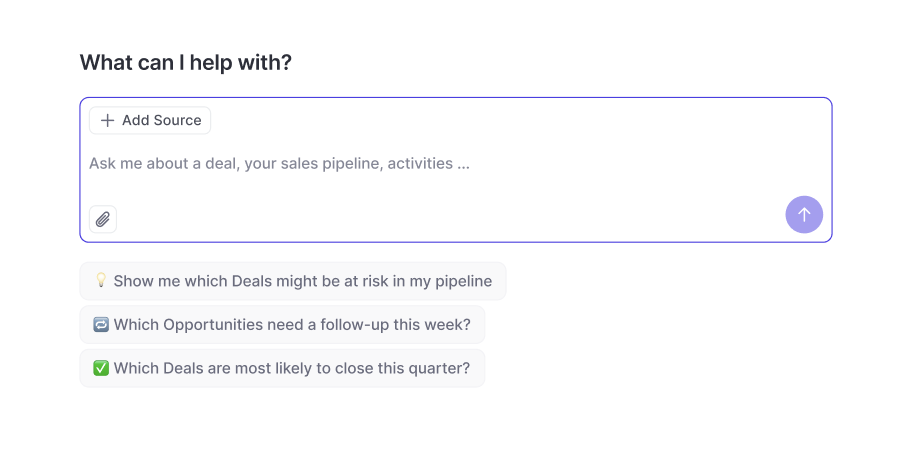
Weflow AI: Web Search & File Attachments

  • The Weflow AI has now unrestricted access to the internet.
  • If needed, the AI will source publicly available information to enhance its replies.
  • Use the web search mode to create research briefs, battle cards, follow-up emails and more.
  • In addition, users can now upload PDFs, images and CSV files and have them analyzed by the AI in combination with other sources e.g. emails or meeting transcripts.
Weflow AI: Web Search & File Attachments

February 2026

Display IN and OUT email activities in Cases timeline in Salesforce

  • When logging an email with Weflow Activity Capture against the case object, the outgoing emails were not visible in the activity timeline of the case.
  • While this was not a technical error, but simply a limitation of the activity timeline component in Salesforce itself, we have now provided a workaround that let's admins decide whether they want all emails (ingoing and outgoing) to be displayed in the timeline.
  • For users who do not need this functionality, we recommend using the normal "Feed" that is also visible on the case object in Salesforce and is the intended way of tracking all activities relating to a case.

Weflow AI

Examples and Use Cases:

  • Weflow's new stand-alone AI empowers users to query their CRM, Activity and Conversation data easily.
  • Users only have access to recordings they can already access as per permissions defined in Salesforce + Weflow.
  • "Summarize objections from meetings in the past 7 days"
  • "Tell me what to focus on next!"
  • "Write me a follow-up email for all stalling deals with a close date this month."
Weflow AI

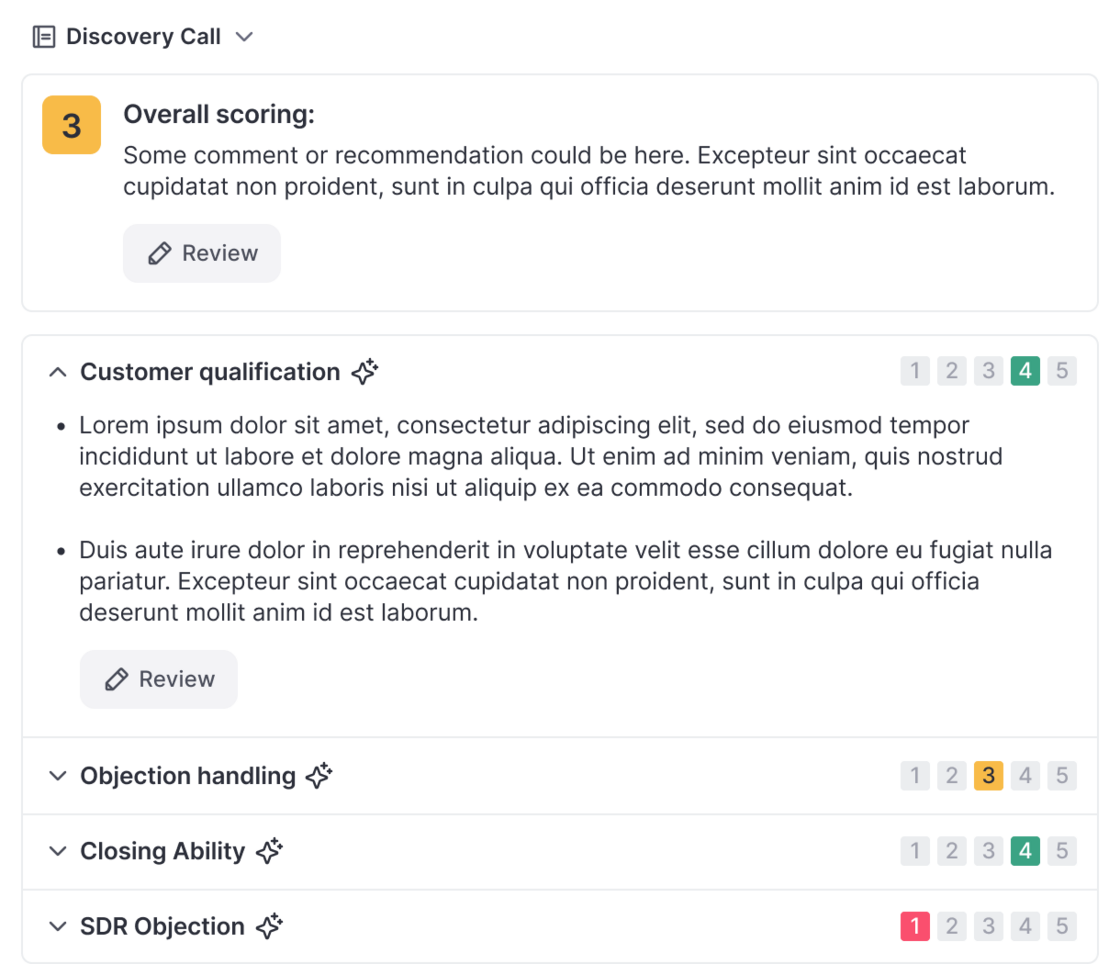
Scorecards in Coaching

  • Scorecards can now be added in the "Coaching" tab in Weflow's Conversation Intelligence feature.
  • Scores are stored per meetings and can be used to review performance over time.
  • A new Scorecard Insights feature will be released within February 2026 to track scores across users and scorecards conventienly.
Scorecards in Coaching

Unlog Emails

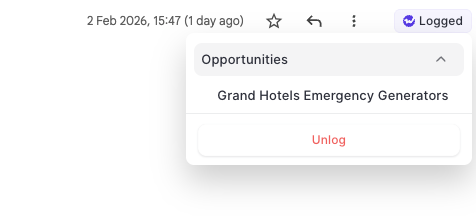
  • With the Outlook Add-In and Chrome Extension, users can now "unlog" email activities and re-log them to a seprate record.
  • As Salesforce does not allow changing the name / related record on an email message object, the unlogging feature is a unique way to change the logging behvaior on a single email message.

Unlog Emails

January 2026

January Bug Fixes

  • Improved stability for Conversation Intelligence related Insight reporting.
  • Company Context in Weflow's ASK AI was stored, but not visible.
  • Searching in transcripts did not render results.

Playlists

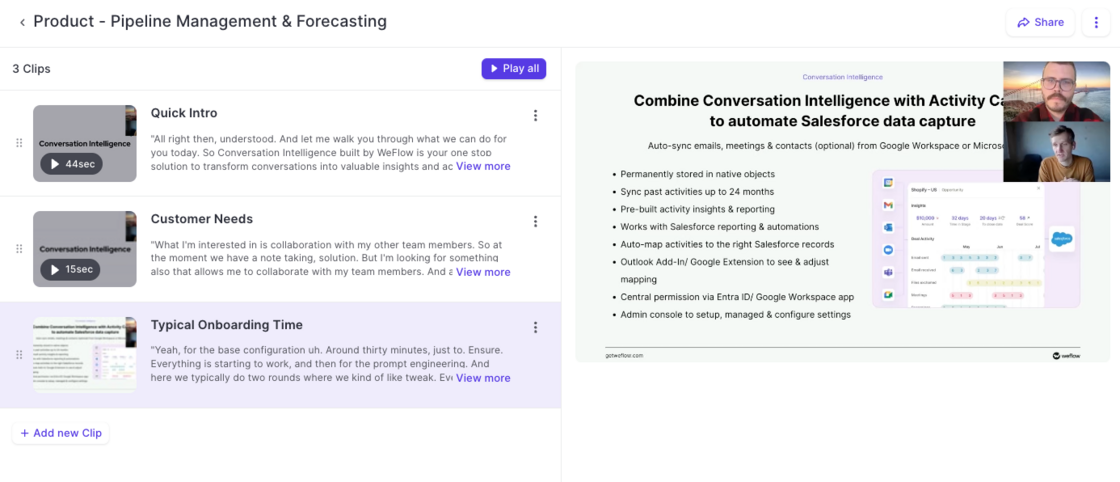
  • Create playlists to bundle recordings and clips.
  • Share playlists with prospects, customers or internally.
  • Easy-to-use tool to help support sales enablement.
Playlists

Weflow Email Notifications

  • We addressed several issues to improve the sending reliability of notification emails.
  • For a limited time, emails for meeting summaries were not sent to internal users (January 26th).

Clips

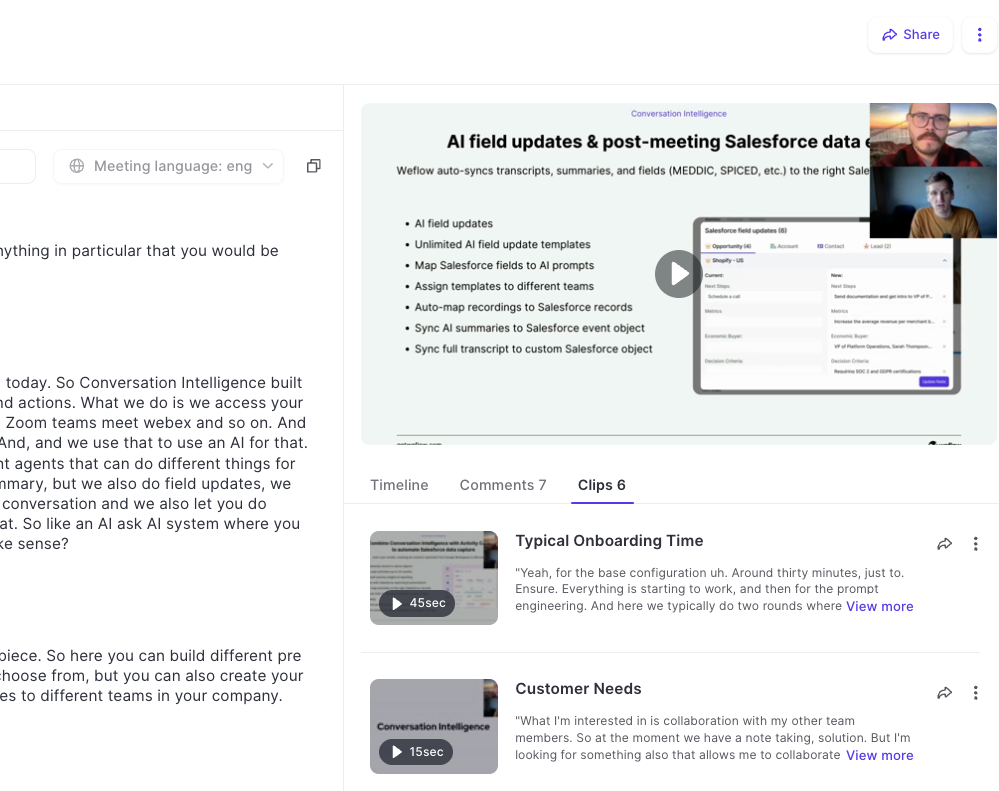
  • Admins and end-users can now create clips from recordings in Weflow.
  • Share, edit, rename, and download clips.
  • Add clips to playlists to share best practices and customer shout-outs.
Clips