Weflow changelog

67 updates shipped in 2026339 all time

Showing September 2023 and earlier · Back to latest

September 2023

Various fixes and improvements

  • Weflow now respects the stage order for Opportunities when grouping a view by stage
  • When a new view is created, the aggregation is "Sum" by default
  • When linking a note to a record, the object type icon sometimes were distorted on small screens
  • Sometimes, the button to create a note via Google Calendar did not show up
  • Links to the help desk were updated
  • Email content was sometimes cut off in the sidebar when looking up the Activity History
  • Duplicating a template from the sidebar did not always carry over the original template fields

Rich Media Fields

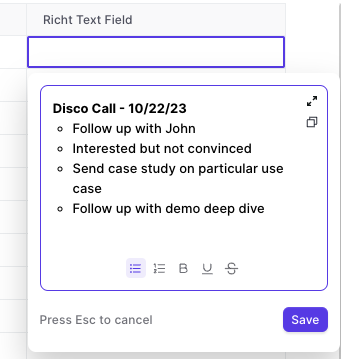
As of today, Weflow supports rich media text fields.

  • Create bullet lists
  • Create numbered lists
  • Make text bold, underlined, strikethrough
  • Great if you use rich text fields for note taking
Rich Media Fields

Forecasting: Pacing Chart

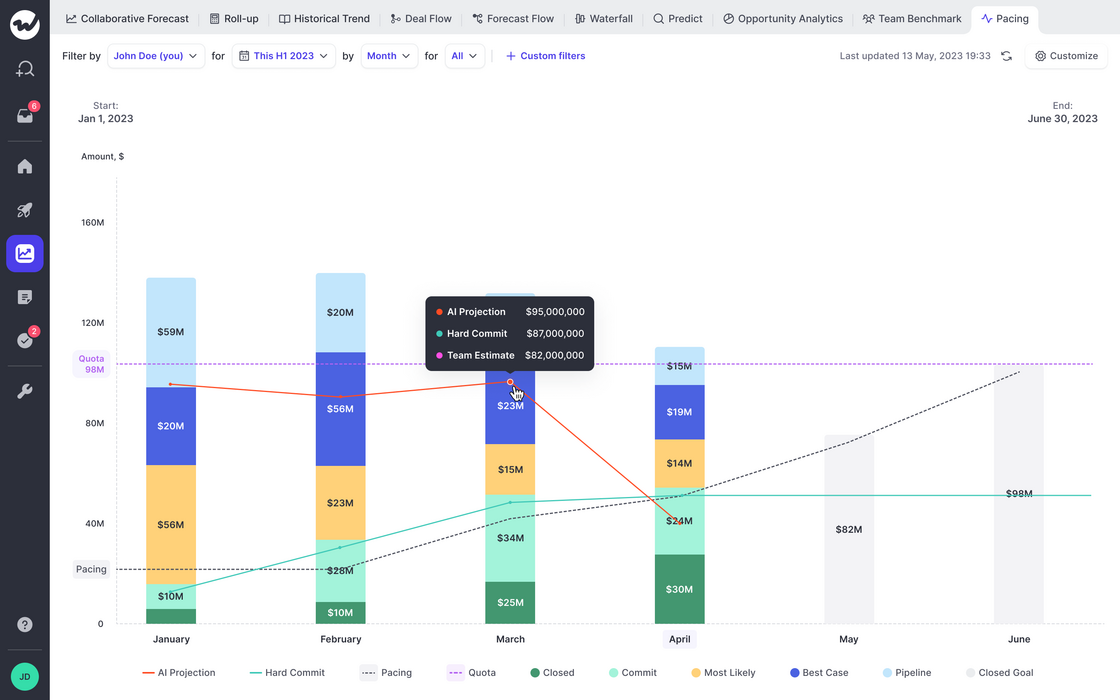
The new pacing chart is perfect for understanding trends in forecasting and quota attainment.

  • Weflow will automatically look for historical data of up to 12 months (field history tracking is required)
  • If no historic data is available, then only a snapshot of the status quo will be taken instead
  • The Pacing chart will tell you how you are moving towards your revenue goals (=quota)
  • In addition, you can observe the optimal pacing line and compare the sum of your committed and closed deals against the team call and our own AI projection (currently in beta; coming soon)
Forecasting: Pacing Chart

Weflow Managed Salesforce Package

We understand that API calls are a valuable resource with Salesforce. Hence, Weflow has developed a new way to ensure that important data for forecasting and analytics is pulled directly from your Salesforce account without triggering an API call or requiring field history to be activated for the specific field.

To install the managed package, please activate forecasting first (Growth license required).

Weflow Managed Salesforce Package

Recent fixes and improvements

  • Checkbox fields sometimes did not show a value even though a value was assigned
  • Spelling error in the toast message when record creation failed
  • Custom filters where sometimes carried over to forecast views
  • Moving tabs was not possible in the pipeline anymore
  • The owner field could not be changed dynamically on the "Lead" object
  • When duplicating a view, the owner filter was always set to "Me" even though the settings could have included other users
  • A newly created opportunity sometimes was counted twice in the waterfall chart in forecasting if it matched the selected timeframe

Notepad - Speed Improvements

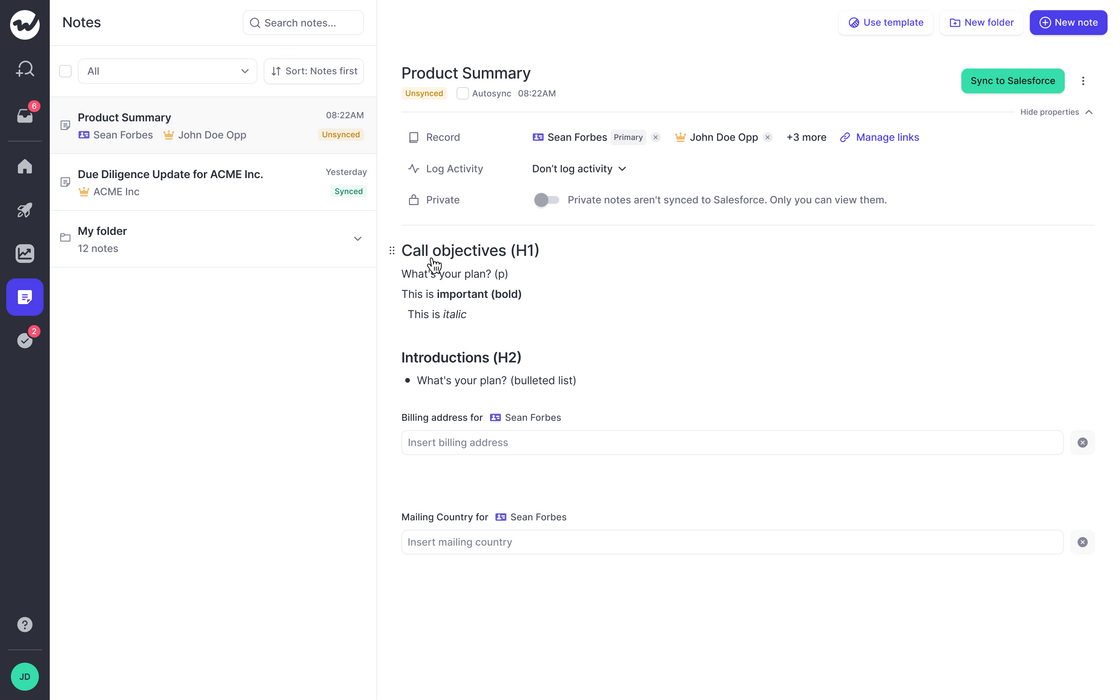
  • We made significant improvements to the speed and performance of our notepad
  • Typing should feel a lot better
  • Large amounts of notes in the archive do not affect the usability anymore
Notepad - Speed Improvements

August 2023

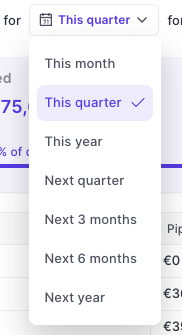
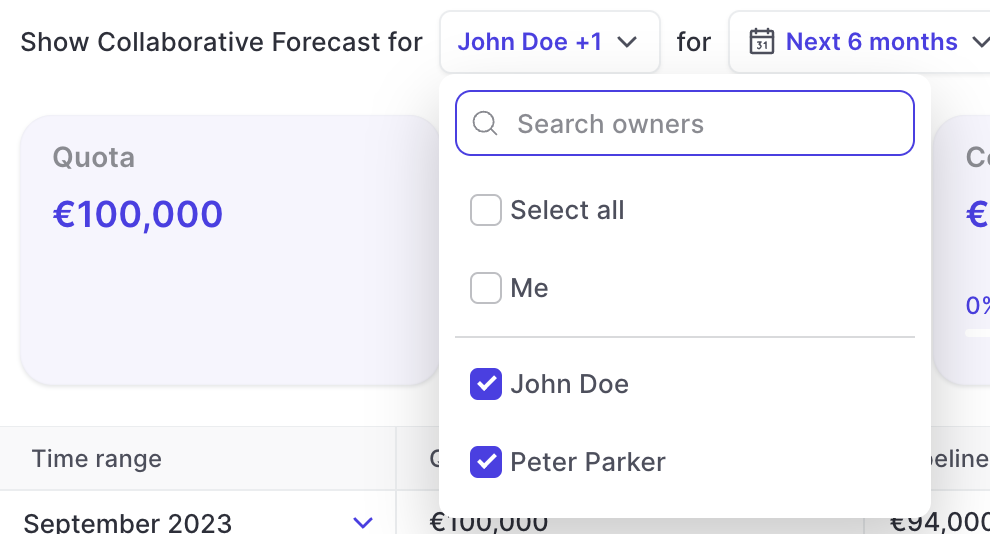
"All" and "Me" option for owner filter in forecasting

  • Users of the forecasting features in Weflow can now quickly filter for all users or only themselves via the owner filter
  • This feature was added based on feedback from one our customers (Thank you 👍)
"All" and "Me" option for owner filter in forecasting

Most recent bug fixes

  • The date filter in the custom filter did not immediately render results when switching the operator.
  • A New View could be created without any record by clicking enter in the creation modal before selecting an object type.
  • Users were unable to add images to Note templates.
  • Multiple record templates should not be assigned to the same Profile via the admin console.
  • When opening the pipeline, it always opens the first tab. Now, it opens the last used tab.
  • The disconnected email toast message layout was broken-

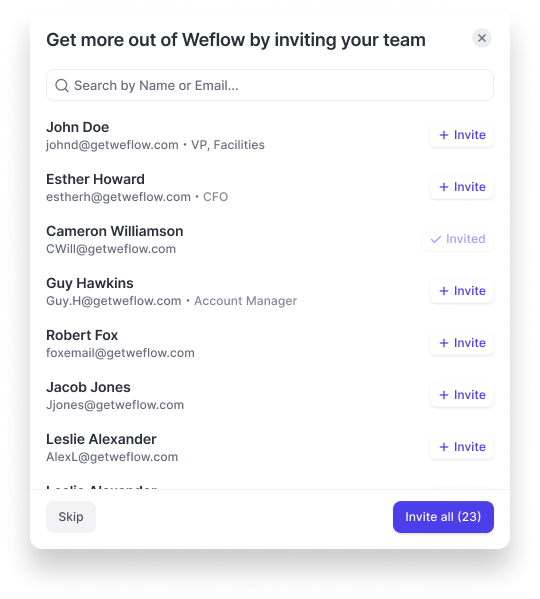
Making it easy to invite colleagues

  • New users who are on a trial or free license, can now easily invite colleagues with our new invite modal
  • Existing users and customers on paid plans, can trigger this modal manually via the help section at any given time
Making it easy to invite colleagues

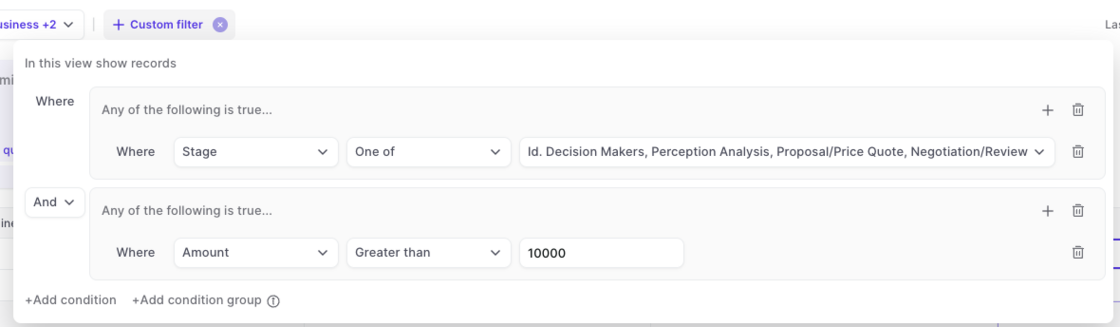
Custom Filter in Forecasting

Filter your forecasts with any field in Salesforce

  • Filter by geo, team, deal size, stage, …whatever makes sense for your business
  • The custom filter can be used for any forecasting view (Pacing, Waterfall, Collaborative Forecasting)
  • Enjoy full flexibility and stay in control with Weflow
Custom Filter in Forecasting

Smart Record Type Selection

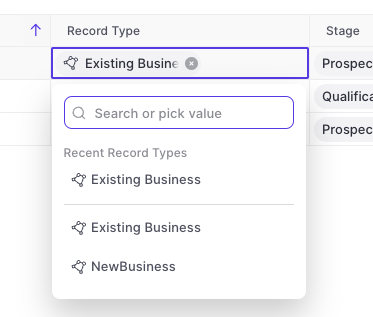
Weflow is automatically showing all options for record types now.

  • Previously, Weflow only showed recently used record types in the drop-down menu
  • Now, Weflow gives you a full list of all available record types and dynamically filters for relevant stages/statuses relating to said record type
  • This is part of our effort to reduce clicks and save you time wherever possible
Smart Record Type Selection

Show only stages relating to record type

The "Stage" field for Opportunities or "Status" field for Leads will automatically show only the values relating to the specific record type.

Multi-Currency Support

Weflow now supports multi-currency setups. There is nothing you need to configure within Weflow. All conversion rates and currencies are imported automatically from your existing Salesforce setup.

July 2023

Related notes

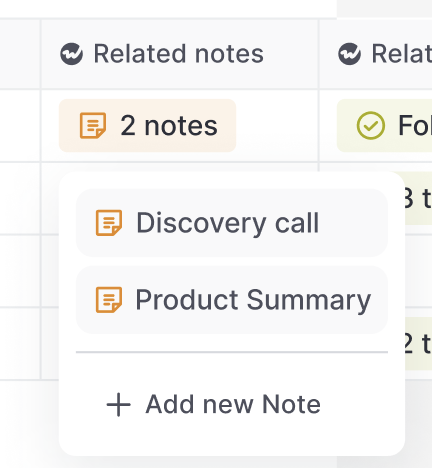
Access notes via the "Related Notes" field anywhere in your pipeline, sidebar, or Chrome Extension.

You can add this special Weflow field anywhere you want in our Web App or Chrome Extension.

Related notes

Create templates for "New Records" and activities

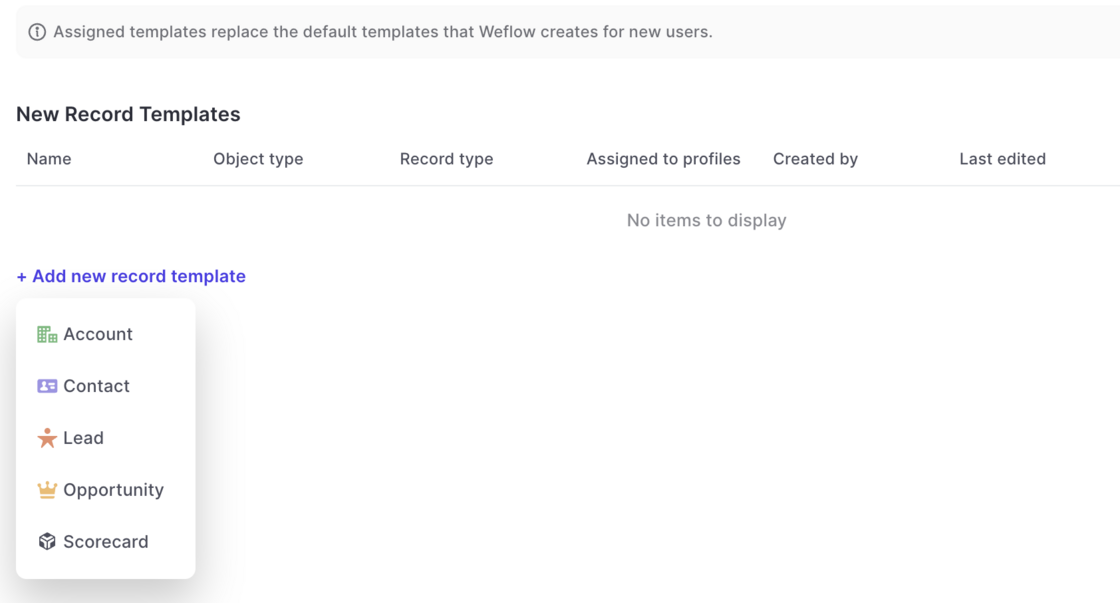
Now, you can create templates for new records as well as activities and meetings via the admin console and assign them to different user profiles.

  • Go to the admin console
  • Select the template section
  • Create a template for a standard or custom object
  • Assign the template to a profile of your choice
  • Please note: You cannot assign more than one template per record type to the same profile
Create templates for "New Records" and activities

Reply Rate (Weflow Field)

  • The email reply rate field (Weflow Field) sometimes was calculated incorrecly
  • This has been fixed as part of the v2.3 release

Various improvements (v2.2.5 release)

The following improvements and fixes were applied to Weflow as part of the latest v2.2.5 release on July 17th 2023:

  • The "Panel" is now called "Sidebar" everywhere in the application
  • Activities and meetings can be logged for the "Lead" object now
  • There is no limit on the description field for tasks, meetings and other activities anymore
  • The task list in the home screen always uses the filters "Overview" and "Mine"
  • When changing an operator in the custom pipeline filter, the pipeline is re-rendered automatically now

Forecasting Waterfall

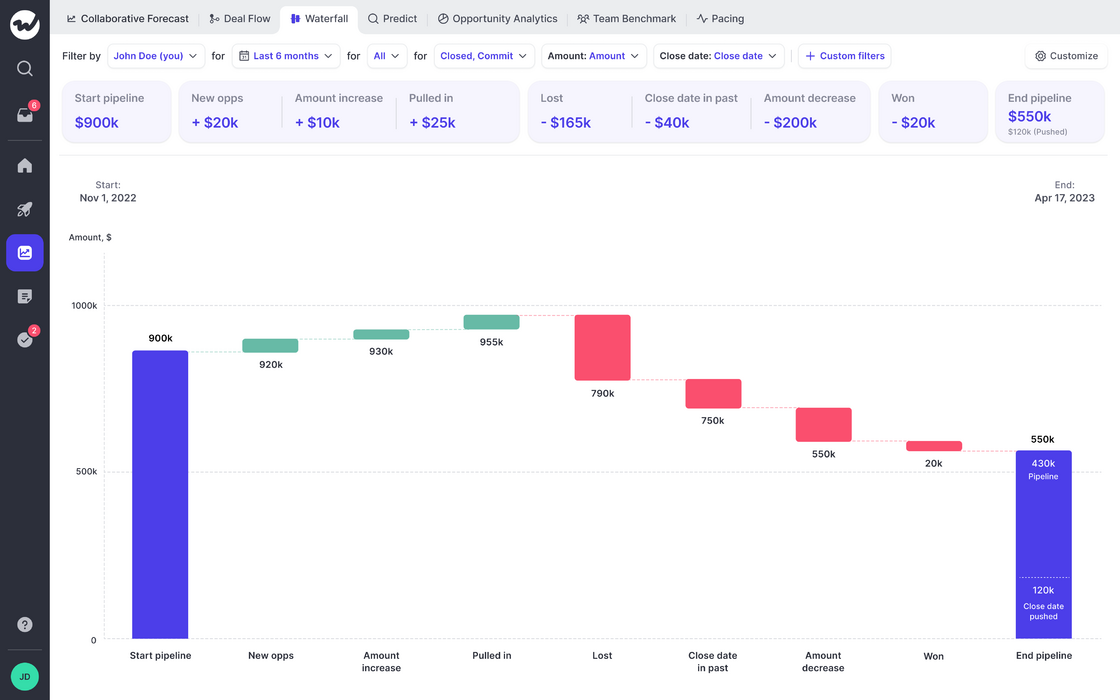
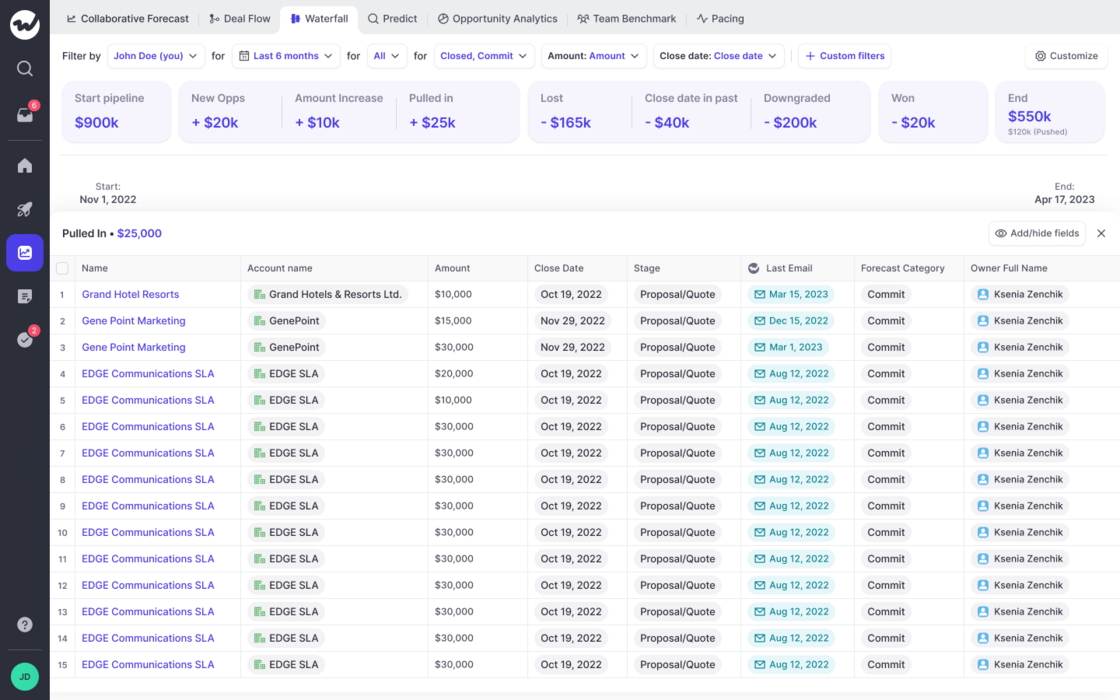
See how your pipeline developed over time. Filter by rep or entire teams.

If you have questions or feedback, please reach out to us at hello@getweflow.com or contact your customer success manager.

  • If you have forecasting enabled, you can now quickly learn how your pipeline developed over time
  • Filter by owner, record time and different time frames
  • Quickly learn which opportunities relate to the different categories such as "Close date pushed out", "Amount increased", "Amount decreased" and others

Forecasting WaterfallForecasting Waterfall

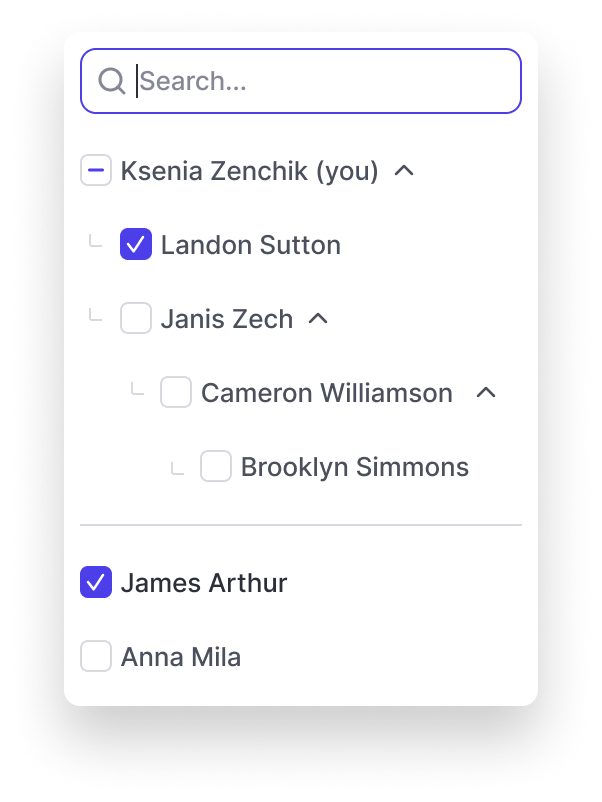
Filter by direct report

  • The "Owner" filter in Weflow's forecasts and pipeline sections automatically display team structures now
  • By selecting a manager, you automatically select the entire team
Filter by direct report