Weflow changelog

67 updates shipped in 2026339 all time

Showing March 2026 and earlier · Back to latest

March 2026

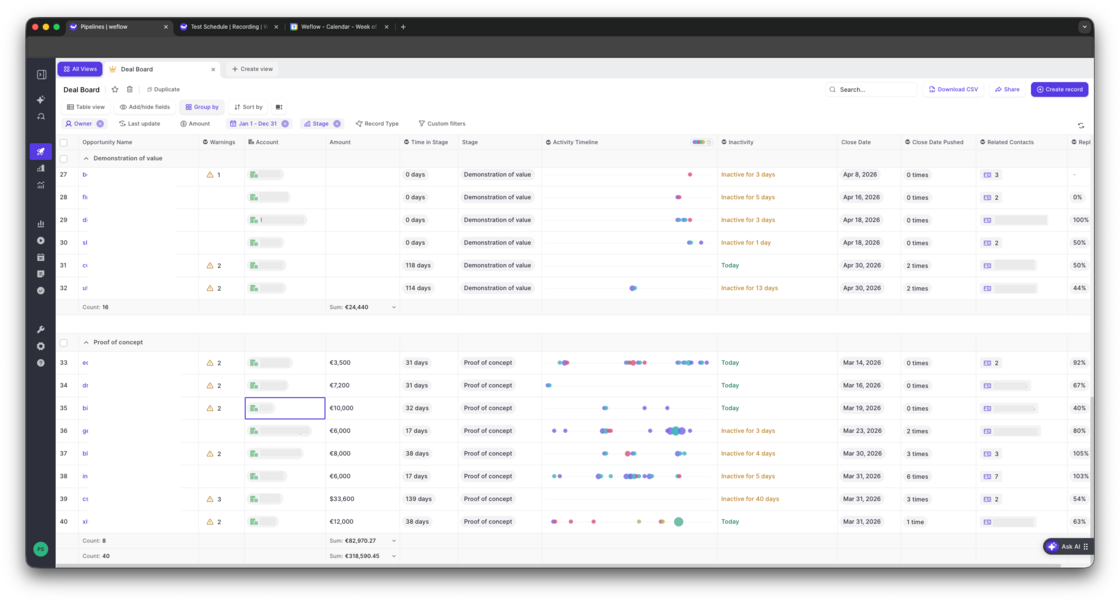
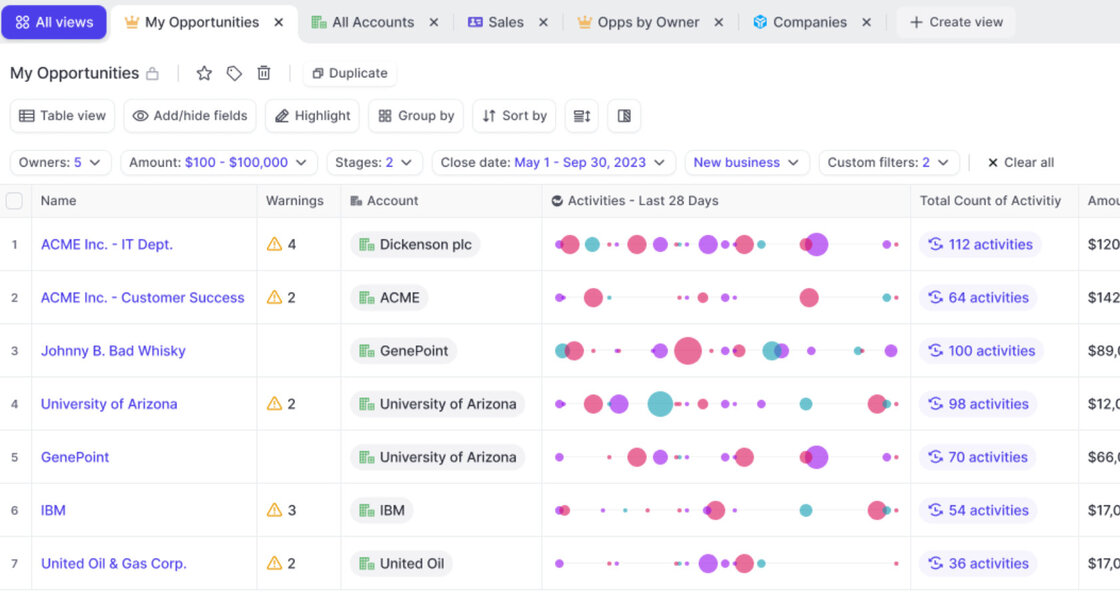
Deal Board - Activity Timeline

  • The new "Activity Timeline" field can be added to any Opportunity pipeline view via the "Weflow Fields"
  • A future update will make this available across all objects incl. accounts, leads and contacts
Deal Board - Activity Timeline

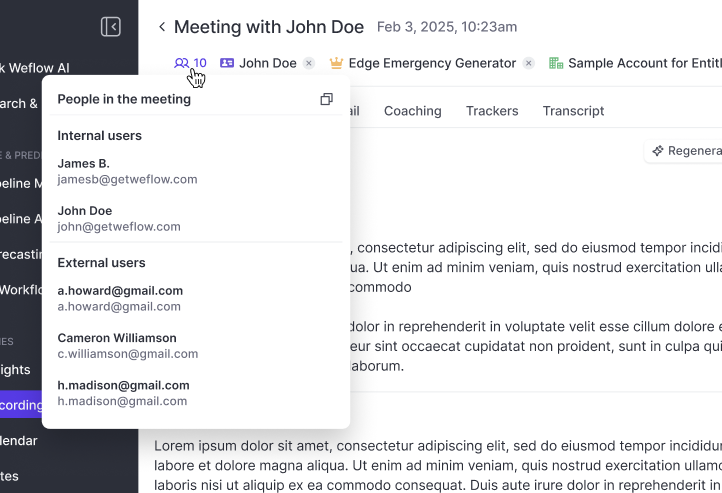
Copy meeting participant's emails with one click

  • Independent from whether or not the record was successfully linked to a Contact or Lead, Weflow will always show you the participants based on the calendar invite.
  • You can copy all email addresses with one click e.g. for your follow-up email.
Copy meeting participant's emails with one click

The new Dealboard

  • See activities directly in your pipeline view
  • Bi-directionally synced with Salesforce
  • Compatible with any custom object or field
The new Dealboard

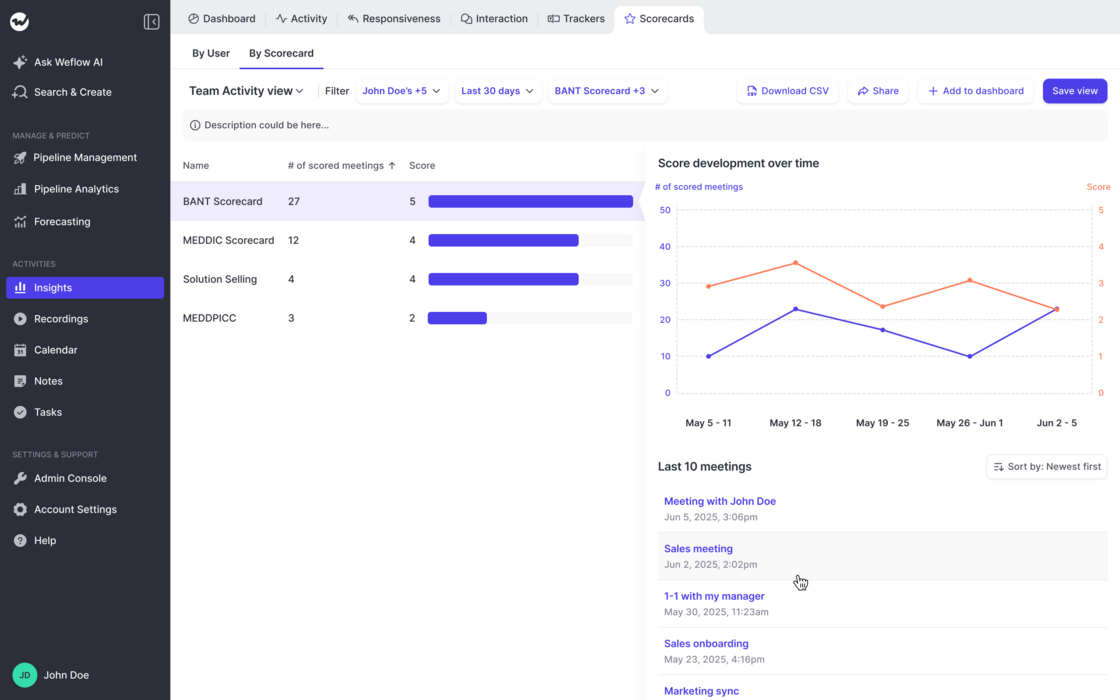
Coaching Scorecards in Insights

Track ratings by Users:

Track ratings by Scorecard:
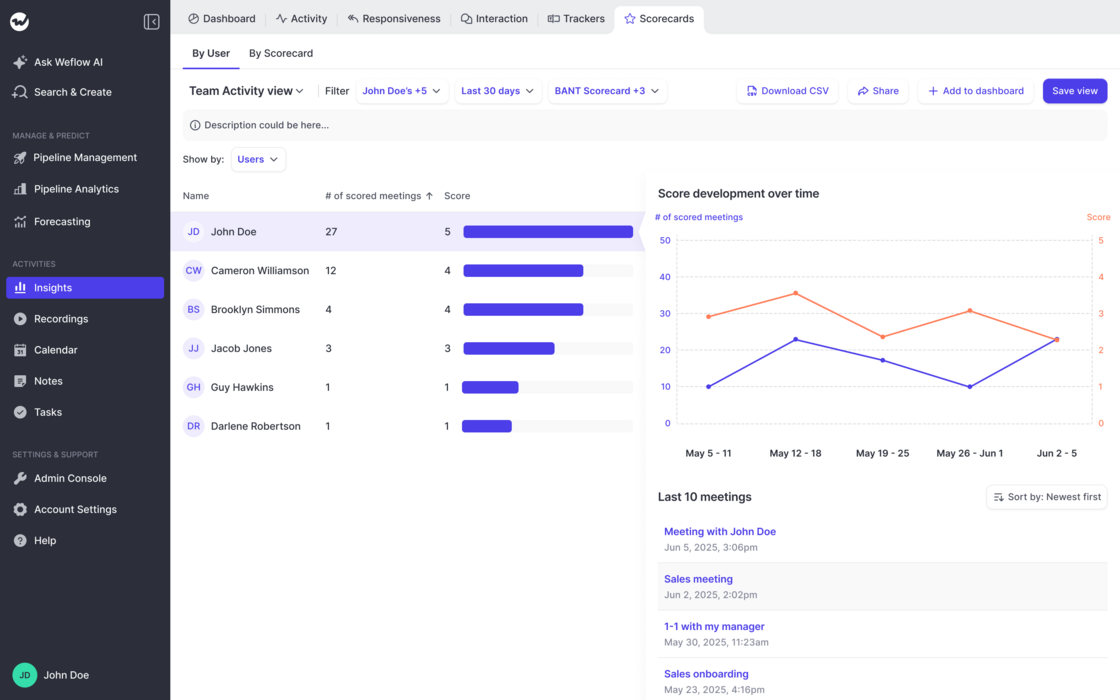
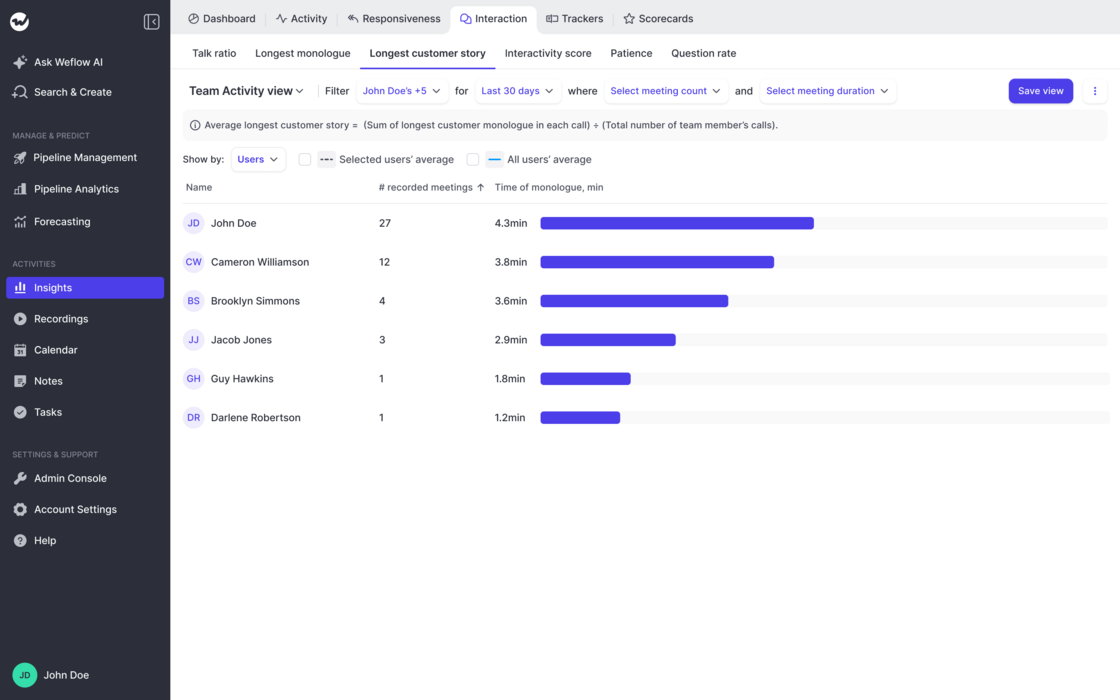
  • This new addition to the "Insights" feature in Weflow let's admins and end-users alike track ratings across users, scorecards and time.
  • Create customizable views looking at different groups of users, scorecards, and timeframes.
  • Understand if and how ratings change over time.
  • Quickly drill deeper into the related activities.
Coaching Scorecards in InsightsCoaching Scorecards in Insights

February 2026

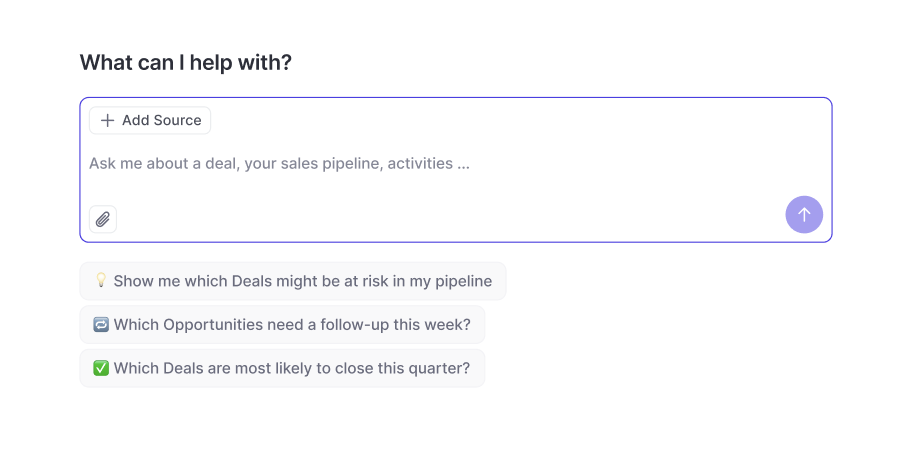
Weflow AI

Examples and Use Cases:

  • Weflow's new stand-alone AI empowers users to query their CRM, Activity and Conversation data easily.
  • Users only have access to recordings they can already access as per permissions defined in Salesforce + Weflow.
  • "Summarize objections from meetings in the past 7 days"
  • "Tell me what to focus on next!"
  • "Write me a follow-up email for all stalling deals with a close date this month."
Weflow AI

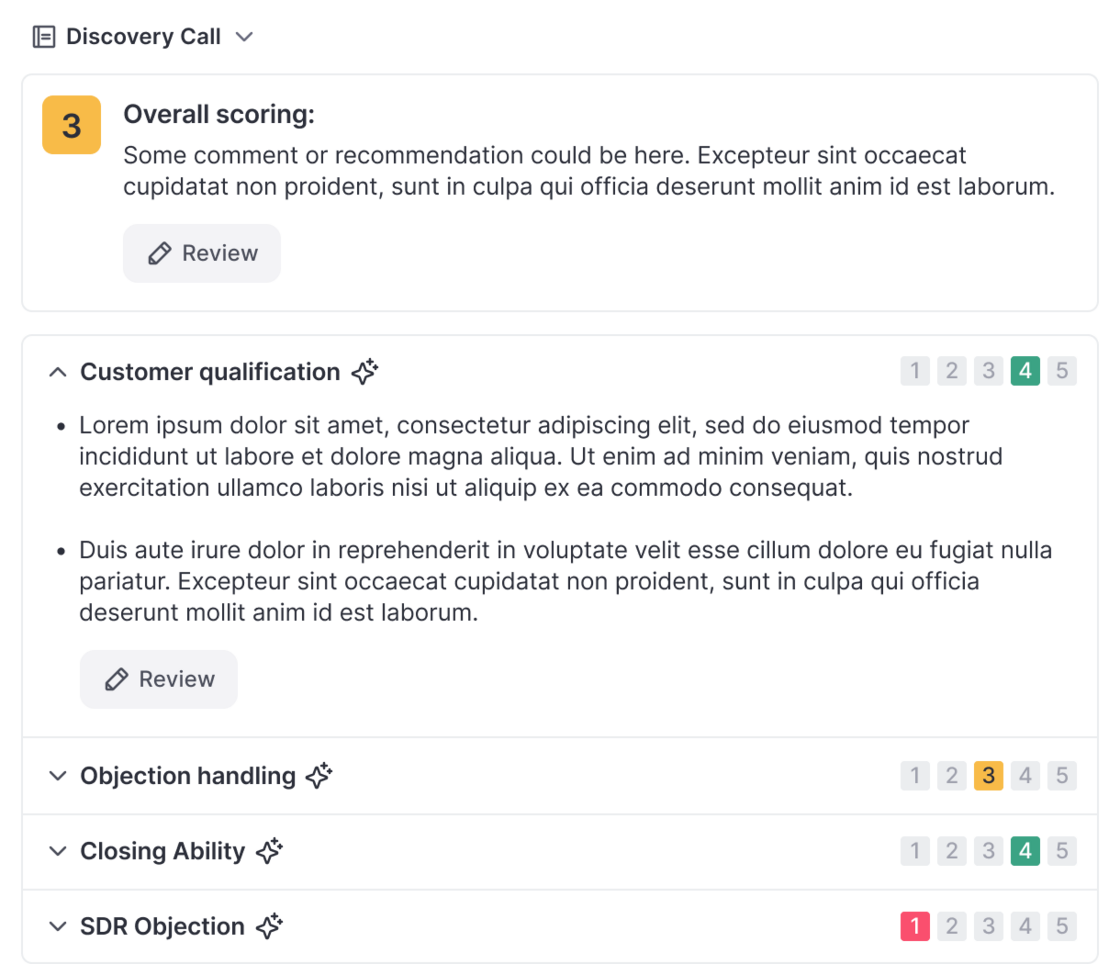
Scorecards in Coaching

  • Scorecards can now be added in the "Coaching" tab in Weflow's Conversation Intelligence feature.
  • Scores are stored per meetings and can be used to review performance over time.
  • A new Scorecard Insights feature will be released within February 2026 to track scores across users and scorecards conventienly.
Scorecards in Coaching

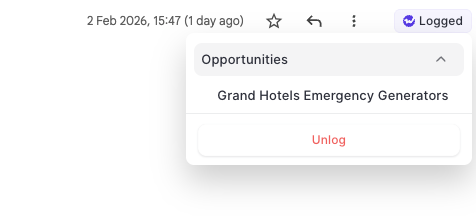
Unlog Emails

  • With the Outlook Add-In and Chrome Extension, users can now "unlog" email activities and re-log them to a seprate record.
  • As Salesforce does not allow changing the name / related record on an email message object, the unlogging feature is a unique way to change the logging behvaior on a single email message.
Unlog Emails

January 2026

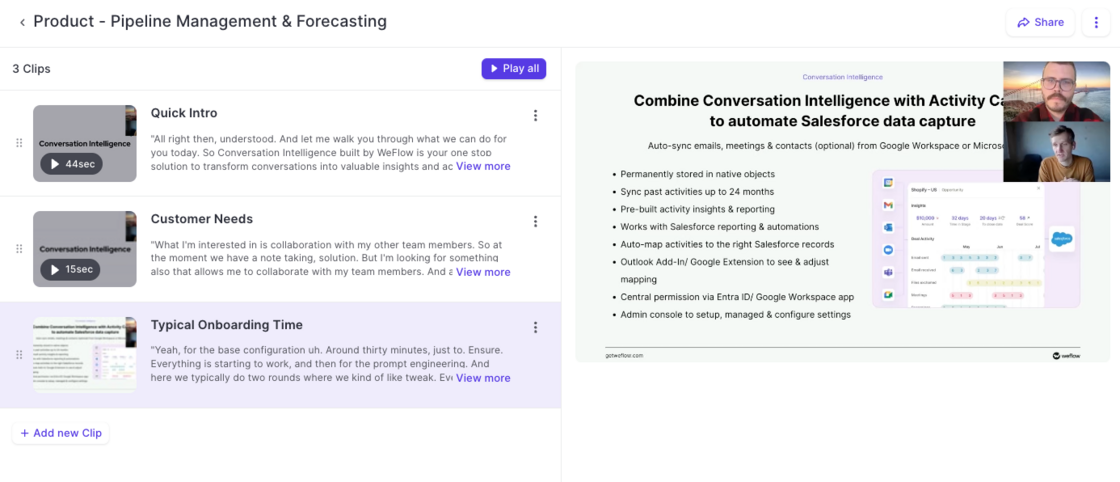
Playlists

  • Create playlists to bundle recordings and clips.
  • Share playlists with prospects, customers or internally.
  • Easy-to-use tool to help support sales enablement.
Playlists

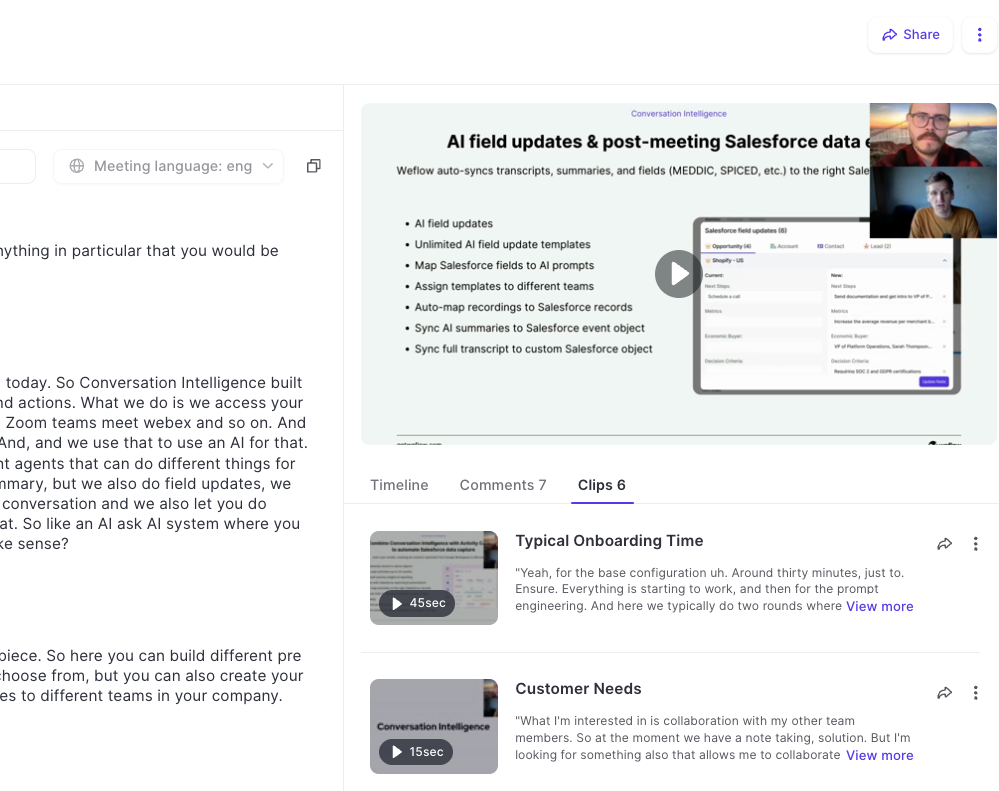
Clips

  • Admins and end-users can now create clips from recordings in Weflow.
  • Share, edit, rename, and download clips.
  • Add clips to playlists to share best practices and customer shout-outs.
Clips

December 2025

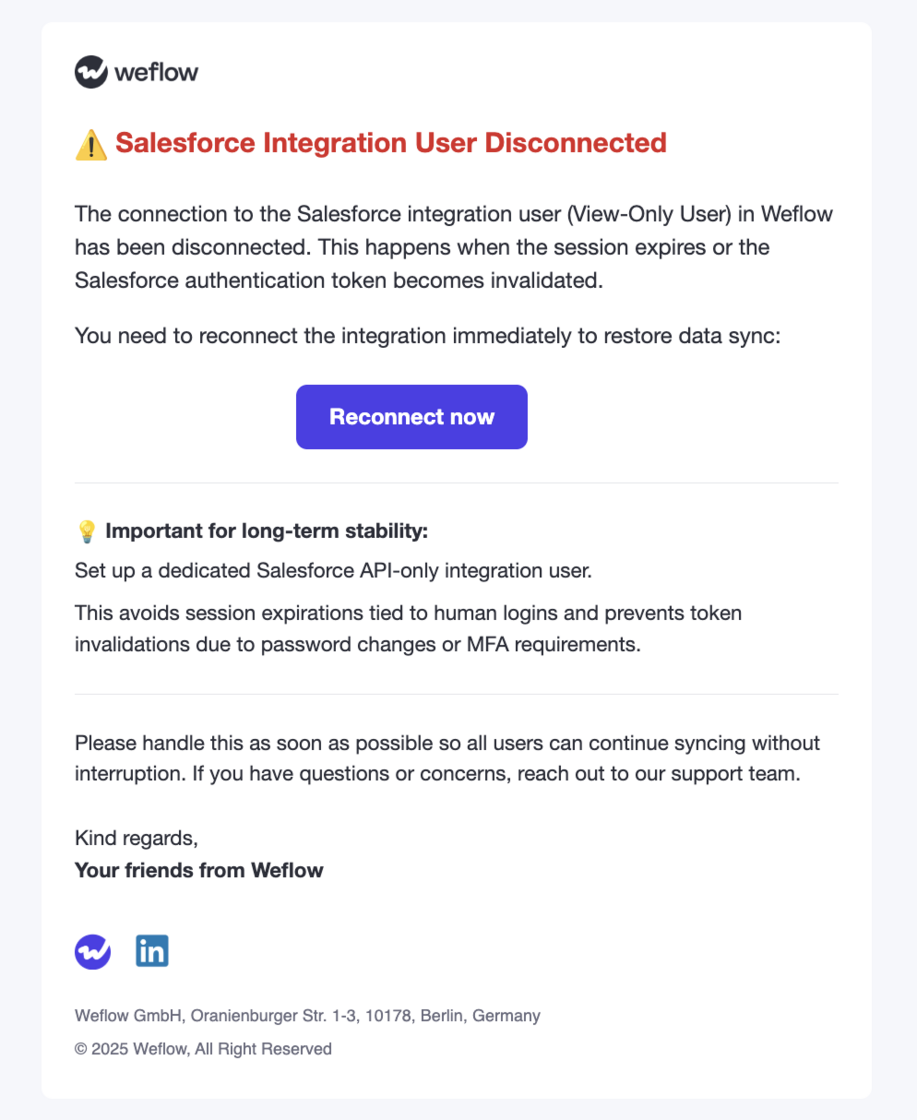
Integration User Notification

  • Weflow will now notify admins when an integration user becomes disconnected.
  • We continue to recommend a Salesforce API Only Integration user for a stable and lasting connection to Weflow.
Integration User Notification

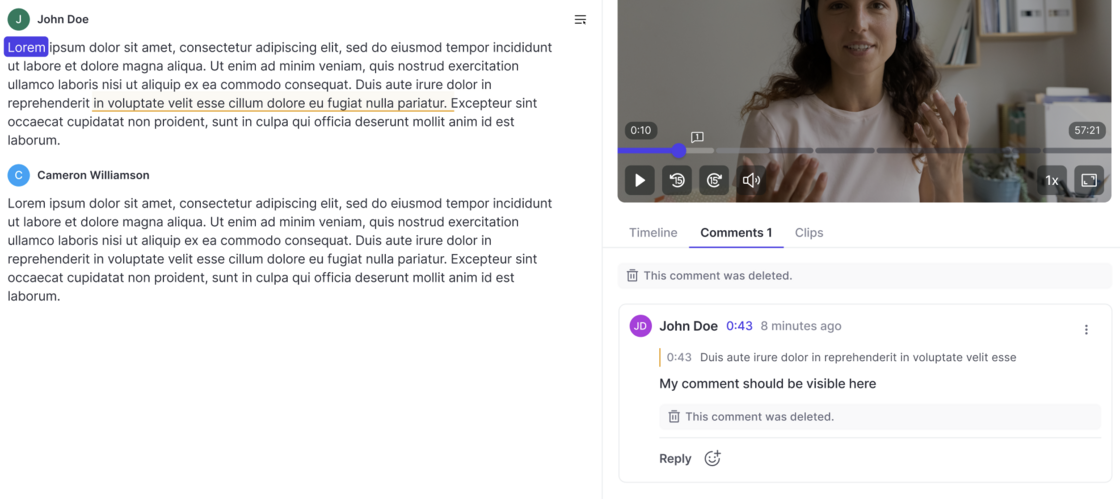
Commenting on Recordings

  • All users can create comments below recordings now (if they have access to the recording).
  • Add comments for specific timestamps or sections in the transcript.
  • React with emojis.
  • Marked users receive an email notification.
Commenting on Recordings

Weflow Hierarchy

The feature lets you define a custom team hierarchy inside Weflow that overrides the Salesforce role hierarchy.

What it enables

--

How it works

This lets you mirror your operational org structure inside Weflow without depending on Salesforce’s hierarchy.

  • You can manually arrange your Weflow teams into a parent-child hierarchy by dragging and dropping.
  • This hierarchy controls which users can access whose recordings and insights.
  • After enabling the feature, all existing Weflow teams appear in a flat list.
  • You can assign any team to report into another team.
  • The structure you create is used only by Weflow; it does not affect Salesforce.

November 2025

Give access to recordings to specific users only

Instead of giving an entire team access to all recordings or trying to give access through complicated hierarcy systems, Weflow also let's you give access to all recordings of a team to specific individual users:
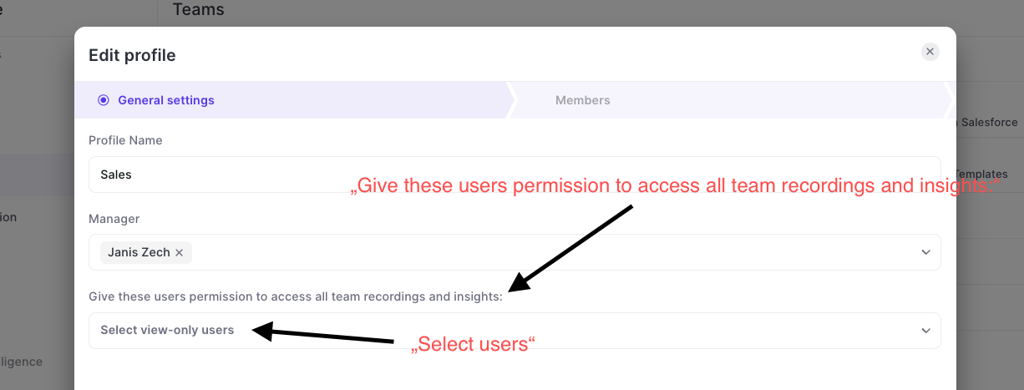
  • Go to "Teams"
  • Go to the "General settings"
  • Assign users in the dropdown that is called "Give these users permission to access all team recordings and inisghts"
Give access to recordings to specific users only

October 2025

Updated video player

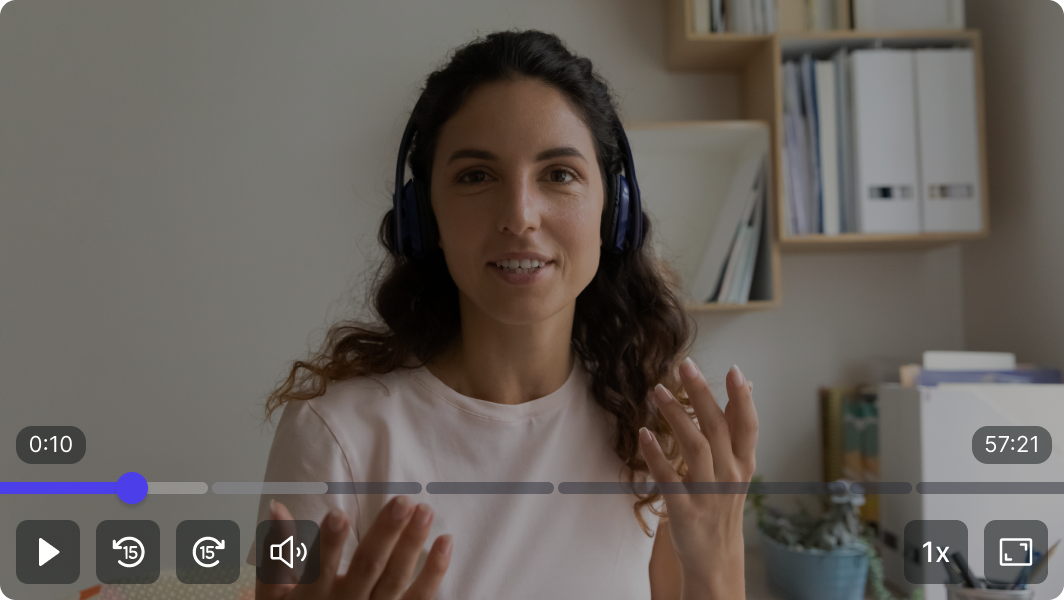
  • Skip forward/backward 15 seconds
  • Increase playback speed (0.8x - 2.5x)
  • Use spacebar to control play/pause
  • Easer navigation with bigger play bar
Updated video player

Create dynamic teams with AND/OR conditions

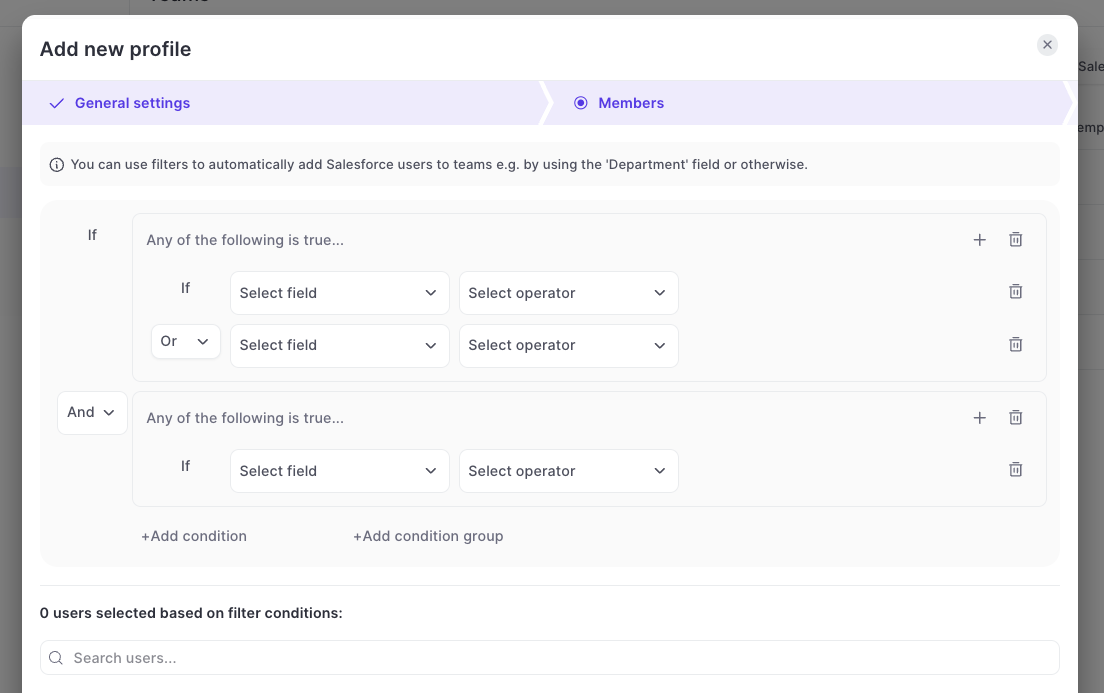
  • Previously, Weflow only supported AND conditions
  • Now, you can use AND / OR conditions and also create multiple condition groups
  • You can find this option under TEAMS > DYNAMIC TEAMS
Create dynamic teams with AND/OR conditions

Download Recordings

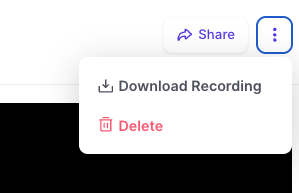
  • Full Access Permission users are now enabled to download recordings directly from Weflow.
  • The recording includes the full audio, video and screen sharing.
Download Recordings

Regenerate Meeting Summary

  • With this new option, you can create up to three new summaries of the meeting transcript.
  • Clicking this button will trigger Weflow to re-process the transcript and create new AI-summaries.
Regenerate Meeting Summary

Responsiveness Reports

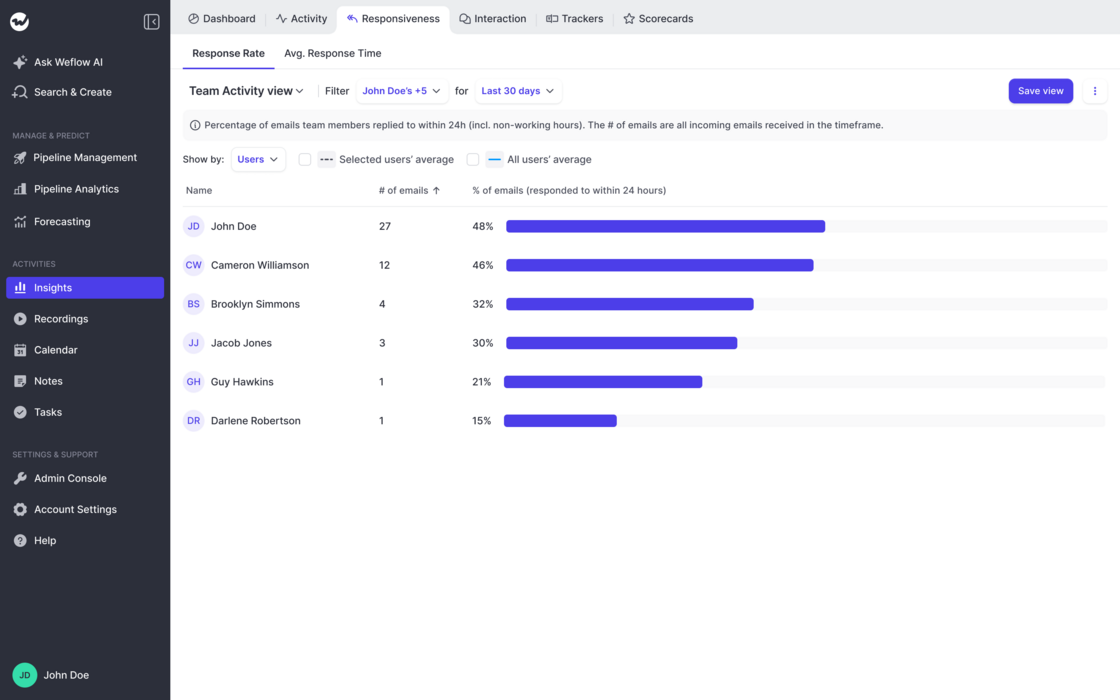
  • Out-of-the-box report on email responsiveness by rep
  • Share of emails they respond to within 24 hours
  • Average response time to emails in hours
  • Create infinite reports with different users/time frames etc.
Responsiveness Reports