Weflow changelog

67 updates shipped in 2026339 all time

Showing June 2026 and earlier · Back to latest

June 2026

Custom Email Processing Delay Time

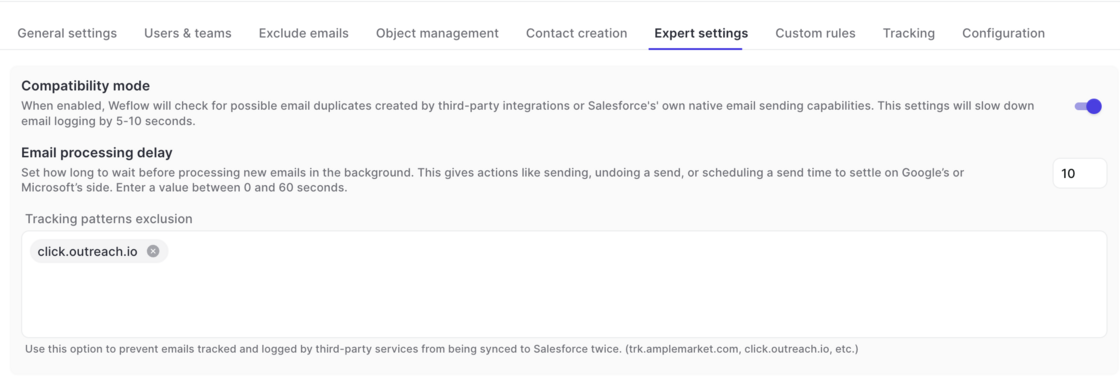
  • Outlook and Google Workspace allow admins to define custom "undo" timeouts to set the time that users have to undo a sent email.
  • If your admin has set a time of >10 seconds to undo an email, we recommend adjusting the processing delay time in Weflow in your activity capture configuration.
  • Go to Activity Capture -> Expert Settings -> Email Processing Delay
Custom Email Processing Delay Time

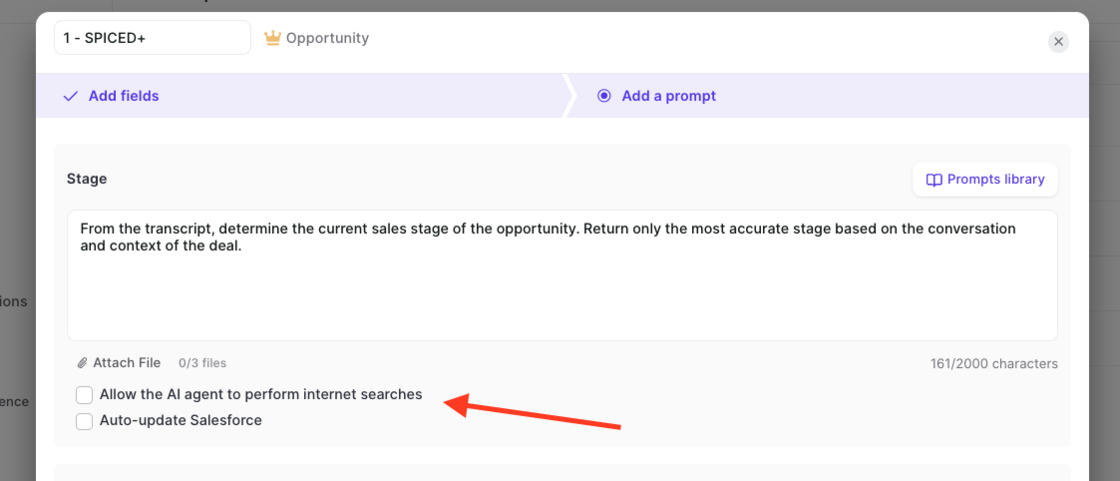
Auto-update individual fields, web search + PDF upload for field updates

  • Admins can now configure Weflow to update specific fields (or all fields) automatically, without requiring user verification.
  • Admins can upload PDF files to give the AI additional context.
  • Admins can also enable web queries, letting Weflow enrich its output with publicly available information.
Auto-update individual fields, web search + PDF upload for field updates

Read-Only Mode and Field Restrictions

You can now control which fields users are allowed to edit in Weflow when syncing to Salesforce. By default, Weflow syncs records bi-directionally, so any change you make in Weflow updates Salesforce instantly. With this release, admins get two new ways to tighten that:

Read-only mode: Blocks all record creation and field updates from Weflow to Salesforce. Users can still create tasks, notes, events, emails, and recordings.

Field-level permissions: Allow specific fields to be edited while locking the rest. For example, you can keep Close Date editable on opportunities while setting Stage, Amount, and Owner to read-only.

Download Insights as CSV files

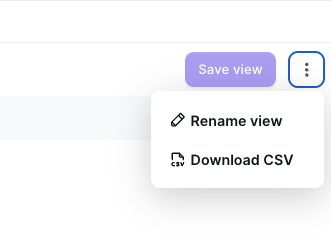
  • Users can now download reports from the Activity, Interaction, Scorecard, etc. insights as CSV file.
  • This feature has been enabled for all customers on version 3.15
Download Insights as CSV files

Forecast Accuracy Tracking

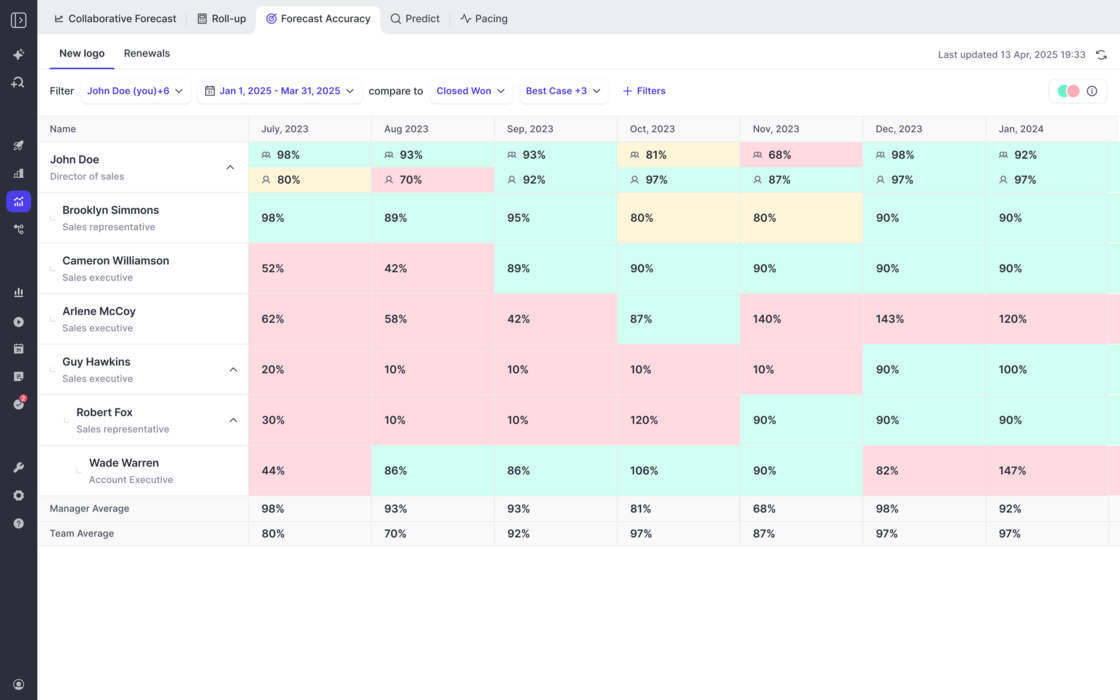
  • Weflow tracks the forecasting accuracy across all forecast calls by manager, team, and individual user.
  • Admins can create flexible views for different forecast setups and filter against which field they want to track the accuracy (e.g. Closed/Won).
  • This feature is automatically enbaled for all customers with access to the Forecasting module.
Forecast Accuracy Tracking

May 2026

Meeting Prep from Weflow Calendar

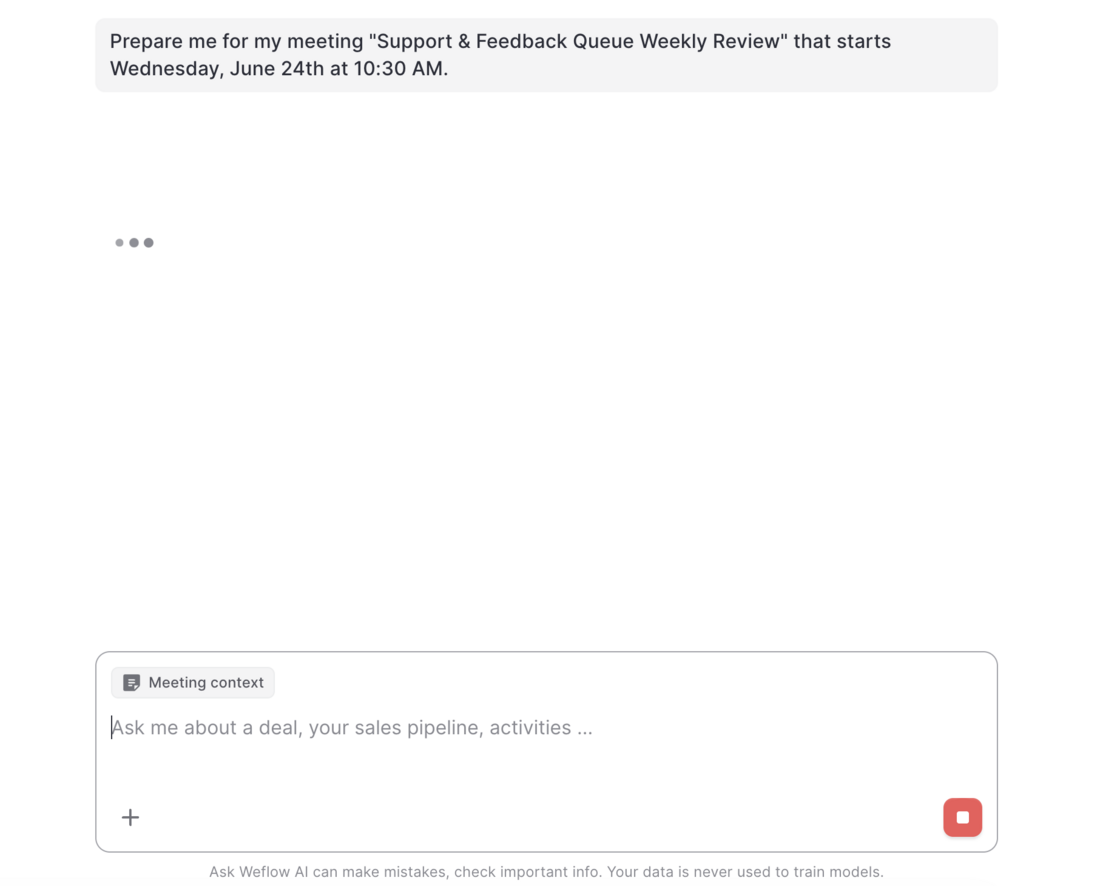
This new addition to Weflow's AskAI let's users prepare for any upcoming meeting on their calendar by clicking the "Prepare meeting" button.

When clicked on, users get forwarded to Weflow's AskAI.

The AI will retrieve any available context information e.g. emails, meetings, previous recordings and Salesforce to prepare a meeting brief 👇

Meeting Prep from Weflow CalendarMeeting Prep from Weflow Calendar

April 2026

Allow Activity Capture for Individual Users with dedicated OAuth Flow

For companies who want to avoid giving Weflow the permission to modify and send emails from Google Workspace, Weflow now offers a new authentiction flow that limits Weflow to read and sync emails from Google Workspace to Salesforce only.

Contact your account manager or support to enable this feature for your organization.

March 2026

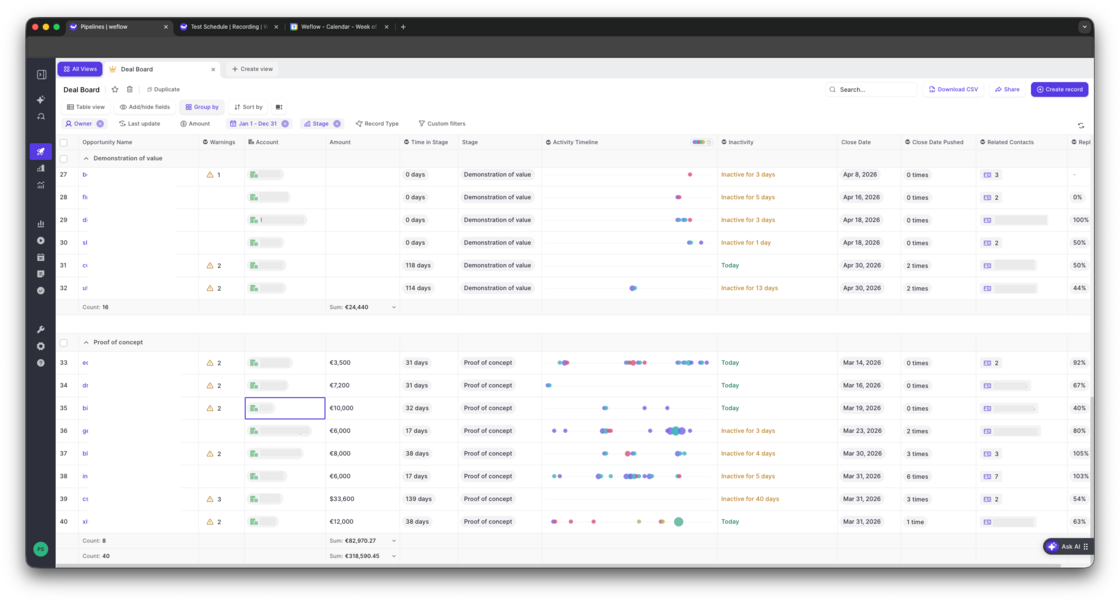
Deal Board - Activity Timeline

  • The new "Activity Timeline" field can be added to any Opportunity pipeline view via the "Weflow Fields"
  • A future update will make this available across all objects incl. accounts, leads and contacts
Deal Board - Activity Timeline

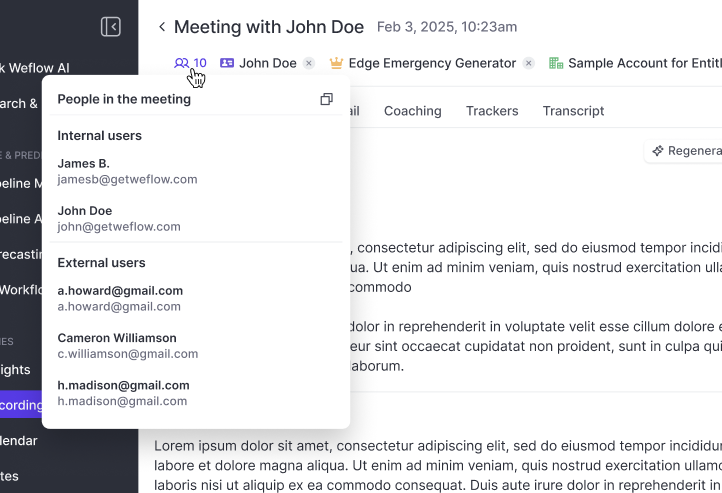
Copy meeting participant's emails with one click

  • Independent from whether or not the record was successfully linked to a Contact or Lead, Weflow will always show you the participants based on the calendar invite.
  • You can copy all email addresses with one click e.g. for your follow-up email.
Copy meeting participant's emails with one click

The new Dealboard

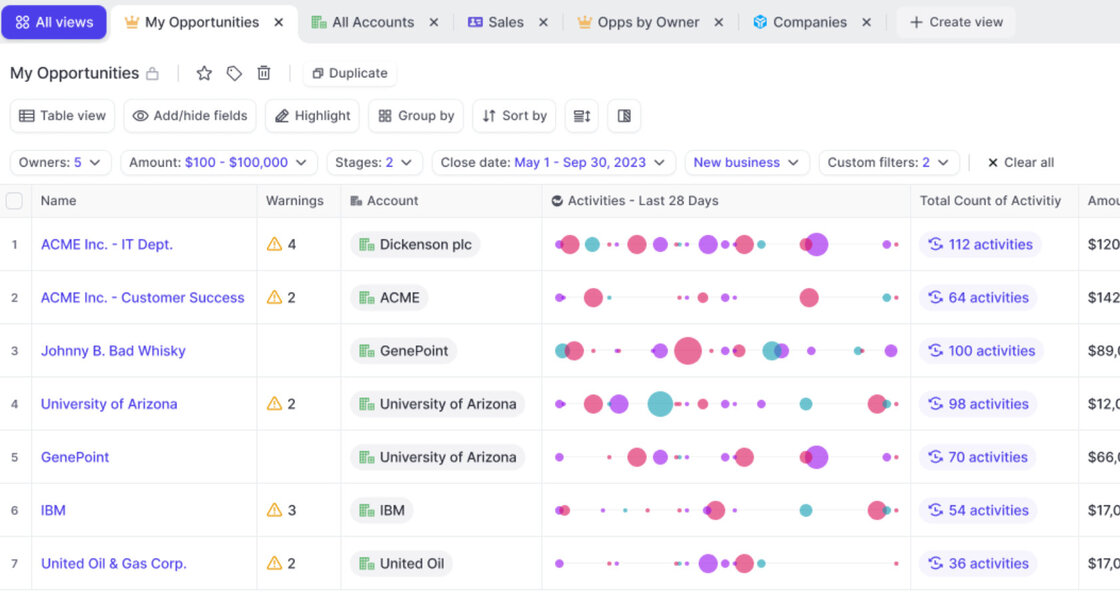
  • See activities directly in your pipeline view
  • Bi-directionally synced with Salesforce
  • Compatible with any custom object or field
The new Dealboard

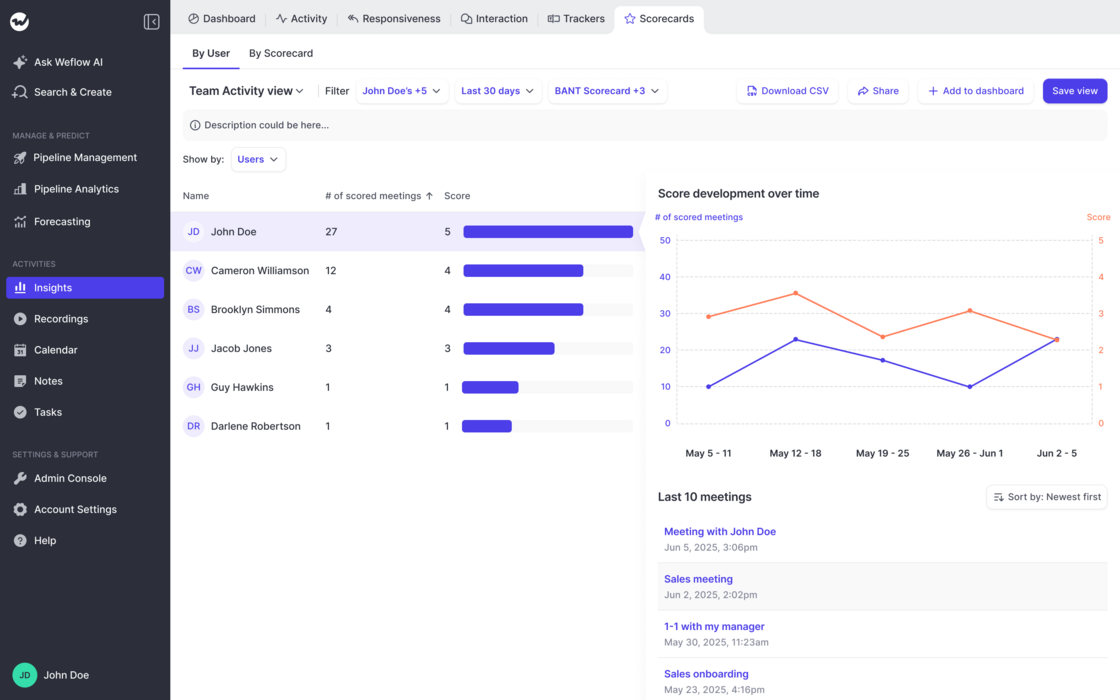
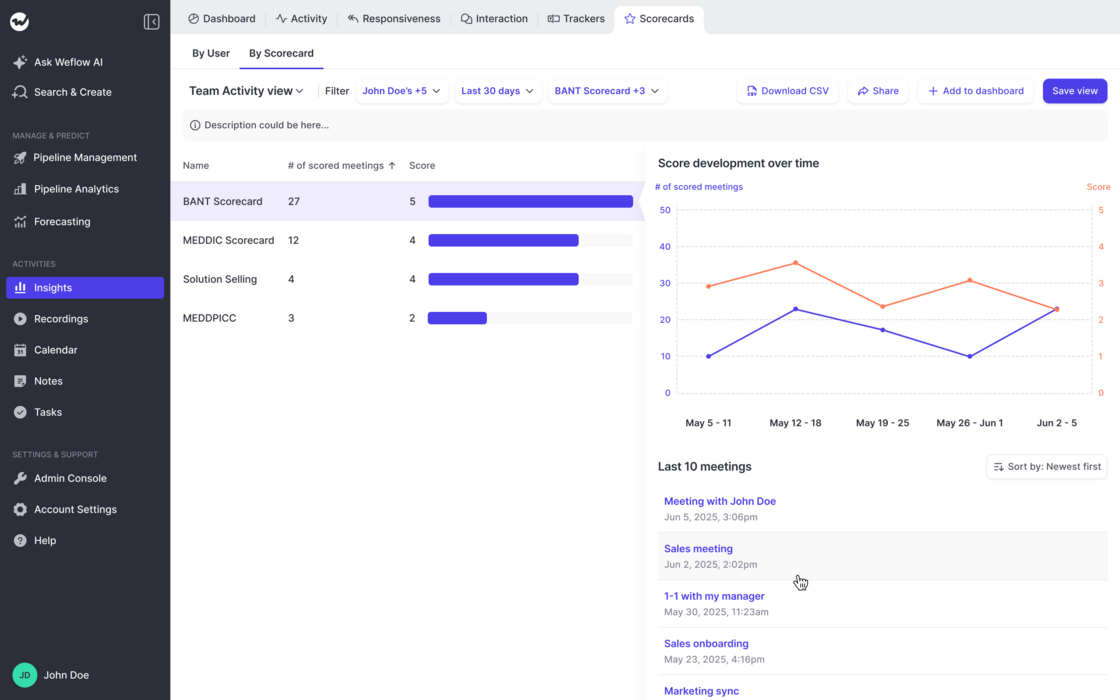
Coaching Scorecards in Insights

Track ratings by Users:

Track ratings by Scorecard:

  • This new addition to the "Insights" feature in Weflow let's admins and end-users alike track ratings across users, scorecards and time.
  • Create customizable views looking at different groups of users, scorecards, and timeframes.
  • Understand if and how ratings change over time.
  • Quickly drill deeper into the related activities.
Coaching Scorecards in InsightsCoaching Scorecards in Insights

February 2026

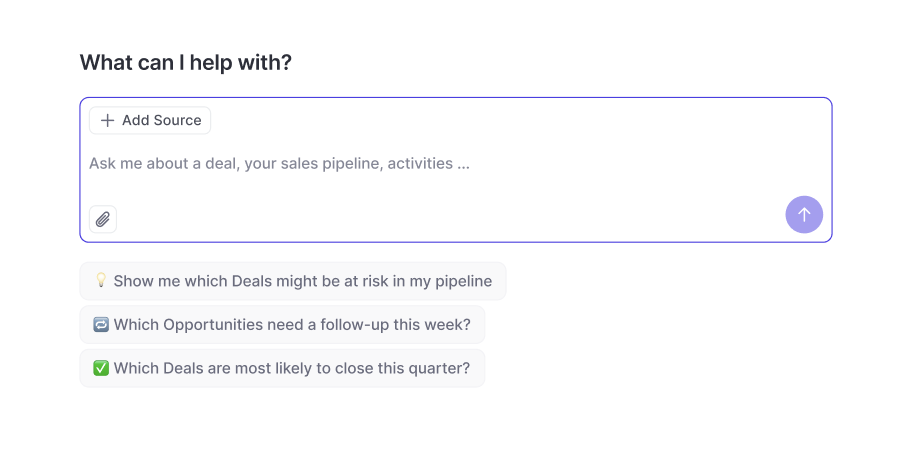
Weflow AI

Examples and Use Cases:

  • Weflow's new stand-alone AI empowers users to query their CRM, Activity and Conversation data easily.
  • Users only have access to recordings they can already access as per permissions defined in Salesforce + Weflow.
  • "Summarize objections from meetings in the past 7 days"
  • "Tell me what to focus on next!"
  • "Write me a follow-up email for all stalling deals with a close date this month."
Weflow AI

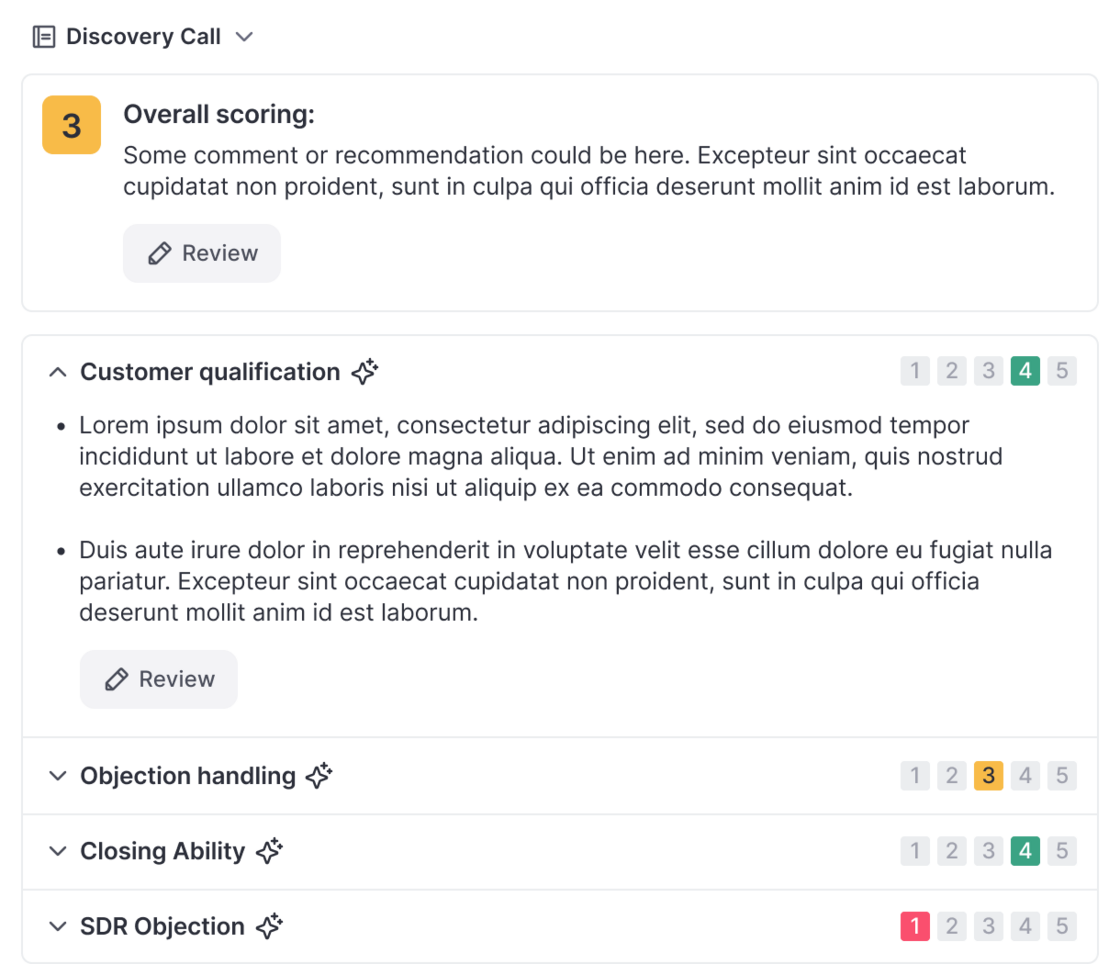
Scorecards in Coaching

  • Scorecards can now be added in the "Coaching" tab in Weflow's Conversation Intelligence feature.
  • Scores are stored per meetings and can be used to review performance over time.
  • A new Scorecard Insights feature will be released within February 2026 to track scores across users and scorecards conventienly.
Scorecards in Coaching

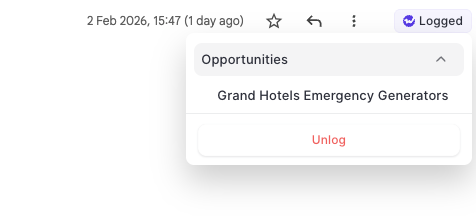
Unlog Emails

  • With the Outlook Add-In and Chrome Extension, users can now "unlog" email activities and re-log them to a seprate record.
  • As Salesforce does not allow changing the name / related record on an email message object, the unlogging feature is a unique way to change the logging behvaior on a single email message.

Unlog Emails

January 2026

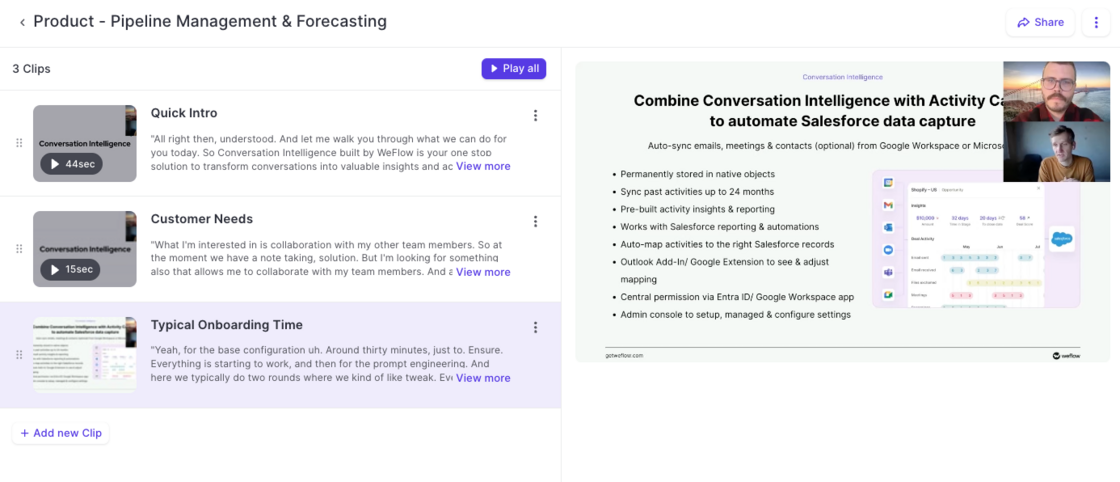
Playlists

  • Create playlists to bundle recordings and clips.
  • Share playlists with prospects, customers or internally.
  • Easy-to-use tool to help support sales enablement.
Playlists

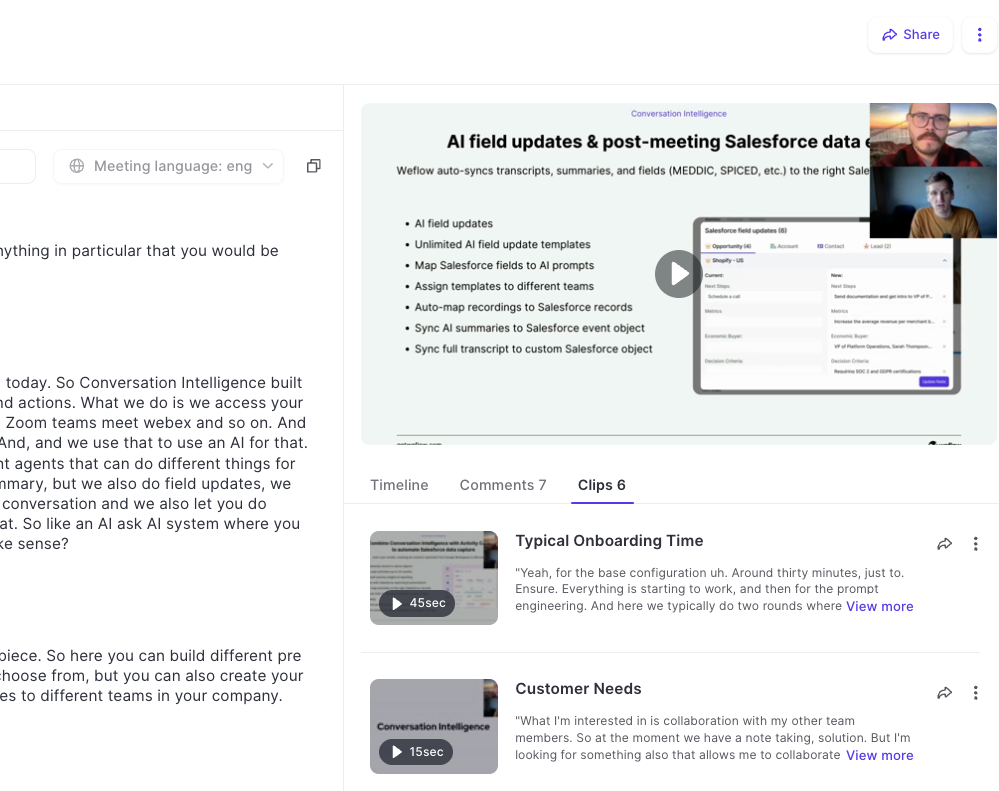
Clips

  • Admins and end-users can now create clips from recordings in Weflow.
  • Share, edit, rename, and download clips.
  • Add clips to playlists to share best practices and customer shout-outs.
Clips

December 2025

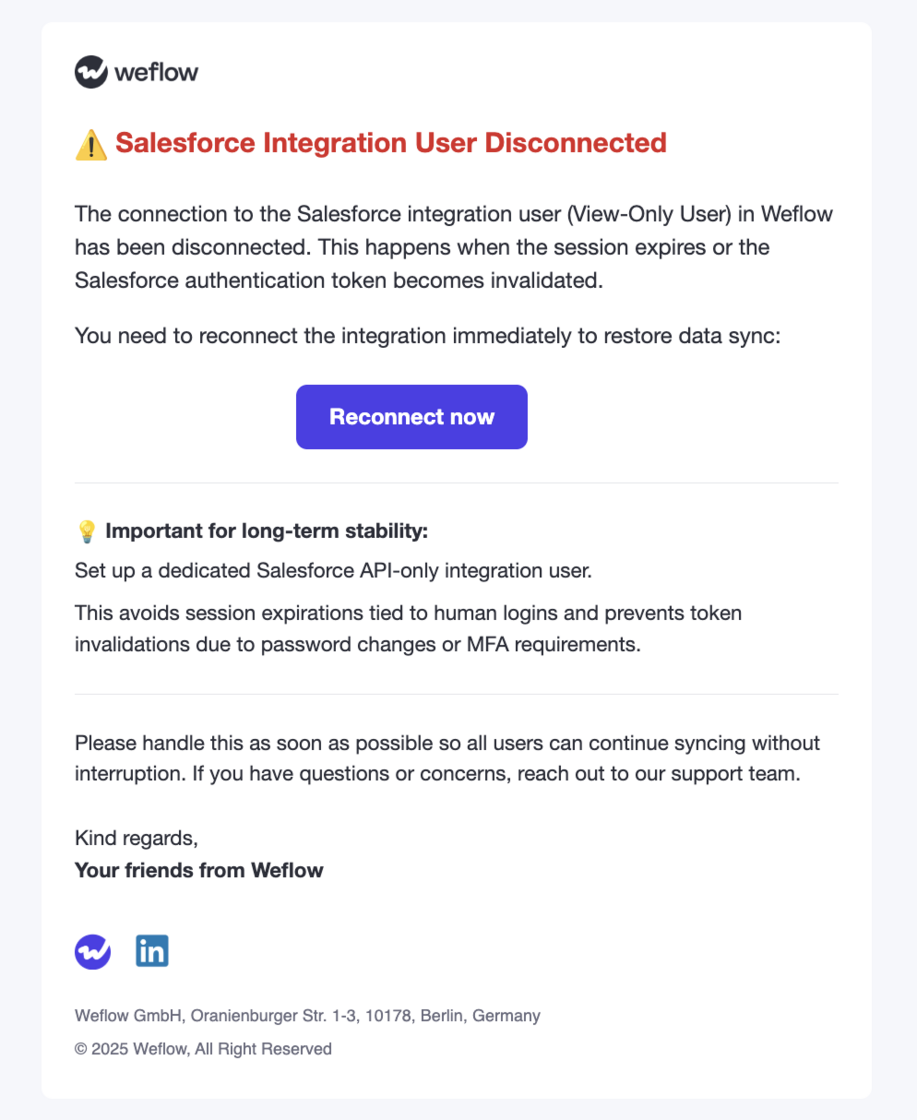
Integration User Notification

  • Weflow will now notify admins when an integration user becomes disconnected.
  • We continue to recommend a Salesforce API Only Integration user for a stable and lasting connection to Weflow.
Integration User Notification

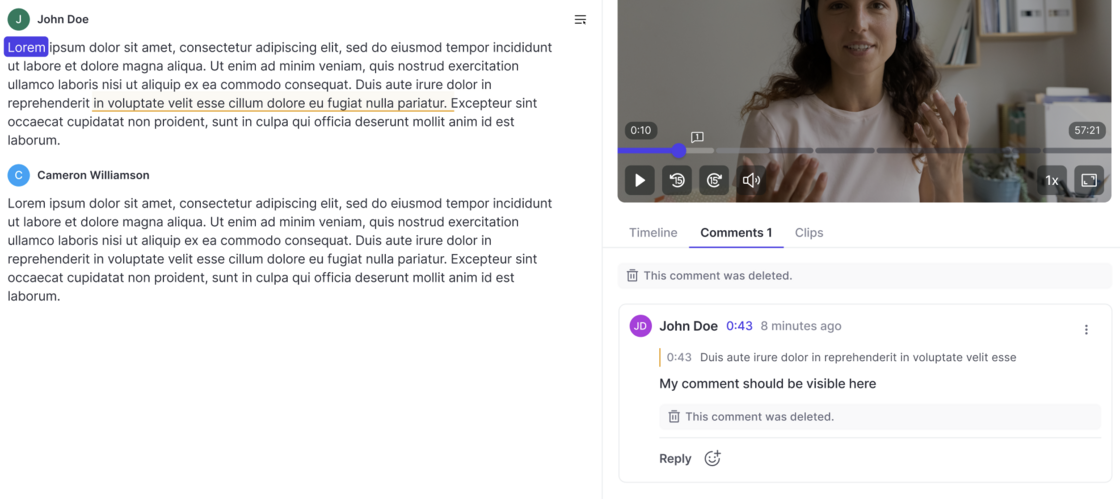
Commenting on Recordings

  • All users can create comments below recordings now (if they have access to the recording).
  • Add comments for specific timestamps or sections in the transcript.
  • React with emojis.
  • Marked users receive an email notification.
Commenting on Recordings