
Weflow changelog

67 updates shipped in 2026339 all time

Showing October 2023 and earlier · Back to latest

October 2023

Pipeline Coverage

Pipeline coverage is now displayed as a factor e.g. 2x instead of a percentage.
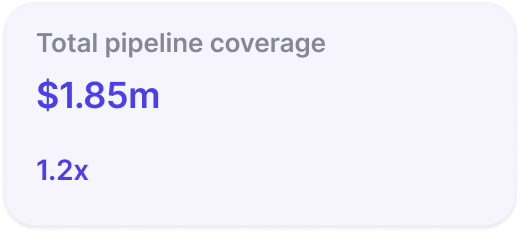
Pipeline Coverage

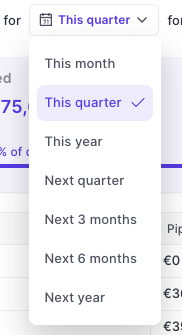
Stage Order

Weflow now respects the correct order of stages when using a 'group by' view in the pipeline or opening the selection options from a stage field (in sidebar and pipeline).
Custom Forecast Mapping

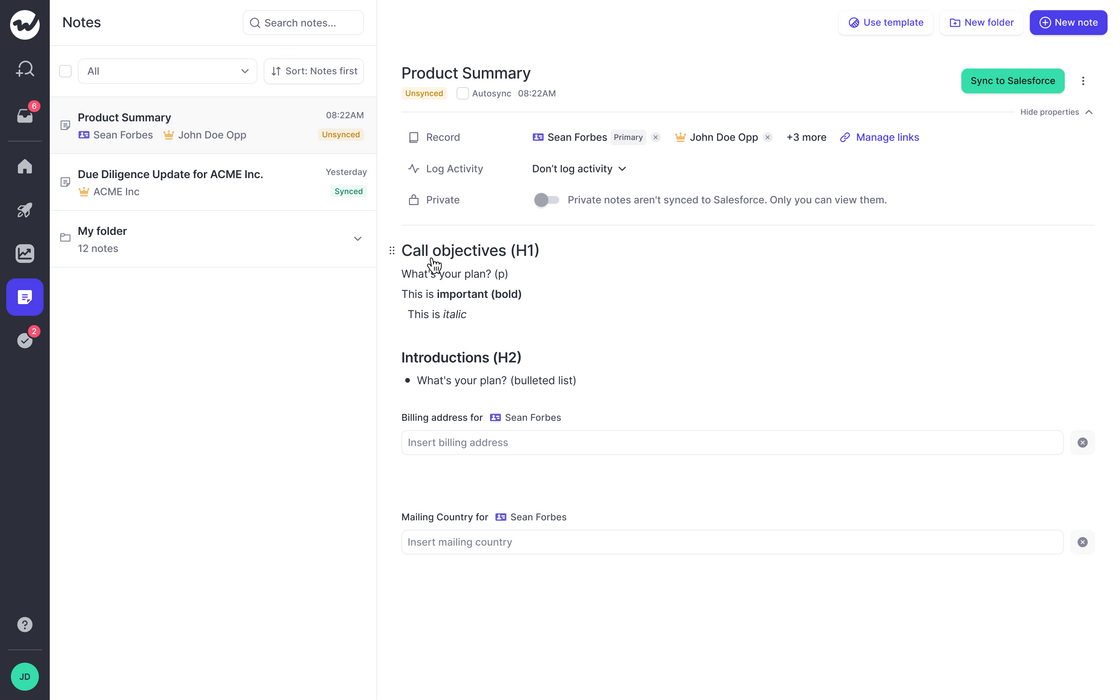
  • Custom fields incl. formula fields can now be used for forecasting in Weflow
  • To use custom fields, please install the 'Managed Weflow Package' in your Salesforce instance

September 2023

Various fixes and improvements

  • Weflow now respects the stage order for Opportunities when grouping a view by stage
  • When a new view is created, the aggregation is "Sum" by default
  • When linking a note to a record, the object type icon sometimes were distorted on small screens
  • Sometimes, the button to create a note via Google Calendar did not show up
  • Links to the help desk were updated
  • Email content was sometimes cut off in the sidebar when looking up the Activity History
  • Duplicating a template from the sidebar did not always carry over the original template fields

Notepad - Speed Improvements

  • We made significant improvements to the speed and performance of our notepad
  • Typing should feel a lot better
  • Large amounts of notes in the archive do not affect the usability anymore
Notepad - Speed Improvements

August 2023

Smart Record Type Selection

Weflow is automatically showing all options for record types now.
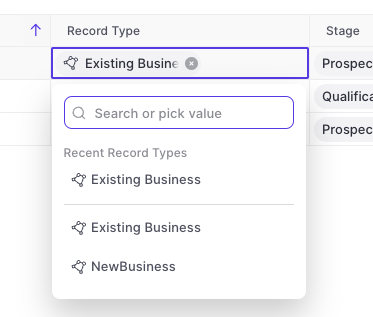
  • Previously, Weflow only showed recently used record types in the drop-down menu
  • Now, Weflow gives you a full list of all available record types and dynamically filters for relevant stages/statuses relating to said record type
  • This is part of our effort to reduce clicks and save you time wherever possible
Smart Record Type Selection

Show only stages relating to record type

The "Stage" field for Opportunities or "Status" field for Leads will automatically show only the values relating to the specific record type.

Multi-Currency Support

Weflow now supports multi-currency setups. There is nothing you need to configure within Weflow. All conversion rates and currencies are imported automatically from your existing Salesforce setup.

July 2023

Various improvements (v2.2.5 release)

The following improvements and fixes were applied to Weflow as part of the latest v2.2.5 release on July 17th 2023:

  • The "Panel" is now called "Sidebar" everywhere in the application
  • Activities and meetings can be logged for the "Lead" object now
  • There is no limit on the description field for tasks, meetings and other activities anymore
  • The task list in the home screen always uses the filters "Overview" and "Mine"
  • When changing an operator in the custom pipeline filter, the pipeline is re-rendered automatically now

May 2023

Add Custom Objects from related tab

You can now add custom objects via the related tab.

This is especially useful when utilizing third-party integrations in Salesforce such as Loopio, Partnerships, or other tools that create custom objects in your Salesforce setup.
April 2023

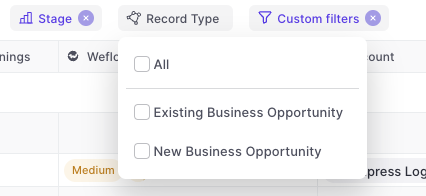
Multi-select record types

  • You can now multi-select record types
  • Weflow will automatically adjust other filters based on your business process settings in Salesforce e.g. hide irrelevant stages for a specific record type
Multi-select record types

March 2023

Recently used records

When linking an Opportunity to an account (or any other object), Weflow will now show the last 5 used records.

This will save you a click or search every now and then.

Recently used records

Increased width in note list

The note list has been cleaned up a bit:

  • Increased width
  • Auto-aligning labels on the right side
  • More space for note titles
Increased width in note list

Text formatting for Chatter messages

You can now use text formatting for bold, italic, underlined and strikethrough texts.

In addition, you can add in emojis, tag colleagues, add links, create lists and many more options.
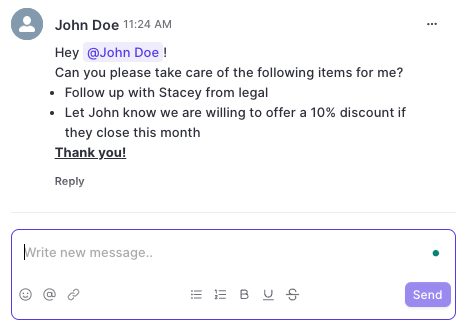
Text formatting for Chatter messages

Improved date filter options

To make filtering for specific dates and time ranges easier, we added the following options for date filters to Weflow:
  • Today [new]
  • Tomorrow
  • Yesterday
  • Last 7 days
  • Last 14 days [new]
  • Last 30 days [new]
  • Last 60 days [new]
  • This week [new]
  • Last week [new]
  • This month
  • Last month
  • This quarter [new]
  • Last quarter
  • This year [new]
  • Last year

January 2023

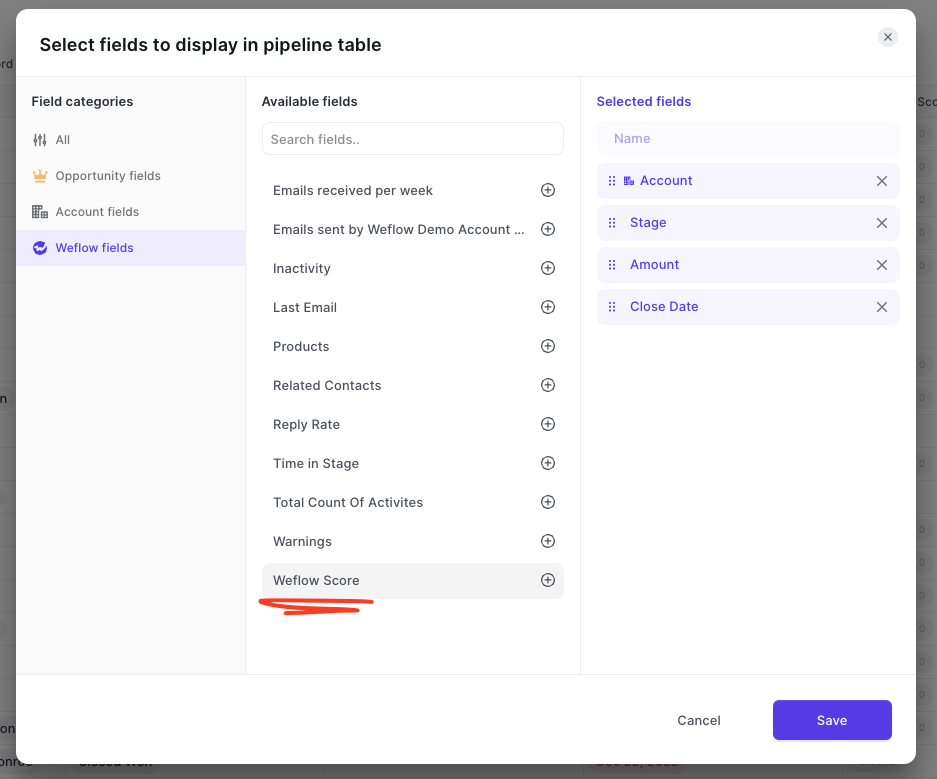
Weflow Score

  • From now on, all accounts signing up for Weflow will automatically get a Weflow score calculation
  • To access the Weflow score, simply add the 'Weflow Score' field to a pipeline view
Weflow Score

Improved loading indicators

For these rare instances, we rebuilt our loading indicators to make it clearer to our customers that the page is still loading.
  • Nobody wants to see this screen, we know
  • But sometimes, the internet connection can be bad or worse, the Salesforce API too slow
Improved loading indicators

December 2022

Easy access to the admin console

Would you like access to the admin console? Shoot us a message to hello@getweflow.com
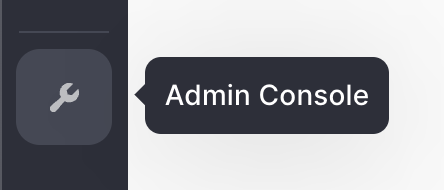
  • In the past, the admin console was a bit hidden
  • You can now find quick access to the admin console from the left-side menu (if you are an admin)
Easy access to the admin console