Weflow changelog

67 updates shipped in 2026339 all time

Showing May 2024 and earlier · Back to latest

May 2024

Sync back more than 365 days of activity data

Are you still using Einstein Activity Capture? Switch to Weflow and effortlessly sync back all your historical data. Control how your activities are logged and make them fully reportable.

  • Sync back email and meeting activities
  • Properly attribute all activities to contacts, accounts, opportunities, or leads
  • Even large amounts of data can be synced back over time

April 2024

Faster and smarter activity capturing for meetings and emails

Please note: If you are using an older version of Weflow's activity capture, please sign in to Weflow and re-authenticate your Google Workspace or Microsoft account with Weflow.

You should see a pop-up once you sign in to Weflow that guides you through re-authenticating your account. Alternatively, you can also follow the steps outlined below:

That's it. You did it!

  • Sign in to Weflow
  • Go to 'Account Settings'
  • Open the 'Activity Capture' tab
  • Disconnect your Google account
  • Reconnect your Google account

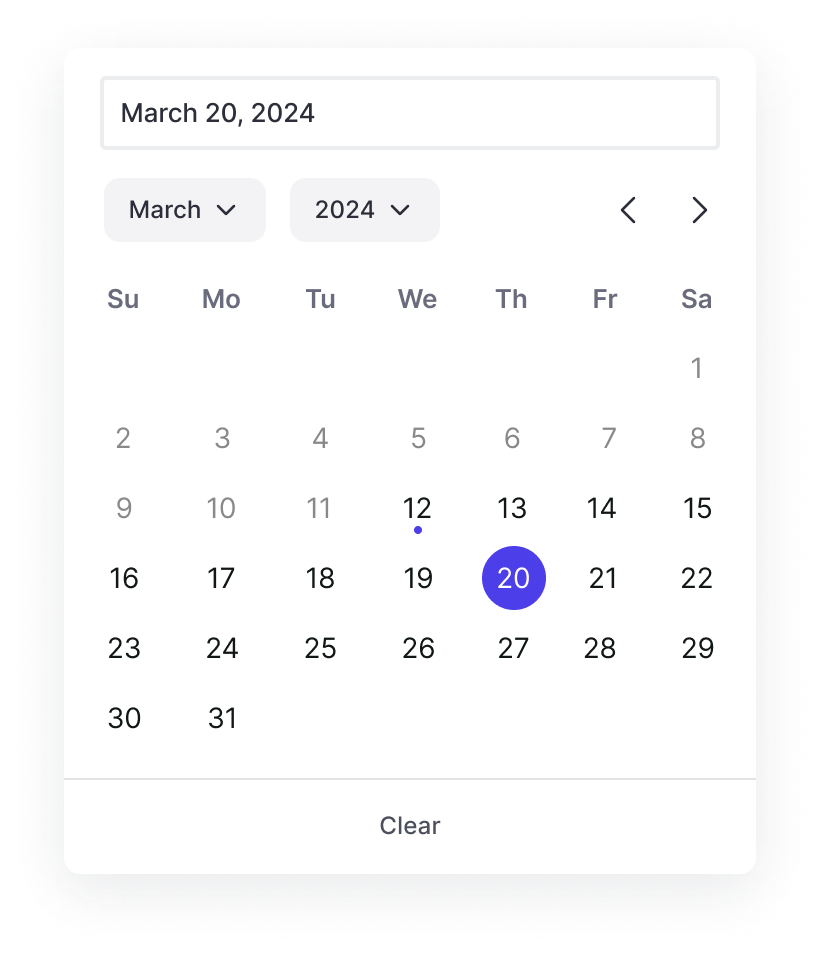
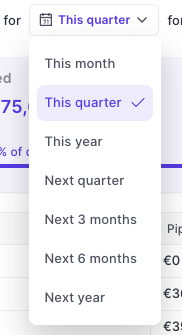
A new date picker

Based on feedback from our customers, we updated the date and calendar picker across the app and Chrome Extension. Picking dates is now faster and easier with a more responsive user interface and fewer layout shifts.

A new date picker

Submit forecast calls across record types

  • Previously, it was only possible to submit a forecast call for one specific record type
  • Now, you can submit forecast calls across all or multiple selected record types

March 2024

Better scrollbars on Windows 🪟

In some cases, Weflow showed too many and too visible/large scrollbars for users on Windows operating systems. This has been improved by:

  • Reducing the size of the scroll bars if not in use
  • Increase the size in case a user hovers over them
  • Remove unnecessary scroll bars

January 2024

Pick up where you left off: Sidebar

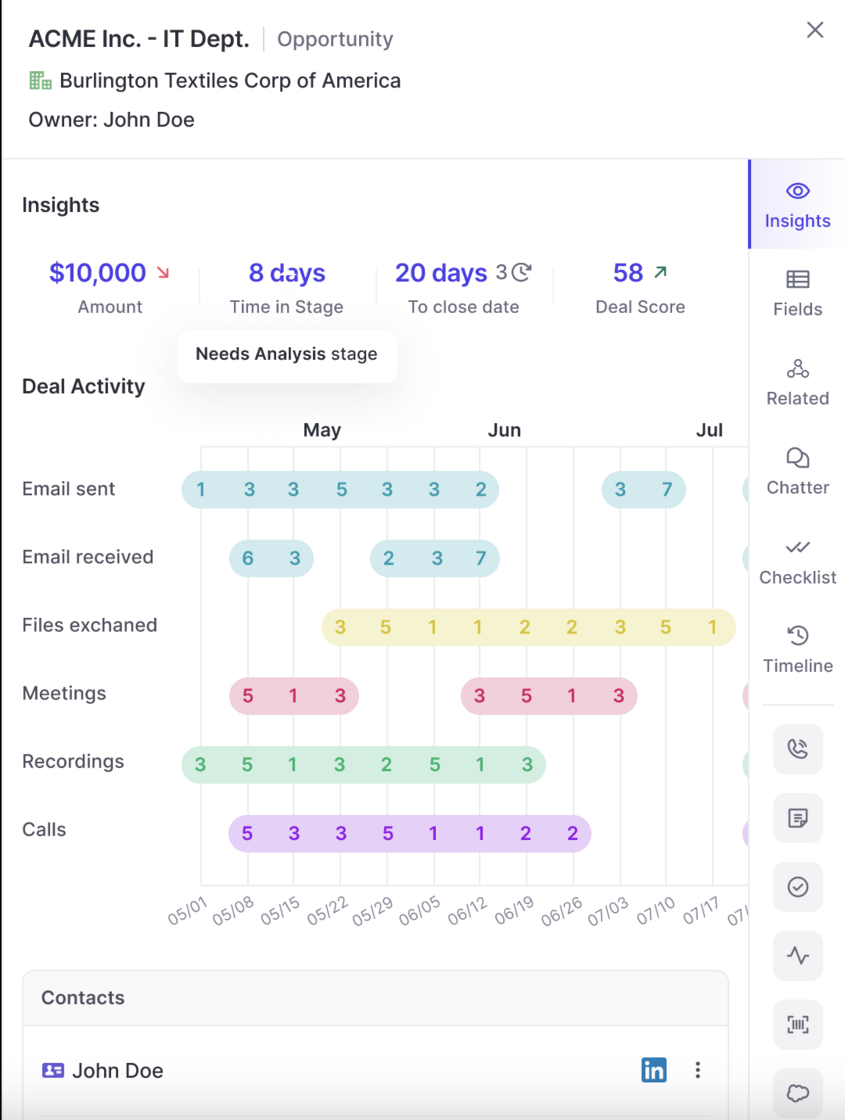
  • Weflow's powerful sidebar is now smarter and remembers your last opened view
  • Meaning anytime you open the sidebar to inspect fields, related records or activities on a specific deal, the sidebar will re-open where you left off the last time
Pick up where you left off: Sidebar

November 2023

October 2023

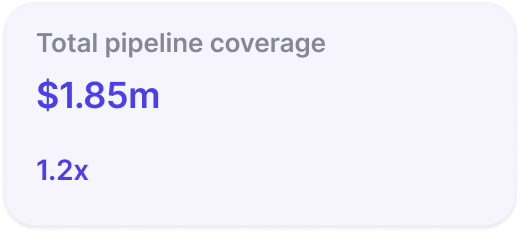
Pipeline Coverage

Pipeline coverage is now displayed as a factor e.g. 2x instead of a percentage.

Pipeline Coverage

Stage Order

Weflow now respects the correct order of stages when using a 'group by' view in the pipeline or opening the selection options from a stage field (in sidebar and pipeline).

Custom Forecast Mapping

  • Custom fields incl. formula fields can now be used for forecasting in Weflow
  • To use custom fields, please install the 'Managed Weflow Package' in your Salesforce instance

September 2023

Various fixes and improvements

  • Weflow now respects the stage order for Opportunities when grouping a view by stage
  • When a new view is created, the aggregation is "Sum" by default
  • When linking a note to a record, the object type icon sometimes were distorted on small screens
  • Sometimes, the button to create a note via Google Calendar did not show up
  • Links to the help desk were updated
  • Email content was sometimes cut off in the sidebar when looking up the Activity History
  • Duplicating a template from the sidebar did not always carry over the original template fields

Notepad - Speed Improvements

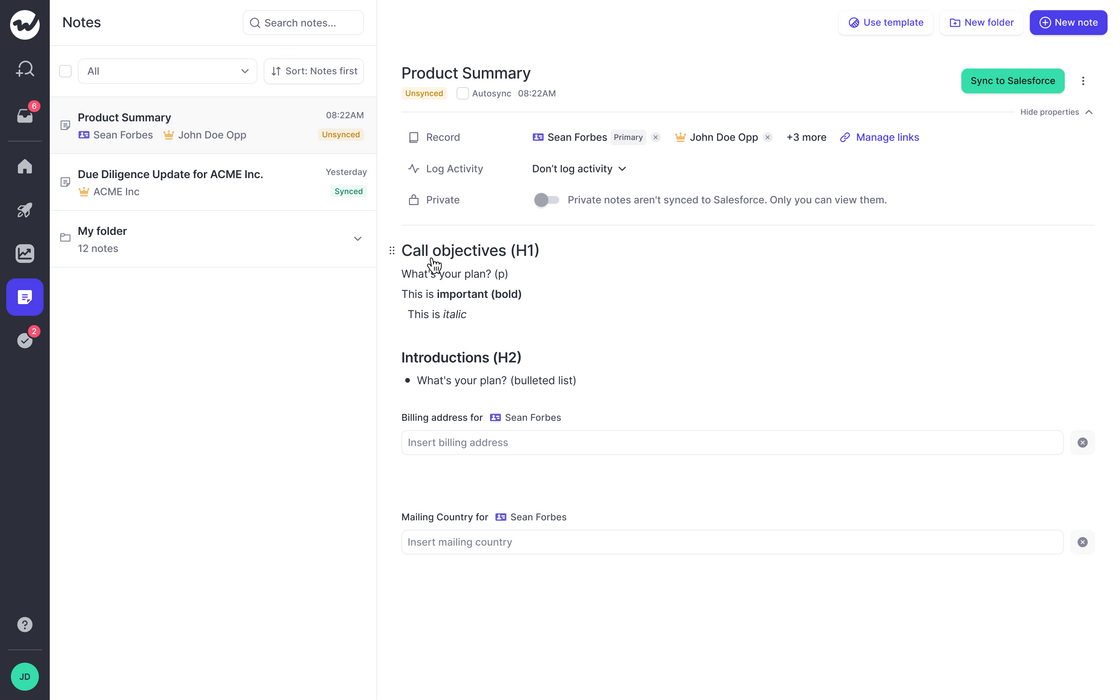
  • We made significant improvements to the speed and performance of our notepad
  • Typing should feel a lot better
  • Large amounts of notes in the archive do not affect the usability anymore
Notepad - Speed Improvements

August 2023

Smart Record Type Selection

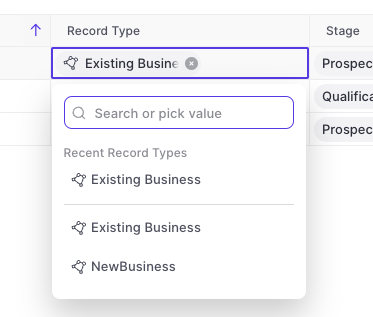
Weflow is automatically showing all options for record types now.

  • Previously, Weflow only showed recently used record types in the drop-down menu
  • Now, Weflow gives you a full list of all available record types and dynamically filters for relevant stages/statuses relating to said record type
  • This is part of our effort to reduce clicks and save you time wherever possible
Smart Record Type Selection

Show only stages relating to record type

The "Stage" field for Opportunities or "Status" field for Leads will automatically show only the values relating to the specific record type.

Multi-Currency Support

Weflow now supports multi-currency setups. There is nothing you need to configure within Weflow. All conversion rates and currencies are imported automatically from your existing Salesforce setup.

July 2023

Various improvements (v2.2.5 release)

The following improvements and fixes were applied to Weflow as part of the latest v2.2.5 release on July 17th 2023:

  • The "Panel" is now called "Sidebar" everywhere in the application
  • Activities and meetings can be logged for the "Lead" object now
  • There is no limit on the description field for tasks, meetings and other activities anymore
  • The task list in the home screen always uses the filters "Overview" and "Mine"
  • When changing an operator in the custom pipeline filter, the pipeline is re-rendered automatically now

May 2023

Add Custom Objects from related tab

You can now add custom objects via the related tab.

This is especially useful when utilizing third-party integrations in Salesforce such as Loopio, Partnerships, or other tools that create custom objects in your Salesforce setup.