Weflow changelog

67 updates shipped in 2026339 all time

Showing July 2026 and earlier · Back to latest

July 2026

Read-Only Mode Improvements

As of v3.18, admins can more granuarly define which records can get created and which fields are editable.

Admins can manage this via Admin Console > Salesforce Permissions
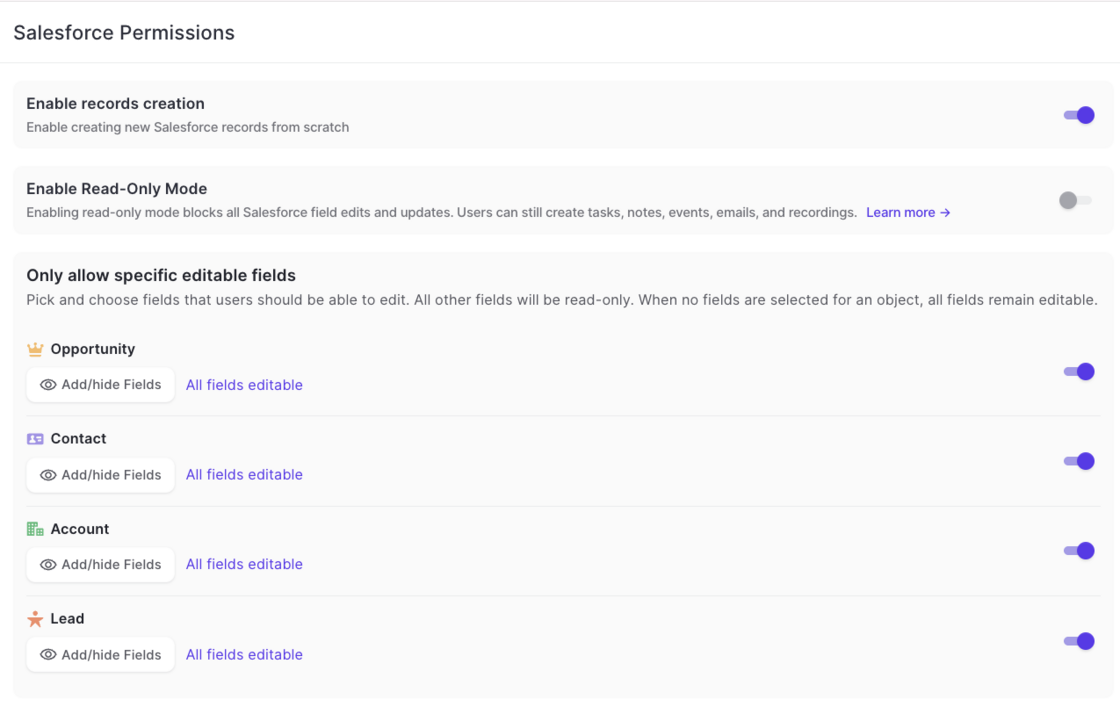
Read-Only Mode Improvements

Improvements and Changes to Ask AI

Additional limitiations: Ask AI has now more refined and stricter guardrails preventing users to retrieve information they should not be able to access (even if they can via Salesforce).

Speed: Ask AI improved processing speed by 40% on avergae.

Model: Ask AI was updated to a more powerful model with increased usage bandwidth.

Log to Custom Object Owner

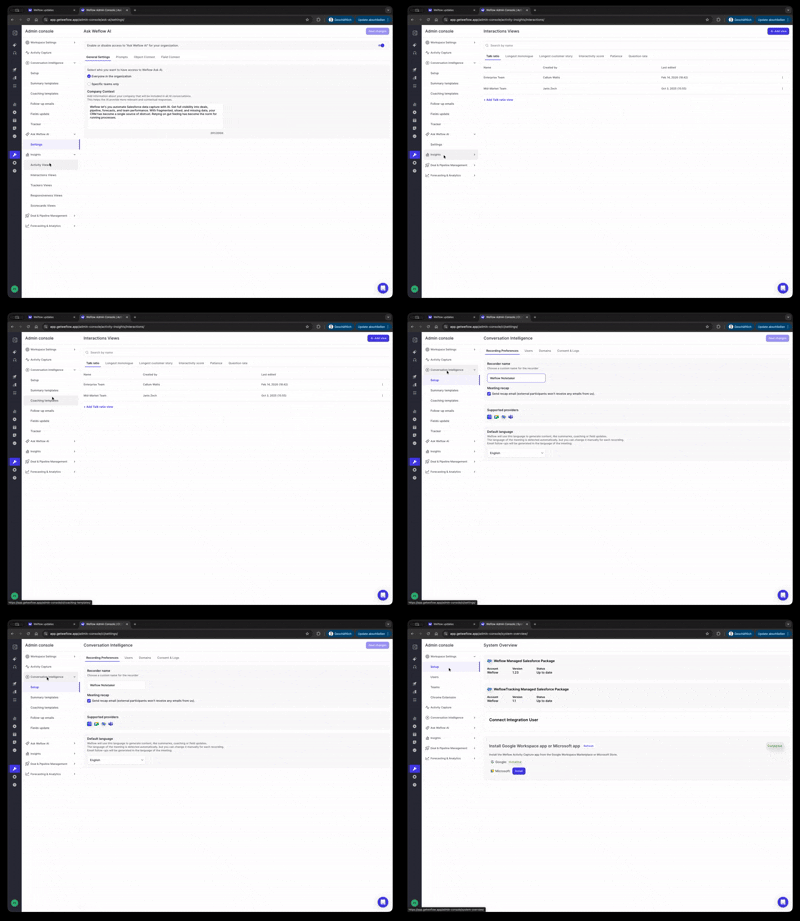
Via Admin Console > Activity Capture > Object Management, admins can now define that an email or meeting should only be logged to a custom object if the email/meeting participants include the owner of said custom object.
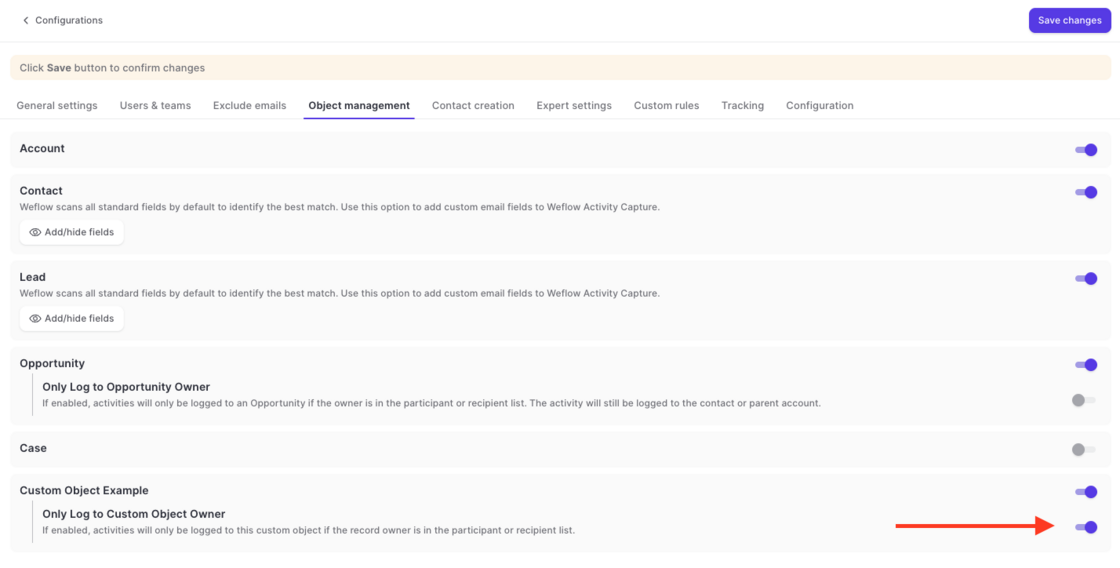
Log to Custom Object Owner

June 2026

Re-use integration user for view-only users

  • Admins can now use the same integration user for view-only licenses and the standard connection between Weflow and Salesforce.
  • No separate integration user is required anymore.

March 2026

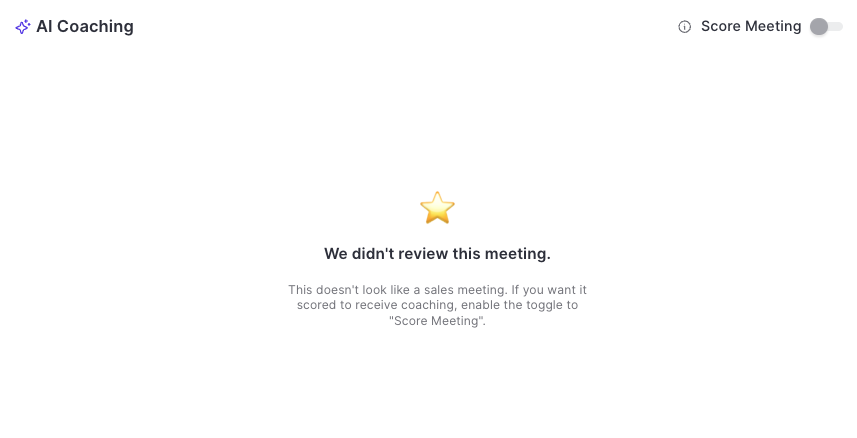
Improved scoring system

  • Weflow's AI will only score and rate meetings if it's certain that it was a sales meeting.
  • Admins and managers can toggle/untoggle the scoring system.
  • Untoggling, will remove the score from the database until it is toggled again.
Improved scoring system

Reduced API calls + getting ready for the new ECA (External Client App)

We've reduced API call and login rates by 20%, resulting in a leaner, more efficient integration that puts less load on your Salesforce org.

Our applications have been updated to align with Salesforce's most recent security requirements for the upcoming Spring '26 release, so your data stays protected and your workflows stay uninterrupted.

Reduced API calls + getting ready for the new ECA (External Client App)

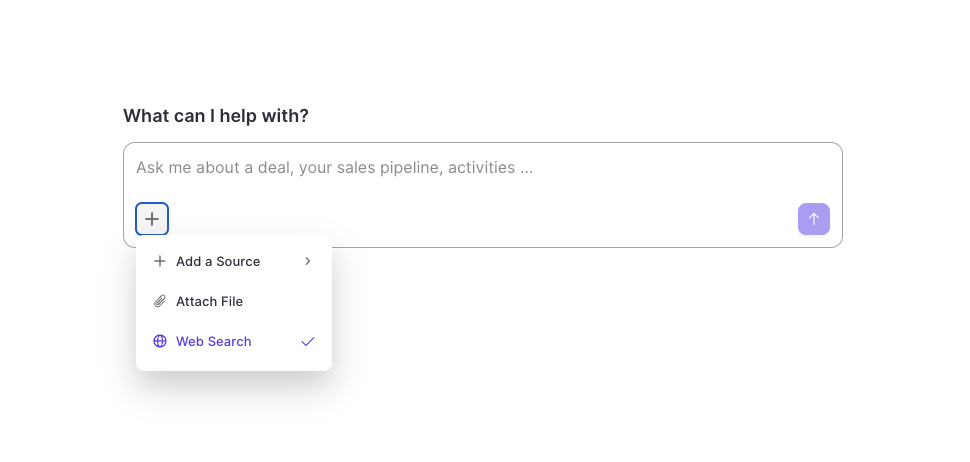
Weflow AI: Web Search & File Attachments

  • The Weflow AI has now unrestricted access to the internet.
  • If needed, the AI will source publicly available information to enhance its replies.
  • Use the web search mode to create research briefs, battle cards, follow-up emails and more.
  • In addition, users can now upload PDFs, images and CSV files and have them analyzed by the AI in combination with other sources e.g. emails or meeting transcripts.
Weflow AI: Web Search & File Attachments

February 2026

Display IN and OUT email activities in Cases timeline in Salesforce

  • When logging an email with Weflow Activity Capture against the case object, the outgoing emails were not visible in the activity timeline of the case.
  • While this was not a technical error, but simply a limitation of the activity timeline component in Salesforce itself, we have now provided a workaround that let's admins decide whether they want all emails (ingoing and outgoing) to be displayed in the timeline.
  • For users who do not need this functionality, we recommend using the normal "Feed" that is also visible on the case object in Salesforce and is the intended way of tracking all activities relating to a case.

January 2026

Weflow Email Notifications

  • We addressed several issues to improve the sending reliability of notification emails.
  • For a limited time, emails for meeting summaries were not sent to internal users (January 26th).

December 2025

Access to Recordings / Insights

  • Access to Insights now follows the same logic as access to Recordings.
  • Users can only see their own recordings and also see only their own insight reports.
  • This is true for all users without direct reports (either configured in Salesforce or in Weflow's own hierarchy system).

November 2025

Keyword Tracker: Stricter and multi-lingual

The keyword tracker in Weflow now automatically translates keywords in to all available languages. The tracker is overall more strict when it comes to identifying keywords mentioned.

Contact creation threshold for large events / emails

In the "Contact Creation" settings of an Activity Capture configuration, admins can now define a participant threshold for emails and meetings where Weflow should not create new contacts.

Example: If you have training events with 20+ participants, you may not want to create new contacts automatically. With this setting, you can fine tune the contact creation rules within Weflow.

Bot join time

  • The bot will will join meetings organized by an external person (outside of your organization) directly on time.
  • The bot will join meetings organized by you or an internal user (within your organization) three minutes before the meeting starts.

Custom rules for contact creation

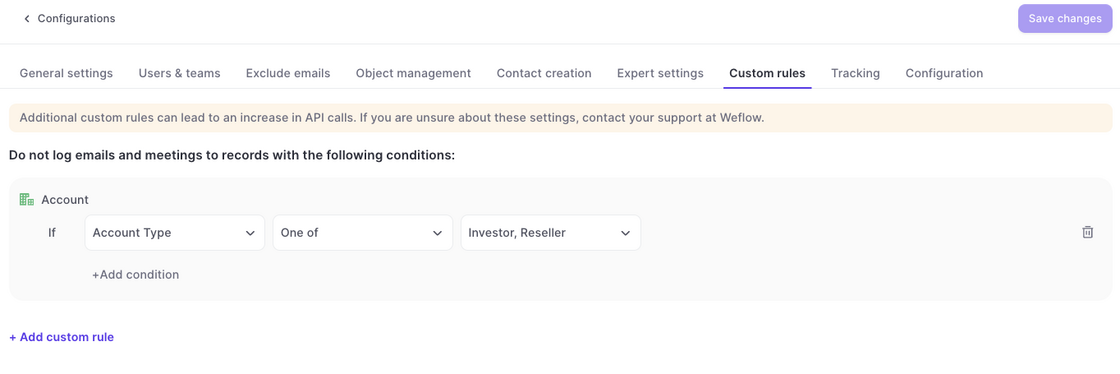
Custom Rules in the Activity Capture configurations now also block the creation of new contacts.

Example: In the example above, no contact would be created if the parent account matches the one of these values i.e. Investor and/or Reseller.
Custom rules for contact creation

September 2025

Waterfall Calculations

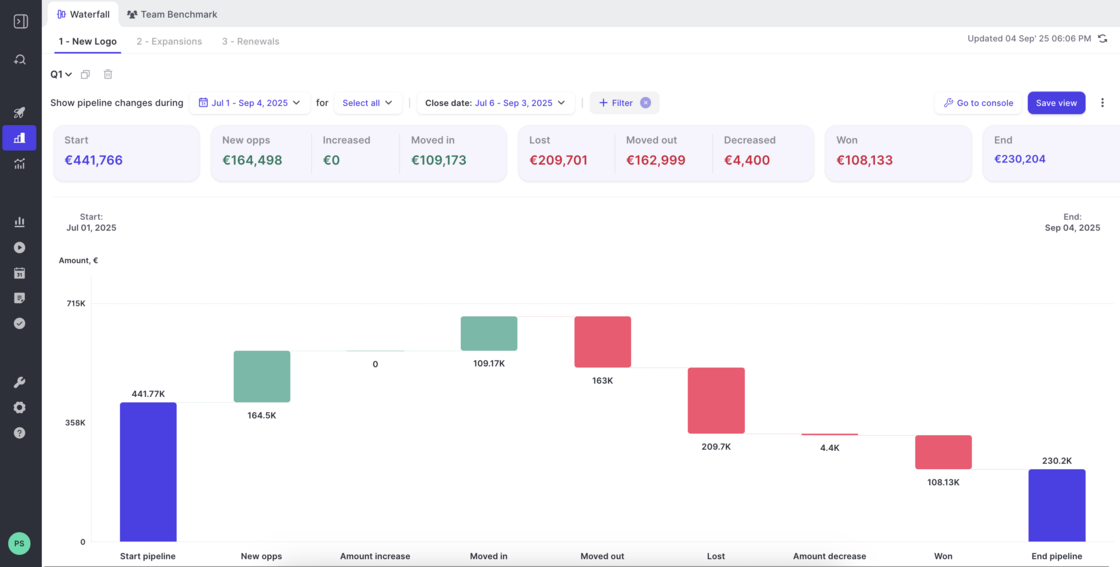
  • The Waterfall now includes two new columns Moved In and Moved Out.
  • If data is missing e.g. because a new field was introduced but no historical values exist, Weflow will display a warning that the data in the chart is not complete.
  • The overall calculations of the Waterfall have been rebuilt and improved for faster loading times and higher accuracy.
Waterfall Calculations