A new Prepare meeting button in Google Calendar opens Ask AI in the Weflow Chrome extension sidebar, so you can get ready for a call without leaving your calendar. The Create note and Log to Salesforce buttons also got a refreshed design.
New Prepare meeting button opens Ask AI in the Chrome extension sidebar
Stay in Google Calendar instead of switching to the web app
Refreshed design for Create note and Log to Salesforce buttons
Your meeting recordings are now automatically split into chapters, so you can find the part of the conversation you need without scrubbing through the whole call. Chapters appear as sections in the player and in a new Chapters tab with a short summary of each one.
Chapters are created automatically for your recordings
Chapters show as visible sections on the video player
A new Chapters tab below the video lists each chapter with a summary
Admins can now add calculated columns to any forecast configuration, so your team sees derived metrics like coverage, gap to target, or combined calls without building Salesforce formula fields or waiting on support. Values update live as calls, overrides and rollups change.
Combine other forecast columns, target or quota, and numbers using + - * / and parentheses
Show results as currency, percent or ratio, with the formula visible when you hover the column header
Calculated per row at every level of the hierarchy, including manager overrides, and frozen with locked calls in closed periods
Included in CSV and XLSX exports, and easy to copy into other forecast configurations
Weflow now has a Microsoft Teams app, so teams on Microsoft 365 get the same experience as our Slack app. You get notified in Teams when a recording summary is ready or a forecast call is due, and your Agent Workflows can post messages and files straight into the channels you choose.
Recording summary and forecast call notifications with a link that opens directly in Weflow
Agent Workflows can post messages, PDFs and CSVs to selected Teams channels, accessible to channel members
Choose which notifications and Agents go to which teams and channels, and set your own notification preferences
Quick setup after admin consent, with a permissions guide for IT admins
Weflow now classifies each recorded call by meeting type, like Discovery, Demo or Business Review, so you can find, report on and coach the right conversations without tagging anything by hand. You can always change the type on a call if needed.
Default types include Discovery, Demo, Qualification, Negotiation, Onboarding, Troubleshooting, Technical Issue, Business Review, Check-in and Other
Admins can add, rename and disable meeting types in settings
Filter call lists by meeting type and use it in reports and dashboards
Calls the AI isn't confident about fall back to Other or are flagged for review
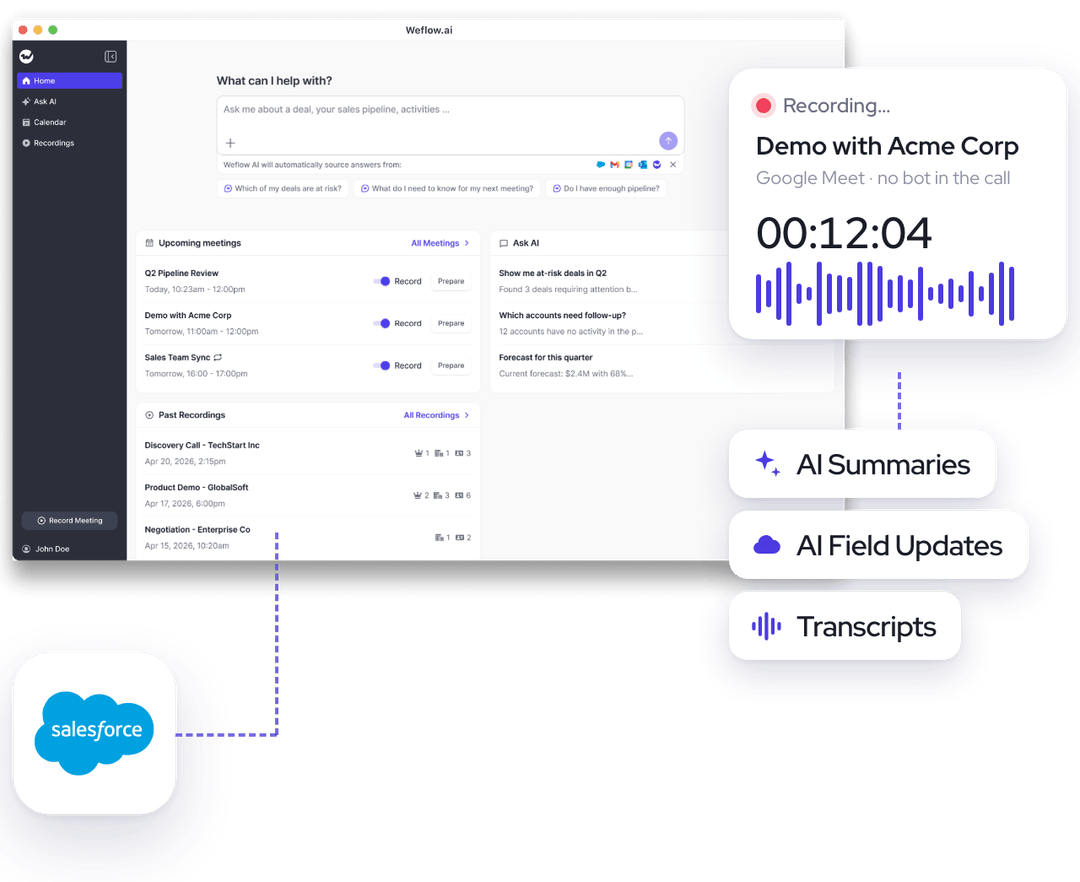
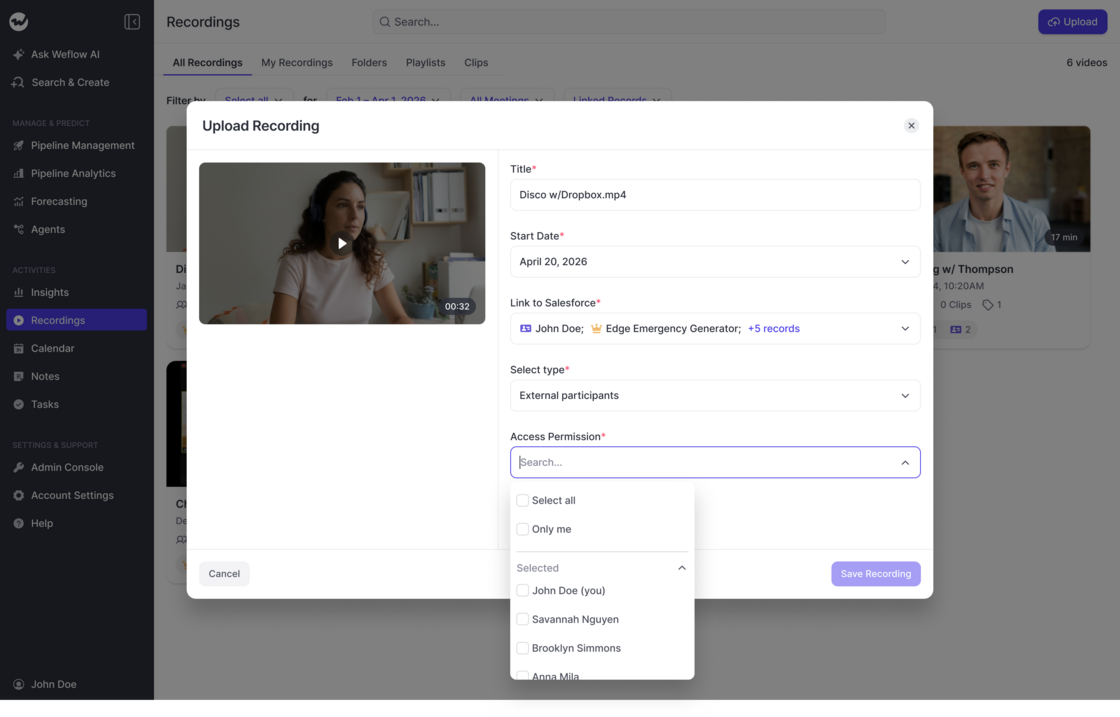
The new Weflow desktop app for Windows and macOS lets you record Zoom, Teams and Google Meet calls, phone calls and in-person meetings locally, without a notetaker bot joining. Recordings get the same transcription, conversation intelligence, summaries and Salesforce sync as any other Weflow recording.
Zoom, Teams and Google Meet calls are detected automatically so you can record with one click
Ad-hoc mode captures both sides of phone calls and works for in-person meetings
A calendar view shows your upcoming meetings with a record button for each
Review the summary, transcript and playback right in the app, plus a list of past recordings
When you open a meeting in Google Calendar, you can now click Prepare meeting to jump straight into Ask AI and get ready for the conversation. Admins and users can control whether the button appears.
New Prepare meeting button in the Google Calendar event view
Opens Ask AI in the Weflow web app
Can be turned on or off in account settings and the admin console
You can now install the signed Weflow desktop app on Windows and macOS, including both Intel and Apple Silicon Macs. The app keeps itself up to date automatically, and the full recording flow has been polished on both platforms.
Signed installers for Windows and macOS (Intel and Apple Silicon)
Automatic updates so you always have the latest version
Recording, notifications and processing work smoothly on both platforms
You can now keep emails and calendar events involving specific email addresses from being logged to Salesforce. Add the addresses you want to exclude, and Weflow will skip logging activity for them.
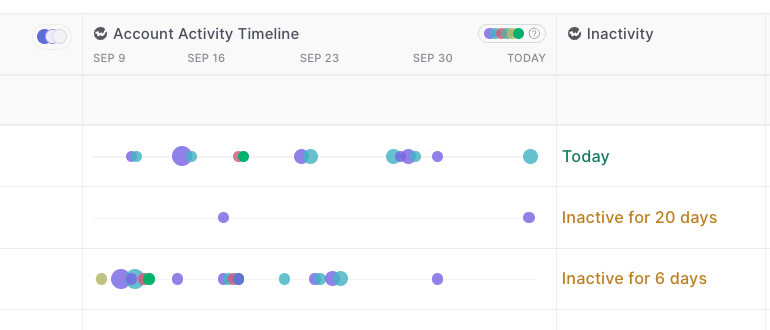
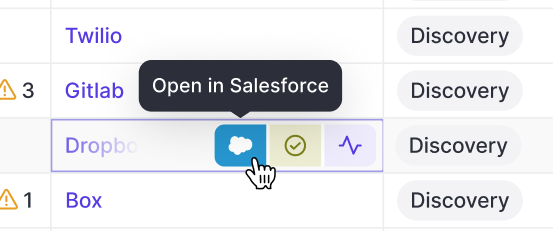
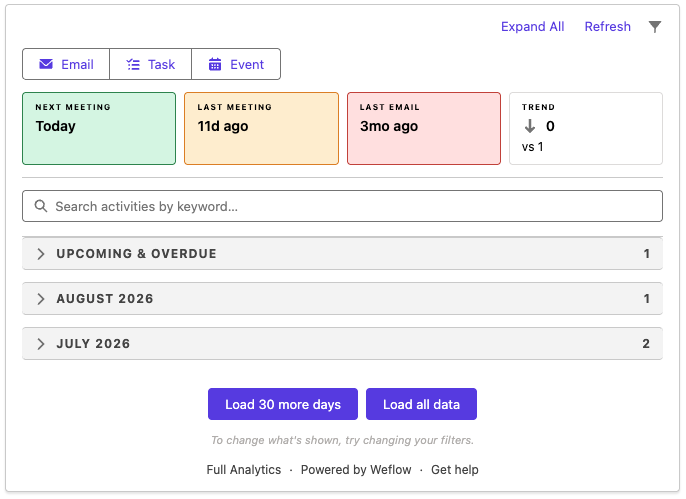
As part of Weflow's new Advanced Analytics Package, admins can now add the "Weflow Activity Timeline" as a lightning component into any page view on Salesforce.
The component will mark last/upcoming activities, filter out child events, group email messages, and generally, give you a more coherent and insightful experience of looking at activities tracked by Weflow in your CRM.
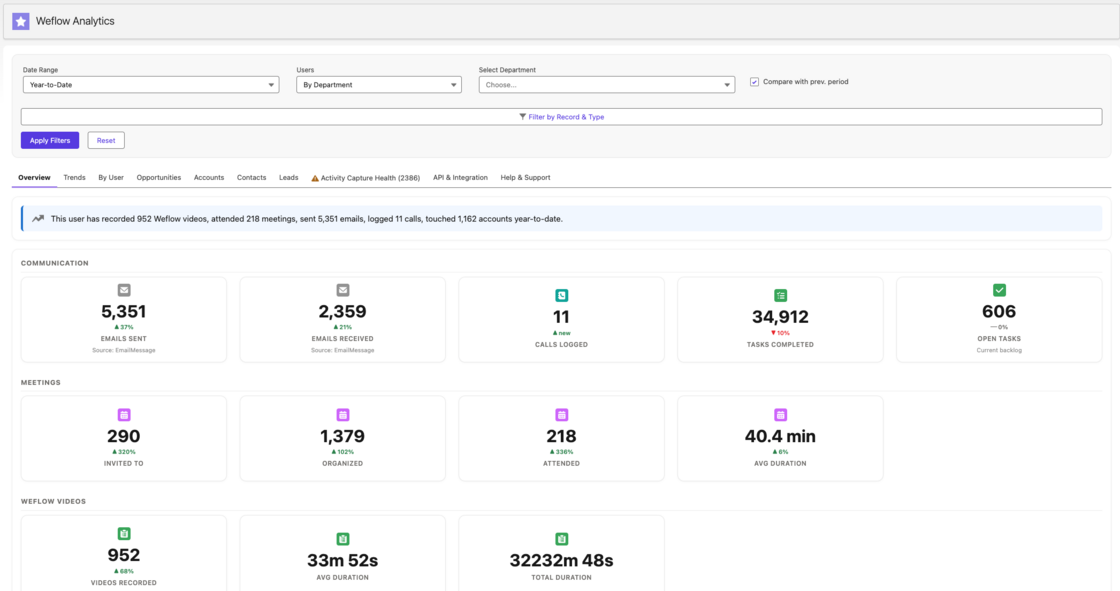
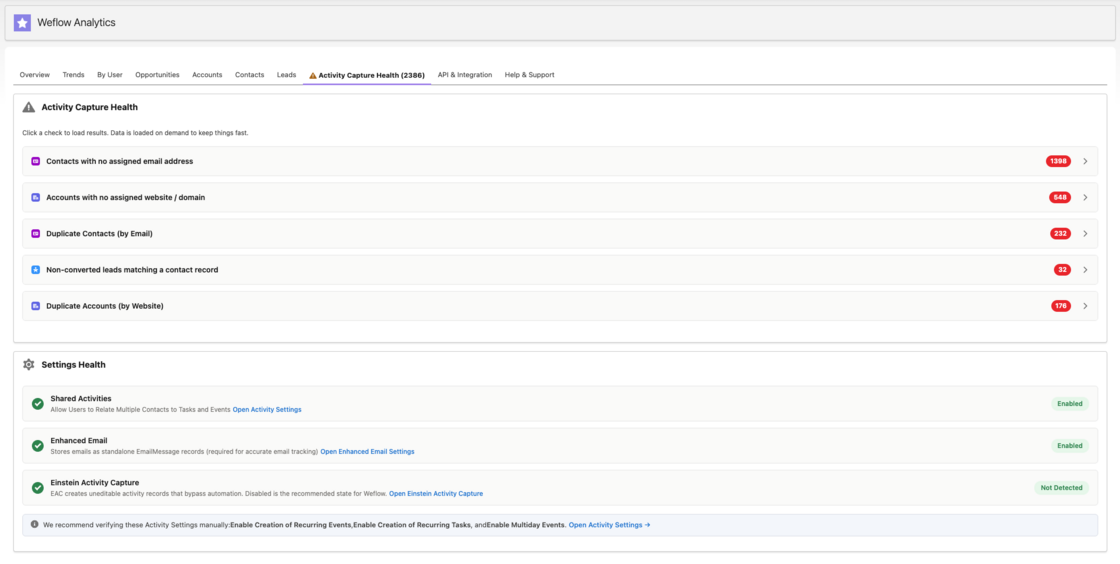
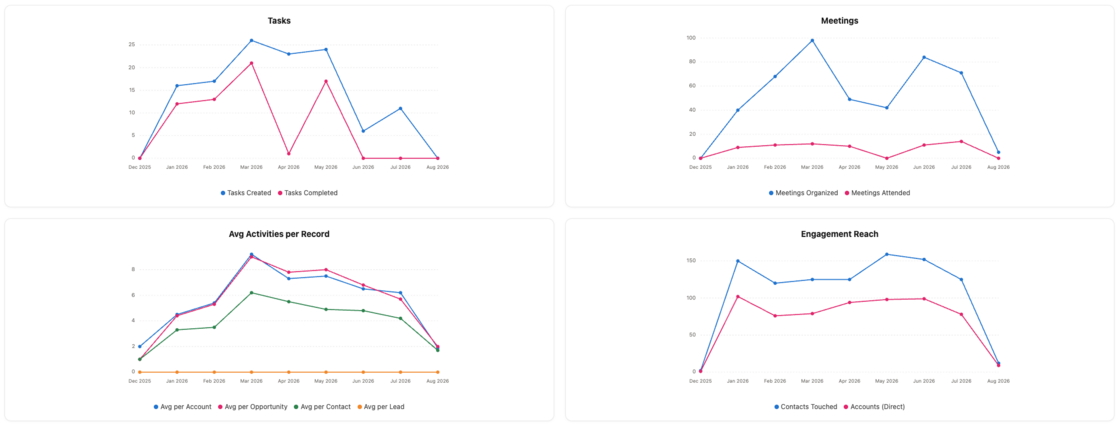
With the new "Weflow Advanced Analytics" package, you can now create powerful activity analytics directly in your Salesforce CRM (without using any API calls for reporting).
Quick overiew of activity trends company wide
Reporting on activity health issues such as duplicates
Track orphaned accounts, activities over time and more
This powerful new analytics suite gives you full ownership of reporting by user, record, time frame etc. - all natively built in Salesforce.
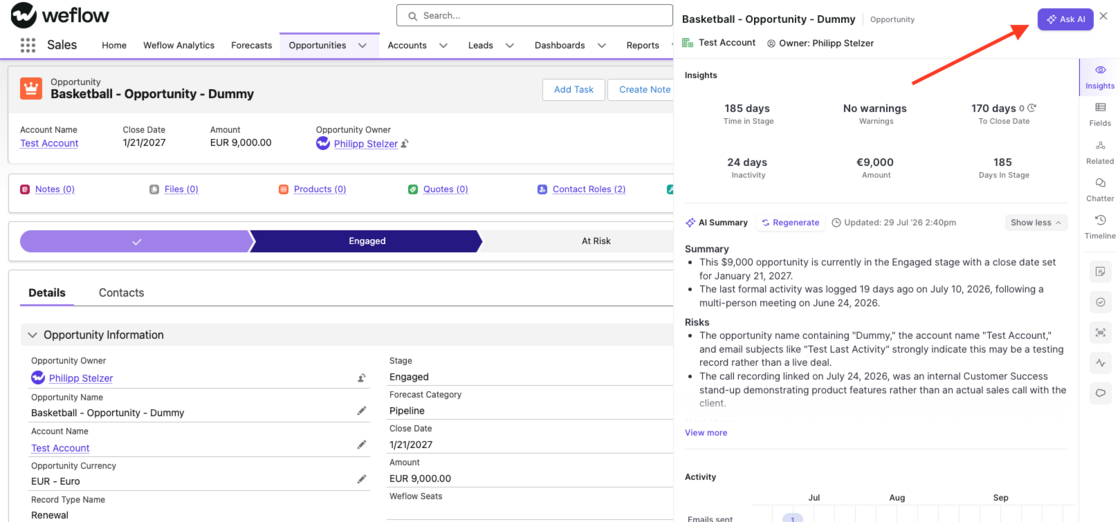
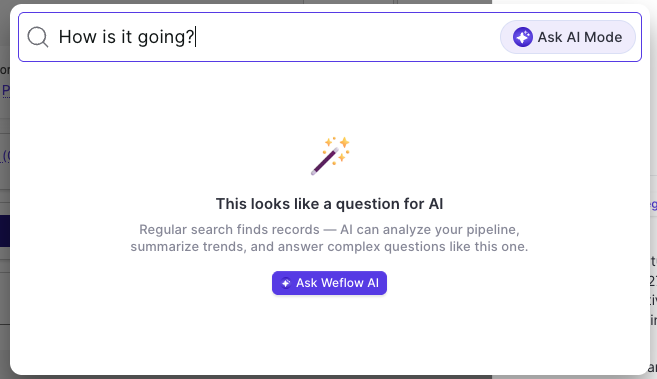
The Weflow Ask AI is now available anywhere on the web via our Chrome Extension. Simply click the "Ask AI" button when opening a record on the sidebar (e.g. via Salesforce) or enter a question into the Chrome Extension search to trigger the Ask AI mode.
This is automatically available for all users with Ask AI enabled in the Weflow admin console.
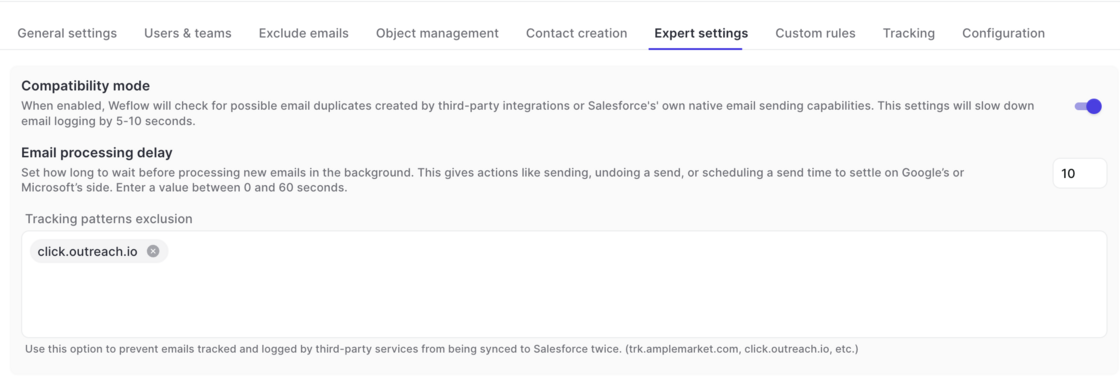
Outlook and Google Workspace allow admins to define custom "undo" timeouts to set the time that users have to undo a sent email.
If your admin has set a time of >10 seconds to undo an email, we recommend adjusting the processing delay time in Weflow in your activity capture configuration.
Go to Activity Capture -> Expert Settings -> Email Processing Delay
 weflow